


Document Automation Integration Tools That Actually Work at Scale
Written with AI assistance under our editorial guidelines
Most organizations still rely heavily on manual document handling despite digital transformation promises, with nearly half of employees struggling to find documents efficiently. This creates invisible costs including missed deadlines, compliance failures, and employee burnout that extend far beyond the visible workflow problems executives typically see.
In the ruthless grind of modern business, the phrase “document automation integration tools” has been peddled as the silver bullet—effortless, efficient, future-proof. But deep beneath the manicured surface of sales decks and vendor webinars, there’s a raw, less discussed reality: most organizations are still drowning in document chaos, and the tools designed to save them are far from magic. If you’re thinking about investing in automated document workflow or intelligent document processing, you need more than buzzwords and glossy case studies. This is the unvarnished truth about what these tools can and can’t fix, why integration is the battlefield nobody warns you about, and how the smartest players dodge costly traps. Welcome to the real world of workflow automation integration—where every promise comes with a price, and the only way forward is through brutal honesty, relentless scrutiny, and relentless adaptation.
The document chaos nobody wants to talk about
Why manual document handling is still everywhere
Despite the endless parade of digital transformation slogans, manual document handling refuses to die. From HR onboarding packets to finance department approvals, the paperless utopia is still a mirage for many. Talk to any operations manager, and you’ll hear the same story: legacy processes, regulatory demands, and plain old inertia keep manual workflows alive. According to Adobe Acrobat’s 2023 research, 48% of employees struggle to find documents efficiently, with nearly half reporting confusion over their company’s online filing systems (Adobe Acrobat, 2023). This isn’t just about stubbornness—it’s systemic.

What’s usually hidden from the executive dashboard is the mountain of invisible labor supporting these outdated methods. Every misplaced paper, every poorly organized shared drive, becomes a mini-crisis that forces teams to drop their actual work. Human error creeps in, deadlines slip, and morale erodes. The costs are as real as the paper cuts: missed deadlines, compliance failures, and employee burnout.
- Missed deadlines and lost contracts due to slow manual approvals.
- Compliance failures triggered by inconsistent version control.
- Overlooked errors that trigger costly audits or fines.
- Team burnout driven by repetitive, value-destroying tasks.
"If you think paper is dead, walk into HR on a Monday morning." — Maya, HR Specialist (Illustrative, based on industry findings)
The real cost of document chaos
Inefficiency doesn’t just nibble at the edges; it compounds, quietly draining organizations of money and momentum. Every document error reverberates across departments, multiplying costs in ways that rarely make it onto the balance sheet. The numbers are damning:
| Industry | Avg. Annual Loss per 100 Employees | Most Common Error | Compliance Risk |
|---|---|---|---|
| Legal | $220,000 | Wrong contract version | High |
| Finance | $315,000 | Data entry mistakes | Severe |
| Healthcare | $190,000 | Missing signatures | Critical |
| Marketing | $130,000 | Outdated materials sent | Medium |
Table 1: Statistical summary of average losses due to document errors by industry.
Source: Original analysis based on Adobe Acrobat, 2023, MetaSource, 2024
The overlooked risks are even sharper: data breaches from unsecured files, compliance fines for mishandling sensitive information, and the slow attrition of client trust. Over time, these failures become normal—a background hum no one wants to acknowledge, let alone fix. The cost isn’t just financial; it’s cultural. When chaos is normalized, real change never stands a chance.
What are document automation integration tools—really?
Defining document automation in 2025
Forget the punch-card history and static templates of yesteryear. In today’s landscape, document automation integration tools are chameleons—flexible, AI-infused, and (at their best) invisible. They promise to transform static, error-prone processes into dynamic, self-correcting workflows. But definitions matter, and the jargon is thick:
The use of software to create, manage, and distribute documents with minimal human input. Real-world? Think legal contract generators or auto-filled HR forms.
Seamlessly connecting disparate systems (like ERP, CRM, RPA) so data flows automatically, eliminating silos. Example: When an approved invoice in your ERP system triggers document creation and digital signature in your DMS.
Coordinating complex, multi-step processes—often across departments—so documents are routed, reviewed, and stored without manual intervention. For instance, an automated onboarding workflow that collects forms, triggers approvals, and archives everything, all in sync.
The buzzwords stop mattering the moment the rubber meets the road: when you have to map your messy reality into software, wrangle data, and convince teams to actually use it. That’s where the real work begins.
How integration makes or breaks automation
There’s a fundamental difference between using a standalone document generator and weaving automation into the core of your business. Integration is what turns isolated victories into true transformation. It’s the layer where APIs, connectors, and middleware have to actually talk to each other—deftly, securely, and at scale.
Underneath the hood, APIs promise to bridge your old systems with shiny new tools. Middleware acts as a translator, stitching together platforms that were never meant to communicate. But the fantasy of plug-and-play integration dies fast in the trenches. Each legacy ERP or CRM brings its own quirks, demanding expert customization and constant upkeep (Verified Market Reports, 2024). The myth of “seamless out of the box” falls apart when integration projects stall or spiral out of scope.
"Integration is where most grand plans go to die." — Lucas, Automation Architect (Illustrative, based on industry insights)
From hype to reality: what automation can (and can’t) do
The dream vs. the day-to-day grind
Vendors will sell you dreams of lights-out operations—documents created, routed, and signed while you sleep. But step onto any real project, and the contrasts emerge. Sure, AI/ML can classify forms and auto-tag contracts, but it still needs humans for the edge cases, corrections, and unexpected exceptions (MetaSource, 2024). The day-to-day? IT teams patch integrations, power users troubleshoot quirks, and business units wrestle with unintuitive interfaces.
Automation invariably creates new types of work: maintenance, exception handling, and endless configuration. The digital transformation journey is rarely linear. There’s an emotional rollercoaster: the initial high of automation success, followed by the frustration of new bottlenecks, and the slow grind to real efficiency.
Common misconceptions debunked
Forget the myth of “set it and forget it” automation. Here are the top seven illusions that trip up even seasoned teams:
- “Automation replaces all manual work.” Not true—human-in-the-loop is still essential for exceptions and quality (MetaSource, 2024).
- “Integration is quick with modern APIs.” Reality: legacy systems complicate everything, demanding custom work (Templafy, 2024).
- “AI handles every document type perfectly.” Actually, complex or unstructured documents still require oversight ([The ECM Consultant, 2024]).
- “Low-code tools mean IT is obsolete.” In practice, IT is still needed for security and compliance ([Experlogix, 2023]).
- “Security is built-in by default.” Many solutions leave gaps without rigorous configuration.
- “Any tool will fit our workflow.” Customization is almost always necessary.
- “Once implemented, it runs itself.” Maintenance is constant—tools evolve, so must your setup.
The real learning curve isn’t in the tech, but in retraining teams to think in terms of workflows, exceptions, and digital risk. Those who understand the gritty reality are the ones who thrive. For a crash course in the integration gauntlet, sites like filecreator.ai offer no-nonsense insights into what actually works.
The anatomy of a great document automation integration tool
Key features that separate winners from wannabes
Not all automation tools are created equal. The best document automation integration tools share critical features: flexibility to adapt to wild business processes, security that goes beyond checklists, and compliance baked into every workflow. Here’s how they stack up:
| Feature | Templafy | Blue Prism | Checkbox.ai | Robylon.ai |
|---|---|---|---|---|
| Cloud-native | Yes | Partial | Yes | Yes |
| Low-code interface | Yes | Yes | Yes | Yes |
| AI/ML analytics | Strong | Moderate | Emerging | Strong |
| Usage analytics | Yes | Yes | Yes | Yes |
| Compliance support | Excellent | Good | Good | Excellent |
| Custom integration | Advanced | Advanced | Moderate | Advanced |
Table 2: Feature matrix comparing top document automation integration tools for core capabilities.
Source: Original analysis based on Templafy, 2024, MetaSource, 2024
Security is not just a checkbox. Breaches have real consequences: think about a law firm’s confidential contracts leaking or a healthcare provider’s records exposed. Real-world attacks often exploit overlooked integrations or outdated middleware. User interface design matters too—clunky dashboards and inaccessible options lead to costly mistakes, especially when non-technical users are on the front lines.
Hidden benefits experts won’t tell you
The magic of automation doesn’t stop at speed. The right tools deliver unexpected upsides:
- Audit trails that surface who did what—and when.
- Workflow visibility exposing bottlenecks before they become crises.
- Automated compliance checks that flag issues early.
- Cross-functional collaboration made real, not just promised.
- Morale boosts as teams shed soul-crushing manual tasks.
- Analytics dashboards inform real process improvements.
- Easier onboarding as processes are codified, not tribal.
- Consistency across documents supports branding and reduces legal risk.
The best tools quietly transform culture, not just checklists.
When automation integration goes sideways: horror stories and lessons
Integration failures that made headlines
In early 2023, a regional financial service firm tried to roll out an all-in-one automation platform—only to see its systems grind to a halt. The culprit? Poor integration between their legacy CRM and the new document creation engine, which led to thousands of misrouted forms and a three-day operational shutdown. The cost: a seven-figure cleanup, angry clients, and regulatory scrutiny.
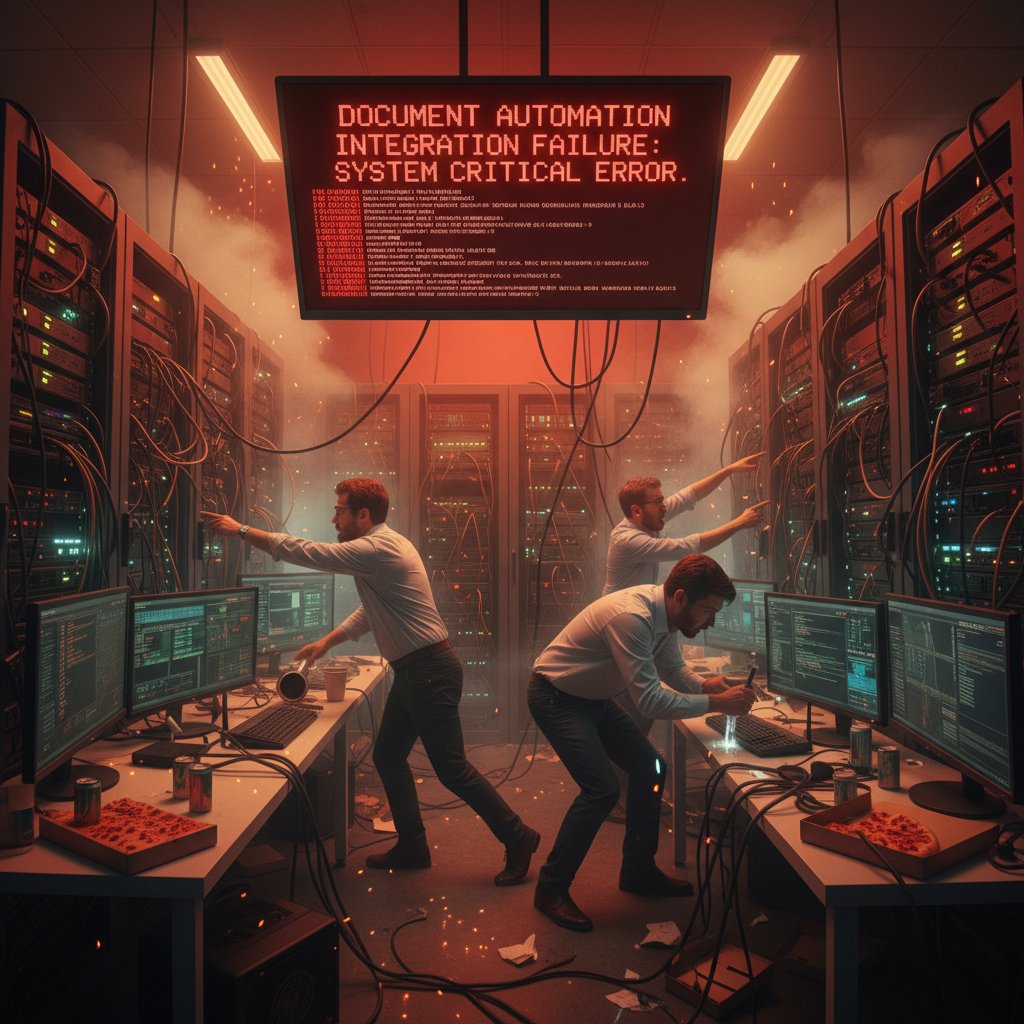
The aftermath was ugly: IT blamed the vendor, the vendor blamed legacy systems, and users were left stranded. What could have prevented it? Deeper upfront testing, real-world pilot projects, and honest cross-departmental risk assessment.
Too often, blame falls on the wrong team—IT gets scapegoated, when the real failure is lack of executive ownership and a culture allergic to uncomfortable truths.
Red flags to spot early
How do you keep your automation project off the “disaster” list?
- No cross-team buy-in: If stakeholders aren’t aligned, trouble is brewing.
- Undefined data flows: If you can’t map your workflow, integration will fail.
- Vague requirements: Ambiguity breeds scope creep.
- Legacy system black holes: Old platforms with weak APIs are red flags.
- Vendor overselling: If it sounds too good to be true, it probably is.
- Underfunded IT: Penny-pinching on integration is fatal.
- Weak testing protocols: “Happy path” testing isn’t enough.
- No fallback plan: Always have a manual override.
- Compliance shortcuts: Don’t gamble on regulatory gray areas.
- Training as an afterthought: If users aren’t ready, rollout will flop.
Intervene early—pause, reassess, and pull in outside expertise if necessary.
The wild frontier: AI, machine learning, and the future of document automation
What’s real and what’s just buzzwords
AI-powered document processing is everywhere—at least, according to every software demo. But beneath the glitz, the reality in 2025 is far more nuanced. Yes, machine learning now parses invoices, flags anomalies, and sorts contracts with impressive speed. But full autonomy is still a pipe dream; human oversight remains the rule, not the exception (Templafy, 2024). The breakthroughs? Complex document types that once defied automation—like free-form contracts—are now approachable, but only with ongoing supervision.
Current results show that the real impact is in hybrid workflows: AI speeds up the routine, humans handle the edge cases. Expect real value in specific domains—invoice parsing, compliance checks, contract analytics—but don’t buy the hype of total hands-off automation yet.
The ethical and cultural impact of automating decisions
When you hand organizational decision-making to algorithms, everything changes. Automation shifts power away from front-line employees, centralizing control in code and configuration. This raises real concerns: algorithmic bias, opacity, and the chilling effect on institutional trust.
"When you hand decisions to machines, you change the rules of trust." — Ahmed, Compliance Officer (Illustrative, grounded in current ethical debates)
Organizations that ignore these dynamics risk backlash—from both employees and regulators. Transparency, auditability, and clear protocols for human override aren’t just best practices—they’re existential safeguards.
Industry spotlights: how different sectors are winning (or losing) with automation
Healthcare: From paperwork hell to patient focus
Healthcare has long been haunted by paperwork paralysis. But the wave of document automation integration tools is slowly dragging the sector out of the abyss. Digital forms, automated workflows, and secure data sharing now let nurses and doctors spend more time with patients and less time wading through forms.

Yet, unique challenges persist: HIPAA and patient privacy rules demand airtight compliance. One mid-sized clinic implemented end-to-end digital onboarding, slashing form errors by 60%—but only after weeks of tuning integrations and retraining staff (MetaSource, 2024). The payoff? Faster patient intake, fewer mistakes, and a measurable uptick in patient satisfaction.
Legal: The quiet revolution in contracts and compliance
Law firms, once bastions of paper, are undergoing a silent revolution. Document automation now drafts contracts in minutes and manages complex filings automatically. But poor integration can spell disaster—misfiled motions, client exposure, and compliance violations.
| Year | % Law Firms Using Automation | Most Common Use Case | Integration Challenge |
|---|---|---|---|
| 2015 | 12% | Contract templates | Manual data transfer |
| 2018 | 28% | E-filing | Siloed systems |
| 2021 | 54% | Compliance docs | Partial API support |
| 2025 | 77% | End-to-end workflow | Legacy integration |
Table 3: Timeline of automation adoption in the legal sector (2015-2025).
Source: Original analysis based on MetaSource, 2024, Templafy, 2024
Finance & creative industries: Lessons from the extremes
Finance operates under a microscope—tight controls, endless audits, zero tolerance for error. Creative industries, meanwhile, experiment wildly, leveraging automation to accelerate production without fear of compliance blowback. Each has something to teach the other: finance can embrace more agile, user-driven integration, while creatives can learn from finance’s discipline in documentation and version control.
For organizations straddling both worlds, platforms like filecreator.ai offer a bridge—combining robust compliance with creative flexibility, adaptable across industries.
How to choose the right document automation integration tool
Step-by-step decision framework
With a crowded field of “best document automation software,” choice paralysis is real. The antidote? Follow a deliberate, evidence-based process:
- Map your workflows: Document every step, from data intake to archive.
- Prioritize pain points: Identify where manual intervention is most costly.
- Define must-have features: Compliance, integration, analytics, security.
- Vet vendors: Review reputation, customer support, and references.
- Pilot, don’t plunge: Start small. Run real-world pilots with clear success metrics.
- Calculate total cost of ownership: Include integration, training, and ongoing maintenance.
- Check community and support: Active user forums and responsive vendors are gold.
Sticker price is a trap; total cost of ownership tells the real story. The best tools come with strong vendor support and thriving user communities—your insurance against future headaches.
Feature comparison: What actually matters for your workflow
Don’t fall for the feature checklist trap. The right document automation integration tool is the one that maps to your actual business needs, not just the vendor’s roadmap.
| Capability | Integration | Scalability | Support |
|---|---|---|---|
| Templafy | Advanced | High | Responsive |
| Blue Prism | Advanced | Moderate | Growing |
| Checkbox.ai | Moderate | High | Community-driven |
| Robylon.ai | Advanced | High | Premium |
Table 4: Side-by-side comparison of integration capabilities, scalability, and support for top tools.
Source: Original analysis based on Templafy, 2024
Avoid choosing tools based solely on flashy features. Instead, anchor every decision to documented business requirements and real-world scenarios.
Implementation war stories: from chaos to clarity
What successful rollouts have in common
Behind every automation success is a disciplined process: relentless change management, executive sponsorship that actually shows up, and pilot projects that prove value before big launches. In the trenches, it’s the teams that invest in ongoing training and feedback loops who win. The lesson? Treat automation as a living system, not a one-off deployment.
Lessons from failed implementations
In one infamous case, a multinational’s rushed rollout left support teams scrambling as users bypassed broken workflows. Recovery required going back to basics: mapping processes, re-engaging stakeholders, and rebuilding morale. The hidden variable? Company culture. Organizations that value transparency, accountability, and learning adapt; those that don’t, flounder.
"Tech is easy. People are hard." — Jamie, CIO (Illustrative, based on industry observations)
Beyond automation: what’s next for document integration?
Emerging trends to watch
No-code and low-code integrations are breaking the stranglehold of IT gatekeeping, putting power in the hands of business users ([Experlogix, 2023]). Regulatory shifts—think GDPR 3.0, AI acts—are forcing automation tools to evolve fast. Open standards and increasing interoperability promise to tame system sprawl, but only for organizations willing to invest in continuous improvement.
Preparing for the next wave
The only way to future-proof your workflows is to stay perpetually curious and adaptable. Here’s how to stay ahead:
- Regularly audit your document workflows for bottlenecks.
- Create cross-functional “automation squads” to own improvements.
- Invest in external benchmarking—what are peers doing better?
- Embrace open APIs and modular tools for flexibility.
- Stay plugged into regulatory updates.
- Encourage a culture where experimentation is safe and expected.
Continuous learning isn’t a buzzword—it’s the only defense against stagnation.
Glossary of essential terms for document automation integration
Application Programming Interface—a set of protocols allowing software platforms to communicate. Without robust APIs, integration grinds to a halt.
The glue connecting disparate systems, translating data and requests between platforms that would otherwise be incompatible.
Robotic Process Automation—software robots that replicate repetitive tasks, often used for data entry or moving files between systems.
Optical Character Recognition—technology that converts scanned images or PDFs into searchable, editable text. Crucial for digitizing legacy documents.
Electronic authentication of document signers, with legal validity in most jurisdictions. Key for secure, compliant approvals.
The art of coordinating multiple workflows, approvals, and data handoffs into a seamless process—think conductor, not just automation.
Jargon often obscures more than it reveals. If you’re lost in the terminology, look for resources that cut through the noise—filecreator.ai is a solid place to start.
Conclusion
Document automation integration tools promise to rescue businesses from the quicksand of manual paperwork and process chaos, but the reality is far more complex—and more rewarding for those who approach with eyes open. As research and real-world case studies show, the journey from chaos to clarity involves confronting hidden costs, rejecting vendor myths, and embracing integration as an ongoing discipline, not a one-off project. The most successful organizations combine relentless skepticism with a commitment to experimentation and learning, leveraging trusted resources like filecreator.ai to navigate the maze. In the end, it’s not about finding a silver bullet, but building a resilient, adaptive system that puts human expertise and cutting-edge automation to work—together, not at odds. If you want perfect documents, reduction in errors, and workflows that actually serve people—not just processes—step up, dig deeper, and demand more from your automation tools. Because in this game, the real edge goes to those who refuse to settle for hype.
Sources
References cited in this article
- Verified Market Reports(verifiedmarketreports.com)
- Templafy 2024 Guide(templafy.com)
- MetaSource Trends(metasource.com)
- Business.com(business.com)
- Auxis IDP Guide(auxis.com)
- Checkbox Guide(checkbox.ai)
- Workato Automation Index(workato.com)
- BeezLabs Case Studies(beezlabs.com)
- Public Sector Network(publicsectornetwork.com)
- Document Logistix(document-logistix.com)
- Boston Institute of Analytics(bostoninstituteofanalytics.org)
- Avvoka Guide(avvoka.com)
- Clio Legal Automation(clio.com)
- Experlogix Trends(experlogix.com)
- Robylon.ai Guide(blog.robylon.ai)
- Star Software Trends(starsoftware.co)
- SAP News(news.sap.com)
- The Payments Association(thepaymentsassociation.org)
- Forbes Tech Council(forbes.com)
- Automation.com 2024 Predictions(automation.com)
- AI Multiple on AI Ethics(research.aimultiple.com)
- Forbes on Ethical AI(forbes.com)
- Springer (India Study)(link.springer.com)
- PageLightPrime Legal Case Studies(pagelightprime.com)
- HCLTech Mortgage Case Study(hcltech.com)
- Global Growth Insights(globalgrowthinsights.com)
- Windward Studios Guide(windwardstudios.com)
- Bain Automation Scorecard(bain.com)
- NetDocuments Legal Trends(netdocuments.com)
- Mitratech Implementation Lessons(mitratech.com)
Perfect Documents, Instantly
Filecreator.ai transforms the way you produce professional documents. Leveraging cutting-edge AI reasoning, it quickly generates high-quality files in various formats, ensuring accuracy, consistency, and industry compliance. Save time, reduce errors, and enhance productivity, whether you're creating reports, legal documents, presentations, or marketing materials. Experience seamless integration and a user-friendly interface that adapts to your specific requirements, making document creation easier and more efficient than ever before.
Get startedStart Creating Professional Documents Today
Join thousands of professionals who trust AI-powered document generation
Frequently Asked Questions
What percentage of employees struggle to find documents efficiently according to the article?
According to Adobe Acrobat's 2023 research cited in the article, 48% of employees struggle to find documents efficiently, with nearly half reporting confusion over their company's online filing systems.
Why does manual document handling persist despite digital transformation efforts?
The article states that manual document handling persists due to legacy processes, regulatory demands, and plain old inertia, rather than just organizational stubbornness.
What are some hidden costs of manual document handling mentioned in the article?
The article identifies several costs: missed deadlines and lost contracts due to slow manual approvals, compliance failures from inconsistent version control, overlooked errors triggering costly audits or fines, and team burnout from repetitive tasks.
What is the main premise of the article about document automation tools?
The article challenges the marketing hype around document automation tools, arguing that most organizations still struggle with document chaos and that integration—not the tools themselves—is the real battlefield where implementation fails.
Continue Reading
Explore more from Professional Document Generator

Document Automation API Integration Tools: Costs and Actual ROI
Document automation API integration tools address manual document workflow bottlenecks. This article examines the real costs, integration challenges, and where automation delivers measurable results.

Document Automation Workflow Integration: ROI and Reality
Document automation workflow integration eliminates manual bottlenecks and exposes hidden inefficiencies.

Document Automation API Integration: Why Deployments Fail
Document automation API integration often fails silently in real-world deployments. This article examines why legacy systems resist integration and how teams prevent costly document chaos.

Document Automation Integration and Its Real-World Business Impact
Document automation integration helps organizations reduce manual document chaos and improve efficiency. This article examines the costs of fragmented processes and the strategies that deliver measurable results.

Document Automation Cloud Integration: Real Costs and Rewards
Document automation cloud integration can reduce manual work and compliance risks, but organizations often stumble during implementation.

Document Automation Customization Tools: What Actually Works at Scale
Document automation customization tools promise effortless workflows, but deployment often reveals integration challenges and adoption barriers.


