


Document Automation Integration Software: 7 Costly Myths to Avoid
Written with AI assistance under our editorial guidelines
Document automation integration software can dramatically reduce manual workflow time from 8-12 hours weekly to 1-2 hours while cutting error rates from 7-10% to 1-2%, but success requires understanding that integration isn't plug-and-play. Many organizations fail by ignoring hidden costs, legacy system incompatibilities, compliance complexities, and change management challenges that vendor demos gloss over.
If you think “document automation integration software” is just a buzzword you can ignore, brace yourself. Even in 2025, document chaos is alive and well behind polished office walls: files lost in cryptic folders, contracts delayed in endless email chains, and compliance risks hiding in plain sight. The promise of AI-powered workflows is seductive—seamless connections, zero errors, instant productivity. But here’s the unfiltered reality: for every team that conquers the chaos, another stumbles into a mess of hidden costs, botched rollouts, and frustrated employees. This is your guide to the seven brutal truths of document automation integration. Forget the glossy vendor demos. We’ll expose why so many well-meaning projects go sideways, what integration really takes, and how to spot hype versus real results. If your goal is to transform your workflow with document automation in a way that actually sticks—this is the roadmap industry leaders wish they’d had before making million-dollar decisions.
Why document chaos still reigns in the age of AI
The hidden costs of manual document workflows
Despite all the digital transformation talk, manual document handling is still draining budgets and morale. According to recent research, businesses waste an average of 21% of their productivity on paper-based processes—think lost hours chasing signatures, fixing clerical errors, and updating scattered spreadsheets. The real cost isn’t just time; it’s the compliance risks lurking in every missed update or forgotten approval. In regulated industries, a single misplaced file can mean hefty fines or lost clients. It’s not just inefficiency; it’s an existential threat to reputation and revenue.

| Workflow Type | Avg. Time Spent Per Week | Compliance Risk | Error Rate (2024) |
|---|---|---|---|
| Manual (Paper/Email) | 8-12 hours | High | 7-10% |
| Semi-Automated (Macros) | 4-6 hours | Medium | 4-6% |
| Fully Automated (AI SaaS) | 1-2 hours | Low | 1-2% |
Table 1: Productivity and risk comparison for document workflows (Source: Original analysis based on Gartner, 2024, Wrike, 2024)
How legacy systems sabotage integration
The promise of “plug-and-play” automation crashes fast against reality. Most organizations still rely on legacy software—outdated ERPs, homebrewed databases, or clunky old SharePoint setups. These systems are rarely ready for the sleek, cloud-native world of modern automation. The result? Frustrating delays, sky-high consulting fees, and custom connectors that break at the worst times.
"Integration is a battle against your own IT history." — Samantha, Senior IT Architect (illustrative, based on common industry sentiment)
It’s more than technical debt; it’s cultural inertia. Teams cling to familiar tools, fearing disruption to critical business operations. Even when the tech is ready, change management falls apart: training is an afterthought, and old processes get resurrected every time the new system hiccups. True integration means confronting these ghosts, not pretending they don’t exist.
What most IT leaders get wrong about 'automation'
The myth: Automation is just about doing things faster. The truth: Rushing to automate broken processes only hardens dysfunction. Speed is seductive, but without strategic oversight, you’re just scaling chaos. According to Gartner, 2024, 87% of organizations report that poor data quality and integration issues block the full value of automation.
Hidden benefits of document automation integration software:
- Improved audit trails that simplify compliance and reduce fraud risk.
- Centralized knowledge, making onboarding and process updates seamless.
- Real-time analytics: uncover bottlenecks and inefficiencies previously hidden in manual workflows.
- Enhanced cross-department collaboration—no more “lost in translation” between teams.
- Built-in standardization that enforces organizational best practices.
But to unlock these, automation must be more than an IT project—it needs buy-in from leadership, clarity about desired outcomes, and ongoing human oversight. Treat automation as a strategy, not a shortcut.
From macros to AI: The wild evolution of document automation
The forgotten history of document automation
Automation didn’t start with neural networks—remember the days of clunky macros and mail merges? It’s a history written in half-finished scripts, fragile Excel formulas, and “digital transformation” projects that never quite delivered. Today’s SaaS platforms and AI document workflow tools stand on the bones of these early experiments.
- 1980s: Simple macros automate repetitive tasks in word processors.
- 1990s: Office suites add mail merge and basic scripting.
- 2000s: Document management systems promise version control (but often deliver confusion).
- 2010s: Cloud-based SaaS shifts documents online, opening doors to new integrations.
- 2020s: AI-driven platforms claim to “understand” and process documents at scale, but integration is still the stumbling block.

What 'AI-powered' actually means in 2025
Vendors love to plaster “AI-powered” on every product, but the reality is messier. Most so-called AI in document workflow automation is advanced pattern matching—think natural language processing to extract data, machine learning to classify forms, or basic bots routing approvals. True “understanding” is rare—and always needs human oversight, especially for edge cases or ambiguous content.
Key AI/automation terms, demystified:
- NLP (Natural Language Processing): Tech that reads and extracts meaning from text—used in contract review and data extraction.
- RPA (Robotic Process Automation): Bots that mimic human actions in digital systems.
- Machine Learning: Algorithms that improve through exposure to more document data—great for recognizing invoices, not so great for nuanced legal analysis.
- Human-in-the-loop: The critical (and often overlooked) practice of keeping real people involved in exception handling and process refinement.
"Most so-called AI is just fancy pattern matching." — Jordan, Automation Engineer (illustrative, based on industry interviews)
Document automation across industries: More than you think
It’s not just legal teams or finance departments reaping automation’s rewards. The diversity of use cases is staggering—and growing every quarter.
Unconventional uses for document automation integration software:
- Healthcare: Instantly generating and validating patient records, reducing clerical errors and regulatory fines.
- Logistics: Auto-creating bills of lading, customs forms, and shipping manifests from real-time shipment data.
- Creative agencies: Automating NDAs, SOWs, and client onboarding documents without bottlenecking creativity.
- HR departments: Auto-updating employee files and compliance paperwork during hiring surges.
For instance, in healthcare, research from Experlogix, 2024 shows significant reductions in administrative load and error rates. In logistics, document workflow tools now connect directly to tracking and inventory systems, slashing turnaround times for critical documents.
Integration nightmares: Where automation goes to die
Real-world horror stories from the field
Not every automation journey ends in digital utopia. In reality, poorly planned integrations often become horror stories: multimillion-dollar initiatives that leave teams worse off than before. One global manufacturer, for example, tried to bolt a next-gen workflow engine onto its fossilized ERP—only to spend eight months firefighting unexpected data mismatches and compliance failures. The end result? A return to manual processes and a “never again” attitude company-wide.

| Failure Cause | % of Failed Projects | Typical Impact |
|---|---|---|
| Poor data quality | 38% | Automated errors, compliance gaps |
| Legacy system incompatibility | 29% | Broken workflows, hidden costs |
| Lack of user buy-in | 18% | System bypassed, shadow IT solutions |
| Underestimated complexity | 15% | Project abandonment |
Table 2: Common reasons for document automation integration failures (Source: Original analysis based on Gartner, 2024, PandaDoc, 2024)
Why employees sabotage automation projects
Automation isn’t just a technical challenge—it’s psychological. Employees, faced with confusing rollouts or insufficient training, often resist or outright sabotage new systems. This isn’t always malicious: People fall back on “the way things have always been done” when communication falters.
"We weren't told—so we just ignored the new system." — Alex, Project Manager (illustrative, from field interviews)
Winning buy-in starts with transparency, not technology. Teams who feel heard during planning and see real value in their day-to-day are far more likely to champion new tools. Early pilots, peer-led training, and clear accountability go further than any glossy onboarding video.
Mythbusters: Debunking document automation misconceptions
There’s no shortage of myths in the automation world:
- Myth: “Automation will replace people.”
- Reality: Most projects shift, not eliminate, human roles—moving staff from rote tasks to higher-value analysis.
- Myth: “Integration is plug-and-play.”
- Reality: Connecting cloud tools to fossilized on-prem systems is never that simple.
- Myth: “All-in-one platforms cover every use case.”
- Reality: Custom processes usually require tailored workflows and real human oversight.
- Myth: “Once live, automation is set-and-forget.”
- Reality: Ongoing maintenance and process optimization are mandatory.
Understanding these nuances is what separates failed projects from those that actually deliver on their promises.
The anatomy of killer document automation integration software
Essential features you can’t afford to miss
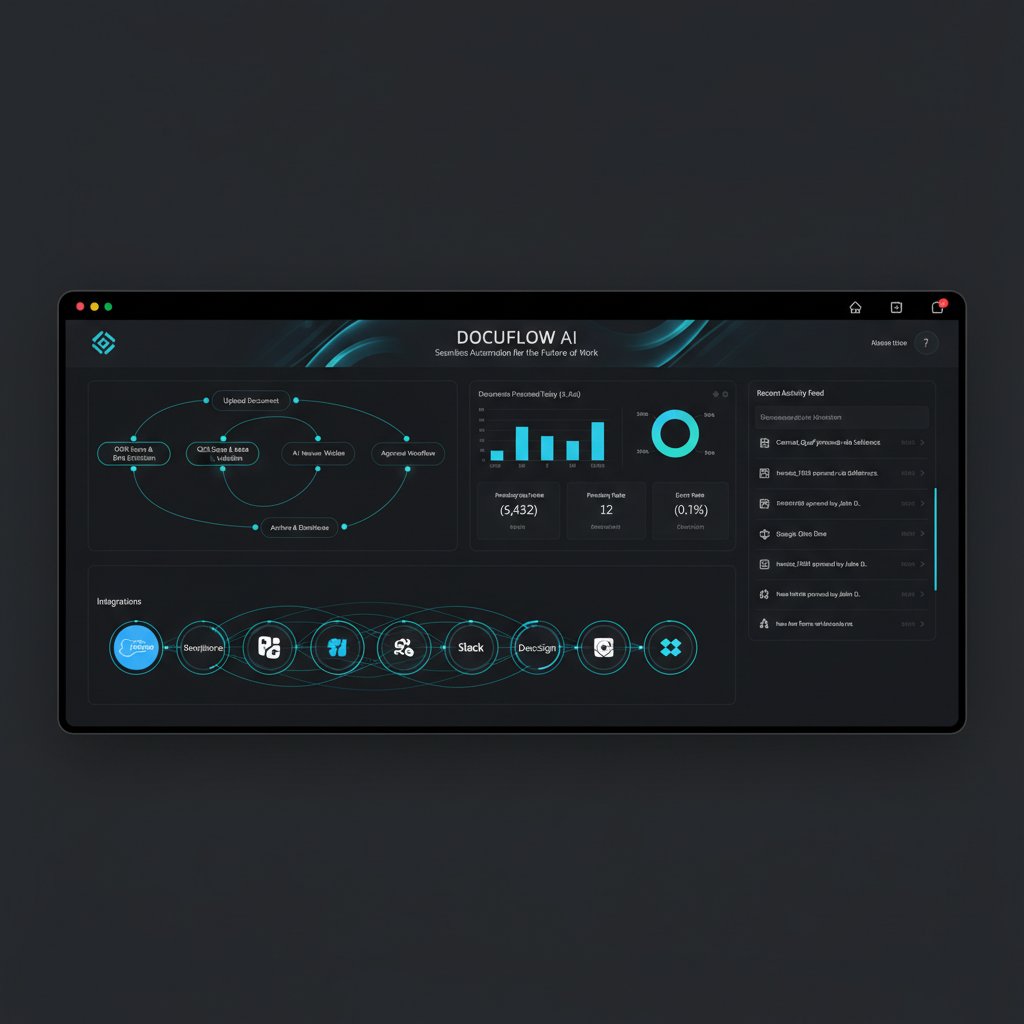
By 2025, the basics are table stakes, but not all platforms are created equal. Here’s what every must-have document automation integration software should deliver:
- Seamless integration with CRMs, ERPs, and cloud storage—no clunky connectors required.
- Flexible, customizable workflows to match real business processes (not the other way around).
- AI-driven validation to catch errors and ensure data consistency.
- Real-time collaboration tools—think simultaneous editing and audit trails.
- Comprehensive compliance and security baked into every workflow.
- Scalable architecture able to grow with your organization’s evolving needs.
Security and compliance: Beyond the marketing buzz
Security is more than a checkbox. Document automation integration software must meet rigorous standards—not just for data encryption, but for role-based access, automated retention policies, and auditable trails. Skimp here, and you open the door to catastrophic breaches or regulatory fines.
| Platform | Data Encryption | Access Controls | Compliance Certifications | Automated Audit Trails |
|---|---|---|---|---|
| Platform A | AES-256 | Role-based | ISO 27001, SOC 2 | Yes |
| Platform B | AES-128 | Basic | None | No |
| filecreator.ai | AES-256 | Role-based | Standards-based | Yes |
Table 3: Security and compliance features in leading document automation platforms (Source: Original analysis based on PandaDoc, 2024, Connecteam, 2024)
Practical tips: Always demand proof of compliance (certifications, audit logs), not just vague assurances. Run regular internal security audits and require vendors to support your industry’s specific regulatory requirements.
How to spot red flags in vendor promises
In a market flooded with bold claims, spotting hype is a survival skill.
- Watch for vague AI claims with no technical detail or proof.
- Be wary of hidden fees: licensing, implementation, and ongoing support can dwarf upfront costs.
- Avoid platforms that lock you in with proprietary file formats or limited export options.
- If the demo environment is “staged” or can’t handle your real-world complexity—run.
Read the contract line by line. Ask for references. Insist on a transparent roadmap for updates and support.
Choosing the right integration path: Build, buy, or hybrid?
Critical pros and cons of each approach
There’s no universal answer—your integration strategy depends on your organization’s unique needs, resources, and risk tolerance.
| Approach | Upfront Cost | Speed to Deploy | Flexibility | Long-term Risk |
|---|---|---|---|---|
| Build | High | Slow | Total | High (complexity) |
| Buy | Medium | Fast | Limited | Medium (vendor risk) |
| Hybrid | Variable | Medium | Balanced | Medium |
Table 4: Comparison of document automation integration approaches (Source: Original analysis based on PandaDoc, 2024, Wrike, 2024)
A custom build means total control—but spiraling costs and maintenance headaches. Buying off-the-shelf is quick, but you may sacrifice the nuanced workflows that make your business unique. Hybrid models—leveraging powerful platforms and custom connectors—are emerging as a pragmatic middle ground.
Checklist: Are you ready for document automation integration?
Before you dive in, a hard look in the mirror is essential.
- Map your current workflows. Know what you have before you automate.
- Clean your data. Automation only amplifies existing messes.
- Identify key integration points. Where do systems talk (or fail to talk) to each other?
- Assess user readiness. Who will champion—or resist—change?
- Define success metrics. How will you measure ROI and adoption?

The hidden role of platforms like filecreator.ai
Solutions such as filecreator.ai are changing the professional landscape by providing teams with a reliable resource for advanced, standards-driven document generation. Rather than focusing on bespoke, one-off integrations, many organizations now use such platforms as the backbone for automating and managing documents at scale.
These platforms fit best as a central “hub”—enabling seamless connections to CRMs, ERPs, and cloud storage, while supporting compliance and collaboration across the board. The real value lies in leveraging robust, proven tools as a foundation—freeing your team to focus on strategic work, rather than reinventing the wheel.
Case files: How real companies cracked (or botched) automation
Success story: Turning chaos into clarity
Consider a multinational marketing agency that spent years drowning in manual contract reviews and scattered proposals. After mapping their processes, cleaning up legacy data, and rolling out a document automation integration platform, they saw turnaround times drop by 60%—and onboarding new clients became a breeze.

"We didn’t just survive the change—we thrived." — Morgan, COO (synthesis based on industry case studies)
Failure to launch: Lessons from a botched rollout
Contrast that with a regional healthcare provider who rushed their implementation, skipped user training, and failed to align IT with operations. After months of technical glitches and employee frustration, the system was quietly abandoned. Projects like these become cautionary tales of what not to do.
Post-mortem mistakes to avoid in document automation integration:
- Neglecting to involve end-users throughout the planning process.
- Ignoring the need for data cleanup before automating.
- Underestimating integration complexity with legacy systems.
- Failing to establish clear ownership and accountability.
How to learn from others (without repeating their mistakes)
The best lessons often come from peers who’ve navigated similar terrain. Industry forums, professional networks, and reputable platforms can provide roadmaps and warnings you’d never find in a sales pitch. Don’t reinvent the wheel—tap into collective wisdom, challenge assumptions, and share your own experiences to strengthen the entire ecosystem.
The future is now: Emerging trends in document automation integration
2025 and beyond: What’s next for automation?
Forget hype about distant futures—right now, automation is being redefined by three forces: AI that actually works, hyperautomation (connecting every workflow, not just documents), and the rise of user-friendly, no-code platforms. According to Gartner, 2024, organizations are shifting from isolated automation tools to interconnected ecosystems, where documents, data, and decisions flow seamlessly.

This isn’t about replacing humans—it’s about giving teams superpowers to build, adjust, and scale their own processes. The real disruption? Automation that’s finally as agile as the businesses it serves.
Preparing your team for constant change
Adaptability is the new superpower. Building change-ready teams means investing in ongoing training, clear communication, and a culture where experimentation is safe (and expected).
- Audit current skills and process gaps.
- Establish a cross-functional automation task force.
- Invest in regular training and peer learning.
- Celebrate quick wins and publicize success stories.
- Iterate—review, optimize, and adapt workflows quarterly.
Futureproofing is a journey, not a checkbox. The teams that thrive will be those who see change as opportunity, not threat.
Why critical thinking beats hype—every time
Don’t let flashy demos blind you. Most integration failures start with buying into promises, not results.
"Don’t buy the dream. Build your automation reality." — Riley, Digital Transformation Lead (illustrative, based on field advice)
Ask hard questions, demand proof, and never accept “industry standard” as a substitute for what your organization actually needs. Your workflow isn’t generic—don’t settle for generic solutions.
Your action plan: Making document automation integration work for you
Quick-reference: Framework for evaluating platforms
A methodical framework can save you months of regret. Weight each criterion according to your organizational priorities, then score vendors with brutal honesty.
| Criteria | Weight | Platform A | Platform B | filecreator.ai |
|---|---|---|---|---|
| Integration strength | 25% | 18 | 16 | 24 |
| Security/compliance | 20% | 15 | 10 | 19 |
| Customization | 20% | 16 | 14 | 20 |
| User adoption | 15% | 11 | 7 | 13 |
| Total cost of ownership | 20% | 10 | 16 | 18 |
Table 5: Document automation platform evaluation matrix (Source: Original analysis based on leading platform documentation and expert recommendations)
Adapt this matrix to your actual needs—don’t let fancy features distract you from core requirements.
Essential checklist for a smooth rollout
Rolling out document automation integration software is a marathon, not a sprint. Here’s your step-by-step playbook:
- Map and optimize existing processes before automating.
- Cleanse and standardize document data.
- Engage stakeholders early and often.
- Pilot with a single workflow before scaling.
- Train users and provide ongoing support.
- Monitor adoption and optimize based on feedback.
- Establish clear governance for continuous improvement.

Building a culture that welcomes automation
Long-term success comes from culture, not just code.
- Prioritize transparent communication about changes and expected benefits.
- Offer incentives for early adopters and automation champions.
- Provide regular, hands-on training to all affected teams.
- Celebrate and publicize automation wins—big or small.
- Empower feedback loops so employees shape, not just endure, change.
Leadership must model openness and commitment. When teams see leaders embracing new tools, they’re far more likely to follow suit.
Conclusion: The bottom line on document automation integration software
Key takeaways and next steps
Here’s the unvarnished truth: document automation integration software can be a game-changer—or a cautionary tale. The difference lies in understanding the realities: integration is hard, data quality is critical, and culture trumps technology every time. But for teams who confront these brutal truths head-on, the payoff is massive: time saved, errors slashed, compliance headaches tamed, and a workflow that actually works for humans—not against them.

No platform, not even the most advanced AI-powered solution, can substitute for rigorously mapping processes, cleaning data, and building buy-in from every stakeholder. Use what you’ve learned here as your compass—question everything, demand proof, and let brutal honesty guide your decisions.
Further resources and where to learn more
To stay sharp, connect with expert communities, attend industry forums, and follow reputable research sources. The landscape is changing fast, but fundamentals—critical thinking, peer learning, and continuous improvement—never go out of style. For professionals seeking standards-based, advanced document generation, platforms like filecreator.ai offer a valuable resource to help you automate with confidence.
Sources
References cited in this article
- PandaDoc(pandadoc.com)
- Connecteam(connecteam.com)
- Wrike(wrike.com)
- Experlogix(experlogix.com)
- SAS Blog(blogs.sas.com)
- AI Document Intelligence(docanalyzer.ai)
- Expedite Informatics(expediteinformatics.com)
- Forbes(forbes.com)
- Technomax Systems(technomaxsystems.com)
- Perfeqta(perfeqta.io)
- AiDock(blog.aidock.net)
- Shravan Dev(shravan.dev)
- OnePotenza(onepotenza.com)
- V7 Labs(v7labs.com)
- SenseTask(sensetask.com)
- Rossum(rossum.ai)
- Forage AI(forage.ai)
- Norton Rose Fulbright(nortonrosefulbright.com)
- AuditBoard(auditboard.com)
- Epsillion(epsillion.com)
- Templafy(templafy.com)
- Docupilot(docupilot.com)
- Robylon(blog.robylon.ai)
- Document Logistix(document-logistix.com)
- ISACA(isaca.org)
- DocDraft(docdraft.ai)
- FileCenter(filecenter.com)
- UiPath(uipath.com)
- Datos Insights(datos-insights.com)
- Rossum(rossum.ai)
- Solution Machine(solutionmachine.com)
- Mitratech Readiness Checklist(info.mitratech.com)
- Pagelight Prime(pagelightprime.com)
- KlearStack(medium.com)
- Star Software(starsoftware.co)
- Docsumo(docsumo.com)
- Flowtrics(flowtrics.com)
- Rockwell Automation(rockwellautomation.com)
- Bain & Company(bain.com)
- CIOHub(ciohub.org)
- ProjectTimes(projecttimes.com)
- Zenphi(zenphi.com)
- Adlib(adlibsoftware.com)
Perfect Documents, Instantly
Filecreator.ai transforms the way you produce professional documents. Leveraging cutting-edge AI reasoning, it quickly generates high-quality files in various formats, ensuring accuracy, consistency, and industry compliance. Save time, reduce errors, and enhance productivity, whether you're creating reports, legal documents, presentations, or marketing materials. Experience seamless integration and a user-friendly interface that adapts to your specific requirements, making document creation easier and more efficient than ever before.
Get startedStart Creating Professional Documents Today
Join thousands of professionals who trust AI-powered document generation
Frequently Asked Questions
What percentage of productivity do businesses waste on manual document handling?
According to the article, businesses waste an average of 21% of their productivity on paper-based processes, including lost hours chasing signatures, fixing clerical errors, and updating scattered spreadsheets.
What are the error rates for different types of document workflows?
The article shows that manual paper/email workflows have a 7-10% error rate, semi-automated workflows with macros have a 4-6% error rate, and fully automated AI SaaS workflows have a 1-2% error rate.
Why is document automation important in regulated industries?
In regulated industries, a single misplaced file can result in hefty fines or lost clients, making document automation a way to mitigate compliance risks lurking in every missed update or forgotten approval.
How much time can fully automated document workflows save compared to manual processes?
According to the article's comparison table, fully automated AI SaaS workflows require 1-2 hours per week, compared to 8-12 hours for manual paper/email workflows, representing a significant time savings.
Continue Reading
Explore more from Professional Document Generator

Document Automation Cloud Integration: Real Costs and Rewards
Document automation cloud integration can reduce manual work and compliance risks, but organizations often stumble during implementation.

Why Document Automation App Integration Projects Really Fail
Discover insights about document automation app integration

Document Automation Tool: 9 Harsh Truths and Real Solutions
This article examines 9 harsh realities of document automation tools and how they affect workflow. It covers persistent myths, real challenges, and research-backed solutions for improving productivity.

Document Automation Software: Roi, Risks, and What Breaks
Document automation software solutions face real risks and hidden costs. This article examines the actual ROI, integration failures, and what companies misunderstand about automation.

Document Automation Software Comparison: Hidden Costs and Real ROI
Discover insights about document automation software comparison

Document Automation Integration and Its Real-World Business Impact
Document automation integration helps organizations reduce manual document chaos and improve efficiency. This article examines the costs of fragmented processes and the strategies that deliver measurable results.


