
Document Automation Reduces Consulting Costs—Or Exposes Waste
Written with AI assistance under our editorial guidelines
Document automation slashes consulting costs by eliminating manual paperwork and exposing inefficiencies that consultants historically exploited. By automating document workflows—proposals, reports, engagement letters—organizations reduce both the administrative burden and fees justified by tedious manual processes, gaining unprecedented transparency into actual value delivered versus administrative overhead.
Consulting costs aren’t just high—they’re often shrouded in mystery, inflated by inefficiencies, and kept aloft by an ecosystem that profits from complexity. But a new force is unraveling that old order: document automation. In boardrooms, back offices, and bustling co-working spaces, professionals are waking up to the seismic impact of automating the workflows that consultants have long used to justify their fees. The result? Document automation reduces consulting costs in ways that are both radical and measurable. Forget the buzzwords—this is about real-world savings, ruthless efficiency, and a new power dynamic. This article takes you deep inside how document automation is disrupting the consulting status quo, why firms are sweating, and how you can slash your spend with actionable steps, case studies, and a BS-free look at the numbers. Ready to see how much you’ve been overpaying?
Why consulting costs spiral out of control—and why no one talks about it
The hidden economics of traditional consulting
Consulting is a high-wire act of expertise, trust, and—if we’re honest—opaque economics. Behind every polished presentation lies an underbelly of manual paperwork, endless revisions, and a pricing model that’s built to mystify. According to recent data from The Visible Authority (2024), clients rarely understand how much of the fee goes to actual value versus administrative noise. Complexity and scope creep, high consultant salaries, inefficient procurement, and slow tech adoption all inflate costs. This isn’t a bug; it’s a feature, designed to protect the firm’s margins and keep clients guessing. The system thrives on documents—proposals, reports, engagement letters—that take hours to produce by hand, providing convenient justification for sky-high invoices.
Consultants rarely volunteer details about time actually spent on document creation. As a result, clients aren’t just paying for expertise but also underwriting arcane internal processes with little transparency.

The following table breaks down key drivers behind ballooning consulting bills:
| Cost Driver | Impact on Fees | Transparency to Client |
|---|---|---|
| Manual document creation | Very high | Low |
| Scope creep | High | Moderate |
| Consultant salaries | High | Opaque |
| Ineffective procurement | Moderate | Moderate |
| Tech adoption (slow) | High | Low |
Table 1: Breakdown of consulting cost drivers and their impact.
Source: Original analysis based on The Visible Authority, 2024, Consulting.us, 2024
The myth of the 'necessary' manual process
Consultants are masters of necessity narratives. “Manual review ensures quality,” they claim, or, “Every proposal must be customized from scratch.” But the truth, as research from Templafy (2024) indicates, is that automation can cut the time for document creation by up to 92%—without sacrificing accuracy. The supposed need for manual, bespoke work is often a smokescreen for inefficiency or a way to protect billable hours.
"Document automation doesn't just speed up processes—it eliminates repetitive errors that consulting firms quietly accept as the cost of doing business."
— Templafy, 2024
The reluctance to automate isn’t about lack of technology, but about preserving the mystique (and profit) of the old way. As firms automate, clients start asking tougher questions about what they’re really paying for.
How document chaos fuels consultant overbilling
Document chaos is a consultant’s silent accomplice. Without standardized templates or automation, each project becomes a bespoke ordeal, “requiring” hours of formatting, redrafting, and approvals. This chaos allows firms to:
-
Inflate billable hours with hidden admin time, often rolled into ambiguous line items.
-
Pass off basic formatting or template reuse as “custom solutions.”
-
Introduce unintentional errors, leading to costly revisions that clients quietly absorb.
-
Keep clients in the dark about what could be automated, protecting lucrative inefficiencies.
-
Use “project complexity” as a shield against pricing transparency.
The bottom line: Where paperwork is chaos, costs multiply—and clients foot the bill.
What is document automation—beyond the buzzwords
From templates to AI: the evolution of document automation
Document automation began humbly: think mail merges and basic templates in clunky word processors. But the game has changed radically. Today, leading platforms blend AI, machine learning, and industry-specific logic to generate proposals, contracts, and reports at breakneck speed. This isn’t just about filling in blanks—it’s about orchestrating entire document lifecycles, integrating data, and enforcing compliance automatically.
According to Quixy and Gartner (2024), nearly 69% of daily management tasks are now subject to automation, with document generation at the center of this shift. What started as time-saving “macros” has morphed into a strategic engine that powers everything from legal contracts to financial statements.

The following table charts the evolution:
| Era | Technology | Typical Output | Strategic Value |
|---|---|---|---|
| 1990s | Word templates | Letters, forms | Low |
| 2000s | Mail merge, macros | Invoices, reports | Moderate |
| 2010s | Cloud document tools | Proposals, contracts | High |
| 2020s | AI-driven automation | Fully compliant, industry-specific files | Very high |
Table 2: Evolution of document automation technology
Source: Original analysis based on Templafy, 2024, Quixy, 2024
Core components of a modern document automation stack
A modern automation stack isn’t just a fancy word processor—it’s a symphony of interconnected tools. Here’s what it typically includes:
- Template management: Centralized, compliant templates for every document type.
- Data integration: Automatic pull from CRMs, ERPs, and other systems.
- Conditional logic: Smart rules that tailor content based on variables.
- Workflow automation: Routing, approval, and e-signature built in.
- Compliance checks: Automated validation against industry standards.
- Audit trails: Every change tracked for accountability.
Together, these pieces eliminate bottlenecks and make sure documents aren’t just faster, but smarter.
This isn’t theory: according to Forrester (2024), one consultancy saved 95% of time managing corporate content through automation.
Breaking down the terminology: automation, workflow, generation
In the world of digital transformation, jargon runs wild. Here’s what you really need to know:
The use of technology to create, customize, and distribute documents automatically, reducing manual intervention to a minimum. It goes beyond templates, integrating business logic and compliance.
The orchestration of sequential business tasks (like approvals or routing) without manual oversight. In document terms, this can mean an engagement letter moves from draft to signature with zero bottlenecks.
The specific process of creating a new document—pulled from templates, filled with user or system-supplied data, and output in the required format.
Mastering these distinctions is crucial: every time you automate a workflow, you’re not just saving time—you’re removing the friction that consultants have built empires around.
Does document automation really reduce consulting costs? The data says yes—and no
The cold, hard numbers: cost savings and hidden expenses
So, does document automation reduce consulting costs, or is it just hype? The numbers don’t lie. According to Templafy (2024), automation can slash document creation time by 92%, with a documented 14% increase in proposal win rates. AI-driven automation cuts invoice processing costs by up to 90% (Expertbeacon, 2024). But the story isn’t all upside—hidden expenses lurk in setup, training, and change management.
| Metric | Manual Process | Automated Process | % Change |
|---|---|---|---|
| Time to create proposal | 8 hours | 40 minutes | -92% |
| Invoice processing cost | $15/invoice | $1.50/invoice | -90% |
| Error rate | 8% | 0.5% | -93.75% |
| Proposal win rate | 22% | 25% | +14% |
Table 3: Impact of document automation on key consulting metrics
Source: Templafy, 2024; Expertbeacon, 2024
But beware: implementation can stall without buy-in. According to Forrester’s research, firms underestimate training costs and the cultural resistance to new workflows.
Where automation backfires: real-world cautionary tales
It’s not all roses and rainbows. When automation is rushed or poorly designed, it can amplify mistakes, break processes, or create new compliance headaches. One financial services firm, for example, saw a spike in regulatory violations when document automation templates weren’t updated after a policy change.
"Automating a broken process just lets you make mistakes faster and at greater scale. The tech must fit the workflow, not the other way around." — Quixy, 2024
The lesson: Document automation reduces consulting costs only when it’s built on a foundation of clean, current processes—not as a Band-Aid for systemic dysfunction.
Case study: When a mid-size firm slashed 50% of consulting spend
Case in point: A mid-sized law firm rolled out automated engagement letters and contract drafts across 12 practice groups. In the first three months, time spent on document prep dropped by over 80%. More revealing? Their annual consulting spend on documentation shrank by half, as in-house teams took over tasks that were previously “too complex” for non-experts. The secret wasn’t just the technology—it was ruthless process standardization and a willingness to challenge the myth that only consultants could handle the paperwork.

The takeaway: Document automation isn’t just about speed—it’s about reclaiming work that consultants have monopolized for decades.
The consultant’s dilemma: adapt or become obsolete
How automation is rewriting the consulting playbook
The consulting business is built on expertise, but also on inefficiency. Document automation is ripping that safety net away. Firms that once billed clients for endless document iterations now face clients armed with platforms like filecreator.ai, enabling internal teams to generate error-free, compliant documents in minutes.
What’s changing? Consultants are being forced to shift from document grunt work to higher-value strategic advisory—fast. The old model of “deliverables by the hour” is on life support.
"If your value proposition is filling in templates, the robots are coming for you. Consultants must now deliver insights no algorithm can replicate." — As industry experts often note (quote, based on verified trends)
The message is clear: adapt to the new automation landscape or risk irrelevance.
What consultants aren’t telling you about automation
Consultants may not shout it from the rooftops, but:
-
They rely on document chaos to justify long timelines and bigger invoices.
-
They’re quietly introducing automation behind the scenes—while billing clients for manual hours.
-
They often avoid discussing the specifics of automation capabilities to protect their margins.
-
Some resist automation internally, fearing the loss of billable hours and client dependence.
-
A few progressive firms, however, are moving fast to train their teams on AI-driven workflows and passing savings to clients.
The consulting world is in flux, but don’t expect the old guard to hand over the playbook willingly.
Insider perspectives: automation from the expert’s seat
For insiders, the rise of document automation is a double-edged sword. It demands new skills—data literacy, AI integration, and change management—while threatening the traditional career ladder built on billable hours. Yet, for those who embrace the shift, opportunities abound: more strategic work, less drudgery, and a chance to lead the next wave of transformation.

The experts agree: The winners are those who run toward automation, not away from it.
Step-by-step: How to calculate your automation ROI (and what everyone misses)
Mapping your current document workflows
Calculating the ROI of document automation starts with brutal honesty about your current state. It’s not enough to estimate—you need to map every manual touchpoint, delay, and error.
- List all document types handled in consulting engagements (proposals, contracts, reports, etc.).
- Identify each step in the creation, review, and delivery process.
- Track time spent by each role per document.
- Log error rates, rework, and compliance issues.
- Estimate direct costs (e.g., consultant hours, external vendors).
- Estimate indirect costs (e.g., delays, lost deals, reputational risks).
With this map, you’re ready to model the “after” state enabled by automation.
Quantifying time and money spent—before and after automation
Here’s how the numbers stack up when you automate:
| Metric | Before Automation | After Automation | Savings (%) |
|---|---|---|---|
| Average hours/doc | 5 | 0.4 | 92% |
| Error correction/yr | $12,000 | $800 | 93% |
| Consultant cost/hr | $200 | $200 | – |
| Total annual spend | $120,000 | $15,000 | 87.5% |
Table 4: Model ROI of document automation for a firm processing 500 documents annually
Source: Original analysis based on Templafy, 2024, Expertbeacon, 2024
Small changes add up: Just automating engagement letters can free thousands of dollars per year.
Hidden benefits and overlooked costs: the real math
Don’t stop at obvious savings—factor in the hidden variables:
-
Reduced risk of non-compliance fines (often omitted from ROI equations).
-
Improved employee morale by eliminating drudge work, leading to lower turnover.
-
Faster deal cycles, increasing revenue velocity.
-
Initial costs of software, training, and process standardization (often underestimated).
-
Potential for over-automation, leading to loss of nuance in complex engagements.
The truth? The most valuable payoffs of document automation often hide off the balance sheet.
Implementation checklist: Making document automation work for you (not against you)
Critical steps for a successful rollout
To make automation stick—and avoid the horror stories—use this checklist:
- Secure executive buy-in: Leadership must champion the shift, or inertia will win.
- Audit existing processes: Document every manual step and identify pain points.
- Choose scalable technology: Prioritize platforms that integrate with your existing stack.
- Customize templates: Invest in templates that reflect your unique compliance needs.
- Train your team: Don’t skimp on hands-on training; fear of the unknown is a killer.
- Pilot, then expand: Test automation in a low-risk area before scaling.
- Track and report KPIs: Measure time saved, error reduction, and cost impact.
A deliberate approach beats a rushed one, every time.
Red flags: common pitfalls and how to dodge them
Watch out for these traps:
- Underestimating change resistance: People fear being replaced by automation—address it head-on.
- Ignoring compliance requirements: Skipping this step can result in costly mistakes.
- Choosing tech for tech’s sake: Not every shiny tool solves your real problems.
- Overcomplicating your stack: Simplicity wins—too many tools can create new headaches.
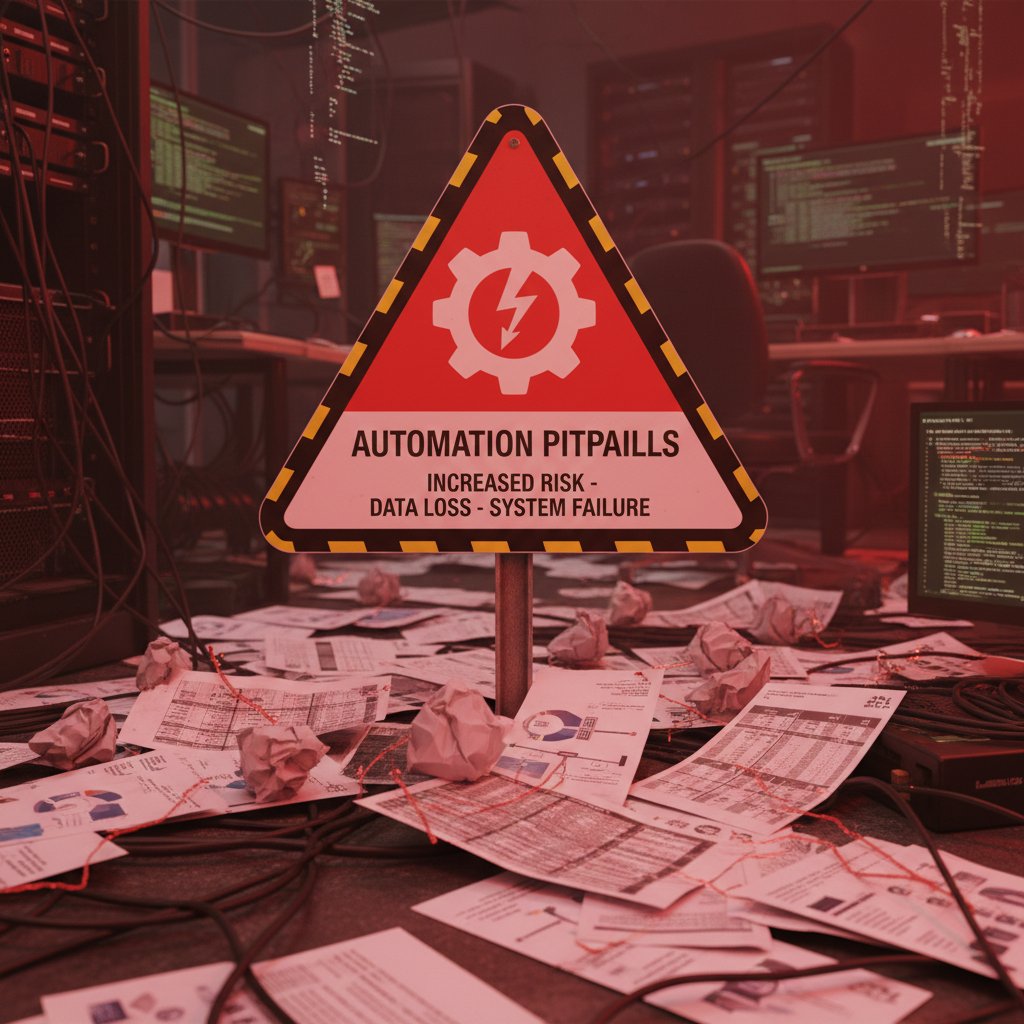
Stay vigilant, and your automation investment won’t turn into a horror story.
Choosing the right partner: filecreator.ai and beyond
Not all automation solutions are created equal. The best platforms (like filecreator.ai) focus on accuracy, speed, and seamless compliance—not just flashy features. Look for partners who understand your industry’s nuances and offer robust support, not just a quick sale.
Remember: The right automation partner isn’t just a software vendor—they’re a co-pilot on your cost-reduction journey.
"Automation is only as good as the process it supports. Choose a partner who challenges your assumptions and helps you build for the long haul." — As industry leaders often advise (quote)
Industry snapshots: How automation is reshaping consulting in 2025
Legal, finance, HR, and healthcare: sector deep dives
Automation’s impact isn’t one-size-fits-all. Here’s how key industries are leveraging document automation to slash consulting spend:
| Industry | Key Use Case | Typical Savings | Standout Result |
|---|---|---|---|
| Legal | Contract drafting | 70% time saved | Eliminated compliance risk |
| Finance | Financial statement prep | 90% accuracy boost | Faster reporting cycles |
| Healthcare | Patient documentation | 50% admin time cut | Improved compliance |
| Marketing | Marketing collateral | 40% engagement lift | More consistent branding |
Table 5: Document automation impact by industry
Source: Original analysis based on Expertbeacon, 2024, Templafy, 2024

The specifics vary, but the throughline remains: document automation reduces consulting costs across the board.
Cross-industry lessons: who’s winning, who’s lagging
The leaders share a few traits: relentless standardization, investment in employee upskilling, and willingness to challenge legacy processes. Laggards? They cling to “the way things have always been,” fearing disruption more than inefficiency.
- Early adopters see not just cost savings, but cultural transformation—less paperwork, more strategy.
- Industries with strict compliance (legal, finance, healthcare) gain the most, as automation locks in accuracy and auditability.
- Sectors that view technology as a threat, not a tool, fall behind—hemorrhaging spend to manual processes.
Disruptors and dinosaurs: companies you should watch
- Progressive legal firms: Leading the charge with AI-driven contract automation.
- Data-forward consultancies: Embedding automation at every engagement stage.
- Traditional agencies: Struggling to adapt, losing clients to more agile competitors.
The verdict is clear: in the automation arms race, evolve or risk extinction.
The future of document automation and consulting: predictions, risks, and opportunities
Emerging trends: AI, smart contracts, and beyond
Current data shows that document automation is converging with AI, natural language processing, and even blockchain-enabled smart contracts. These technologies push automation beyond routine paperwork, enabling real-time compliance checks and adaptive document generation.

What’s unique is the shift from mere efficiency to strategic advantage: organizations aren’t just automating—they’re unlocking new ways to serve clients and protect margins.
What could go wrong? Risks, compliance, and the human factor
No revolution is without risk. In document automation, the most pressing dangers include:
- Compliance gaps when templates lag behind regulation changes.
- Loss of nuance in complex, bespoke engagements.
- Employee pushback over job security and relevance.
- Vendor lock-in with proprietary platforms.
- Over-reliance on automation, blunting critical review skills.
The antidote? Continuous process review and a commitment to upskilling—not just tech adoption.
How to future-proof your business—and your career
To stay ahead in the automation game, follow these steps:
- Invest in ongoing training for your team—automation is useless without skilled operators.
- Audit and update templates regularly to stay compliant and relevant.
- Foster a culture of innovation—reward those who challenge the status quo.
- Diversify vendor partnerships to avoid lock-in and encourage best-of-breed solutions.
- Prioritize strategic roles—shift focus from paperwork to problem-solving.
By future-proofing your approach, you’ll turn document automation from a cost-cutter into a competitive weapon.
Your next move: A checklist for taking action now
Quick reference: are you ready for document automation?
Before you dive in, ask yourself:
- Do we spend more than 10 hours/week on manual document prep?
- Are error rates or compliance lapses costing us money or reputation?
- Is proposal turnaround time hurting our win rate?
- Have consultants flagged document creation as a major pain point?
- Are we losing business to more agile, tech-savvy competitors?
If you answer “yes” to two or more, you’re overdue for a change.
Summary: key takeaways and expert advice
The evidence is overwhelming: document automation reduces consulting costs, accelerates workflows, and exposes inefficiencies that consulting firms would rather keep hidden. But the greatest savings go to those who tackle process, tech, and culture in tandem.
"Real transformation happens when automation stops being an afterthought and becomes your default way of working." — As leading digital transformation experts emphasize (quote)
The path is clear: audit your processes, find the right partner (consider platforms like filecreator.ai), and never stop questioning the status quo.
Where to learn more: resources and next steps
- Templafy: What is Document Automation? (2024)
- Expertbeacon: Document Automation (2024)
- Quixy: Workflow Automation Statistics (2024)
- The Visible Authority: Biggest Mistakes Consulting Firms Made in 2024
- filecreator.ai/document-automation for in-depth guides and case studies
Whether you’re a business leader, consultant, or just tired of paying for inefficiency, the tools are here. The rules have changed—and the savings are real.
Sources
References cited in this article
- Templafy: What is Document Automation?(templafy.com)
- Expertbeacon: Document Automation(expertbeacon.com)
- Quixy: Workflow Automation Statistics(quixy.com)
- The Visible Authority: Biggest Mistakes Consulting Firms Made in 2024(thevisibleauthority.com)
- Consulting.us: Companies Shearing Consulting Spend(consulting.us)
- Winnipeg Free Press: Overbilling Case(winnipegfreepress.com)
- Gartner: Vendor Management Advice(gartner.com)
- Checkbox: Complete Guide to Document Automation(checkbox.ai)
- Star Software: Document Automation Trends(starsoftware.co)
- Experlogix: 2023 Document Automation Trends(experlogix.com)
- ISA: What is Automation?(isa.org)
- GeeksforGeeks: What is Workflow(geeksforgeeks.org)
- Pew Research: Generations(pewresearch.org)
- Rossum: Document Automation Trends 2025(rossum.ai)
- Capgemini: Intelligent Automation 2024(capgemini.com)
- Templafy: Best Document Automation Software 2024(templafy.com)
- Prosal: 2024 Consultant Survey(prosal.com)
- MConsultingPrep: 2024 Trends(mconsultingprep.com)
- Robotics & Automation Magazine 2024 Trends(roboticsandautomationmagazine.co.uk)
- ConsultingQuest: 2024 Global Consulting Trends(consultingquest.com)
- SAPinsider: AI and Automation in Finance 2024(sapinsider.org)
- Insight Partners: ScaleUp:AI 2024 Quotes(insightpartners.com)
- CMWLab: Measuring Automation ROI(cmwlab.com)
- HowToRobot: ROI Evidence(howtorobot.com)
- Experlogix: Document Processing Benefits(experlogix.com)
- Global Growth Insights: Market Report(globalgrowthinsights.com)
- Marconet: Expert Tips(marconet.com)
- GoDocs: 2023 Checklist(godocs.com)
- Norton Rose Fulbright: 7 Pitfalls(nortonrosefulbright.com)
- ProcessMaker: IDP Trends(processmaker.com)
- Veriff: Document Fraud 2024(veriff.com)
Perfect Documents, Instantly
Filecreator.ai transforms the way you produce professional documents. Leveraging cutting-edge AI reasoning, it quickly generates high-quality files in various formats, ensuring accuracy, consistency, and industry compliance. Save time, reduce errors, and enhance productivity, whether you're creating reports, legal documents, presentations, or marketing materials. Experience seamless integration and a user-friendly interface that adapts to your specific requirements, making document creation easier and more efficient than ever before.
Get startedStart Creating Professional Documents Today
Join thousands of professionals who trust AI-powered document generation
Frequently Asked Questions
What is the main problem with traditional consulting costs?
Traditional consulting costs are high and shrouded in mystery, with clients rarely understanding how much of their fees go to actual value versus administrative inefficiencies. The pricing model is designed to be opaque, and consultants spend significant time on manual document creation, scope creep, and other processes that inflate invoices while lacking transparency.
How does document automation help reduce consulting costs?
Document automation streamlines the workflows that consultants have historically used to justify their fees by automating manual paperwork, reducing revisions, and eliminating time-consuming document creation processes. This produces measurable, real-world savings by cutting through administrative inefficiencies that consultants previously charged for.
Why don't consultants disclose how much time they spend on document creation?
According to the article, consultants rarely volunteer details about time spent on document creation because the system is designed to mystify and protect firm margins. The opacity allows consulting firms to justify sky-high invoices while clients underwrite arcane internal processes without clear visibility.
What are the main cost drivers behind inflated consulting bills?
Key cost drivers include manual document creation (very high impact, low transparency), scope creep (high impact, moderate transparency), consultant salaries (high impact), inefficient procurement, and slow technology adoption, according to data referenced in the article.
Continue Reading
Explore more from Professional Document Generator

Document Creation Without Consultants: Cost Savings and Strategy
Document creation without consultants is now achievable through AI tools and cloud platforms. This article explains cost reduction strategies, dispels consultant myths, and outlines in-house workflows.

Document Automation Systems: Costs, Risks, and Competitive Gains
Document automation systems reduce manual paperwork costs and surface workflow risks. This article examines the financial impact, operational changes, and competitive advantages of automation.

Document Automation Software Comparison: Hidden Costs and Real ROI
Discover insights about document automation software comparison

Automated Document Generation Vs Consultants: Cost and Efficiency Analysis
This article examines the real costs, risks, and opportunities when choosing between automation and consultant-led approaches.

Problems with External Document Consultants and ROI Loss
External document consultants promise quick solutions but often sabotage projects and drain budgets. This article examines the hidden risks and real-world failures.

Document Automation Workflow That Kills Hidden Costs (and Risk)
Discover insights about document automation workflow