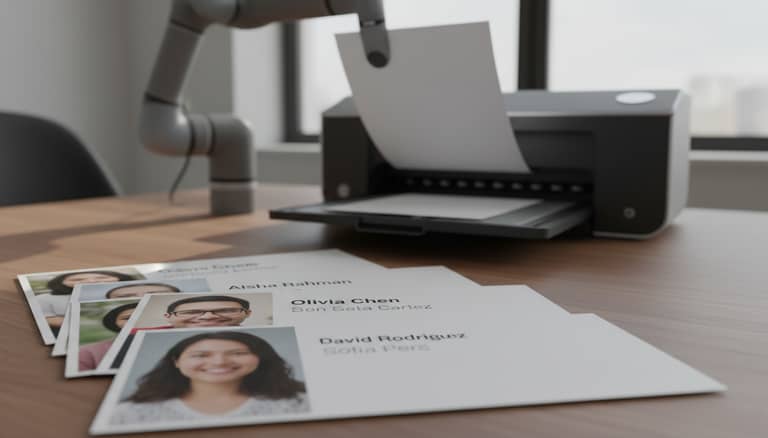
Automatic Document Personalization Is Quietly Rewriting Work
Written with AI assistance under our editorial guidelines
Automatic document personalization has evolved from basic mail merge tools to AI-driven systems that dynamically adapt content based on behavioral data and analytics. While 82% of consumers expect personalized experiences, most organizations still rely on manual template editing, facing a significant gap between current practices and emerging technological capabilities that enable true personalization at scale.
Welcome to the new frontier of document creation, where precision and scale collide—and the rules you thought you knew are already obsolete. Automatic document personalization isn’t a tech trend buried in some future forecast; it’s a revolution that’s rewriting business DNA right now. If you’re still hand-editing templates, sweating over last-minute “personal touches,” or trusting that your legacy software will somehow keep up, this article is your wake-up call. Here’s the unvarnished truth: personalization has become the new expectation, not the exception. According to Medallia, 2024, 82% of consumers say personalization directly influences their brand choices, while Salesforce’s 2023-2024 findings reveal a staggering 92% expect tailored experiences. Yet, the path from static documents to truly dynamic, context-aware files isn’t a straight or painless one. This deep dive uncovers the seven truths every pro must face about automatic document personalization—exposing the technology’s power, pitfalls, and the high-stakes decisions shaping the future of work. Buckle up.
The quiet revolution: How automation rewrote the rules of documentation
From mail merge to machine learning: A brief, brutal history
The story of document automation starts in the smoke-filled back offices of the 1980s, where the first mail merge tools transformed dreary administrative routines. These early programs let a secretary spin a single template letter into hundreds of “personal” messages—primitive by today’s standards, but revolutionary at the time. Mail merge was the first shot across the bow, signaling that the personal touch could be, paradoxically, mass-produced. The stakes only grew as database-driven templates and macro scripts entered the scene in the 1990s, leading to the proliferation of document management systems.

But the real game-changer came with the rise of cloud computing and, more recently, artificial intelligence. Machine learning now enables not just the merging of names, but the dynamic adaptation of tone, structure, and content—based on everything from behavioral data to real-time analytics. Each leap has forced professionals to rethink what “personalization” really means, and what’s possible when human creativity and algorithmic scale intersect.
| Year | Advancement | Impact |
|---|---|---|
| 1980s | Mail merge | Enabled mass customization of letters and invoices |
| 1990s | Database-driven templates | Automated business correspondence on a larger, data-driven scale |
| 2000s | Document management systems | Introduced workflow, approval, and template libraries |
| 2010s | Cloud-based automation | Enabled real-time collaboration and anywhere-access |
| 2020s | AI & machine learning personalization | Allows real-time, context-aware adaptation of entire documents |
Table 1: Timeline of major advancements in document automation and their transformative impact
Source: Original analysis based on Statista, 2023, Twilio Segment, 2024, and referenced industry reports
These milestones aren’t just technological curiosities. They represent a mounting urgency: manual methods simply can’t keep pace with the complexity and expectations of modern business.
Why the old ways are dying—and fast
Consider the cold, hard numbers. Manual document creation is riddled with inefficiency and error. Each copied-and-pasted paragraph, each manual data entry, is a silent productivity killer. As Ava, an operations manager at a fast-growing SaaS company, put it:
"Manual paperwork was our silent productivity killer—until we automated it."
— Ava, Operations Manager (illustrative)
Corporations that embraced document automation early saw dramatic time savings, slashing hours from processes that once took days. Studies reveal that automation can cut manual processing time by up to 40%, delivering cost reductions of 25–40% in compliance-heavy sectors like finance and legal (Gartner, 2024). The hidden costs of clinging to outdated workflows—missed deadlines, compliance failures, and reputational risk—are no longer tolerable in a landscape where speed and accuracy are everything.

It’s no surprise, then, that the “old ways” are disappearing. The professionals who aren’t adapting are being left behind—not because they lack talent, but because the ground beneath their feet has shifted.
Defining automatic document personalization: More than just mail merge
What is automatic document personalization—really?
It’s easy to think of automatic document personalization as an upgraded mail merge, but that’s a dangerous oversimplification. Today’s systems do far more than insert a name or address into a static template. They integrate real-time data, behavioral triggers, and contextual cues to craft documents that feel as if they were written by a human with genuine insight into the recipient’s needs.
Key Terms and Their Real-World Meaning
The process of dynamically generating documents tailored to individual recipients using data-driven automation, often powered by AI or advanced logic engines. For example, a contract automatically customized with client-specific clauses based on their industry and history.
Any part of a document that changes based on underlying data. Example: Invoices that automatically adjust discounts and terms for different customer segments.
Documents whose structure, content, and even design elements adapt based on real-time or historical data feeds. Example: Marketing proposals that pull in performance metrics for each recipient.
Templates designed to adapt layout, language, and sections based on both user input and external context (seasonality, regulatory changes, etc.).
What sets modern systems apart isn’t just the underlying technology, but their ability to learn and optimize as they go—making each document more relevant and impactful than the last.
How it works: Under the hood of next-gen tools
Here’s what the process looks like behind the scenes: user data flows into a secure platform—often via API or a cloud integration. Advanced logic layers, powered by AI or sophisticated rule engines, analyze context and intent. The system then fuses content blocks, relevant data, and personalized formatting into a finished document, instantly available in multiple formats.

The heavy lifting is done through seamless integrations with CRMs, file storage, and third-party data sources—creating a true end-to-end workflow. Platforms like filecreator.ai have emerged as trusted players, allowing businesses to automate with confidence, knowing that accuracy, compliance, and adaptability are built in from the ground up.
The business case: Uncomfortable truths behind the hype
ROI, risk, and reality: What the numbers actually say
Automating document personalization isn’t cheap—or risk-free. The best tools demand investment, both in cash and in organizational willpower. But the numbers don’t lie: when done right, the ROI is staggering. Manual workflows are slow, error-prone, and unscalable. Automated systems, on the other hand, deliver exponential gains in speed, accuracy, and compliance.
| Workflow Type | Time per Document | Cost per Document | Error Rate | Scalability |
|---|---|---|---|---|
| Manual | 30–60 minutes | $20–$50 | 2-5% | Very limited |
| Semi-automated | 10–15 minutes | $5–$10 | 1-2% | Moderate |
| Fully automated | 1–3 minutes | $1–$3 | <0.5% | Virtually unlimited |
Table 2: Manual vs. automated document workflows—time, cost, error rate, scalability
Source: Original analysis based on Twilio Segment, 2024, Gartner, 2024, and industry best practices
Still, automation isn’t a silver bullet. According to Segment, 2023, 39% of businesses still struggle to implement personalization technology effectively. And over half of marketers cite the steep cost of truly innovative tools as a barrier (Statista, 2023). Success isn’t just about buying software, but about measuring outcomes—reduction in turnaround time, error rates, and, crucially, customer satisfaction.
Who wins and who loses when personalization scales
Automation changes more than the bottom line—it rewires entire job roles. Document managers become workflow architects; knowledge workers shift from manual assembly to strategy and oversight. There’s fallout, too: roles once dedicated to repetitive tasks may shrink, pushing teams to adapt or risk irrelevance.
- Undisclosed risk management: Automated document logs help spot compliance red flags before they spiral into scandals—an advantage rarely advertised in product brochures.
- Instant scalability: Personalized communications become feasible across thousands of recipients, not just VIPs.
- Brand consistency: Every document, whether for HR or sales, reflects the latest voice, tone, and compliance standards—no embarrassing legacy language leaking through.
- Data-driven insights: Each automated document is a source of analytics, revealing who engages, how, and why.
- Reduced burnout: Less time spent on mindless copy-paste tasks means more focus on strategy and innovation.
- Faster iteration cycles: Changes to templates or messaging deploy instantly to all users, not weeks later.
- Seamless localization: Dynamic templates can switch languages, currencies, and compliance clauses—effortlessly.
Of course, there’s a dark side—job displacement is real, and many teams only survive by evolving fast.
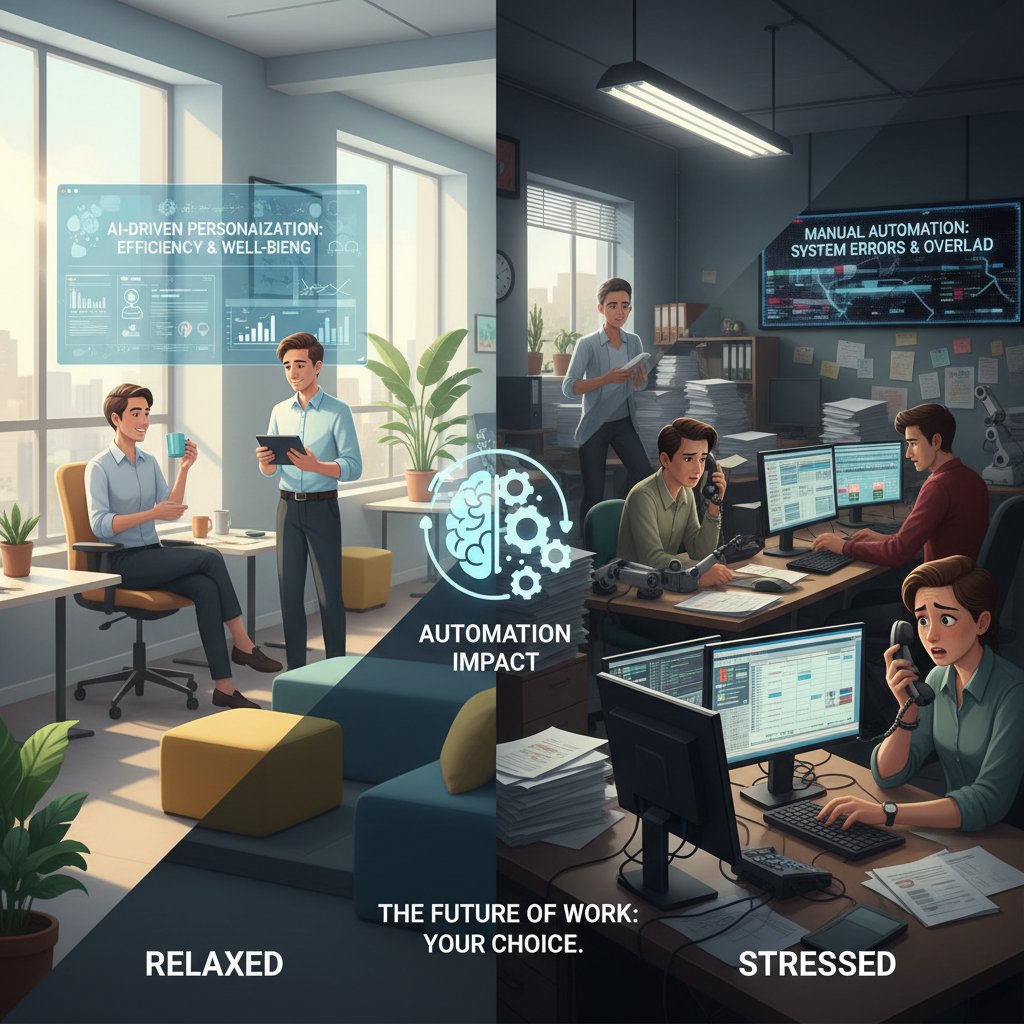
In the end, automation creates winners and losers. The question is which side of the divide you—and your team—will end up on.
Debunking the myths: Common misconceptions and harsh realities
Myth #1: Automated means generic
It’s a seductive lie: that automated documents always feel cold and impersonal. In reality, today’s AI-driven systems can adapt tone, insert context-sensitive phrasing, and even reformat layouts on the fly. As Jasper, a client services manager, explains:
"Our clients thought it would feel cold, but the feedback was the opposite."
— Jasper, Client Services (illustrative)
Recent data backs this up: According to Medallia, 2024, 84% of consumers say that personalized experiences are crucial for brand loyalty. With dynamic creative optimization (DCO), every proposal, invoice, or contract can be tailored—down to the most granular detail—without sacrificing speed or scale.
Practically, AI engines now understand not just what to say, but how to say it, optimizing everything from language to visual cues for maximum engagement.
Myth #2: It’s plug-and-play—for everyone
Let’s kill another myth: that automatic document personalization is a one-click miracle. The reality? There’s a steep learning curve, integration headaches, and a need for serious change management.
- Audit your current workflows. Identify which documents devour most time and are ripe for automation.
- Clean and structure your data. Garbage in, garbage out—the best systems are useless without high-quality, accessible data.
- Select a trusted platform—like filecreator.ai—based on security, compliance, and template flexibility.
- Integrate with core systems (CRM, HRIS, ERP) for seamless data flow.
- Customize templates thoughtfully. Don’t simply copy old designs; optimize for automation and end-user experience.
- Train your team. Invest in upskilling, not just tool adoption.
- Iterate and audit regularly. Build feedback loops to refine and improve over time.
Change management isn’t optional—successful teams invest in training, documentation, and clear communication to avoid digital chaos.

The pain is temporary, but the payoff—a faster, smarter, more resilient workflow—lasts.
Inside the engine: Technical deep dive for the curious (and the skeptical)
Anatomy of an automated document system
A robust automated document system has several moving parts: data sources (CRM, ERP, spreadsheets), template engines that manage layouts and placeholders, logic layers that dictate personalization rules, and output modules covering formats like PDF, DOCX, and PPTX. Each step is orchestrated to ensure security and compliance—critical in regulated industries.
Privacy isn’t a side note: according to Forbes, 2023, nearly 25% of consumers are less comfortable with data-driven personalization than they were a year ago. Security protocols, encrypted transfers, and role-based access are now table stakes, not bonuses.
| Feature | filecreator.ai | Competitor 1 | Competitor 2 | Competitor 3 |
|---|---|---|---|---|
| AI-driven personalization | Yes | Limited | Yes | No |
| Multi-format export | Full support | Limited | Full support | Partial |
| Industry templates | Extensive | Basic | Moderate | Minimal |
| Real-time editing | Yes | No | Yes | No |
| Compliance checks | Automated | Manual only | Partial | None |
Table 3: Feature comparison of leading document personalization platforms
Source: Original analysis based on filecreator.ai and verified competitor information
Future-proofing isn’t just about features—it’s about adaptability. The best systems evolve as regulations change, as new data sources come online, and as customer expectations move.
AI hallucinations, bias, and the dark side of personalization
For all its brilliance, AI isn’t infallible. Algorithms can hallucinate facts, generate awkward phrasing, or—worse—bake in bias. As Maya, a systems architect, notes:
"The promise of AI is only as strong as the guardrails we build."
— Maya, Systems Architect (illustrative)
Mitigating these risks means instituting human-in-the-loop review processes, regular audits, and transparency in how personalization rules are set. Regulatory trends are quickly catching up, with GDPR, CCPA, and similar frameworks demanding clear user consent and data handling protocols. Trust is no longer bought with slick interfaces—it’s earned with demonstrable accuracy and ethical rigor.
Beyond business: Surprising real-world uses and cultural impact
When artists, activists, and governments use automation
The power of automatic document personalization isn’t limited to boardrooms or sales departments. Think artists generating thousands of unique exhibition guides, activists automating personalized outreach to lawmakers, or local governments streamlining citizen services.
- Civic engagement: Cities automating permit applications with personalized guidance in multiple languages.
- Cultural events: Museums generating custom tour guides based on visitor interests.
- Activism: NGOs sending tailored legislative briefs to policymakers across regions.
- Education: Universities personalizing admissions letters, scholarship info, and course pathways.
- Healthcare: Clinics creating individualized care plans and appointment reminders.
- Creative arts: Poets and designers using AI to craft one-of-a-kind certificates or artworks for participants.
A notable example comes from a Scandinavian government, which deployed document automation to deliver benefit information—customized by life situation and eligibility—direct to citizens, reducing administrative backlog and improving access.

The lesson: personalization isn’t just a corporate tool—it’s a force reshaping cultural and civic life.
The personalization paradox: When too much is… too much?
But there’s a flip side. Hyper-personalization risks crossing the line into creepiness or overload. Recent backlash, as documented by Econsultancy, 2023, shows users increasingly wary of overzealous data use—prompting a pivot back to contextual (rather than behavioral) targeting.
Privacy dilemmas abound. When personalization gets it wrong—say, a document referencing sensitive history or preferences—it can erode trust or even spark regulatory scrutiny. In one well-publicized case, a financial institution’s automated system sent out loan offers containing incorrect, deeply personal details, triggering a firestorm of customer complaints and legal reviews.

The paradox is real: personalization must walk a fine line, offering value without violating boundaries.
Getting practical: How to implement automatic document personalization (without losing your mind)
Are you ready? Self-assessment before you automate
Before you dive in, a ruthless self-audit is required. Not every organization is ready—or even suited—for full automation. Ask the hard questions:
- Do we have high-quality, accessible data?
- Are our current document workflows clearly mapped and understood?
- Is there a business case for automation—time, cost, error reduction?
- Do we have stakeholder buy-in from leadership to end-users?
- Have we identified compliance and privacy requirements?
- Can we allocate resources for setup, integration, and training?
- Do we have a plan for ongoing support and iteration?
- Are we prepared for change management and potential resistance?
Evaluating workflows, data structures, and user needs is non-negotiable. The organizations that succeed are brutally honest about their readiness and treat automation as a strategic shift, not a quick fix.

Best practices nobody tells you
Here’s what the manuals don’t say: success is less about flashy features and more about relentless process discipline.
- Prioritize small, high-impact wins—don’t try to automate everything at once.
- Involve end-users early; their feedback will make or break adoption.
- Document every template, rule, and exception—ambiguity is the enemy.
- Schedule regular audits to catch template drift, outdated fields, and broken logic.
- Build a feedback loop with real users—track usage, errors, and satisfaction.
- Secure ongoing buy-in with transparent reporting of time and cost savings.
- Invest in continuous learning—platforms like filecreator.ai offer resources to stay ahead of best practices.
The “secret sauce” is a culture of iteration and accountability. Audit, revise, and adapt—or risk falling behind.
The future of document personalization: Where do we go from here?
Emerging trends: AI, privacy, and the next battleground
AI’s capacity for contextual, nuanced personalization continues to expand, but so do privacy demands. Contextual targeting is rapidly overtaking behavioral data mining as organizations respond to changing user expectations (Econsultancy, 2023). Meanwhile, the document automation software market has surged from $6.8 billion in 2023 to $7.9 billion in 2024, with intelligent document processing (IDP) racing ahead at a blistering 30% CAGR (Statista, 2023). Key players include filecreator.ai for professional-grade automation, as well as established enterprise vendors and disruptive startups.
| Metric | 2023 Value | 2024 Value | CAGR/Trend | Source & Date |
|---|---|---|---|---|
| Doc automation SW market size | $6.8B | $7.9B | +15.18% CAGR | Statista, 2023 |
| Intelligent Document Processing (IDP) | $7.89B | $66.68B (2032 est) | +30.1% CAGR | Twilio Segment, 2024 |
| % consumers expect personalization | 92% | 92% | Flat, but crucial | Salesforce, 2024 |
| % struggle with tech implementation | 39% | 39% | Stagnant | Segment, 2024 |
Table 4: Market analysis—adoption rates, projected growth, and key players in 2025
Source: Compilation of verified industry reports and market research
The takeaway? Personalization is the new competitive battleground—not a feature, but a baseline expectation.
Will you adapt or be automated out?
Here’s the bottom line: organizations and professionals who cling to manual, brittle processes are setting themselves up to be automated out of relevance. The stakes aren’t abstract—they’re existential. Audit your workflows, experiment with new tools, and stay sharp. This isn’t a drill.

So, will you adapt—or will the next round of automation rewrite your role out of existence?
Conclusion
Automatic document personalization isn’t just another enterprise buzzword—it's the force reshaping how we work, communicate, and compete. Those who grasp its power, face its uncomfortable truths, and master its best practices will own the competitive edge. Those who ignore the signals risk being buried under the weight of their own inefficiency. As the research and real-world stories here make clear, the future of documentation is dynamic, data-driven, and intensely personal. Your move.
Sources
References cited in this article
- Twilio Segment 2024(segment.com)
- Statista 2023(statista.com)
- Medallia 2024(medallia.com)
- Forbes 2023(forbes.com)
- Econsultancy 2023(econsultancy.com)
- Global Growth Insights(globalgrowthinsights.com)
- MetaSource 2024(metasource.com)
- Quixy 2024(quixy.com)
- G2 Technology Trends 2024(research.g2.com)
- ISG Buyers Guide 2024(research.isg-one.com)
- Veryfi IDP Trends(veryfi.com)
- Integranxt 2024(integranxt.com)
- Automation Anywhere(automationanywhere.com)
- ActiveDocs Case Studies(activedocs.com)
- Hyperise(hyperise.com)
- Salesforce Reports(blog.jdpa.com)
- TrustArc(trustarc.com)
- CIENCE AI Personalization(cience.com)
- PwC AI Study(pwc.com)
- Buxton Myth Busters(buxtonco.com)
- artificio.ai(artificio.ai)
- Salesforce Doc Gen(xfilespro.com)
- Microsoft Azure AI(learn.microsoft.com)
- UiPath IDP(uipath.com)
- MIT Sloan(mitsloanedtech.mit.edu)
- Stanford HAI(hai.stanford.edu)
- Wikipedia(en.wikipedia.org)
- Ai WarmLeads Case Studies(blog.aiwarmleads.app)
- LinkedIn(linkedin.com)
- DesignRush(designrush.com)
- XML Press: The Personalization Paradox(xmlpress.net)
- ResearchGate(researchgate.net)
- CMSWire(cmswire.com)
- AMA Email Personalization(ama.org)
- Dotdigital 2024(dotdigital.com)
- AWA Digital(awa-digital.com)
- PwC Readiness Assessment(pwc.com)
- ICA Digital Readiness Checklist(ica.org)
- GoDocs Checklist(godocs.com)
- Forbes AI Document Processing(forbes.com)
- InfoTrust 2024(infotrust.com)
- CMSWire(cmswire.com)
- TrustArc(trustarc.com)
Perfect Documents, Instantly
Filecreator.ai transforms the way you produce professional documents. Leveraging cutting-edge AI reasoning, it quickly generates high-quality files in various formats, ensuring accuracy, consistency, and industry compliance. Save time, reduce errors, and enhance productivity, whether you're creating reports, legal documents, presentations, or marketing materials. Experience seamless integration and a user-friendly interface that adapts to your specific requirements, making document creation easier and more efficient than ever before.
Get startedStart Creating Professional Documents Today
Join thousands of professionals who trust AI-powered document generation
Frequently Asked Questions
What percentage of consumers expect personalized experiences according to recent data?
According to Salesforce's 2023-2024 findings cited in the article, 92% of consumers expect tailored experiences, while Medallia's 2024 report shows that 82% of consumers say personalization directly influences their brand choices.
How has document personalization evolved from the 1980s to today?
Document personalization evolved from mail merge tools in the 1980s that mass-produced personalized letters, to database-driven templates and macro scripts in the 1990s, to modern machine learning systems that dynamically adapt tone, structure, and content based on behavioral data and real-time analytics.
What is the main challenge with moving from static documents to dynamic personalization?
According to the article, the path from static documents to truly dynamic, context-aware files is neither straightforward nor painless, and professionals still hand-editing templates and relying on legacy software face significant challenges in keeping up with personalization expectations.
What does modern machine learning enable in document personalization that earlier mail merge tools could not?
Unlike early mail merge tools that simply merged names into templates, modern machine learning enables dynamic adaptation of tone, structure, and content based on behavioral data and real-time analytics, representing a fundamental shift in what personalization means.
Continue Reading
Explore more from Professional Document Generator

Document Personalization Software Reshapes Business Communication
Document personalization software is transforming business communication with a $11.6 billion market. This article explains its competitive advantages, compliance risks, and implementation strategies.

How to Generate Personalized Automated Documents Effectively
Generate personalized automated documents by automating repetitive tasks while maintaining oversight. This article explains how automation and personalization work together in modern workflows.

How AI Enables Personalized Documentation at Scale
AI-powered tools enable personalized documentation at scale, transforming how businesses create targeted documents.

Automated Customized Documents: Control, Compliance, and Reality
Document automation with AI customization addresses control and compliance challenges. This article examines what automated customized documents actually deliver and where risks remain.

How AI Shapes Personalized Document Generation
This article examines how professionals generate personalized documents, the myths around AI-powered customization, and what actually happens when you automate document creation.

Professional Customized Documents: Control in the Modern Era
Creating professional customized documents requires balancing speed with accuracy and control. This article examines the shift from manual processes to modern workflows and the critical considerations for organizations.