

Automatic Document Maker or Trap? the Real Risks and Payoffs
Written with AI assistance under our editorial guidelines
Automatic document makers promise significant time savings and productivity gains, but they come with substantial trade-offs. While generative AI can improve efficiency metrics, automation can magnify errors, reduce quality control, and lock users into rigid templates. Success requires careful implementation that balances speed with maintaining document accuracy and compliance standards.
In a world where productivity is currency and time is a ruthless creditor, the rise of the automatic document maker isn’t just a convenience—it’s a revolution with teeth. The promise is bold: instantly generate professional-grade documents, slash manual labor, and catapult your workflow into the stratosphere. But here’s the uncomfortable truth—beneath the surface of every AI document generator lies a mess of trade-offs, risks, and realities no one talks about until it’s too late. If you think you know what an automatic document maker can do for your business, your sanity, or your bottom line, buckle up. This isn’t another recycled review or soft-focus “digital transformation” fairy tale. We’re pulling back the curtain on the raw realities, the game-changing hacks, and the overlooked hazards of AI-powered productivity. Don’t even think about automating another document until you’ve confronted these nine brutal truths.
Why we’re obsessed with automation: the productivity paradox
The time trap: more speed, less control
The corporate world is hooked on speed. The faster you crank out reports, contracts, and marketing decks, the more competitive you become—or so the dogma goes. Automatic document makers like filecreator.ai promise to shave hours off tedious drafting, offering a dopamine rush of instant results. According to McKinsey, generative AI can reduce customer service handling times by 9% and boost issue resolution by 14%. But here’s the kicker: 73% of companies still grind through manual processes that could be automated, according to Vena Solutions, 2023. The irony? As much as we idolize acceleration, gaining speed often means ceding control. Automated tools can push through errors at scale or lock you into rigid templates, turning your “time savings” into a high-speed conveyor belt of mediocrity.

“Automation magnifies both productivity and errors—if your process is flawed, AI just helps you make the same mistakes faster.” — Source: Nielsen Norman Group, 2023
The emotional cost of manual work
Manual documentation is more than a technical nuisance—it’s an emotional drain. Anyone who’s spent late nights formatting a 50-page report or hunting for the right contract clause knows the unique blend of frustration, dread, and exhaustion that comes with the territory. Research shows that repetitive, high-stakes tasks are a breeding ground for burnout. In fact, WalkMe’s 2024 workplace report highlights a spike in employee burnout when automation is introduced without proper support, especially when workers feel they’re competing against the very tools meant to help them.
Feelings of disempowerment and creative stagnation often creep in as employees become little more than gatekeepers for automated outputs. That’s the paradox: automation should free us, but without the right strategy, it can extinguish the spark that makes work meaningful. The emotional cost is real, and it’s rarely factored into ROI calculations.
- Burnout is not a myth: Without support, automation increases employee stress and turnover.
- Loss of ownership: Workers often feel sidelined by rigid, black-box automation.
- Creativity suffers: Over-automation can strip the nuance and individual insight from documents, reducing complex ideas to sterile templates.
Are we automating for the right reasons?
If you peel back the layers, it’s clear that the rush to automate isn’t always rooted in rational decision-making. For many organizations, the allure of document automation is less about efficiency and more about chasing the latest tech trend or appeasing boardroom egos. But are we solving real bottlenecks—or just automating for automation’s sake?
It’s time to interrogate our motives. Automation should be a scalpel, not a sledgehammer. When wielded with intention, it’s transformative. When deployed blindly, it’s just another layer of digital noise.
Behind the curtain: how automatic document makers actually work
From templates to AI: the evolution of document tech
Automatic document makers didn’t materialize overnight. The journey began with basic templates and grew into today’s AI-fueled platforms capable of interpreting context and generating nuanced content.
The original document generation tools were glorified mail merge scripts—fast but inflexible, and distinctly lacking in intelligence. Enter the modern era, where platforms like filecreator.ai use machine learning, natural language processing, and massive data sets to deliver documents tailored to specific industries and compliance standards.

| Year | Key Milestone | Impact |
|---|---|---|
| 1980s | Word processors | Enabled digital document creation but required manual input |
| 1990s | Mail merge tools | Automated simple document personalization |
| 2010s | Cloud-based editors | Enabled collaboration and version control |
| 2020s | AI-powered platforms | Generated content, checked compliance, automated formatting |
Table 1: Timeline of document generation technology evolution. Source: Original analysis based on Nielsen Norman Group, 2023, Vena Solutions, 2023.
AI under the hood: what’s really happening to your data
When you upload sensitive data to an automatic document maker, you’re engaging in a complex dance with algorithms. Inputs are parsed, context is detected, and outputs are generated—sometimes in seconds. But what really happens to your data behind closed digital doors?
Two things are certain: data is processed at scale, and privacy risks lurk everywhere. According to Intellecs.ai’s 2023 report, information overload and data security risks are among the top workflow disruptors in AI-powered environments. The backend of tools like filecreator.ai typically involves advanced encryption and compliance checks, but the risk is never zero. A single vulnerability or misconfiguration can expose reams of confidential documents.
And don’t forget the cost: running high-level AI, like the models powering ChatGPT, costs up to $700,000 a day (Business Insider, 2023). Every convenience comes with a hefty price tag—financially and operationally.
| Metric | Typical Value | Source & Year |
|---|---|---|
| Productivity boost (complex tasks) | +66% | NN/g, 2023 |
| Companies automating manual tasks | 27% | Vena Solutions, 2023 |
| Generative AI cost (per day) | $700,000 | Business Insider, 2023 |
| Companies with AI inaccuracy systems | 32% | McKinsey, 2023 |
| Major risk: AI inaccuracy cited by | 56% of companies | McKinsey, 2023 |
Table 2: Key statistics on AI-powered document automation. Source: Vena Solutions, 2023, NN/g, 2023, McKinsey, 2023, Business Insider, 2023.
The myth of one-size-fits-all automation
No matter how advanced, no automatic document maker is a magic bullet. The myth of “plug-and-play” automation overlooks deeply rooted complexities: industry standards, local regulations, unique business processes, and nuanced language requirements. What works for a financial report in Zurich might not fly for a marketing deck in São Paulo.
The best platforms, like filecreator.ai, offer customizable templates and multi-format support, but even then, critical human oversight remains essential. Automation can handle structure, compliance, and basic content—but strategic thinking, tone, and contextual adaptation? That still belongs to you.
Refers to the use of artificial intelligence to generate, structure, and format documents, often leveraging natural language processing and data extraction capabilities.
Uses static or semi-dynamic templates to populate documents with user inputs—fast for standard tasks but limited in adaptability.
Embeds industry-specific rules and best practices, checking documents against regulatory frameworks to minimize human error.
The dark side: hidden risks most users ignore
Security nightmares and privacy slip-ups
The seductive ease of automatic document makers often masks their greatest vulnerability: data security. When sensitive information passes through cloud-based AI systems, the stakes skyrocket. A single breach or policy violation can trigger regulatory blowback, reputational damage, and massive fines, especially in data-sensitive sectors like legal, healthcare, or finance.
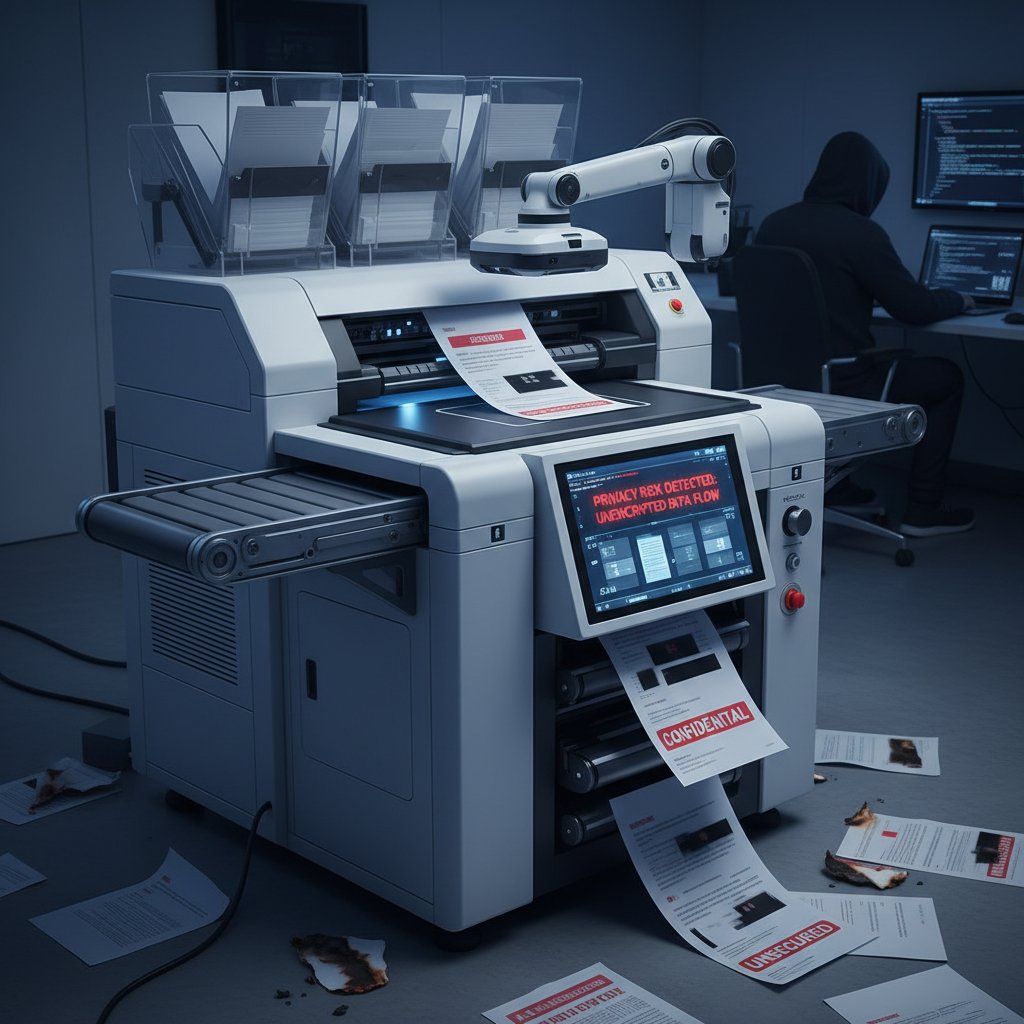
- Unencrypted data transfers: Some platforms cut corners, moving data in plain text, making it easy prey for attackers.
- Cloud misconfigurations: Even big-name providers have suffered from open storage buckets or weak access controls—often exposing confidential files.
- AI training data leaks: Using client data to “improve” AI models can inadvertently expose proprietary information to other users or even competitors.
- Weak compliance protocols: Many document makers lack robust GDPR, HIPAA, or SOC2 compliance certifications, putting regulated businesses at risk.
Over-automation: when efficiency backfires
There’s a breaking point where “smart” automation turns on its creators. Over-automation can blow up in your face—churning out thousands of standardized documents but missing the nuance, empathy, or unique legal language that actually matters. According to Forbes, while automation boosts task efficiency, it rarely improves end-to-end business processes. It’s the classic case of missing the forest for the trees.
“Just automating isolated tasks isn’t enough—without rethinking the whole process, you’re just making the same mistakes faster.” — Source: Forbes, 2024
The warning is clear: automate without context, and you risk amplifying systemic flaws. True productivity gains require a holistic approach, not just faster button clicks.
Data homogenization: are we all saying the same thing?
A lurking danger in the rise of automatic document makers is the creeping sameness of content. When everyone uses the same templates and AI-generated phrasing, individuality and strategic differentiation evaporate. Your “unique” report starts to look—and sound—like everyone else’s. In industries where competitive edge is language, this is a ticking time bomb.
| Feature | Original Drafting | Template-only Automation | AI-powered Document Maker |
|---|---|---|---|
| Creativity | Highest | Low | Moderate |
| Compliance | Variable | High (if templates updated) | Very high (if AI trained correctly) |
| Risk of Homogenization | Low | Very High | Moderate |
| Speed | Slow | Fast | Fastest |
| Customization | Highest | Low | High |
Table 3: Comparison of document creation methods and their impact on content quality. Source: Original analysis based on NN/g, 2023, Vena Solutions, 2023.
Cutting through the hype: what automatic document makers can (and can’t) do
Unpacking the boldest claims
Marketing hype around automatic document makers is off the charts. Vendors promise “instant compliance,” “error-free outputs,” and “creativity on demand.” The truth? These tools excel at high-volume, repetitive tasks—think legal boilerplates, HR policies, and monthly reports. According to McKinsey, AI excels at reducing handling time and basic task errors, but human review is still essential for complex, high-risk documents.
Automation doesn’t replace expertise; it amplifies it. If your raw inputs are garbage, AI will simply convert trash into elegantly formatted trash—now at record speed.
- Bulk document creation: Lightning-fast for contracts, statements, HR docs.
- Formatting and compliance: Excellent at enforcing standards, flagging missing sections, and checking for regulatory alignment.
- Content generation: Decent for boilerplate, variable for nuance-heavy copy.
- Error reduction: Reduces typos and missed steps, but can propagate systematic mistakes if not checked.
Debunking common myths
Document automation is not magic, and believing otherwise is dangerous. Let’s break down a few stubborn myths.
AI is only as good as its data and training; human review is non-negotiable.
It primarily automates repetitive and structured tasks—not strategic thinking, negotiation, or approval flows.
Regular updates, compliance review, and template management are required to stay relevant.
“Believing in ‘set-it-and-forget-it’ automation is what gets organizations into trouble. AI can draft, but only people can decide.” — Source: McKinsey, 2023
What real users wish they knew before starting
The most valuable insights often come from those already in the trenches.
- Customization is vital: Out-of-the-box automation rarely fits your workflow perfectly.
- Human review isn’t optional: Even the best AI needs oversight to catch industry-specific nuances.
- Integration matters: The best tools work with your existing systems, not against them.
- Security is everyone’s problem: Don’t assume any platform is bulletproof—ask tough questions about data handling.
- Don’t chase every trend: Focus on proven ROI, not on flashy features that add complexity without value.
How to choose the right automatic document maker for you
Key features that matter (and which are just noise)
In a saturated market, separating useful features from marketing noise is non-negotiable. Here’s what should be on your radar.
| Feature | Must-Have | Nice-to-Have | Pure Noise |
|---|---|---|---|
| Multi-format export (PDF, DOCX) | ✓ | ||
| Customizable templates | ✓ | ||
| Built-in compliance checks | ✓ | ||
| AI-assisted content suggestions | ✓ | ||
| Real-time editing | ✓ | ||
| Design customization | ✓ | ||
| Gamification badges | ✓ |
Table 4: Feature matrix for evaluating automatic document makers. Source: Original analysis based on Vena Solutions, 2023, McKinsey, 2023.
Opt for platforms that foreground AI-driven automation, rigorous compliance, and integration—filecreator.ai stands out here. Ignore gimmicks that don’t serve your workflow.
When you’re evaluating tools, don’t just read the feature list—test how the platform adapts to your real processes and how it handles edge cases.
Red flags and dealbreakers
Some warning signs should make you run, not walk, in the other direction:
- No clear compliance protocols: If a platform can’t provide evidence of security certifications or regulatory alignment, walk away.
- Opaque data policies: Vague answers about data storage or usage are a red flag.
- No audit trails: In regulated industries, lack of traceability can be fatal.
- Stale templates: Outdated compliance templates are worse than none at all.
- No customer support: Automation is only as good as the help you get when things go sideways.
Is filecreator.ai the industry’s best-kept secret?
While dozens of vendors clamour for attention, filecreator.ai consistently ranks among the most respected automatic document makers. Its ability to generate professional, compliant documents across formats and industries is a testament to robust engineering and deep industry knowledge. More importantly, it doesn’t just promise “AI magic”—it delivers practical, real-world solutions, backed by a reputation for reliability and customer trust.
If you’re tired of marketing smoke and mirrors, filecreator.ai stands out for its authentic value and quietly obsessive focus on user success. Sometimes the best-kept secrets are hiding in plain sight.
Real-world impact: case studies, failures, and unexpected wins
Case in point: when automation saved the day
In the wake of a regulatory audit, a mid-size financial firm used document automation to overhaul report generation—reducing cycle time from two weeks to three days. According to their COO, the “AI-powered document maker” didn’t just save time; it eliminated recurring compliance errors that had plagued prior manual processes.

“We used to dread month-end. Now, with automated templates, we’re not just faster—we’re actually more accurate and less stressed.” — COO, Mid-size Financial Firm, 2024
Disaster stories: when document automation goes wrong
Not every story ends well. One healthcare provider, eager to automate patient documentation, deployed a non-compliant platform without proper vetting. The result? Sensitive patient data was mishandled, triggering regulatory investigations and a public apology. The lesson: not all automation is created equal, and not every vendor actually understands your industry’s needs.
Another cautionary tale comes from a marketing agency that over-relied on a generic AI document maker for campaign materials. When two clients noticed eerily similar language in their deliverables, trust evaporated. The agency learned the hard way that AI-generated content without a human touch can quickly become a reputational liability.
What we can learn from the outliers
- Due diligence matters: Vet vendors for industry-specific compliance.
- Don’t skip training: Invest in onboarding and ongoing learning for your team.
- Continuous improvement: Update templates and review processes regularly to avoid complacency.
- The human factor: Automation should empower, not replace, skilled professionals.
- Test for edge cases: Run through worst-case scenarios before going live.
Beyond business: surprising uses of automatic document makers
Creative fields and the new wave of AI collaboration
Automatic document makers aren’t just for buttoned-up professionals—they’re reshaping creative industries, too. From screenwriters using AI to draft story treatments to designers generating presentation narratives, the fusion of human creativity and machine speed is opening new frontiers.

Co-creation is the name of the game. AI-powered platforms offer the scaffolding, but it’s human ingenuity that fills in the color and emotion. This new wave of collaboration is less about outsourcing creativity and more about supercharging it.
Education, nonprofits, and the democratization of document creation
In education and the nonprofit sector, automatic document makers are leveling the playing field. Teachers generate lesson plans and grading rubrics in minutes. Grassroots organizations produce grant applications and annual reports without costly consultants.
- Accessibility: Anyone with internet access can produce professional-grade documents.
- Cost savings: Eliminates the need for external content creators.
- Focus on mission: Frees staff to concentrate on high-impact activities rather than paperwork.
Cross-industry adoption: who’s resisting and why
Despite the clear benefits, not everyone is rushing to automate. Industries with entrenched legacy systems—like government, law, and regulated utilities—are notorious holdouts. Their hesitation often boils down to two factors: risk aversion and a lack of trust in AI’s ability to interpret unique context.
Conversely, fast-moving sectors like finance, tech, and marketing are embracing document automation with open arms. The divide is cultural as much as technological, but the writing is on the wall: resistance may buy time, but it rarely wins the marathon.
The future is now: what’s next for document automation
Emerging trends for 2025 and beyond
Current data and interviews with industry analysts reveal several trends shaping document automation:
| Trend | Current Status | Impact |
|---|---|---|
| AI-powered compliance | Mainstream | High |
| Real-time collaboration | Rapid growth | High |
| API-first integrations | Accelerating | High |
| Custom AI model training | Emerging | Moderate |
| Privacy-enhancing tech | Gaining traction | High |
Table 5: Key trends in document automation as of 2025. Source: Original analysis based on NN/g, 2023, McKinsey, 2023.

Are we heading toward ‘document singularity’?
The notion of a “document singularity”—where every piece of written content is generated, processed, and optimized by AI—is part philosophical thought experiment, part looming reality. While we’re not there yet, the relentless march toward total automation is already transforming how industries function.
“In the rush to automate, the true winners will be those who combine AI speed with human judgment—turning every document into a competitive asset.” — Source: Nielsen Norman Group, 2023
How to future-proof your workflow today
- Audit your processes: Identify which document workflows are ripe for automation and which require a human touch.
- Prioritize security: Insist on robust encryption, compliance certifications, and transparent data handling.
- Invest in training: Upskill your team to collaborate effectively with AI tools.
- Iterate relentlessly: Update templates and automation protocols based on real-world feedback.
- Stay skeptical: Question the hype, challenge vendors, and never stop improving.
Checklist: mastering automatic document makers without losing your edge
Step-by-step guide to getting started
- Map your document workflows: Analyze which types of documents consume the most time and are most prone to error.
- Set clear goals: Define what “success” looks like—speed, accuracy, compliance, or creativity.
- Research AI-powered platforms: Compare features, verify security protocols, and test usability.
- Pilot with a small team: Start with a controlled rollout and gather feedback.
- Integrate and monitor: Connect the tool to your existing systems and monitor performance metrics.
- Review and iterate: Regularly update your processes, templates, and training.
Quick reference: do’s and don’ts
- Do: Vet security and compliance rigorously.
- Do: Train your team to collaborate with AI, not just use it.
- Do: Monitor outputs for drift or bias.
- Don’t: Trust “set it and forget it” automation—review regularly.
- Don’t: Automate everything—strategic documents need human oversight.
- Don’t: Overlook the emotional impact on your team.
Resources and next steps
Arming yourself with knowledge is the ultimate defense against hype and disappointment. Dive into authoritative industry research, such as the Nielsen Norman Group report, 2023, Vena Solutions, 2023, and McKinsey’s insights on generative AI, 2023. For those ready to transform their document workflows, platforms like filecreator.ai offer practical tools and a grounded approach to automation.
Ultimately, productivity isn’t about mindless speed—it’s about making every hour, every document, and every decision count. The automatic document maker is only as powerful as the strategy and skepticism behind it.
Sources
References cited in this article
- Vena Solutions: AI Statistics 2024(venasolutions.com)
- McKinsey: The Economic Potential of Generative AI(mckinsey.com)
- NN/g: AI Tools Productivity Gains(nngroup.com)
- Forbes: Overcoming the Productivity Paradox(forbes.com)
- WalkMe: Productivity Paradox(walkme.com)
- AEI: Productivity Paradox(aei.org)
- Bain: Automation Scorecard 2024(bain.com)
- BCG: AI Adoption in 2024(bcg.com)
- Medium: The AI Speed Trap(medium.com)
- HowToRobot: Automation in 2024(howtorobot.com)
- Salient Process: Future of Business Automation(salientprocess.com)
- Templafy: What is Document Automation(templafy.com)
- Crove: Ultimate Guide to Document Automation(crove.app)
- Microsoft: AI Builder(learn.microsoft.com)
- CloudTweaks: 2024 AI + Data Privacy Predictions(cloudtweaks.com)
- EDPB: Opinion 28/2024(clydeco.com)
- IntelligentDocumentProcessing.com: 2024 Recap(intelligentdocumentprocessing.com)
- MetaSource: 2024 IDP Trends(metasource.com)
- Avvoka: Document Automation Myths(avvoka.com)
- Pydio: Security Risks 2024(pydio.com)
- Experlogix: Risks in AI Document Processing(experlogix.com)
- KlearStack: IDP Trends 2024(medium.com)
- Docsumo: IDP Market Report 2025(docsumo.com)
- Templafy: 2024 Software Comparison(templafy.com)
- Experlogix: 2023 Automation Trends(experlogix.com)
- Astera: AI Document Processing Myths(astera.com)
- Echo Legal: Document Automation Myths(echo.legal)
- G2: Document Generation Reviews(g2.com)
- Windward Studios: Selection Guide(windwardstudios.com)
- Templafy: Top 10 Comparison(templafy.com)
- Kraft Business: DMS Reviews(kraftbusiness.com)
- Docubase: DMS Chart 2024(docubase.ai)
Perfect Documents, Instantly
Filecreator.ai transforms the way you produce professional documents. Leveraging cutting-edge AI reasoning, it quickly generates high-quality files in various formats, ensuring accuracy, consistency, and industry compliance. Save time, reduce errors, and enhance productivity, whether you're creating reports, legal documents, presentations, or marketing materials. Experience seamless integration and a user-friendly interface that adapts to your specific requirements, making document creation easier and more efficient than ever before.
Get startedStart Creating Professional Documents Today
Join thousands of professionals who trust AI-powered document generation
Frequently Asked Questions
What percentage of companies still rely on manual document processes that could be automated?
According to Vena Solutions (2023), 73% of companies still grind through manual processes that could be automated.
What are the main risks of using automatic document makers?
The main risks include loss of control, automated tools pushing through errors at scale, being locked into rigid templates, and the potential for AI to magnify and speed up existing flawed processes, turning time savings into lower-quality output.
How much can generative AI reduce customer service handling times?
According to McKinsey, generative AI can reduce customer service handling times by 9% and boost issue resolution by 14%.
What is the 'productivity paradox' mentioned in the article?
The productivity paradox refers to the trade-off where gaining speed through automation often means ceding control, as faster document generation can result in errors at scale and mediocre quality despite time savings.
Continue Reading
Explore more from Professional Document Generator

Automatic Document Drafting: Benefits and Control Risks
Automatic document drafting reduces manual work and errors while introducing new control challenges. This article explains the benefits, costs, and risks of AI-powered document automation.

Automatic Document Creator Tools: How They Reshape Work
Automatic document creator tools use AI to automate document creation, fundamentally changing how teams work and compete.

Automatic Document Generation Software: Gains and Risks Explained
Automatic document generation software is reshaping work across industries. This article examines the real productivity gains, the hidden costs, and what to weigh before adopting it.

Automated Document Design Software: Benefits and Hidden Risks
Automated document design software automates document creation but brings hidden costs. This article explores what's working, what's failing, and the risks involved.

Document Creator Tools: Automation Benefits and Hidden Risks
Document creator tools automate workflow but introduce overlooked risks. This article examines the security issues, limitations, and professional implications of AI-driven document creation.

Automatic Employment Document Generators: Costs, Risks, and Benefits
Automatic employment document generators automate HR paperwork and onboarding. This article examines the real costs of manual processes, the risks of automation, and what effective teams actually do.


