


Automated HR Manual Creator: Power, Pitfalls and Who Really Wins
Written with AI assistance under our editorial guidelines
Automated HR manual creator tools promise to streamline workplace documentation, but the reality is far more complex. Behind the efficiency gains lurk cultural risks, regulatory pitfalls, and limitations in machine-generated policies. Success requires careful implementation beyond simply adopting the technology, not blind faith in automation.
Forget the glossy sales decks and AI-powered hype—automated HR manual creator tools have stormed the workplace, promising to turn the bureaucratic slog of HR documentation into a slick, click-and-done affair. But behind every “instant policy handbook” lurks a more complicated story, full of cultural landmines, regulatory quicksand, and vendor secrets HR leaders rarely discuss out loud. If you think plugging in an AI tool will erase your paperwork headaches, buckle up. The truth is messier, edgier, and more urgent than the industry cares to admit. This deep dive pulls back the curtain on the myths, the machine logic, and the all-too-human pitfalls of automated HR manual creators—so you can decide what to trust, what to question, and what could actually change your workplace for good.
How HR documentation became a battleground for automation
A brief history of HR manuals nobody talks about
Long before automation, HR manuals were physical tomes—dense, ever-expanding binders on backroom shelves, written in legalese by a committee and rarely updated. The roots of the modern HR manual trace back to early 20th-century labor reforms, where documentation was as much about protecting the company as guiding employees. By the 2000s, as companies ballooned in size and complexity, compliance burdens grew faster than printer paper budgets. HR’s “manual” meant days lost to revision cycles, copy-pasting last year’s policies, and decoding half-remembered legal updates. According to OpenSky Data, 2023, manual, paper-based workflows created inefficiencies, compliance risks, and an open invitation for costly errors.

The transition to digital documents—Word files, shared drives—did little to solve the real problems. Sure, the paper mountain shrank, but the core bottlenecks remained: fragmented approvals, inconsistent language, and a constant fear of missing a regulatory memo. Even today, some organizations cling to “manual” processes, mistaking familiarity for reliability, while their risk profile quietly grows.
The rise of AI: from hype to actual HR disruption
Then came the flood of AI and automation. Starting as glorified document generators, automated HR manual creators have evolved into sophisticated engines, promising instant compliance, smart templates, and “effortless” updates. The reality? HR teams met this wave with a heady mix of excitement and hard-earned skepticism. Many believed it would be as simple as plug-and-play—upload your company name, pick a few checkboxes, and let the machine spit out a foolproof handbook. But as Jamie, an HR manager at a mid-sized tech firm, puts it:
“We thought it would be plug-and-play, but HR isn’t that simple.”
Early adopters quickly learned: automating HR documentation is less about replacing humans, more about navigating a thicket of legal nuance, company culture, and ever-changing rules. Companies like filecreator.ai have emerged, championing the blend of AI muscle with human oversight. Yet, even these advanced tools are only as strong as the data, templates, and compliance logic behind them.
What the manual loyalists get right—and wrong
It’s a seductive illusion that only human hands can ensure compliance or capture corporate nuance—but reality is more nuanced. Human error is the silent saboteur; research from FlowForma, 2024 shows that 56% of “hire-to-retire” HR tasks are ideally suited for automation, yet manual processes still cause the majority of policy slip-ups and delayed updates. Consider the following:
| Workflow Model | Speed | Error Rate | Compliance | Customization |
|---|---|---|---|---|
| Manual | Slow | High | Variable | High |
| Automated | Fast | Low (if set up) | Consistent | Depends on tool |
| Hybrid | Moderate | Lowest (oversight) | Highest | High (if managed) |
Table 1: Comparison of manual, automated, and hybrid HR documentation workflows. Source: Original analysis based on FlowForma and OpenSky Data insights.
The real trade-off? It’s not “automation vs. humans.” It’s finding the hybrid sweet spot—where digital speed and consistency coexist with human judgment and cultural intelligence. Manual loyalists get right that compliance is never set-and-forget; they get wrong that sticking to old ways is safer.
The promises and pitfalls of automated HR manual creators
What automation really delivers (and where it fails hard)
Vendors love to pitch automated HR manual creators as time-saving, risk-erasing miracles. The glossy brochures tout “instant compliance,” “effortless updates,” and “custom policies in minutes.” The reality, as confirmed by SixFifty, 2024, is a little less magical. Yes, automation can rapidly generate clean, consistent documents and handle frequent (and mind-numbing) legal updates. But it often falls short in capturing the nuances of company culture, adapting to multi-jurisdictional complexity, or addressing unique edge cases.
For example, automating onboarding paperwork or leave policies works well—until you hit an oddball local regulation, or an internal process no template anticipates. Automation accelerates the routine, but the weird and wonderful still demand human intervention.
- Hidden benefits of automated HR manual creator experts won’t tell you:
- Unearths duplicate or outdated policies you forgot existed.
- Forces clarity—no more “we’ve always done it this way” loopholes.
- Generates a defensible audit trail for every change.
- Tracks which sections employees actually read or ignore.
- Surfaces compliance gaps you didn’t know you had.
- Reduces the “copy-paste error” that can cause legal nightmares.
- Frees up HR to tackle culture-building, not paperwork policing.
Still, automation is only as trustworthy as the humans overseeing it. The best systems introduce review checkpoints, keeping the “human in the loop” to avoid costly, embarrassing errors that no AI can anticipate.
The hidden costs nobody budgets for
Here’s the dirty secret: many organizations swallow the up-front software fees, only to be blindsided by hidden costs—customization, integration headaches, retraining HR teams, and the ever-present need for legal review. These costs add up, often eclipsing what a purely manual or even hybrid approach would have run.
| Cost Category | Manual (5 years) | Automated (5 years) | Notes |
|---|---|---|---|
| Labor | High | Moderate | Fewer admin hours automated |
| Legal Review | Moderate | Still Required | Compliance never “auto” |
| Software | Low | High | Licenses, integrations |
| Error Remediation | High | Low (with oversight) | Mistakes still possible |
| Retraining | Low | High (initial) | Learning curve for HR team |
Table 2: Cost breakdown—manual vs. automated HR documentation over 5 years. Source: Original analysis based on FlowForma and SixFifty data.
Take the case of a mid-sized retailer who, seduced by vendor savings projections, skipped due diligence on integration. Their legacy payroll system clashed with the automated HR manual creator—result: months of duplicated effort, emergency consulting bills, and a botched compliance audit. As Alex, their HR director, reflects:
“You only notice the cracks when you lean on it.”
Red flags when choosing an automated solution
The HR automation market is awash with seductive claims—but beneath the surface, traps abound. Watch for these warning signs:
- Overly broad “one-size-fits-all” templates with no industry or local adaptation.
- Vague promises of “automatic compliance” with no evidence of regular legal updates.
- Lack of audit trails and version history.
- Clunky integration with existing payroll or HRIS systems.
- Poor support for multi-jurisdictional companies.
- No clear plan for user training or change management.
- Unclear data security policies.
- Pushy sales tactics insisting on long-term contracts before a pilot run.
- Priority checklist for automated HR manual creator implementation:
- Audit your current documentation pain points.
- Assess legal and compliance needs (by region, industry).
- Demand a full-feature demo (not just a slideshow).
- Test integrations with existing HR systems.
- Confirm data privacy and security certifications.
- Require real-time versioning and audit trails.
- Set up a pilot with feedback loops.
- Involve end users (not just IT) from day one.
Due diligence and skepticism outstrip vendor promises every time. If your gut says something’s off, you’re probably right.

Inside the black box: how automated HR manual creators actually work
Decoding the tech: generative AI, templates, and compliance engines
So what actually powers an automated HR manual creator? The tech stack typically fuses:
- Generative AI models trained on policy language and legal frameworks.
- Libraries of customizable templates mapped to common HR scenarios.
- “Compliance engines” that flag outdated or conflicting clauses.
- Workflow automations for review, approval, and publishing.
Definition list:
- Generative AI: Algorithms designed to draft text based on learned patterns, adapting to changing data and user input.
- Compliance engine: Automated logic that checks document content against current laws, company standards, and best practices.
- Custom workflow: User-defined processes that route drafts, approvals, and updates through relevant stakeholders.
The real difference is between static template-driven tools (good for fast, basic docs) versus adaptive systems (capable of nuanced policy tailoring and smart compliance checks). According to SixFifty, 2024, the best solutions blend both, allowing legal teams to layer company specifics atop robust regulatory logic.

Customization vs. compliance: the eternal trade-off
Here’s the rub: the more you customize a handbook to fit company culture, the easier it is to slip out of compliance; the more you lock it down to legal minimums, the less useful or engaging it becomes. Top tools—like those from filecreator.ai—attempt to bridge this gap, offering granular control over wording while embedding compliance checks into every edit.
Still, many automated platforms struggle to keep up with the weird edge cases—regional quirks, unionized environments, or industries with hyper-specific mandates. As Taylor, a labor attorney, puts it:
“If it’s not flexible, it’s not future-proof.”
Can AI keep up with shifting regulations?
Regulatory volatility is the HR director’s recurring nightmare. Federal, state, and global rules mutate constantly; automation tools must update in lockstep—or risk churning out obsolete policies. According to FlowForma, 2024, leading platforms push updates in real-time, but the lag effect is real—especially if the vendor’s legal team is thin, or your customizations outpace base templates.
| Regulation | Date Updated | Vendor Response Time |
|---|---|---|
| California Paid Leave Law | Jan 2024 | 2 days |
| EU GDPR Policy Revision | Mar 2024 | 1 week |
| US Federal Overtime Rules | Apr 2024 | 3 days |
| Local City Wage Laws | Ongoing | Varies (manual check) |
Table 3: Recent regulatory changes and how leading automated HR manual creators responded. Source: Original analysis based on FlowForma and SixFifty updates.
Bottom line? If your platform can’t flag new legal risks within days, you’re living on borrowed time.
Case studies: the messy reality of HR automation in action
When automation saved a company—barely
Consider a healthcare provider on the brink of a compliance disaster: A last-minute regulatory update threatened to invalidate their leave policies statewide. Their automated HR manual creator, freshly updated, flagged the issue in time, allowing a rapid revision and avoiding fines. Still, the tool missed a nuance about part-time staff. Only human review—frantic, last-minute—closed the gap, averting a lawsuit by hours. The lesson? Automation buys speed and visibility, but it’s only as good as the humans who sanity-check the output.

The costly mistakes no vendor puts in their demo
But not all stories end so well. Take a fast-growing logistics firm whose automated HR manual failed to catch a conflict between local and federal overtime rules. No one noticed until an employee filed a wage claim—triggering litigation, back pay, and a PR nightmare. The root causes? Overreliance on templates, skipping legal review, and a lack of oversight.
- Red flags to watch out for when automating HR manuals:
- Blind trust in out-of-the-box templates.
- No internal policy review before publishing.
- Infrequent or no updates after initial rollout.
- Ignoring edge cases or unique employee classes.
- Weak version control—no rollback after mistakes.
- Failure to audit for bias or inconsistent language.
Building in safeguards—mandatory sign-offs, regular audits, and compliance alerts—reduces these risks, but only if rigorously enforced.
What high-growth companies do differently
Startups and high-growth firms don’t just “automate and pray.” They view automation as a race car, not a chauffeur: fast, powerful, but always needing a skilled driver. They pilot new tools with limited teams, iterate based on staff feedback, and build internal champions to drive adoption. Cultural differences also matter—tech companies, for example, are more comfortable with digital workflows and rapid iteration, while legacy industries value process stability.
During a recent interview, a tech HR lead shared:
“We use automation to free up HR—not to replace us. It lets us focus on real people problems, not just policy paperwork.”

The cultural impact: what automation does to trust and transparency
Does automating HR docs erode workplace trust?
There’s an uneasy undercurrent to automated HR manuals: Do employees trust rules written by a machine? Recent survey data from OpenSky Data, 2023 shows mixed results. Some workers appreciate the clarity and consistency; others see “machine-written” policies as cold or detached—a sign that leadership is outsourcing responsibility.
| Documentation Model | Employee Trust (High) | Employee Trust (Low) |
|---|---|---|
| Manual | 47% | 20% |
| Automated | 34% | 28% |
| Hybrid | 59% | 8% |
Table 4: Employee trust levels—manual vs. automated HR manuals (Source: OpenSky Data, 2023).
The psychological impact is real: People crave transparency and a sense of voice in rules that govern their work lives. When automation is paired with communication and feedback loops, trust tends to rise; when it’s imposed top-down, suspicion festers.
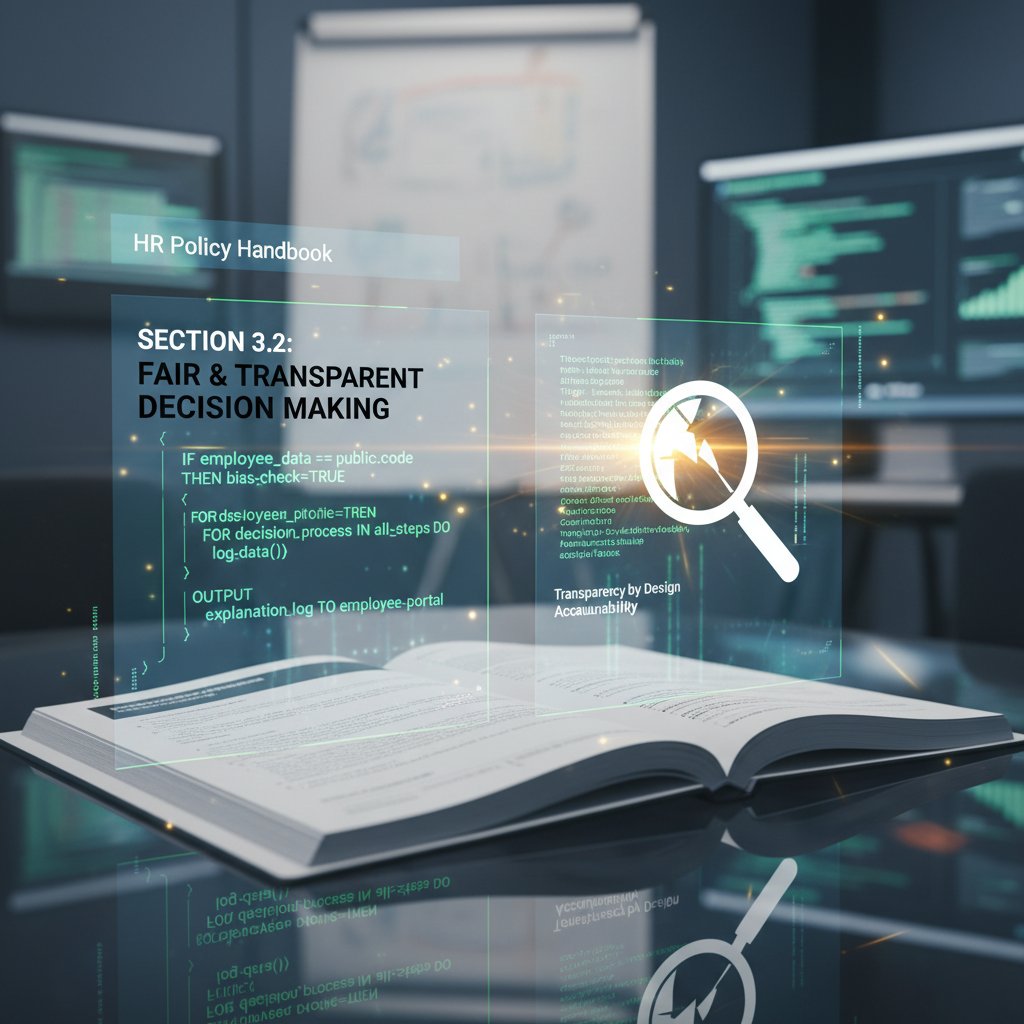
Transparency, bias, and the myth of neutrality
AI-generated documents aren’t immune to bias—far from it. If the data or templates the AI trains on are skewed, the output will echo those blind spots. That’s why leaders must understand:
Definition list:
- Bias: Systematic errors introduced by flawed data, templates, or design, often invisible to creators.
- Algorithmic transparency: The degree to which users can see and understand how automated tools make decisions.
- Explainability: The ability to clarify, in plain English, why a policy says what it says.
Companies serious about trust audit their automated documents regularly, flagging language or policies that may reflect hidden biases or outdated assumptions. According to SixFifty, 2024, real progress happens when HR teams demand both transparency and explainability from their vendors.
Building a digital workplace culture with automation
The upside? When done right, automation liberates HR from the drudgery of paperwork, letting them focus on culture, wellbeing, and strategic support. But this requires intention:
- Steps to align automated HR manuals with company values:
- Identify your core values—ensure they’re reflected in templates.
- Involve employees in reviewing drafts.
- Build feedback mechanisms into every rollout.
- Audit for “voice” and tone regularly.
- Document all edits and their rationale.
- Train managers to explain policies, not just reference them.
- Iterate based on real-world outcomes.
Forward-thinking firms use filecreator.ai not just for efficiency but as a lever to strengthen culture—making the machinery of HR serve, not steer, company identity.
Step-by-step: how to implement an automated HR manual creator without losing your mind
Assessing your real needs (and not what vendors tell you)
Before you chase the shiny promise of automation, get brutally honest: What are your real pain points? Is it compliance risk, time drag, or lack of standardization? Not every problem needs AI—sometimes, a more focused process review is enough.
- Is your company ready for automation?
- Do you struggle to keep HR policies updated?
- Are compliance violations or audit findings a concern?
- Is manual policy drafting a major time sink?
- Are you operating across multiple jurisdictions?
- Do you have clear approval workflows?
- Is your current documentation digital and searchable?
- Do stakeholders resist change?
- Are you prepared to invest in training and change management?
Mapping pain points to automation opportunities—before shopping for tools—avoids buying a solution in search of a problem.

Choosing the right tool: questions to ask and mistakes to avoid
The vendor landscape is crowded and confusing, so cut through the noise with hard questions:
- Top 10 questions to ask before buying automated HR manual creator software:
- How often are templates and compliance updates pushed?
- What jurisdictions and industries do you cover?
- Can I fully customize language and policies?
- How does integration with my HRIS/payroll work?
- Is there an audit trail for every change?
- How are data privacy and security handled?
- Can I run a pilot project before full commitment?
- What support and training resources exist?
- How does the tool handle version control?
- What’s your track record with companies my size/type?
Avoid the common trap of valuing “bells and whistles” over substance. A user-friendly interface means nothing if legal compliance is an afterthought. Always pilot with a live project before rolling out company-wide.
Rolling out, auditing, and iterating your automated HR manual
Launching a new system is just the start. Smart HR leads roll out automation in stages—pilot, refine, expand. Change management is crucial: Communicate the “why,” involve stakeholders, and set clear expectations. Regular audits—monthly at first—catch errors and cultural mismatches early.
Build a feedback loop: Encourage employees to flag ambiguities or gaps. Use these insights to tweak templates and policies, never assuming your first draft is the last word.
“It’s never really ‘done.’ You’re always tweaking.”
— Morgan, HR Director
Beyond compliance: the future of automated HR manual creation
Emerging trends you can’t afford to ignore
Automation isn’t standing still. Current trends include:
- Deep integration with end-to-end HR suites (recruitment, payroll, performance).
- Generative policy engines that adapt language based on evolving case law or industry best practices.
- Adaptive workflows that personalize content for specific roles or regions.
The future belongs to platforms that don’t just pump out compliant documents but connect seamlessly to the entire HR ecosystem—surfacing risks, surfacing insights, and empowering real-time collaboration.

Cross-industry lessons: what HR can learn from tech, healthcare, and beyond
Other sectors have wrestled with document automation—and their scars are instructive. Tech companies pioneered agile documentation, constantly updating policies to match rapid change. Healthcare, with its regulatory labyrinth, built layered review and audit trails. Finance prioritized data security and access control.
- Unconventional uses for automated HR manual creators:
- Policy onboarding for gig or remote workers.
- Real-time translation for global offices.
- Instant compliance checks on new benefit offerings.
- Custom onboarding for mergers/acquisitions.
- Integration with learning management systems.
- Automated workflow for policy acknowledgment tracking.
HR leaders would do well to “steal” best practices—like continuous feedback loops and tiered review—from these sectors.
Who’s at risk—and who stands to win
Which companies are most vulnerable? Those clinging to outdated, manual processes or with thin HR teams stretched across jurisdictions. Early adopters—especially in tech, healthcare, and distributed organizations—already report efficiency gains and compliance wins.
| Industry | Company Size | Adoption Rate (%) |
|---|---|---|
| Technology | SME/Large | 75 |
| Healthcare | Large | 68 |
| Retail | SME | 43 |
| Manufacturing | Large | 55 |
| Professional Svcs | SME | 60 |
Table 5: Adoption curve—who’s using automated HR manual creators in 2025? Source: Original analysis based on industry reports and OpenSky Data.
Waiting too long to automate isn’t just risky; it’s a competitive disadvantage.
Debunking the top myths about automated HR manual creators
Myth #1: Automation means losing control
Many fear that once a machine takes over, all human oversight vanishes. In truth, the best automated HR manual creators are designed for collaboration—drafts are routed for review, edits tracked, and approvals logged. Control isn’t lost; it’s reframed.
Picture a legal team co-authoring a policy document, AI surfacing compliance risks as they edit, with the final sign-off always remaining human. Building in governance and review structures preserves authority without sacrificing speed.

Myth #2: Automated HR manuals are all the same
Nothing could be further from the truth. High-quality platforms offer deep customization, compliance tailoring, and branding options. Whether you’re a startup or a multinational, the range of difference is vast.
- Key differentiators in top automated HR manual creators:
- Real-time compliance updates by jurisdiction.
- Multi-language, multi-region support.
- AI-powered suggestions for policy language.
- Role-based access and approval workflows.
- Integration with existing HRIS and payroll.
Savvy buyers scrutinize these features, running sample policies through multiple scenarios before committing.
Myth #3: You can set it and forget it
Perhaps the most dangerous misconception. Automated HR manuals are living documents; regulations change, company priorities shift, and culture evolves. Routine audits—at least quarterly—are essential.
- Routine audits to keep your automated HR manual relevant:
- Review policy updates for regulatory changes.
- Solicit employee feedback on clarity and applicability.
- Test document accessibility (mobile, desktop).
- Audit for bias and inclusive language.
- Monitor acknowledgment rates and follow-up.
- Document all changes with explanations.
“Automation is a tool, not a replacement for vigilance.”
— Casey, HR Compliance Specialist
Resource roundup: tools, guides, and next steps
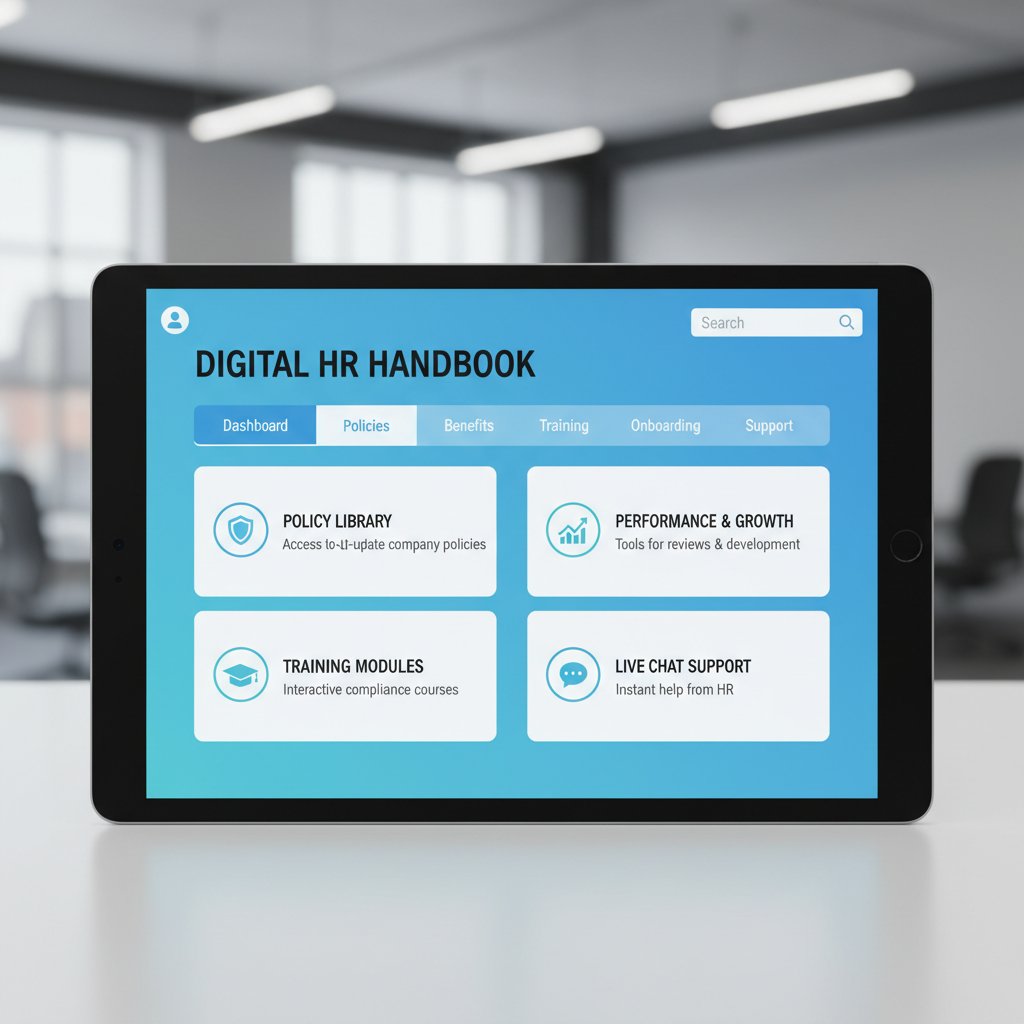
Quick-reference: top features to demand from any automated HR manual creator
For 2025 and beyond, demand more from your automation partner:
Definition list:
- Audit trails: Track every change, who made it, and why.
- Versioning: Restore previous drafts at any time.
- Compliance checks: Automated alerts for legal risks.
- User roles: Control access and editing rights for different users.
These features are what future-proof your HR documentation—don’t settle for less.
Checklist: is your HR documentation future-ready?
Is your HR documentation ready to face the world—today and tomorrow?
- Is your HR documentation future-ready?
- Up-to-date with current regulations?
- Accessible on all devices?
- Clearly written and jargon-free?
- Culturally aligned with company values?
- Regularly audited for accuracy?
- Feedback-enabled for employees?
- Supported by real-time versioning?
- Integrated with HRIS/payroll systems?
- Protected by strong data security?
- Easily customizable for new needs?
Use this as your roadmap for improvement. And for expert help, platforms like filecreator.ai offer a solid starting point.
Where to learn more and connect with real practitioners
Don’t go it alone. Lean on credible sources like the Society for Human Resource Management (SHRM), join HR tech communities, or attend webinars and forums for up-to-the-minute insights. Share your stories—what worked, what failed—with peers in professional groups.

Conclusion
The era of the automated HR manual creator is here, but it’s no magic bullet. It’s a powerful tool—one that can slash inefficiency, boost compliance, and empower HR to focus on people, not paperwork. But only if you see through the hype, demand transparency, and keep human oversight front and center. As the evidence shows, hybrid approaches—where automation and expertise meet—consistently outperform hands-off or manual-only methods. The real challenge isn’t just technical; it’s cultural, strategic, and ongoing. Use these insights as your defiant roadmap: question every promise, pilot before you roll out, and never let automation silence your company’s unique voice. For those willing to dig deeper, the rewards are real—and your HR documentation can finally stop being the weakest link in your organization’s armor. Start exploring tools, demand more from your vendors, and make your next HR manual a model of both efficiency and integrity.
Sources
References cited in this article
- OpenSky Data: The Myths and Truths of HR Process Automation(openskydata.com)
- SixFifty: Employee Handbook Creator(sixfifty.com)
- FlowForma: Document Automation for HR(flowforma.com)
- Docupilot: Document Automation for HR(docupilot.com)
- DocuWare: Benefits of HR Document Management(start.docuware.com)
- Gartner: AI in HR(gartner.com)
- Aon: How AI is Transforming HR(aon.com)
- AIIM: Pros and Cons of Automating HR(info.aiim.org)
- Linked4HR: AI and Automation in HR(linked4hr.com)
- Provalet: Automating HR Document Management(provalet.io)
- WorkHub24: Red Flags in HR Automation(workhub24.com)
- Business.com: Automated HR System(business.com)
- SHRM: Automated Content Generation Tools(shrm.org)
- IBM: HR Automation(ibm.com)
- HR for Health: Compliance(hrforhealth.com)
- HR Cloud: Customizability in HR Automation(hrcloud.com)
- AIALPI: Regulatory Tracking Systems(aialpi.com)
- AppogeeHR: AI HR Document Generation(appogeehr.com)
- WebHR: HR Automation Success Stories(web.hr)
- AIMultiple: HR Automation Case Study(research.aimultiple.com)
- LinkedIn: AI in HR Case Studies(linkedin.com)
- Cubeo AI: AI in HR Use Cases(cubeo.ai)
- Sage Journals: Systematic Review on Trust and Transparency in AI-driven HRD(journals.sagepub.com)
- HRD Connect: Leadership and Transparency in AI Adoption(hrdconnect.com)
- AI Time Journal: Building Company Culture with AI(aitimejournal.com)
- Beekeeper: HR Digital Transformation(beekeeper.io)
- SHRM: Automate HR While Keeping the Human Touch(shrm.org)
- Software Finder: How to Automate HR Processes(softwarefinder.com)
- Scribe: HR Document Generator(scribehow.com)
- Trainual: How to Create HR Policy Manuals(trainual.com)
- ManageHR Magazine: Critical Questions(managehrmagazine.com)
- PynHQ: HR Automation Tools(pynhq.com)
- Leapsome: Choosing the Right HR Software(leapsome.com)
Perfect Documents, Instantly
Filecreator.ai transforms the way you produce professional documents. Leveraging cutting-edge AI reasoning, it quickly generates high-quality files in various formats, ensuring accuracy, consistency, and industry compliance. Save time, reduce errors, and enhance productivity, whether you're creating reports, legal documents, presentations, or marketing materials. Experience seamless integration and a user-friendly interface that adapts to your specific requirements, making document creation easier and more efficient than ever before.
Get startedStart Creating Professional Documents Today
Join thousands of professionals who trust AI-powered document generation
Frequently Asked Questions
What were the main problems with HR manuals before automation?
Before automation, HR manuals were dense physical binders written in legalese by committees and rarely updated. As companies grew, manual processes created inefficiencies, compliance risks, and costly errors, with HR teams losing days to revision cycles, copy-pasting outdated policies, and decoding regulatory updates.
Did simply moving HR manuals to digital documents solve the underlying problems?
No. While the transition from paper to digital documents like Word files and shared drives reduced the physical paper pile, the core bottlenecks remained: fragmented approvals, inconsistent language, and constant risk of missing regulatory updates.
What do automated HR manual creator tools promise to deliver?
Automated HR manual creators promise instant compliance, smart templates, effortless updates, and to turn the bureaucratic process of HR documentation into a streamlined, click-and-done affair.
Is the reality of automated HR manual creators as simple as the sales pitch suggests?
No. The article reveals a more complicated story full of cultural pitfalls, regulatory complexities, and vendor-related issues that HR leaders rarely discuss openly, making the actual implementation messier and more challenging than the marketing hype suggests.
Continue Reading
Explore more from Professional Document Generator

Automatic HR Documentation Software’s Real ROI (and Risks)
Discover insights about automatic HR documentation software

Why Customized HR Documentation Matters for Compliance
Customized HR documentation protects companies from compliance failures and lawsuits. This article explains why proper documentation matters and how to get it right.

Automated HR Documentation: Benefits, Risks, and Hidden Costs
Automated HR documentation reduces HR risk while preserving jobs. This article examines the benefits, hidden costs, and seven key truths shaping HR transformation today.

Automated HR Documents: What the Risks Really Are
Automated HR documents promise efficiency but carry hidden risks. This article examines the trade-offs, compliance challenges, and strategies that actually work.

Generate Automated HR Documents Without Losing the Human Factor
Discover insights about generate automated HR documents

Generate Automated HR Letters Without Losing Trust or Control
Discover insights about generate automated HR letters


