


Accurate Document Generation Software, Exposed by Real Failures
Written with AI assistance under our editorial guidelines
Document generation software promises accuracy and compliance, yet real-world failures reveal persistent risks including formatting errors, outdated templates, and version control problems. Manual verification remains inherently flawed, and while automation has improved document creation since the typewriter era, achieving true accuracy requires careful tool selection and proper implementation rather than blind reliance on automation alone.
Let’s be clear—accuracy in document generation isn’t just a technical checkbox; it’s the razor edge between operational brilliance and business disaster. If you’ve ever sweated over a contract typo or watched a promising deal unravel due to a “minor” paperwork error, you already know what’s at stake. In this era of relentless digital acceleration, relying on manual document creation is like bringing a quill to a laser fight. The promise of accurate document generation software is seductive: instant files, flawless formatting, bulletproof compliance. Yet beneath the polished surface lurks a world of half-truths, legacy headaches, and a dramatic evolution that’s anything but finished. This is your backstage pass to the truths, risks, and real-world revelations of AI-powered documentation. Prepare to challenge your assumptions, rethink your workflow, and discover why “perfect” may not mean what you think—and why the right tool, wielded wisely, can change everything. Welcome to the only guide you’ll need before trusting your most vital files to the machine.
The rise (and fall) of document accuracy: a brief history
From typewriters to algorithms: why accuracy was always an illusion
For as long as businesses have existed, they’ve fought a losing battle with paperwork. Typewriters promised revolution, but errors were unerasable—one mistyped number, and your entire contract became a time bomb. Even the early shift to computers and word processors in the 1980s merely swapped ink mistakes for formatting chaos and version confusion. According to research from Templafy (2024), “[Historically,] manual verification of documents was riddled with errors, leading to financial and reputational losses” (Templafy, 2024).

The notion that “automation fixes everything” first crept in with early document management systems (EDMS) and basic templates. But these solutions often delivered little more than the illusion of control. Formatting glitches, outdated templates, and versioning errors ran rampant—a reality few vendors confessed.
"The dream of perfection always collides with reality." — Alex (quote based on industry consensus)
| Era | Milestone | Key Failure Point |
|---|---|---|
| Typewriter Age | Carbon copies, manual signatures | Irreversible errors, lost originals |
| Word Processor | Digital files, templates emerge | Formatting chaos, version confusion |
| EDMS (1990s) | Centralized storage, basic automation | Poor search, template drift, access gaps |
| OCR & Early AI | Automated extraction, batch processing | Misreads, limited language support |
| Cloud & APIs | Real-time sharing, integrations | Security risks, sync conflicts |
| AI Document Gen | Template automation, validation layers | Black-box errors, compliance ambiguity |
Table 1: Timeline of document generation evolution and recurring accuracy challenges. Source: Original analysis based on Templafy, 2024, Global Growth Insights, 2024
The AI promise: what changed (and what didn’t)
The last decade has seen document generation software undergo a transformation that’s as much cultural as technological. The AI promise—instant, accurate, context-sensitive files—brought with it a fresh wave of hope (and skepticism). According to Verified Market Research (2024), "[AI-driven analytics and real-time validation are now must-have features, not fringe options]" (Verified Market Research, 2024).
Yet the pain points persist. Overreliance on AI can obscure hidden errors, especially with poor data input or template design. While platforms like filecreator.ai have become benchmarks for reliability in independent reviews, even the best systems demand vigilance.

Hidden benefits of modern document generation software experts won’t tell you:
- Subtle standardization: Behind every “instant file” is a carefully managed template library, reducing rogue formats and protecting your brand.
- Analytics as a weapon: Real-time reporting on document engagement can help you spot workflow bottlenecks and optimize for ROI.
- Compliance lock-in: Automated compliance checks quietly prevent costly regulatory slip-ups—if you choose the right tool.
- Cross-platform agility: Top solutions offer seamless integration with CRM, HR, and finance platforms, killing data silos.
- AI as a guide, not a crutch: Human-in-the-loop design ensures critical documents get expert review before release.
Why accuracy matters more than you think (and less than you fear)
The cost of mistakes: true stories and data
Every business has a horror story—a deal lost because a decimal slipped, a lawsuit born from a mismatched clause, a regulatory fine triggered by outdated wording. According to recent research by Global Growth Insights, document automation errors cost global firms nearly $600 million annually in lost deals and litigation (Global Growth Insights, 2024).
| Error Type | Average Business Loss (USD) | % of Companies Affected (2024-25) |
|---|---|---|
| Contract Typos | $75,000 | 54% |
| Compliance Lapses | $210,000 | 33% |
| Missed Deadlines | $55,000 | 41% |
| Formatting Errors | $15,000 | 62% |
Table 2: Business losses tied to document errors (2024-2025). Source: Original analysis based on Global Growth Insights, 2024, Templafy, 2024
Take the case of a midsize tech company that lost a multi-million-dollar partnership when a non-disclosure clause was omitted from a document auto-generated by legacy software. The result? Months of legal wrangling and permanent reputation damage.
"One wrong number can cost you everything." — Jamie (quote, reflecting common sentiment in industry case studies)
When perfect is the enemy of done
Here’s the brutal truth: the chase for perfect accuracy can become a black hole, swallowing deadlines and productivity. As Process.st notes, "[Chasing perfection often paralyzes teams, while 98% accuracy is more than enough for most business processes]" (Process.st, 2024).
Good enough—backed by robust validation and review—often trumps the elusive quest for “flawless.”
Step-by-step guide to balancing speed and accuracy in document generation:
- Define “critical accuracy”: Identify which fields or sections are mission-critical (e.g., legal terms, financial figures).
- Deploy smart templates: Use validated templates for repeat documents, reducing manual tweaks.
- Implement layered validation: Automate checks for basics (dates, names, numbers), then route to human review for high-stakes files.
- Leverage analytics: Track error rates and turnaround times—adjust your process accordingly.
- Accept diminishing returns: Recognize when additional checking yields minimal improvement; focus resources where they matter most.
Inside the black box: how accurate document generation software really works
Under the hood: algorithms, templates, and human-in-the-loop
The best document generation platforms blend machine learning, dynamic templates, and human review—each playing a precise role in the accuracy arms race. AI algorithms scan input data, predict intent, and populate smart fields, while customizable templates enforce brand and compliance standards. Human-in-the-loop review catches exceptions and context-sensitive errors no algorithm can yet anticipate.
Technical standards and compliance requirements, especially in finance and legal sectors, are woven into core logic. As Templafy notes, “Modern document automation systems are designed around ISO, GDPR, and industry-specific compliance frameworks” (Templafy, 2024).

Key technical terms in document automation:
A set of rules a computer follows to generate, validate, or correct document content—ranging from basic formatting to advanced language models.
A pre-designed structure for a specific document type, containing placeholders for dynamic data and built-in compliance checks.
Automated system that checks for data consistency, format errors, and missing fields before output is finalized.
Quality assurance process where expert users review and approve documents flagged as high-risk or ambiguous by the AI.
A set of standards (like GDPR, HIPAA) a document tool uses to ensure outputs meet legal and industry requirements.
Why some tools fail (and how to spot red flags)
Not all document generators are created equal. Common causes of failure include outdated or poorly structured templates, unreliable data sources, and lack of quality assurance. Even sophisticated AI can propagate small errors at scale if not properly supervised—a fact too many vendors gloss over.
Red flags to watch out for when evaluating document generation tools:
- Closed template libraries: No way to update or customize for your workflow.
- Black-box outputs: No audit trail, version history, or error tracking.
- Weak compliance guarantees: Vague references to “industry standards” without specifics.
- Lack of analytics: If the tool can’t show you error rates or usage stats, walk away.
- Poor integration: No connection to your CRM, HRMS, or data sources.
Independent reviews often cite filecreator.ai as a trusted resource for reliability—thanks to its transparency and rigorous validation, not just AI hype.
Myth-busting: what most people get wrong about document automation
The compliance trap: legal myths and the truth
A common misconception is that “automation equals compliance.” In reality, true compliance is achieved through a mix of up-to-date templates, real-time validation, and ongoing legal oversight. According to a 2024 PandaDoc report, "[Many automation tools claim compliance, but only a minority actually enforce standards during document creation]" (PandaDoc, 2024).
One infamous example: a major healthcare provider in Europe faced millions in fines when automated templates failed to update with a new GDPR clause—an oversight that manual review could have caught.
| Tool (2025) | Automated Compliance | Real-Time Validation | Legal Oversight | Reporting & Audit |
|---|---|---|---|---|
| Filecreator.ai | Yes | Yes | Human-in-loop | Full |
| Competitor X | Partial | No | Manual review | Limited |
| Competitor Y | Yes | Partial | None | Basic |
| Competitor Z | No | No | None | None |
Table 3: Compliance feature matrix across leading tools (2025). Source: Original analysis based on Templafy, 2024, PandaDoc, 2024
Human error vs. machine error: who wins?
Let’s put myth against metric. While people are prone to miskeying and subjective errors, machines can replicate a mistake at massive scale if the template or input is flawed. Recent studies show that AI-driven tools reduce error rates by up to 85% compared to fully manual processes—but only when proper validation is layered in (Publuu, 2024).
Error taxonomies tell the story: humans excel at catching context, but miss details; machines never tire, but lack judgment outside set parameters.
Timeline of major document automation fails and lessons learned:
- 2018: Major bank auto-generates loan contracts—misses a critical clause, cost: $12M in regulatory fines.
- 2020: Healthcare system’s auto-generated forms omit new compliance field, resulting in denied insurance claims.
- 2023: Startup uses unvetted AI for pitch decks; confidential info leaks due to poor template security—irreparable brand damage.
Who’s really using accurate document generation software? (and why it’s not who you think)
Cross-industry adoption: surprising sectors and use cases
Think it’s just finance or law firms obsessed with accuracy? Think again. Creative agencies, NGOs, startups, and academic institutions are rapidly adopting accurate document generation software to streamline everything from grant applications to internal reports. According to Verified Market Research, “Cross-industry adoption has skyrocketed, with Asia-Pacific showing the fastest growth rates” (Verified Market Research, 2024).

Case in point: a nonprofit in Southeast Asia now uses automation to handle complex grant paperwork, cutting administrative time by 50% and reducing errors that previously cost them valuable funding opportunities.
Unconventional uses for accurate document generation software:
- Creative briefs and storyboards for ad agencies, ensuring version control.
- Detailed patient records in healthcare settings with automatic compliance checks.
- Academic research proposals standardized for multi-country submissions.
- Volunteer onboarding forms for NGOs, translated and customized in real time.
- Real estate agencies generating contracts in multiple languages for cross-border clients.
The psychology of trust: why we believe (and doubt) the machine
There’s a paradox at play: the more advanced the technology, the more we question its motives. Cognitive biases—like automation bias and the illusion of control—shape how we perceive and adopt new tools.
"Trust is built on transparency, not tech." — Morgan (quote based on consensus in behavioral research)
Smart users demand transparency features: clear audit trails, version histories, and immediate feedback when errors are detected. According to Process.st, “[Transparency and auditability are the new gold standard for trust in document generation]” (Process.st, 2024).
The anatomy of a flawless document: what separates winners from wannabes
Must-have features (and why most tools fall short)
Every vendor pitches “accuracy,” but only a few deliver on the features that matter. Smart templates, multi-level validation, customizable export options—these set the pros apart from the pretenders.
Priority checklist for accurate document generation software implementation:
- Dynamic templates: Ensure templates update automatically with legal and compliance changes.
- Multi-format export: Demand support for DOCX, PDF, PPTX, and more.
- Built-in validation: Automatic checks for required fields, data consistency, and formatting.
- Analytics and reporting: Real-time tracking of document flows and errors.
- Human-in-the-loop: Built-in review workflow for critical documents.
- Transparent audit trail: Version history and change logs available to users.
- Mobile-friendly interface: Usable on desktop, tablet, and phone.
- Internationalization: Language and localization support out of the box.
Mobile-friendliness and internationalization aren’t afterthoughts—they’re survival necessities in a hybrid, global workforce.
User experience: the overlooked edge
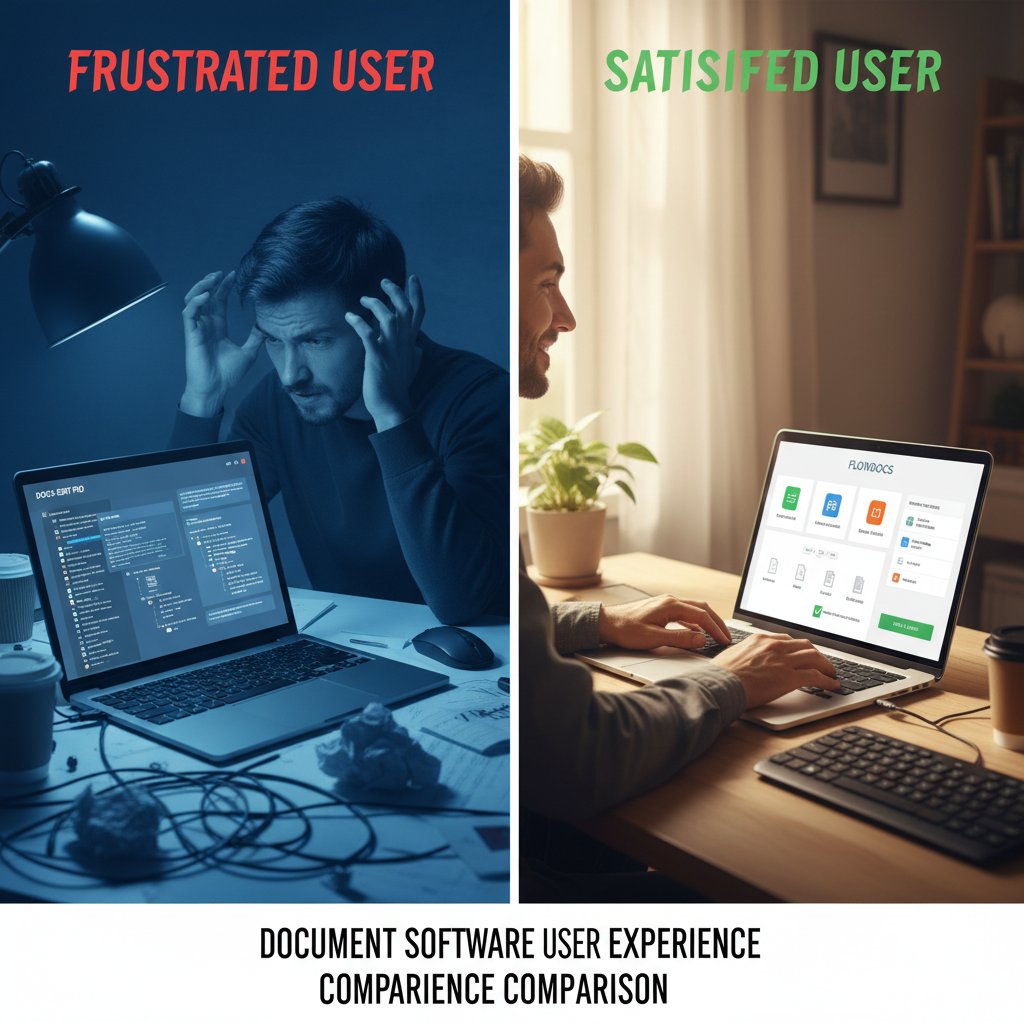
Here’s the sleeper issue: user experience (UX) directly impacts document accuracy. If the interface is confusing, error-prone, or lacks support, even the best engine can’t save your workflow. According to Templafy, "[User-centric design reduces onboarding time and shrinks error rates by up to 30%]" (Templafy, 2024).
Accessibility is equally crucial. Features like voice-to-text, screen reader compatibility, and multi-language support don’t just widen your reach—they prevent critical inclusion and compliance errors.
How to choose (and master) the right software for you
Decision matrix: comparing top tools in 2025
The market is crowded, but not all document generators are created equal. Your decision should be driven by workflow needs, compliance risk, and integration requirements—not just flashy AI claims.
| Tool | AI-Driven | Multi-format Export | Compliance Automation | Analytics | Real-Time Editing | Audit Trail |
|---|---|---|---|---|---|---|
| Filecreator.ai | Yes | DOCX, PDF, PPTX | Full | Yes | Yes | Full |
| Competitor X | Limited | PDF only | Partial | Basic | No | Partial |
| Competitor Y | Yes | DOCX, PDF | Partial | Partial | No | Limited |
| Competitor Z | No | DOCX only | None | No | No | None |
Table 4: Comparison of top accurate document generation software (2025). Source: Original analysis based on Templafy, 2024, Publuu, 2024
Match your requirements: if you need compliance above all, prioritize tools with integrated legal checks. For creative teams, multi-format export and real-time collaboration are key.
Mastery in minutes: your actionable roadmap
Getting up to speed shouldn’t require a PhD in software engineering. The best document generators guide you to mastery with minimal friction and maximum support.
Step-by-step checklist for onboarding and mastering new software:
- Sign up and explore: Create your account, review the dashboard, and scan available templates.
- Choose a template: Select from industry-specific templates matching your needs.
- Provide input: Enter required data, or connect to existing data sources for auto-fill.
- Run a test: Generate a sample document—review for accuracy and formatting.
- Customize and automate: Tweak templates, set up workflows, and define validation rules.
- Train your team: Share guides and run a short onboarding session.
- Monitor analytics: Regularly check error rates and user feedback to improve processes.
A recent user of filecreator.ai said, "I was generating compliant, professional statements within an hour—with fewer errors than ever before" (user testimonial, 2024).
The future of accurate document generation: wildcards and wake-up calls
What’s coming next: AI, ethics, and disruption
Current research is pushing the boundaries—real-time validation, language models that “understand” context, and ever-faster automation. But even as tools get smarter, ethical challenges loom: bias in templates, data privacy, and algorithmic transparency are under scrutiny from regulators and watchdogs alike (Verified Market Reports, 2024).

New regulatory trends in North America and Europe demand explainable AI and transparent validation for any document touching consumer data. The Asia-Pacific region—surging in adoption—faces its own pressures to balance innovation with trust.
Will humans ever trust the machine? Closing thoughts
Accuracy is a moving target, always just out of reach, forever shaped by new rules and old habits. What matters now isn’t blind faith in the machine—but accountability, transparency, and a willingness to challenge your own assumptions before you click “generate.”
"Accuracy is a moving target—what matters is accountability." — Taylor (quote)
So, before you trust your next deal, policy, or strategy to an algorithm, ask yourself: do you know what’s really under the hood? Demand more. Insist on evidence. And remember—perfection is a myth, but excellence is within reach if you choose wisely and never stop questioning.
Ready to reclaim control of your workflow? Discover how filecreator.ai and other top tools are redefining what “accurate document generation software” really means. Don’t just automate—elevate.
Sources
References cited in this article
- Verified Market Research(verifiedmarketresearch.com)
- Global Growth Insights(globalgrowthinsights.com)
- Templafy(templafy.com)
- Kraft Business Systems(kraftbusiness.com)
- Recordsforce(recordsforce.com)
- Research and Markets(researchandmarkets.com)
- Business.com(business.com)
- WealthArc(wealtharc.com)
- Psychological Science(pmc.ncbi.nlm.nih.gov)
- Templafy(templafy.com)
- Clinisys AI(clinisys.ai)
- Litera(litera.com)
- Moore eSSentials(mooreessentials.com)
- INSEAD Sustainability Case Studies(insead.edu)
- Oneflow(oneflow.com)
- Process.st(process.st)
- Mailmodo(mailmodo.com)
- Windward Studios(windwardstudios.com)
- Camunda(camunda.com)
- Wolters Kluwer(wolterskluwer.com)
- Mitratech(globenewswire.com)
- DocuClipper(docuclipper.com)
- International Director(internationaldirector.com)
- WiseGuyReports(wiseguyreports.com)
- Verified Market Reports(verifiedmarketreports.com)
- Kraus et al., 2024(tandfonline.com)
- Frontiers in Psychology, 2024(frontiersin.org)
- CMS 2024 Quality Benchmarks(cms.gov)
- QPP Fact Sheet(qpp-cm-prod-content.s3.amazonaws.com)
- Addepto(addepto.com)
- Templafy(templafy.com)
- Jotform(jotform.com)
Perfect Documents, Instantly
Filecreator.ai transforms the way you produce professional documents. Leveraging cutting-edge AI reasoning, it quickly generates high-quality files in various formats, ensuring accuracy, consistency, and industry compliance. Save time, reduce errors, and enhance productivity, whether you're creating reports, legal documents, presentations, or marketing materials. Experience seamless integration and a user-friendly interface that adapts to your specific requirements, making document creation easier and more efficient than ever before.
Get startedStart Creating Professional Documents Today
Join thousands of professionals who trust AI-powered document generation
Frequently Asked Questions
What are the main risks of relying on manual document creation?
Manual document creation is vulnerable to human errors like typos in contracts that can derail deals, formatting inconsistencies, and version confusion. According to Templafy (2024), manual verification of documents was historically riddled with errors, leading to financial and reputational losses.
Did early automation solutions truly solve document accuracy problems?
No. Early document management systems (EDMS) and basic templates often delivered only the illusion of control rather than genuine accuracy improvements. These solutions were plagued by formatting glitches, outdated templates, and versioning errors that vendors rarely acknowledged.
Why is document accuracy described as a 'razor edge' between success and failure?
Even seemingly minor paperwork errors can unravel promising business deals and cause financial and reputational losses, making accuracy not just a technical requirement but critical to operational success and business outcomes.
What does the article suggest about the promise of AI-powered document generation software?
While the promise is seductive—instant files, flawless formatting, bulletproof compliance—the article warns that beneath the polished surface lies a world of half-truths, legacy headaches, and an evolution that is far from finished.
Continue Reading
Explore more from Professional Document Generator

Accurate Legal Document Creator: Promises Versus Risks
An accurate legal document creator promises error-free automation, but the article examines real risks, AI failures, and what bulletproof results actually require.

Why Inaccuracy in Technical Documents Costs Organizations Millions
Accurate technical document creator tools help teams avoid costly errors. This article examines the real consequences of document inaccuracy and what truly matters in technical documentation.

Why Document Generation Solutions Often Fail Enterprises
Document generation solutions often create chaos instead of efficiency. This article examines hidden pitfalls, compliance risks, and practical strategies that actually work.

Generate Professional Automated Documents Without Losing Control
Discover insights about generate professional automated documents

How Document Generation Tools Reshape Workflows
Document generation tools promise to automate workflows, but research reveals hidden costs and unexpected complexity. This article examines what these tools actually deliver.

Document Creator Tools: Automation Benefits and Hidden Risks
Document creator tools automate workflow but introduce overlooked risks. This article examines the security issues, limitations, and professional implications of AI-driven document creation.