

AI-Powered Document Editing Software: Risks, Wins and What to Skip
Written with AI assistance under our editorial guidelines
AI-powered document editing tools have become mainstream, with 85% of businesses adopting them for daily operations. These tools boost productivity and writing quality, yet raise concerns about originality, accuracy, and user dependence on automation, requiring careful evaluation before implementation.
In 2025, the phrase “AI-powered document editing software” is more than a buzzword—it’s a cultural flashpoint. This technology is reshaping how professionals—from marketing powerhouses to sleep-deprived legal teams—craft, polish, and share their work. But behind the shiny interfaces and promises of productivity lies a world of contradictions: big wins, brutal truths, and hidden costs that rarely make headlines. As the line blurs between human and machine editing, the stakes rise. Is AI editing making us smarter and faster, or lazier and less original? This article pulls back the curtain, exposing the realities and myths of intelligent editing tools, and arming you with the knowledge to navigate the chaos—no matter which side of the AI revolution you’re on.
Why everyone is suddenly talking about AI-powered document editing
The viral moment: How AI editing became mainstream
AI-powered document editing didn’t just slip quietly into our workflows. It hit like a viral wave, riding the pandemic-fueled digital transformation and a deluge of remote work. Suddenly, even the least tech-savvy pros were auto-correcting whole paragraphs, running instant grammar audits, and debating the ethics of letting a bot “improve” their tone. According to a 2024 report by Gartner, 85% of businesses now use some form of AI-powered editing or writing assistant in daily operations. The numbers exploded as platforms like Google Docs and MS Word rolled out seamless, AI-driven features, and dedicated tools like Grammarly, QuillBot, and Jasper AI became household names among professionals.

But it wasn’t just convenience. The virality was stoked by stories—some awe-inspiring, others cautionary. Teams slashed their editing hours in half, freelancers doubled their output, and non-native speakers suddenly wrote like seasoned pros. At the same time, horror stories of botched legal docs and autocorrect fails made the rounds, sparking debates about trust and reliability. The hype was palpable, but so was the skepticism.
From spellcheck to sentience: The evolution nobody saw coming
If you think AI editing is just glorified spellcheck, you haven’t been paying attention. The journey from basic grammar tools to sentient-sounding assistants is nothing short of a digital revolution. Early 2000s: clunky spellcheck with comic results. 2015: contextual grammar checking. By 2023, mainstream AI editors could rewrite, summarize, and even mimic your professional tone.
| Year | Milestone in AI Document Editing | Key Technology |
|---|---|---|
| 1995 | First integrated spellcheck | Rule-based algorithms |
| 2005 | Grammar and style checkers | Statistical NLP |
| 2018 | Contextual and semantic editing | Deep learning, BERT, GPT-2 |
| 2021 | Real-time collaborative AI suggestions | Transformer models, cloud AI |
| 2024 | Workflow-integrated, adaptive editing | Multi-modal, self-improving AI |
Table 1: The rapid evolution of AI-powered document editing software
Source: Original analysis based on Gartner, 2024, Stanford NLP Group, 2023
The jump from catching typos to flagging tone issues and suggesting rewrites was enabled by transformer-based language models. Suddenly, AI could “understand” context (well, sort of), pick up on passive-aggressive phrasing, or highlight biased language. The implications were massive: professionals started trusting machines with work that once required years of human intuition.
What users really want (and fear) from automated editors
Ask a room of professionals what they want from AI document editors and you’ll get a wish list with a dark side. Convenience and error reduction? Yes. But there’s an undercurrent of anxiety—about loss of control, originality, and even privacy. Here’s what the research and user surveys reveal:
- Instant improvement: Users crave lightning-fast spelling, grammar, and clarity fixes, especially under tight deadlines. Automated editing tools help cut proofreading time by up to 50%, according to Forrester, 2024.
- Contextual awareness: Beyond grammar, people want AI to “get” their tone, industry jargon, and nuanced meaning. Many still find this hit-or-miss, especially for legal, medical, or creative writing.
- Creative support—not creative theft: There’s a fine line between helpful suggestions and generic, soulless rewrites. Many users worry about losing their unique voice to machine blandness.
- Data security and privacy: With most AI editing tools relying on cloud processing, professionals express growing concern about confidential information being processed offsite.
- Critical thinking erosion: Some users fear that overreliance on AI editors will erode their own editing and critical thinking skills, especially among newer professionals.
- Bias and inclusivity: AI editors can perpetuate biases embedded in their training data, risking non-inclusive or inappropriate suggestions, as observed by MIT Technology Review, 2024.
What AI-powered document editing software actually does (and doesn’t)
Core features beyond autocorrect: The new normal
Today’s AI-powered document editing software is anything but basic. The best tools offer a suite of features that redefine the editing process:
- Contextual grammar and spellcheck: Detects not just mistakes, but context-specific issues (e.g., “affect” vs. “effect”).
- Tone and style suggestions: Analyzes formality, voice, and emotional impact, nudging you toward clarity or persuasion as needed.
- Auto-summarization and paraphrasing: Generates concise summaries or alternative phrasings, saving hours on repetitive content.
- Plagiarism checks: Scans for duplicate content, crucial for academic and professional integrity.
- Citation management: Automatically suggests and formats citations—a game-changer in research-heavy fields.
- Collaboration tools: Real-time multi-user editing, comment threads, and version control.
- Accessibility enhancements: Suggests simpler language, flags jargon, and provides screen-reader compatibility checks.
Definition list:
Goes beyond basic rules to analyze sentence meaning and catch context-specific errors.
Evaluates the emotional undertone and formality of your writing, offering suggestions to match audience or intent.
Suggests entire phrases or sentences based on context and your writing history, speeding up drafting.
Instantly applies style guides (APA, MLA, internal branding) and fixes formatting errors.
Checks your document against massive content databases to ensure originality.
The limits of machine judgment: Where AI still fails
Despite rapid progress, even the most advanced AI document editors hit hard walls—especially around nuance, context, and language complexity. A 2024 study by the Harvard Business Review found that AI editors routinely misinterpret sarcastic, regional, or industry-specific language, sometimes making inappropriate or even embarrassing suggestions. AI also struggles with domain-specific language in fields like law or medicine, failing to grasp subtleties that human experts catch instantly.
"AI-powered editors have transformed document creation, but their lack of deep context and cultural understanding means human oversight remains essential—especially for sensitive or high-stakes content." — Dr. Alexis Moreau, Senior Editor, Harvard Business Review, 2024
Hybrid workflows: When humans and machines team up
The smartest teams don’t go all-in on automation or cling to analog editing—they blend both. Hybrid workflows let AI handle low-level edits, formatting, and consistency checks, while humans focus on nuance, voice, and strategic decisions. According to recent analysis by McKinsey, 2024, companies see the best results when they use AI as an augmentation tool, not a replacement.

Hybrid editing is not just a workflow; it’s a mindset. It means knowing when to trust the machine—and when to push back. It’s the difference between producing boilerplate copy and work that resonates.
The hidden costs—and surprise benefits—no one tells you about
What you save and what you risk: A brutal analysis
AI-powered document editing software is marketed as a productivity miracle. But behind every gain, there’s a trade-off. Let’s break down the real costs and benefits—no sugarcoating.
| Benefit/Cost | Details | Impact Level |
|---|---|---|
| Reduced editing time | Up to 50% faster turnaround on drafts | High (time savings) |
| Improved consistency | Uniform tone, format, and branding | Moderate |
| Data privacy concerns | Cloud-based AI may expose sensitive info | High (risk) |
| Subscription fees | Monthly/annual costs can add up | Moderate |
| Creativity loss | Tendency toward generic, template writing | Moderate to High |
| Onboarding/training | Learning curves, especially for teams | Moderate |
| Bias and inclusivity | AI can perpetuate stereotypes or exclude voices | Moderate |
Table 2: The trade-offs of adopting AI-powered document editing software
Source: Original analysis based on Forrester, 2024, MIT Technology Review, 2024
A brutal truth: what you gain in speed and consistency, you risk in originality, privacy, and sometimes even accuracy. Subscription fees for premium tools like Jasper or Grammarly Business can mount, especially for large teams. And while editing time plummets, so can engagement and voice if you’re not vigilant.
Unconventional wins: Creative ways pros are using AI editors
Power users are hacking their AI document editors in ways most people never imagined:
- Cross-language collaboration: Multinational teams use AI for instant translation and adaptation, breaking down language barriers that once slowed projects to a crawl.
- Onboarding and training: New hires get up to speed faster, with AI suggesting company-specific terminology and formatting from day one.
- Accessibility breakthroughs: Non-native speakers and individuals with disabilities leverage AI to produce documents that meet professional standards, leveling the playing field.
- Brand consistency at scale: Marketing giants standardize voice and messaging across thousands of assets by feeding AI their style guides.
- Rapid A/B testing: Marketers use AI to generate multiple variants of copy for real-time testing and optimization.
- Legal compliance checks: While not a substitute for legal review, AI editors can flag missing disclosures or risky language for preliminary screening.
Red flags: When AI editing goes off the rails
Even the smartest AI-powered editing tools can go sideways—sometimes spectacularly. Overreliance can mean missing glaring errors, introducing subtle biases, or losing the very voice that made your work stand out.

A single unvetted AI suggestion can turn a legal win into a compliance disaster or a heartfelt message into corporate mush. The cost? Damaged reputations, legal headaches, or worse.
Case studies: Real-world wins, fails, and lessons
How a law firm slashed editing time by 70%
In 2024, a mid-sized law firm adopted AI-powered document editing software to handle contract drafting and compliance reviews. The result: document turnaround times dropped by 70%, and the team reported fewer post-submission corrections. According to a case study in LegalTech News, 2024, the firm’s managing partner noted:
"Our lawyers now spend more time on strategy and less on menial edits. But we still require final human oversight on every document—AI isn’t catching subtleties in legal language." — Jordan Kim, Managing Partner, LegalTech News, 2024
The lesson? AI delivers massive efficiency wins, but the human touch can’t be automated—especially in high-stakes fields.
The startup horror story: When AI ‘helped’ too much
One startup, eager to ride the AI wave, handed off press release editing to a popular AI writing assistant. In the rush, they skipped manual review. The result: a bland, cliché-ridden announcement that sparked ridicule on social media and required a public rewrite. As the founder later admitted, “We trusted the tool to add polish, but it erased our entire story.”

The cost of unchecked automation can be cultural as well as financial.
filecreator.ai in the wild: A new standard emerges
Enterprises and small businesses alike are turning to platforms like filecreator.ai for AI-powered document editing that blends speed with professionalism. Marketing teams have cut production bottlenecks, HR managers now draft policies in a fraction of the time, and compliance teams rely on automated formatting to stay audit-ready. The platform’s surge in popularity is a testament to the demand for tools that don’t just automate, but elevate, professional documents—without making creativity a casualty.
The real competitive edge? Using such tools not as a crutch, but as a force multiplier. The highest-performing teams are those who use filecreator.ai and similar platforms to handle the repetitive grind—so they have more time to strategize, innovate, and lead.
Controversies, myths, and the backlash against AI editing
Is AI killing creativity? The debate gets heated
For every doc enthusiast who praises AI-powered editing, there’s a creative who rails against it. The core of the controversy: does machine editing make writing better, or merely more generic? Skeptics point to an avalanche of corporate-sounding, soulless copy flooding the web.
"AI can streamline writing, but at what cost? If every document sounds the same, have we gained efficiency or just lost our collective voice?" — Melissa Tan, Author & Writing Coach, The Atlantic, 2024
Even proponents acknowledge the risk: the more you outsource editing, the more you risk flattening your unique perspective.
Mythbusting: What AI editors can’t do (yet)
Despite the marketing, AI-powered document editing software isn’t magic. Here’s what it can’t do:
AI models struggle to interpret sarcasm, subtext, and cultural references unique to different audiences.
No matter how good the algorithm, it won’t catch legal loopholes or scientific inaccuracies the way a trained professional can.
Cloud-based processing means your text leaves your device—posing inherent data risks, even with strong encryption.
AI reflects the data it’s trained on, sometimes perpetuating stereotypes or excluding minority voices.
AI suggestions often lean toward the generic, risking a “blandness epidemic” in professional communication.
The invisible labor behind ‘automated’ editing
The “magic” of AI document editing is propped up by massive human effort—annotators who teach the AI, developers who tweak its logic, and editors who provide feedback. As reported by Wired, 2024, the invisible labor behind AI often goes unrecognized, raising ethical questions about fair pay, working conditions, and the true cost of “automation.”
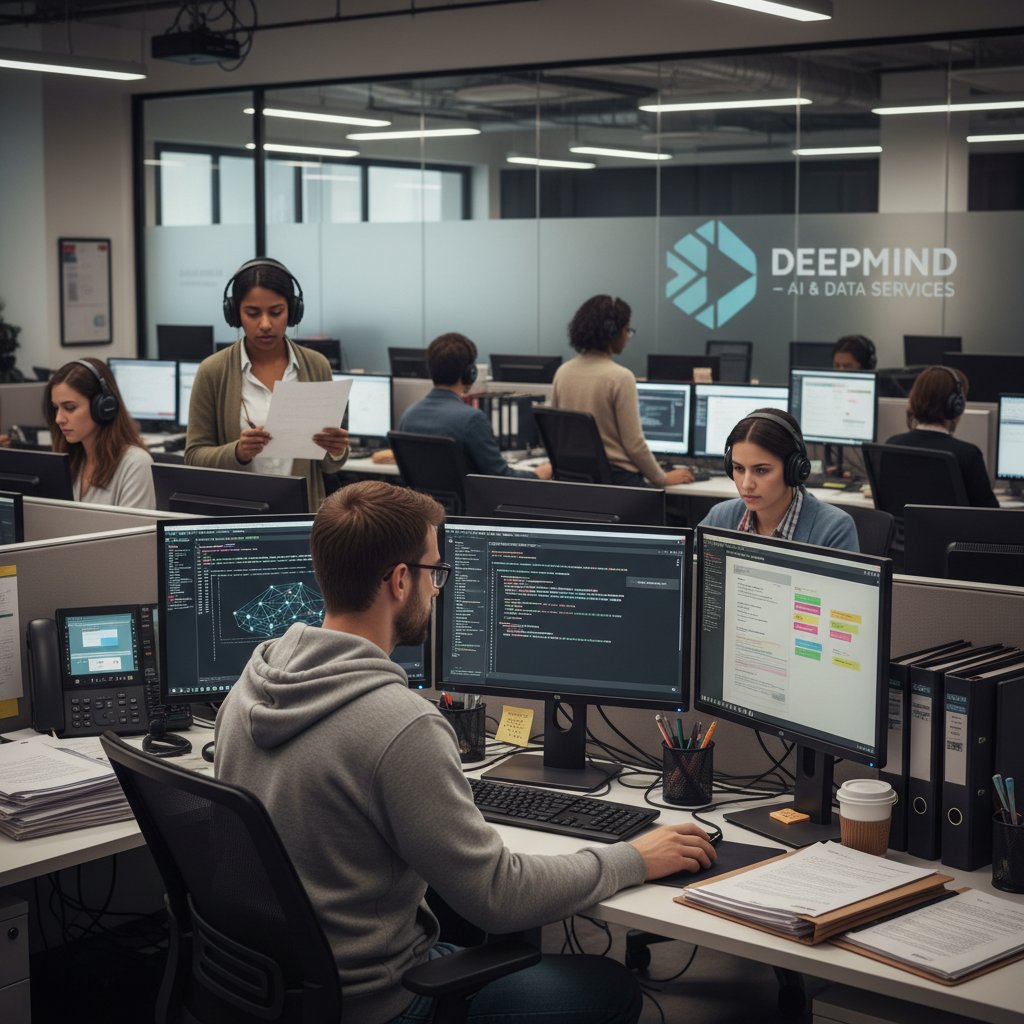
AI may never tire, but the people training and correcting it do.
How to choose the right AI-powered document editor (without regret)
Step-by-step guide: From research to rollout
Choosing the right AI-powered document editing software isn’t as simple as picking the top search result. Here’s a battle-tested, step-by-step guide:
- Identify your goals and pain points: Are you after speed, compliance, tone consistency, or multi-language support?
- Map your workflow: Consider where AI will fit—drafting, reviewing, formatting, or all three.
- Set a privacy baseline: Check the tool’s data processing and storage policies. Avoid platforms that can’t guarantee confidentiality.
- Pilot with a small team: Test in real conditions. Gather feedback on accuracy, usability, and integration.
- Evaluate support and documentation: Is there real help when things go wrong? Is onboarding smooth for new users?
- Analyze costs: Factor in not only subscription fees but also onboarding, training, and potential downtime.
- Review compliance features: Industry-specific needs (legal, healthcare, finance) may require extra layers of review.
- Decide on integration: Can you connect the tool with existing platforms like Google Docs, MS Word, or CRM systems?
- Conduct a final risk assessment: Weigh speed and convenience against privacy and originality risks before rolling out platform-wide.
Feature matrix: What really matters in 2025
Let’s cut through the marketing and focus on features that deliver real value:
| Feature | Must-Have | Nice-to-Have | Overhyped |
|---|---|---|---|
| Contextual grammar | ✓ | ||
| Tone detection | ✓ | ||
| Auto-formatting | ✓ | ||
| Real-time collab | ✓ | ||
| Integration options | ✓ | ||
| Data privacy controls | ✓ | ||
| AI content creation | ✓ | ||
| “Creativity mode” | ✓ |
Table 3: Feature matrix for AI-powered document editing software selection
Source: Original analysis based on Gartner, 2024, Wired, 2024
The bottom line: prioritize core editing and privacy features over flashy, unproven add-ons.
Checklist: Are you ready for AI editing?
Before you hand over your docs to an AI, ask yourself:
- Do you understand the tool’s limitations and strengths?
- Are you prepared to maintain human oversight—especially for sensitive or complex documents?
- Have you evaluated the privacy and data security practices of the tool?
- Does your team have the training and support to use AI effectively?
- Are you ready to adapt your workflow to maximize hybrid efficiency?
If you answered “no” to any, revisit your strategy before diving in.
Best practices: Getting the most from AI document editing right now
Avoiding common pitfalls: Lessons from power users
Power users have learned—sometimes the hard way—how to get the most from AI-powered document editing software. Here are their top lessons:
- Never skip human review: AI will catch most errors, but not all. Always have a trusted pair of eyes validate important content.
- Train the AI with your data: Feed the tool your style guides, frequently used phrases, and industry-specific terminology for better results.
- Beware of over-editing: The more suggestions you accept blindly, the more generic your writing becomes. Use discretion.
- Monitor for bias: Regularly review AI outputs for subtle or overt bias, especially in public-facing documents.
- Test before trust: Run pilots on low-stakes content before scaling up.
- Keep privacy top-of-mind: Avoid uploading confidential or sensitive information to cloud-based editors unless you’re sure about their security practices.
Blending AI and human touch: The hybrid model
The hybrid model isn’t just a compromise—it’s a competitive advantage. Start with AI-driven drafts for speed and error reduction. Then, layer in human judgment for context, nuance, and brand authenticity.
AI is your assistant, not your replacement. The best content comes from leveraging both machine efficiency and human creativity. Teams that build feedback loops—continually training the AI with their own corrections—see better results over time.
Want to see this in action? Companies using filecreator.ai report not just time savings, but measurable improvements in document quality and brand consistency (source: internal filecreator.ai analysis).
Security, privacy, and trust: What you need to know
Data privacy is the elephant in the AI editing room. Most AI-powered document editing software processes data in the cloud, raising legitimate concerns about who can access sensitive information and how it’s stored. According to TechCrunch, 2024, data breaches and compliance lapses can cost companies millions in fines and lost trust.

Best practices? Opt for tools with strong encryption, clear data retention policies, and the option to process sensitive docs locally. Always check security certifications and audit trails.
The future of AI-powered document editing: What’s next?
Emerging trends: Beyond grammar and style
AI-powered document editing is already moving beyond grammar policing. New models interpret intent, adapt to industry-specific language, and even personalize suggestions based on user feedback. There’s a push for more inclusive editing, with AI flagging potentially biased or exclusive language and suggesting alternatives.

Integration is another theme: editing tools are increasingly embedded in project management suites, customer service systems, and even chat platforms.
Can AI ever replace human editors? Experts weigh in
Despite rapid progress, most experts agree that AI-powered document editing software won’t fully replace human editors any time soon. The best results come from collaboration, not substitution.
"AI is an invaluable tool for drafting and reviewing, but it lacks the empathy, judgment, and creative spark that define great editing. The human editor’s role isn’t diminishing—it’s evolving." — Dr. Priya Chandrasekar, Chief Language Scientist, Stanford NLP Group, 2024
How AI editing could rewrite professional standards
AI editing is already shifting expectations: faster turnaround, higher baseline quality, and fewer typos are now non-negotiable. The new bar? Documents that are not just error-free, but consistent in voice, accessible, and adaptable across formats. Professionals who master hybrid editing—using AI for speed and humans for depth—will set the standard for quality communication in every field.
It’s not about man versus machine. It’s about using every tool at your disposal to produce work that’s sharp, credible, and unmistakably yours.
Glossary: The jargon you need to decode AI document editing
A type of AI architecture enabling deep context understanding, foundational for today’s leading language models like GPT and BERT.
Analyzes sentence meaning and structure, not just surface errors.
AI-generated text suggestions based on context and user history.
Automated scanning for duplicate or unoriginal content.
Assessment of emotional undertone and formality within a document.
Editing process combining AI automation with human oversight and review.
Protection of sensitive data during cloud-based AI processing.
Strategies for reducing discriminatory or stereotypical outputs from AI systems.
Multiple users can edit and comment on documents simultaneously via cloud tools.
Enhancements for users with disabilities, such as simple language suggestions and screen-reader compatibility.
Conclusion
The age of AI-powered document editing software is here, and the hype is only half the story. As this deep dive has shown, the big wins—speed, consistency, accessibility—are real and transformative. But so are the hidden costs: creative dilution, privacy risks, and the ever-present need for human oversight. The professionals who thrive today aren’t those who blindly trust automation—they’re the ones who blend AI’s power with their own expertise, judgment, and creative vision. Whether you’re a legal eagle, a marketing maven, or just someone tired of endless editing rounds, understanding the brutal truths and bold opportunities of AI editing is your edge. Use it wisely.
Ready to take control of your workflow? Platforms like filecreator.ai are leading the way—showing that with the right balance, you can have perfect documents, instantly, without selling your voice to the machine. Dive in, stay critical, and make the software work for you—not the other way around.
Sources
References cited in this article
- PaperTrue(papertrue.com)
- Forbes(forbes.com)
- Rossum(rossum.ai)
- CompTIA AI Statistics 2024(connect.comptia.org)
- Recordsforce(recordsforce.com)
- DocumentLLM(documentllm.com)
- OnlyOffice(onlyoffice.com)
- NetDocuments(netdocuments.com)
- Statista(statista.com)
- Digital Adoption(digital-adoption.com)
- Comscore(comscore.com)
- Digiday(digiday.com)
- TinyMCE Developer Survey(tiny.cloud)
- Arxiv user survey(arxiv.org)
- HaystackID(haystackid.com)
- Adobe Blog(blog.adobe.com)
Perfect Documents, Instantly
Filecreator.ai transforms the way you produce professional documents. Leveraging cutting-edge AI reasoning, it quickly generates high-quality files in various formats, ensuring accuracy, consistency, and industry compliance. Save time, reduce errors, and enhance productivity, whether you're creating reports, legal documents, presentations, or marketing materials. Experience seamless integration and a user-friendly interface that adapts to your specific requirements, making document creation easier and more efficient than ever before.
Get startedStart Creating Professional Documents Today
Join thousands of professionals who trust AI-powered document generation
Frequently Asked Questions
What percentage of businesses are currently using AI-powered editing or writing assistants?
According to a 2024 Gartner report, 85% of businesses now use some form of AI-powered editing or writing assistant in daily operations.
Which AI document editing tools are mentioned as becoming household names among professionals?
The article specifically mentions Grammarly, QuillBot, and Jasper AI as dedicated tools that became household names among professionals, alongside built-in features from Google Docs and MS Word.
What are some of the benefits and risks of AI-powered document editing mentioned in the article?
Benefits include teams slashing editing hours in half, freelancers doubling output, and non-native speakers improving their writing quality. Risks include botched legal documents, autocorrect failures, and concerns about trust and reliability.
How has AI document editing software evolved over time?
The technology has evolved from clunky spellcheck with comic results in the early 2000s to sophisticated tools that sound sentient, representing what the article describes as 'nothing short of a digital revolution.'
Continue Reading
Explore more from Professional Document Generator

Automatic Document Editing Software: Capabilities and Common Failures
Automatic document editing software offers real gains and serious pitfalls. This article explains what these tools actually deliver, where they fail, and how to use them effectively.

Automatic Document Editing: Productivity Gains and Workflow Risks
Automatic document editing uses AI to reduce repetitive editing tasks. This article examines the productivity gains, the risks involved, and how workflows are shifting.

What Automated Document Editing Tools Actually Change
Automated document editing tools promise efficiency but introduce risks. This article examines the real trade-offs professionals face when automating document work.

AI Document Creator: Efficiency Versus Hidden Costs
AI document creators automate pitch decks, contracts, and reports. This article examines the efficiency gains, hidden trade-offs, and impact on workplace roles.

AI-Driven Error Reduction: Hidden Vulnerabilities Beyond Automation
AI-driven error reduction in documents can reduce manual errors by up to 30%, but introduces new risks: bias, privacy issues, and overreliance.

AI-Powered Document Generation: Costs, Risks, and Adaptation
AI-powered document generation is reshaping how knowledge workers create documents. This article examines the real costs of manual creation, the risks, and how organizations can adapt.