


AI-Powered Document Solutions to End Manual Chaos for Good
Written with AI assistance under our editorial guidelines
AI-powered document solutions automate manual processes like data entry, version control, and compliance checks, eliminating costly errors and rework. Organizations using AI-driven document processing report significant productivity gains and cost savings, with banks alone saving $447 billion through such automation. These systems reduce hidden costs from file errors, duplicated work, and missed deadlines.
Imagine this: You’re buried beneath a mountain of paperwork, your inbox is a graveyard of versions, and your most “important” files are named FINAL_v7_FINAL.docx. This isn’t a quirky office anecdote—it’s a silent epidemic. The way we manage documents, even in so-called digital environments, is fundamentally broken. Yet, the revolution is underway. With AI-powered document solutions, the era of manual chaos is being exposed for what it is: a costly, error-prone relic. This guide peels back the curtain on the AI document revolution, drawing on fresh research, current statistics, and real-world examples. Whether you’re a skeptic or an early adopter, you’ll discover how to outsmart outdated workflows, avoid expensive mistakes, and take control of your productivity—starting now. If you think “smart documents” are just tech-industry hype, keep reading; the data does not lie, and neither does your daily struggle.
Why documents are broken: The silent crisis nobody talks about
The hidden cost of manual document chaos
Every year, organizations pour billions into document management, yet most never quantify the real losses hiding beneath the surface. According to recent research, file system errors, software crashes, version incompatibility, and human mistakes add up to a silent but devastating cost—impacting productivity and trust. One study by IDC found that 75% of organizations used generative AI in 2024, yet legacy processes persist in countless corners. Manual data entry, rework, and compliance checks represent a productivity black hole: TaskDrive’s 2023 data reveals that banks alone saved $447 billion through AI-driven processing.
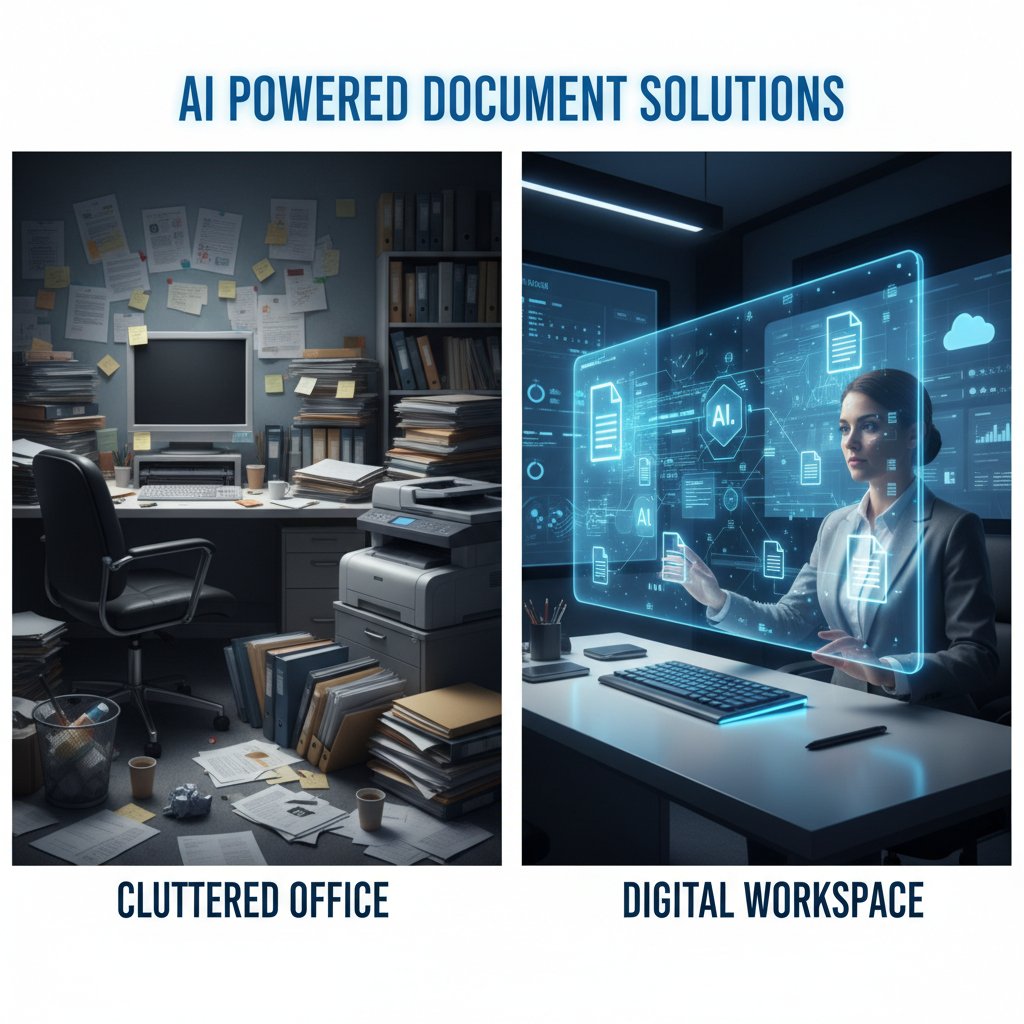
But the dollar signs are just the beginning. A deeper dive uncovers the knock-on effects: ballooning error rates, duplicated work, missed deadlines, and compliance risks. As organizations scale, the friction multiplies. The result? A slow bleed of time, money, and morale.
| Manual Process | Hidden Cost | Frequency |
|---|---|---|
| Data Entry | High error rate, rework cycles | Daily |
| Version Control | Lost hours, missed deadlines | Weekly |
| Compliance Checks | Fines, audit failures | Quarterly |
| Transfer Failures | Data loss, recovery expenses | Ad hoc |
Table 1: Hidden costs of manual document workflows. Source: Original analysis based on IDC AI Opportunity Study 2024, TaskDrive AI Statistics 2023.
“Manual document chaos isn’t just an inconvenience—it’s a business risk hiding in plain sight. The longer it goes unchecked, the higher the price organizations pay.” — IDC AI Opportunity Study 2024
How inefficiency creates real-world risks
Inefficiency in document workflows is more than an administrative headache—it’s a source of tangible risk. Every misplaced contract, outdated template, or lost version is a liability waiting to explode. Errors slip through the cracks, causing regulatory breaches, lost revenue, and reputational damage. The TaskDrive report points out that faulty file transfers and untracked changes are a leading cause of lost contracts in the finance sector.
Moreover, the lack of auditability in manual processes means organizations often discover problems too late. In highly regulated industries like healthcare and banking, this can trigger investigations, fines, or worse. Ultimately, inefficiency breeds risk—a reality few are willing to discuss openly.
- Data loss: According to a 2023 report, file system errors and poor version control account for 60% of preventable data losses.
- Missed deadlines: Delays in document approval cycles contribute to project overruns, with 40% of organizations citing documentation bottlenecks as a key factor.
- Compliance failures: Regulatory breaches linked to manual process errors cause billions in fines annually, as noted by Forbes Tech Council.
- Operational drag: Administrative teams spend up to 30% of their time searching for documents or verifying their accuracy.
The emotional toll: Burnout, blame, and broken trust
The crisis isn’t just financial—it’s personal. Employees tasked with repetitive document work report higher rates of burnout, frustration, and disengagement. In an environment ruled by finger-pointing over missing files or inconsistent templates, trust erodes between teams and departments. The emotional toll ripples outward: managers become fixated on enforcing “process,” while creative and strategic work takes a backseat.
Burnout is compounded by the pressure to “not screw up.” Each manual step is a potential failure point, with employees bearing the brunt when things go wrong. According to a 2024 Info-Source report, organizations with high-volume manual document processes see a 25% higher churn rate among administrative staff.

Beyond buzzwords: What AI-powered document solutions actually do
Decoding AI: From OCR to neural networks
Let’s cut through the jargon. AI-powered document solutions aren’t just about digitizing forms—they’re about making documents intelligent. Here’s how:
- Optical Character Recognition (OCR): Converts printed or handwritten text into machine-readable data, but modern AI goes far beyond basic OCR.
- Natural Language Processing (NLP): Allows AI to comprehend, extract, and classify content from contracts, invoices, and emails.
- Machine Learning (ML): Learns from historical data to predict, auto-complete, or flag anomalies.
- Neural Networks: Mimic human reasoning to understand context, making sense of unstructured data (think: messy scanned contracts).
| Term | Definition |
|---|---|
| OCR | Technology that scans and digitizes text from images or paper documents. |
| NLP | Algorithms that interpret and derive meaning from human language in documents. |
| ML | Systems that learn from past data to improve document processing accuracy. |
| Neural Net | AI that replicates human decision-making to interpret document context. |

The anatomy of an AI document workflow
An effective AI-powered document workflow is more than an automation script—it’s a multi-stage intelligence pipeline.
- Document capture: Ingests documents from multiple sources (scans, emails, uploads).
- Data extraction: Automatically identifies and pulls key fields (names, dates, amounts) using pre-trained models.
- Classification: Sorts documents into categories, applying business rules.
- Validation: Cross-checks extracted data for accuracy and flags inconsistencies.
- Integration: Seamlessly updates downstream systems (ERP, CRM) with clean data.
- Audit trail: Maintains a transparent log for compliance and troubleshooting.
| Workflow Stage | Traditional Method | AI-powered Approach |
|---|---|---|
| Data Entry | Manual input | Automated extraction via ML/NLP |
| Sorting | Manual categorization | AI-driven classification |
| Validation | Spot checks | Real-time rule-based validation |
| System Updates | Batch imports | Instant integration/API calls |
| Auditing | Paper trails | Digital logs with search/filtering |
Table 2: Traditional vs AI-powered document workflows. Source: Original analysis based on Forbes Tech Council, IDC AI Opportunity Study 2024.
AI versus automation: What’s the real difference?
Too many vendors blur the line between old-school automation and true AI. Here’s the distinction:
| Feature | Automation Tools | AI-powered Document Solutions |
|---|---|---|
| Rule-based actions | Yes | Yes |
| Learns from new data | No | Yes (Machine Learning) |
| Adapts to new formats | No | Yes |
| Handles unstructured data | No | Yes (NLP/Neural Nets) |
| Makes contextual choices | No | Yes |
| Ongoing improvement | Manual updates | Continuous self-learning |
Comparison Table: Automation vs AI-powered document solutions. Source: Original analysis based on Forbes Tech Council, 2023.
"Automation is about doing the same things faster. AI is about doing smarter things—and sometimes doing entirely different things."
— Forbes, 2023
From hype to impact: Real-world use cases shaking up industries
Healthcare: From paperwork pain to patient progress
Healthcare has long been suffocated by paperwork—from insurance forms to patient records. Enter AI-powered document solutions, turning a notorious pain point into a productivity engine. According to IDC, healthcare organizations leveraging intelligent document processing have cut administrative time by more than 50%.
Case Study:
A major hospital group adopted cloud-native IDP to automate patient intake forms, insurance claims, and regulatory documentation. The result? Manual errors dropped by 70%, and clinicians spent 30% more time on patient care. Data accuracy improved, and compliance audits became less of a nightmare.

Creative fields: When AI generates more than just words
AI-powered document solutions aren’t just for the suit-and-tie crowd. Creative professionals—from copywriters to designers—are leveraging intelligent tools to streamline briefs, automate proposal generation, and even spark new ideas.
- Content generation: AI tools draft marketing brochures, pitch decks, and press releases, freeing up creatives for high-value brainstorming.
- Design templates: Automated slide decks and branded collateral reduce repetitive formatting labor.
- Idea mining: NLP-powered analysis of market trends and competitor materials uncovers hidden opportunities.
- Rights management: Smart contracts track usage rights and automate royalty documentation.
"When the grunt work disappears, creative energy thrives. AI takes the pain out of paperwork, so ideas don’t get lost in translation." — Forbes Tech Council, 2023
Logistics and law: Compliance without the headache
Logistics and legal operations are historically mired in documentation—shipping manifests, customs forms, contracts. AI-powered document tools are rewriting this script. In banking, for example, AI has enabled a $447 billion savings by automating verification and compliance checks (TaskDrive, 2023).
In law, AI-driven contract generators drastically cut the time to draft, review, and approve agreements. Pre-trained models ensure every clause meets the latest regulatory standards, slashing the risk of oversight.
| Industry | Pain Point | AI-driven Impact |
|---|---|---|
| Logistics | Customs, shipment docs | 80% faster processing, fewer lost shipments |
| Legal | Contract review | 3x reduction in review cycles, compliance boost |
| Banking | Regulatory paperwork | $447B saved, lower audit exposure |
Table 3: Industry-specific impact of AI-powered document solutions. Source: Original analysis based on TaskDrive AI Statistics 2023, IDC AI Opportunity Study 2024.
The dark side: Myths, risks, and the backlash against AI in documents
Mythbusting: What AI in documents can’t (and shouldn’t) do
No technology is magic. AI-powered document solutions have limits—and knowing them is key to realistic adoption.
- AI does not replace human judgment: It can flag anomalies, but final calls need human expertise.
- Not every document is suited to automation: Highly bespoke or sensitive communications require hands-on creation.
- Data privacy remains a challenge: Sensitive documents demand robust encryption and access controls.
- Bias in training data: AI that learns from bad examples will reinforce mistakes.
Key Terms:
An intelligent system using machine learning and NLP to process, extract, and manage information from digital documents. According to IDC, such tools go beyond mere automation, adapting to new inputs and formats.
The use of unapproved tools or systems by employees. In the document space, this manifests as rogue apps or “workarounds” that can expose organizations to compliance and security breaches.
Bias, privacy, and the shadow IT dilemma
AI is only as good as its training data—and that means bias can creep in. If historical decisions are flawed, AI will propagate those flaws until retrained. Privacy is another frontline: documents often contain sensitive personal, financial, or proprietary data. AI-powered systems must meet rigorous standards, from encryption to audit trails, or risk catastrophic breaches.
There’s also the specter of shadow IT. When employees bypass clunky official tools in favor of easy (but insecure) AI apps, the risk escalates. IT leaders cite this as a top concern in the Info-Source 2023 report.
“If you don’t govern your AI, it will govern you. Shadow IT in document workflows is a ticking time bomb.”
— Info-Source, 2023
When not to automate: Knowing your limits
It’s tempting to throw AI at every document problem, but wisdom lies in discernment. Some scenarios demand human nuance, empathy, or creativity—areas where AI still falls short.
- Sensitive negotiations: Final offers, apologies, or personnel letters.
- Highly creative work: Artistic storytelling or brand-defining copy.
- Data with cultural context: Localization or region-specific compliance.
- Dynamic collaboration: Documents requiring real-time group negotiation.

Choosing the right fit: The ultimate AI document solution checklist
Red flags and dealbreakers in vendor claims
Not all AI-powered document solutions are created equal. Beware of vendors who overpromise and underdeliver.
- No clear model transparency: If you can’t see what the AI is doing, proceed with caution.
- Lack of compliance certifications: Especially in regulated industries.
- No auditability: If you can’t trace decisions, legal risks multiply.
- One-size-fits-all claims: Your workflows are unique; your solution should be, too.
- No support for multi-format exports: Inflexibility is a dead end.

Step-by-step guide to evaluating AI-powered document tools
- Define use cases: Map out where document pain is highest.
- Assess integrations: Can the tool plug into your existing systems?
- Vet security practices: Encryption, access control, audit logs.
- Test transparency: Demand visibility into AI decisions.
- Review training data: Ensure models are trained on data relevant to your industry.
- Pilot and measure: Start small, track error rates and time saved.
- Check vendor support: Responsive support is non-negotiable.
- Evaluate cost/ROI: Compare against current manual process costs.
| Evaluation Step | Why It Matters | What to Look For |
|---|---|---|
| Use Case Fit | Maximizes value | Customizable templates, flexibility |
| Security | Protects sensitive data | End-to-end encryption, certifications |
| Transparency | Reduces risk | Audit trails, explainable models |
| Training Data | Ensures accuracy | Industry-specific datasets |
| Integration | Ensures adoption | APIs, connectors |
Table 4: AI document solution evaluation checklist. Source: Original analysis based on industry best practices and verified vendor insights.
Questions you need to ask before you buy
Before signing on the dotted line, challenge your vendor with these must-ask questions:
- How is user data used and stored? Is it encrypted end-to-end?
- Can I retrain the AI on my own data?
- What happens to my data if I leave your platform?
- How do you handle compliance with regional regulations?
- Can I audit all AI decisions and outputs?
- What support is available during onboarding and troubleshooting?
- How fast is deployment and where have you done this before?
"Vetting is your strongest defense. The right questions uncover what glossy marketing hides." — As industry experts often note
Unconventional wins: Surprising ways AI-powered documents are rewriting the rules
Hidden benefits experts won’t tell you
The most powerful outcomes of AI-powered document solutions are often the least advertised.
- Knowledge retention: AI tools capture institutional knowledge, curbing “brain drain” when staff leave.
- Accessibility gains: Automated formatting ensures documents are usable by all, including those with disabilities.
- Cultural alignment: Customizable templates reinforce brand voice and values at scale.
- Faster onboarding: New hires ramp up quickly with intelligent documentation guides.
- Disaster recovery: Automated backups and versioning mean you’re never more than a click away from lost files.

Unconventional use cases that actually work
- Podcast transcripts: Automated creation and indexing for instant content repurposing.
- Event management: Real-time attendee documentation and feedback summaries.
- HR onboarding: Dynamic employee handbooks, instantly personalized.
- Technical troubleshooting: Step-by-step guides generated from support ticket histories.
Case Study:
A marketing agency leveraged AI-powered document generation to auto-create campaign performance reports. Instead of hours spent preparing slides for each client, the team now delivers insights the same day results arrive—boosting client satisfaction and freeing up creative time.
Expert voices: What insiders say about the future of AI documents
Industry predictions for 2025 and beyond
While this article won’t speculate, it’s instructive to look at what insiders are actually reporting right now.
| Prediction | Supporting Data | Source/Year |
|---|---|---|
| 75% orgs using gen AI in docs | IDC AI Opportunity Study | 2024 |
| ROI averages 3.7x (top: 10.3x) | IDC AI Opportunity Study | 2024 |
| <8 months to deploy, 13 to see value | IDC AI Opportunity Study | 2024 |
Table 5: Industry trends in AI-powered document adoption. Source: IDC AI Opportunity Study 2024.
“The pace is staggering. Companies are finding real value within months, not years.” — IDC, 2024
Hard truths from the front lines
Despite the hype, adoption isn’t always seamless. Early adopters report that poor change management and lack of user training can derail even the most sophisticated solution. The real winners are those who focus as much on process as on technology.
Some organizations, like those in Asia and Latin America, are leapfrogging traditional models entirely, driven by double-digit growth and a hunger for efficiency. Others are stalled by legacy systems, cultural inertia, or resistance from users wary of “robots taking my job.”

Making it real: Step-by-step roadmap to smarter document workflows
Priority checklist for seamless AI adoption
AI-powered document solutions aren’t plug-and-play panaceas. Success means treating implementation as a strategic project, not a tech purchase.
- Secure leadership buy-in: Set clear goals and budget.
- Map legacy processes: Know what you’re replacing.
- Identify high-impact use cases: Start where pain is greatest.
- Pilot with a cross-functional team: Involve end-users early.
- Train users: Invest in education, not just software.
- Iterate: Gather feedback, tweak workflows, retrain models.

How to measure success (and avoid common pitfalls)
| Metric | What to Track | How to Avoid Pitfalls |
|---|---|---|
| Time Saved | Manual hours vs. AI hours | Validate with user feedback |
| Error Reduction | Number of corrections | Compare before/after, not just claims |
| Compliance Improvement | Audit failures vs. successes | Involve legal early, review outputs |
| User Adoption | Active daily users | Offer ongoing training/support |
| ROI | Savings vs. cost | Track over 6-12 months, not just launch |
Table 6: Success metrics for AI-powered document adoption. Source: Original analysis based on IDC, TaskDrive, Forbes.
- Regular check-ins: Schedule monthly reviews to prevent drift.
- Update training data: Ensure new processes and regulations are incorporated.
- Monitor for bias: Regularly audit outputs for fairness and accuracy.
Where filecreator.ai fits in the new ecosystem
Modern document generation isn’t about reinventing the wheel—it’s about harnessing the best technology to tackle the age-old problem of chaos. Solutions like filecreator.ai exemplify this shift: robust, AI-powered platforms designed to deliver professional-quality documents across a range of formats, industries, and use cases.
By leveraging cutting-edge AI reasoning, tools like filecreator.ai reduce manual workload, minimize error, and ensure compliance—without the need for costly consultants or endless formatting sessions. In a landscape where accuracy, speed, and adaptability are everything, these platforms set the standard for the new normal.

The new normal: What AI-powered documents mean for your work, life, and future
The cultural shift: Trust, creativity, and the end of busywork
AI-powered document solutions aren’t just about efficiency—they’re reshaping workplace culture. As the burden of busywork lifts, trust shifts from manual “proofing” to systemic reliability. Employees can focus on creative, strategic, and relationship-driven work, knowing that the paper trail is handled.

“When you trust the process, you unlock human potential. AI takes care of the grunt work, so we can get back to the work that matters.”
— As industry experts often note
Are you ready? A candid self-assessment
Before you jump on the AI-powered document bandwagon, take a hard look at your organization:
- Do you know where your biggest document pain points lie?
- Are your teams open to new processes and tools?
- Is your data ready for intelligent automation?
- Have you mapped compliance and privacy risks?
- Is there clear leadership support for change?
- Are you prepared to measure, tweak, and iterate?
- Do you have a plan for onboarding and training?
If you can check off most of these, you’re ahead of the curve. If not, start by focusing on one pain point at a time—don’t let “perfect” be the enemy of progress.
The journey to smarter document workflows is as much about mindset as it is about technology. The future belongs to those willing to confront broken systems and embrace the tools that fix them.
Final thoughts: Embracing or resisting the revolution
We’re at a crossroads: stick with legacy chaos, or step into the era of intelligent documents. The research is clear—AI-powered document solutions aren’t a fad, but a response to real, measurable pain. They bring the promise of time saved, errors avoided, and minds freed for better work.
Yet, the choice remains yours. Will you cling to the old ways, or outsmart the chaos with tools built for how we work now? If you’re ready to take the leap, platforms like filecreator.ai stand ready to help you chart a smarter, saner path. The paperwork revolution isn’t coming—it’s already here.

Sources
References cited in this article
- IDC AI Opportunity Study 2024(blogs.microsoft.com)
- TaskDrive AI Statistics(taskdrive.com)
- Forbes: The Future of AI-Powered Document Processing(forbes.com)
- Info-Source IDP Market Report(info-source.com)
- CARE International: Breaking the Silence 2024(care.org)
- STWR: Under-reported Humanitarian Crises(sharing.org)
- DMS Workspace Blog(esign-blog.dmsworkspace.com)
- Ripcord: True Cost of Poor Document Management(blog.ripcord.com)
- LinkedIn: Risks of Poor Document Management(linkedin.com)
- Business.com: Rethinking Document Management(business.com)
- NetDocuments AI Suite(netdocuments.com)
- DocumentLLM Blog(documentllm.com)
- GEM Corp: AI-driven OCR(gem-corp.tech)
- Nanonets: OCR Deep Learning(nanonets.com)
- Google Document AI Workflows(cloud.google.com)
- DocumentLLM: AI Document Processing(documentllm.com)
- ShareFile: AI in Document Management(sharefile.com)
- Bosc Tech Labs: AI Case Studies(medium.com)
- NEJM AI Case Studies(ai.nejm.org)
- AMA: AI Use by Physicians(ama-assn.org)
- AllAboutAI: Healthcare AI Stats(allaboutai.com)
- World Economic Forum: AI and Creative Industries(weforum.org)
- Superside: AI Design Trends 2024(superside.com)
- 99designs Survey(designboom.com)
- Harvard Misinformation Review(misinforeview.hks.harvard.edu)
- HaystackID Expert Insights(haystackid.com)
- Gartner Market Guide 2024(abbyy.com)
- Neuroflash AI Tools Comparison(neuroflash.com)
- Forbes: AI Tool Evaluation(forbes.com)
- OptiBuy: AI Buying Insights(optibuy.com)
- CIO Dive: Questions to Ask AI Vendors(ciodive.com)
- BWF: 10 Questions Before Adopting AI(bwf.com)
Perfect Documents, Instantly
Filecreator.ai transforms the way you produce professional documents. Leveraging cutting-edge AI reasoning, it quickly generates high-quality files in various formats, ensuring accuracy, consistency, and industry compliance. Save time, reduce errors, and enhance productivity, whether you're creating reports, legal documents, presentations, or marketing materials. Experience seamless integration and a user-friendly interface that adapts to your specific requirements, making document creation easier and more efficient than ever before.
Get startedStart Creating Professional Documents Today
Join thousands of professionals who trust AI-powered document generation
Frequently Asked Questions
What percentage of organizations were using generative AI in 2024?
According to a study by IDC cited in the article, 75% of organizations used generative AI in 2024.
How much did banks save through AI-driven processing according to the article?
TaskDrive's 2023 data reveals that banks alone saved $447 billion through AI-driven processing.
What are the main hidden costs of manual document management mentioned in the article?
The article identifies four main hidden costs: high error rates and rework from data entry, lost hours and missed deadlines from version control issues, fines and audit failures from compliance checks, and data loss and recovery expenses from transfer failures.
What is the core problem with current document management according to the article?
The article states that the way we manage documents, even in digital environments, is fundamentally broken, with manual processes involving file system errors, software crashes, version incompatibility, and human mistakes that create a significant productivity and trust impact.
Continue Reading
Explore more from Professional Document Generator

Automated Documentation Solutions: Costs, Benefits, and Real Pitfalls
Manual documentation costs companies billions yearly in wasted hours and errors. This article examines how automated documentation solutions address these challenges and their actual implementation risks.

Document Creation Application: Why Legacy Tools Fail and AI Succeeds
Document creation application tools remain outdated despite digital promises. This article examines why legacy systems fail and how AI is transforming document workflows.

Smart Document Automation: Benefits, Risks, and What Works
Smart document automation addresses document chaos in modern organizations. This article examines the real benefits, genuine risks, and what the evidence actually shows.

Document Automation Tool: 9 Harsh Truths and Real Solutions
This article examines 9 harsh realities of document automation tools and how they affect workflow. It covers persistent myths, real challenges, and research-backed solutions for improving productivity.

Automated Document Creation: Where It Delivers and Where It Fails
Automated document creation reduces manual paperwork and improves compliance. This article explains the real benefits, the risks to watch, and when implementation succeeds.

AI-Powered Document Generation: Costs, Risks, and Adaptation
AI-powered document generation is reshaping how knowledge workers create documents. This article examines the real costs of manual creation, the risks, and how organizations can adapt.


