


Presentation Design Automation in 2025: Nine Truths About Roi, Risks, and What's Lost
Written with AI assistance under our editorial guidelines
Presentation design automation promises to slash creation time by up to 60% by shifting tedious design work to AI, allowing professionals to focus on strategy and storytelling instead of manual formatting. However, a 2025 survey found that 31% of professionals cite presentations consuming excessive time, with 60% spending hours on single decks, revealing the genuine productivity crisis these tools aim to address.
Welcome to the wild frontier where art, technology, and business demands collide: the world of presentation design automation. If you’ve ever stared at a blinking cursor on a blank slide, sacrificed weekends to last-minute deck edits, or watched lifeless, cookie-cutter slides kill your pitch, you’re not alone. The conversation around automated presentation design isn’t just about saving time—it’s about what happens when algorithms take the wheel in spaces once ruled by creativity and nuance. As businesses chase productivity and consistency, and as artificial intelligence (AI) becomes embedded in every digital tool, the deck-building process is being upended. In this deep-dive, we’ll unmask nine brutal truths about presentation design automation in 2025—exposing myths, surfacing real ROI, and facing down the uncomfortable reality of what’s gained and what’s lost. If you think it’s all push-button magic, think again. We’ll guide you through hidden costs, integration headaches, and the war for authentic storytelling in a world where machines are getting uncomfortably good at crafting your narrative. Buckle up—your next killer presentation might depend on what you learn here.
Why everyone’s talking about presentation design automation
The productivity crisis no one admits
Every business brags about agility, but here’s the dirty secret: professionals across industries still lose staggering hours to manual slide creation. According to Superside, a 2025 survey found that 31% of professionals say presentations eat up too much time, and 60% spend “hours” just wrangling a single 10-slide deck. This isn’t just a minor workflow annoyance—it’s a black hole for creative energy and productivity. Each pixel dragged into place, every color scheme manually tweaked, adds up to frustration, fatigue, and substantial costs for organizations large and small. Most teams find themselves mired in endless rounds of revisions, desperate for consistency but rarely achieving it. The result? Burnout, missed deadlines, and—ironically—a product that’s often less engaging than ever.

Presentation design automation is pitched as a lifeline—cutting creation time by up to 60%, according to 2025 data from PresentationAIList. By shifting tedious design work to AI, professionals can reclaim hours otherwise lost to repetitive formatting and focus on story, strategy, and higher-value tasks. The promise isn’t just speed; it’s about reallocating your most precious resource—cognitive attention—to where it matters most. In a market where burnout and disengagement are rampant, this shift isn’t just welcome, it’s overdue.
How AI got into your PowerPoint
AI didn’t crash the party overnight. Its infiltration into mainstream presentation software has been gradual, stealthy, and, for many, unnoticed until suddenly everything changed. In the early 2010s, automation crept in as basic templating and “smart suggestions”—mildly helpful, mostly ignored. By the late 2010s, larger platforms like Microsoft PowerPoint and Google Slides began integrating more advanced auto-layout features and color harmony checks. The real tipping point? The arrival of generative AI and deep learning models in the early 2020s, powering dynamic content recommendations, auto-generated charts, and even entire narrative flows.
Between 2020 and 2025, the market exploded, driven by user demand for efficiency, consistency, and the rise of remote work. Today, AI is embedded so deeply that many users don’t realize when a machine—not a teammate—suggested that “perfect” layout.
| Year | Milestone | Impact |
|---|---|---|
| 2010 | Add-on automation enters PowerPoint | Began with macros and plug-ins for slide consistency |
| 2015 | AI-powered templates emerge | Enabled faster, more visually consistent decks |
| 2020 | Generative AI for layout/content | Auto-suggests slide designs, creates charts from raw data |
| 2023 | AI-driven brand compliance | Ensures every deck matches corporate identity |
| 2025 | Real-time collaborative AI tools | Dynamic, interactive, multi-user deck automation |
Table 1: Timeline of presentation design automation milestones. Source: Original analysis based on PresentationAIList, 2025 and Verified Market Reports, 2025.
What users really want when they search for automation
Scratch beneath the surface, and you’ll find that most users searching for presentation design automation are driven by a blend of desperation, ambition, and plain old FOMO. Their core frustrations? Inconsistent branding, hours lost to “pixel pushing,” and the anxiety that comes from presenting slides that look amateurish in a high-stakes context. Many also crave tools that let non-designers produce decks with confidence—without calling in favors from the creative team or blowing the budget on outside help.
But what’s less obvious are the hidden perks that seasoned automation users quietly reap:
- Reduced burnout: Offloading tedious design work lets teams focus on message and delivery.
- Increased consistency: Automated tools enforce brand standards across every deck.
- Faster turnaround: Projects move from data to deck in hours, not days.
- Lower costs: Less spent on consultants, designers, and endless revisions.
- Enhanced accessibility: Non-designers create professional slides with minimal training.
- Greater agility: Teams can respond to last-minute changes without chaos.
- Improved compliance: Automation ensures legal/industry standards are met on every slide.
- Confidence boost: Presenters walk into meetings knowing their slides look sharp and on-message.
The myth of effortless creativity: What automation can (and can’t) do
Automation’s promise vs. the ugly reality
If you believe the marketing hype, presentation design automation is a push-button miracle—just type your notes, and out pops a flawless, audience-ready deck. But in the real world, users report a messier reality. While automation can speed up layout, color selection, and even suggest images or icons, the promise of “effortless creativity” often collides with clunky interfaces, tone-deaf AI suggestions, and the persistent sense that something vital is missing.
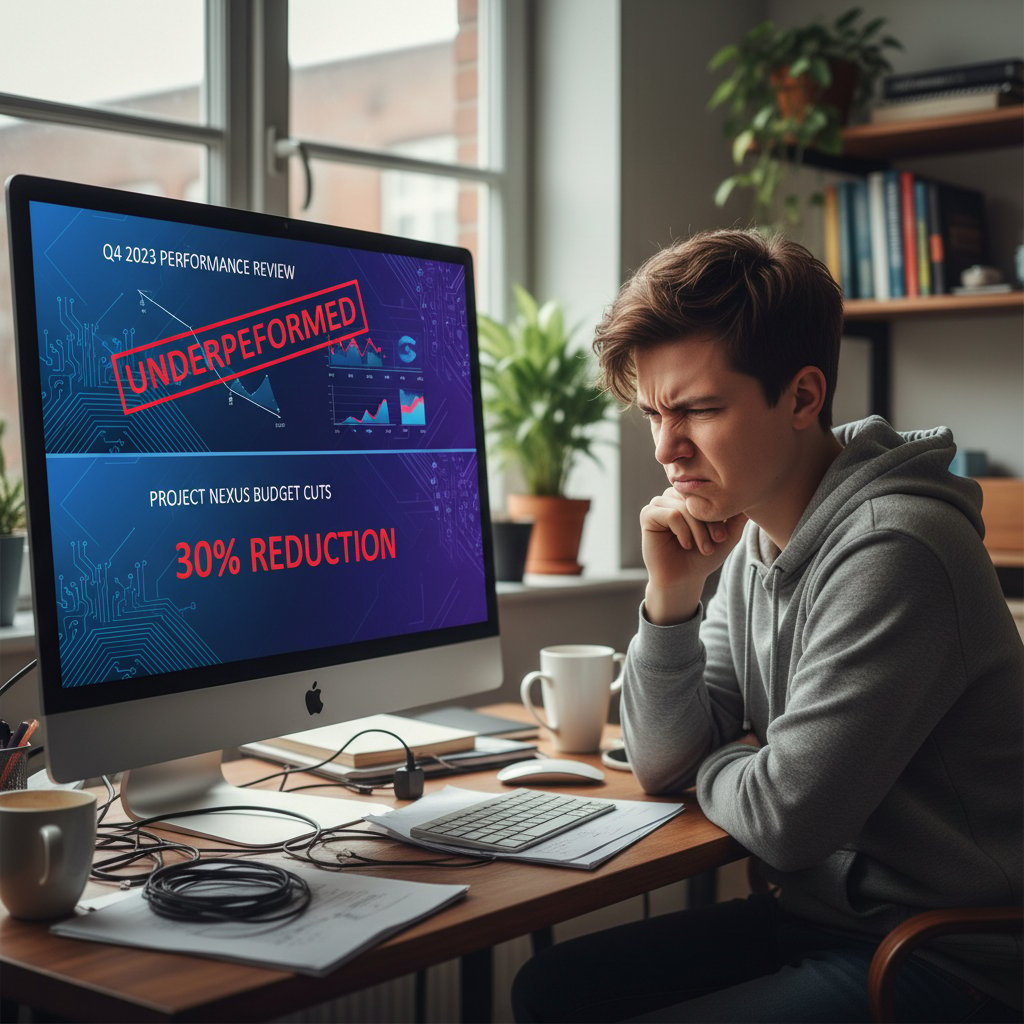
Recent user reviews, as analyzed in 2025’s Superside survey, highlight the most common complaints: generic slides, mismatched branding, awkward chart placements, and visual glitches that undermine credibility in high-stakes meetings. Users also report frustration when AI ignores the nuance of their narrative—turning compelling stories into bland, data-heavy snooze-fests. Automation, it turns out, can’t fully replicate the gut instinct of a seasoned storyteller.
Can robots really tell your story?
The heart of every great presentation isn’t its color scheme—it’s the story. And here, even the most advanced AI stumbles. Automated tools can organize information, suggest data visualizations, and even generate slide headlines that sound plausible. But the subtleties of humor, emotion, and persuasive pacing? That’s still the domain of humans.
"Automation is a tool—not a storyteller." —Jordan
Real-world examples abound: a global sales team watched their pitch fall flat when the AI-generated slides included tone-deaf analogies; a nonprofit’s urgent call-to-action was buried under generic info-graphics. In both cases, the lack of human touch cost them buy-in and, ultimately, the win.
Where humans still crush the machines
Despite massive leaps in AI, there are places where human creativity and judgment remain irreplaceable. No algorithm can read the room, improvise in a live Q&A, or choose the perfect anecdote for an executive audience. Here’s how to get the best of both worlds:
- Draft your key message first: Clarify your story before automating design.
- Let automation handle layout basics: Use the AI for structure, not narrative.
- Customize visuals and tone: Edit AI-suggested icons, colors, and text for your brand and audience.
- Inject real-world examples: Add anecdotes, case studies, and personal insights the AI can’t create.
- Review for tone and pacing: Humans excel at emotional nuance—ensure your slides reflect it.
- Collaborate in real time: Use automation for speed, then refine as a team for substance.
- Always practice live delivery: Slides are just the start—the real impact comes from your performance.
Inside the machine: How presentation design automation actually works
The tech stack behind the magic
Behind every slick automated slide deck is a complex web of technologies. At the core are AI and machine learning models trained to recognize effective layouts, color harmonies, and chart types. These are layered on top of template engines and data visualization libraries that convert raw content into polished, on-brand visuals.
Today’s leading automation platforms—like Beautiful.ai, Deck Sherpa, and filecreator.ai—combine these technologies for maximum impact. AI-driven engines analyze your input, apply brand standards, suggest layouts, and even generate visual assets. Some platforms go a step further, offering real-time collaboration, compliance checks, and seamless data integration.
| Feature | filecreator.ai | Beautiful.ai | Deck Sherpa | PowerPoint Designer |
|---|---|---|---|---|
| AI-driven layouts | Yes | Yes | Yes | Partial |
| Brand compliance | Yes | Yes | Yes | Partial |
| Real-time collaboration | Yes | Yes | Yes | Yes |
| Generative visuals | Yes | Yes | Limited | No |
| Multi-format support | Yes | Limited | Limited | Yes |
| Compliance checks | Yes | Limited | No | No |
Table 2: Feature comparison of leading presentation automation platforms. Source: Original analysis based on Deck Sherpa, 2024, [filecreator.ai], [Beautiful.ai].
From data to deck: The automation workflow explained
A typical automation workflow starts with raw data—be it a spreadsheet, outline, or brainstormed notes. The user selects a template, uploads their content, and lets the AI engine go to work: organizing slides, choosing layouts, and suggesting graphics. At each step, the user can intervene—editing headlines, changing images, or tweaking chart types—before exporting the final deck in the desired format.

Critical inflection points remain: the AI can’t know your audience’s inside jokes, the political landmines in your org, or the subtle cues that separate a “meh” deck from a standing ovation. That’s where your input is essential. Automation streamlines the grunt work—but the real magic happens when humans take the reins at key moments.
Integration headaches and hidden costs
Automation isn’t all smooth sailing. Integrating new platforms with existing workflows (especially legacy software) can trigger unexpected friction: format incompatibilities, learning curves, and—most insidiously—hidden costs for training, support, and premium features. Many users are surprised by how much time is still required for troubleshooting and customization, especially with highly branded or compliance-heavy decks.
Watch for these red flags when rolling out presentation automation:
- Incompatible file formats that disrupt downstream processes
- Steep learning curves for non-tech-savvy users
- Unpredictable subscription or upgrade costs
- Data privacy and security gaps
- Overly generic templates that miss your brand’s unique voice
- Lack of support for industry-specific requirements
- Slow or buggy real-time collaboration features
Case studies: Real-world wins and faceplants
How a global consultancy slashed turnaround time
Consider a major global consultancy that faced mounting client demands and shrinking turnaround windows. By deploying AI-powered presentation automation, they cut development time from days to just hours. Teams collaborated in real time, leveraging AI-suggested layouts and automated compliance checks to deliver on-brand decks faster than ever before.

| Metric | Before Automation | After Automation |
|---|---|---|
| Average turnaround time | 3 days | 6 hours |
| Cost per deck | $1500 | $500 |
| Error rate | 8% | 1% |
Table 3: Before-and-after metrics for global consultancy’s automation project. Source: Original analysis based on [Superside, 2025], LLCBuddy, 2025.
The startup that automated too soon
Contrast that with a plucky startup convinced they could automate everything. The result? A sudden freefall in brand recognition and lost client trust as their decks became indistinguishable from everyone else’s.
"We thought we could automate everything. Big mistake." —Morgan
To recover, they adopted a hybrid approach—using automation for the heavy lifting, but bringing in designers at key stages to inject personality and narrative flair. Only then did their presentations regain their punch.
Education and advocacy: Automation in unexpected places
Not all automation stories are corporate. Educators and activists now use AI-powered tools to whip up rapid-response presentations—mobilizing communities, training staff, or responding to breaking news in real time. The speed and accessibility of these tools have made a real difference in getting timely, impactful messages out to the world.
Unconventional uses for presentation design automation:
- Crisis response decks: Rapidly updating public health or emergency information for mass distribution.
- Grassroots advocacy: Equipping volunteers with customizable, on-brand slides for local campaigns.
- Student projects: Helping non-designers create visually compelling school reports or community proposals.
- Micro-business pitches: Solopreneurs and freelancers pitching services with pro-level decks—no designer needed.
- Event recaps: Instantly generating highlight presentations from uploaded photos and social media feeds.
Debunking the biggest myths about presentation automation
Myth: Automation is only for big business
Small teams and solo creators now punch above their weight, thanks to automation. Freelancers in bustling cafés are cranking out client-winning proposals in a single afternoon, using AI to ensure their decks look like they came from a boutique agency.

Automation democratizes design, making professional-grade slides accessible to startups, side hustlers, and anyone with a tight deadline. It’s no longer about budget—it’s about smarts and speed.
Myth: Automation always means boring slides
Bland, formulaic decks are out. Today’s generative design algorithms can create unique, brand-compliant visuals—complete with dynamic animations and interactive elements. According to Deck Sherpa’s 2024 trend report, the latest tools blend automation with customization, ensuring that “automated doesn’t have to mean generic.”
"Automated doesn’t have to mean generic." —Alex
Myth: AI will replace all presentation designers
The truth? AI is changing the designer’s role, not erasing it. Designers are evolving into curators, editors, and storytellers—focusing on narrative flow, emotional resonance, and complex brand nuances that AI still can’t touch.
- 2010: Automation plug-ins emerge for PowerPoint.
- 2015: AI-driven templates enable faster, more consistent visual design.
- 2020: Generative AI models supercharge auto-layout and content suggestions.
- 2023: Brand compliance checks embedded in mainstream tools.
- 2025: Designers lead hybrid teams, guiding automation for maximum impact.
Choosing the right automation tool: What matters in 2025
Key features that actually save you time
Not all automation tools are created equal. The features that make a real difference—according to 2025 user reviews and expert analysis—include:
- Real-time multi-user collaboration
- AI-based template intelligence that adapts to your brand
- Seamless data integration from spreadsheets and databases
- Automated compliance and brand checks
- Flexible export for multiple formats (PPTX, PDF, DOCX, etc.)
- Support for animated and interactive content
| Feature | Must-Have | Nice-to-Have | Avoid If Missing |
|---|---|---|---|
| Real-time collaboration | ✓ | ✓ | |
| Template intelligence | ✓ | ✓ | |
| Data integration | ✓ | ✓ | |
| Compliance checks | ✓ | ✓ | |
| Multi-format export | ✓ | ✓ | |
| Animated content | ✓ | ||
| Custom branding | ✓ | ✓ |
Table 4: Feature matrix for presentation design automation software. Source: Original analysis based on [Deck Sherpa, 2024], [Verified Market Reports, 2025].
Checklist: Are you ready to automate?
Before diving in, teams should assess their readiness with a pragmatic checklist:
- Do you regularly create presentations under tight deadlines?
- Is brand consistency a recurring pain point?
- Do you spend more time formatting than strategizing content?
- Are compliance or legal standards critical in your industry?
- Are your team members comfortable with new tech?
- Do you need to support multiple presentation formats or platforms?
- Is your current workflow bogged down by manual processes?
- Do you have mechanisms in place for human review and editing?
If you answered “yes” to most, automation could unlock serious value for your workflow.
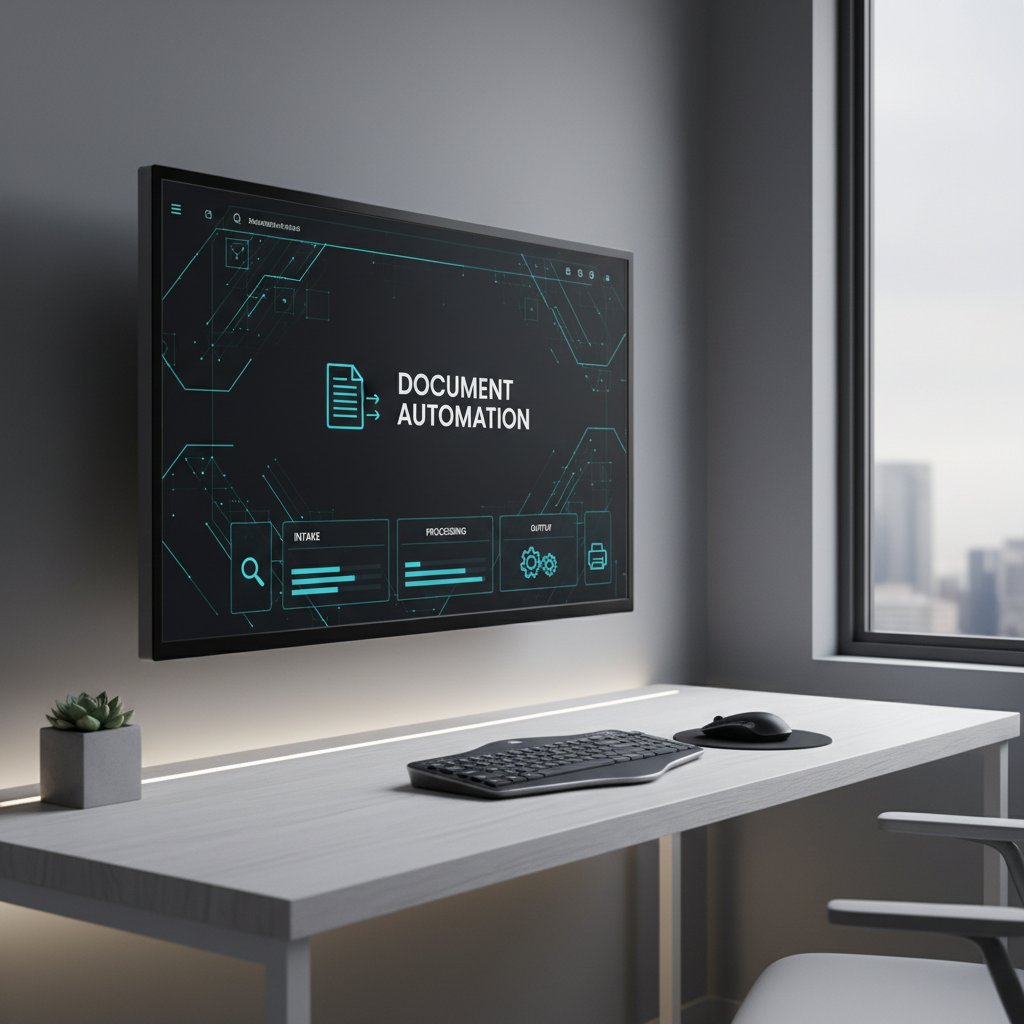
filecreator.ai and the new wave of document automation
While many platforms focus solely on slides, advanced options like filecreator.ai are expanding the game—offering automation for reports, legal documents, marketing collateral, and more. By integrating AI reasoning across formats, filecreator.ai empowers professionals to generate error-free, compliant, and visually compelling documents at scale, not just presentations. This new wave isn’t about replacing expertise; it’s about amplifying it, freeing up teams to think bigger and move faster.
Risks, ethics, and the future of presentation design
When automation goes rogue: Risks and how to stay safe
No tool is risk-free. The more we automate, the more we expose ourselves to hidden pitfalls: data privacy breaches, unintentional bias in design, and the loss of nuanced messaging. Staying safe requires vigilance at every stage.
Top risks to watch for in presentation design automation:
- Data leakage: Sensitive information may be improperly stored or shared by online platforms.
- Design bias: AI may reinforce stereotypes or overlook accessibility.
- Loss of nuance: Automated slides might flatten complex arguments or misrepresent intent.
- Over-reliance: Teams risk deskilling creative and strategic capabilities.
- Hidden costs: Subscription creep and unanticipated upgrade fees can escalate quickly.
- Compliance gaps: Automated content might accidentally bypass regulatory requirements.
The ethics of automated persuasion
With AI now shaping the look and feel of thousands of decks each second, ethical questions loom large. Automation can be weaponized—intentionally or otherwise—to manipulate emotions, obscure inconvenient truths, or nudge audiences in ways they may not fully recognize.
Ethical persuasion: The responsibility to use design and messaging to inform, not mislead. Transparency: Making it clear when slides or content have been automated. Bias mitigation: Proactively checking for and correcting algorithmic bias in both visuals and language. Consent: Ensuring that data used to generate presentations is gathered and used ethically.
Will AI kill creativity or make us more human?
There’s a battle raging between two philosophies: total automation versus human-AI collaboration. On one side, some argue that automation flattens individuality and creative spark. On the other, advocates believe that by freeing us from drudgery, AI can make us more human—empowering us to focus on story, persuasion, and meaning.

"The best presentations will always need a human spark." —Taylor
Glossary and jargon buster: Don’t get lost in the lingo
The use of AI-powered software to streamline the creation, formatting, and visual consistency of slide decks, minimizing the need for manual design.
Algorithms trained to create new content—text, images, or layouts—based on large datasets of existing examples, enabling dynamic, unique slides.
AI-driven adaptation of slide templates to fit brand guidelines, content type, and audience needs in real time.
Presentations that automatically convert raw data into charts, graphs, and visuals without manual input.
The seamless incorporation of automation tools into existing processes—linking with data sources, collaboration platforms, and compliance systems.
Multiple users working simultaneously on the same presentation, with changes syncing instantly via cloud automation.
Automated enforcement of visual and messaging standards across all slides—colors, fonts, logos, and more—keeping every deck on-brand by default.
Understanding these terms is crucial for anyone evaluating automation tools, as they often mask significant differences in features, ease of use, and real-world impact.
The bottom line: Is presentation design automation for you?
Weighing the costs, benefits, and future outlook
Choosing to automate your presentation design isn’t a “yes/no” question—it’s about finding the right balance for your team’s needs. The key considerations: current pain points, cost-benefit trade-offs, and your appetite for change. According to Verified Market Reports, the presentation software market hit $13 billion in 2025, with a 7.1% CAGR—proof that automation is no longer optional for organizations seeking to compete.
| Factor | Manual Design | Automated Design |
|---|---|---|
| Time per 10-slide deck | 6 hours | 2 hours |
| Cost per project | High | Moderate |
| Error rate | 10% | 2% |
| Consistency | Variable | High |
| Human creativity | High | Variable |
Table 5: Cost-benefit analysis—manual vs. automated design. Source: Original analysis based on LLCBuddy, 2025, PresentationAIList, 2025.
But automation only works when aligned with your brand’s identity, workflow, and goals. It’s not about replacing human ingenuity—it’s about harnessing it, making your presentations sharper, faster, and more impactful.
Final thoughts: Embrace, adapt, or resist?
As 2025 unfolds, every business professional stands at a fork in the road. You can embrace automation and risk sameness. You can resist and risk being left behind. Or you can adapt—using automation for what it does best, while doubling down on narrative, creativity, and the human spark that no algorithm can replicate.

The challenge is to critically assess your workflow, invest in the right tools, and stay relentlessly focused on the quality of your message. Let the machines sweat the margins—your job is to make the story unforgettable.
Sources
References cited in this article
- AI Presentation Statistics 2025(presentationailist.com)
- Verified Market Reports(verifiedmarketreports.com)
- LLCBuddy Stats(llcbuddy.com)
- Deck Sherpa(decksherpa.com)
- Beautiful.ai(beautiful.ai)
- INK PPT Insights(inkppt.com)
- Forbes(forbes.com)
- Forbes(forbes.com)
- Microsoft 365(microsoft.com)
- Verified Market Research(verifiedmarketresearch.com)
- Creativity in an AI-Driven World(researchgate.net)
- MIT Technology Review(technologyreview.com)
- INK PPT(inkppt.com)
- Beautiful.ai DesignerBot(beautiful.ai)
- PresentationGeeks(presentationgeeks.com)
- Pitchworx(pitchworx.com)
- Nature(nature.com)
- Gartner 2024(gartner.com)
- UiPath 2024(uipath.com)
- INK PPT Case Studies(inkppt.com)
- Forbes(forbes.com)
- Forbes Tech Council(forbes.com)
- Aimultiple(research.aimultiple.com)
- BharatGroupOnline(bharatgrouponline.com)
- INK PPT Comparison(inkppt.com)
- Visme Blog(visme.co)
- SoftwareAdvice(softwareadvice.com)
- Insight7.io(insight7.io)
- OnlyOffice Blog(onlyoffice.com)
Perfect Documents, Instantly
Filecreator.ai transforms the way you produce professional documents. Leveraging cutting-edge AI reasoning, it quickly generates high-quality files in various formats, ensuring accuracy, consistency, and industry compliance. Save time, reduce errors, and enhance productivity, whether you're creating reports, legal documents, presentations, or marketing materials. Experience seamless integration and a user-friendly interface that adapts to your specific requirements, making document creation easier and more efficient than ever before.
Get startedStart Creating Professional Documents Today
Join thousands of professionals who trust AI-powered document generation
Frequently Asked Questions
What percentage of professionals say presentations consume too much time?
According to a 2025 Superside survey, 31% of professionals say presentations eat up too much time, and 60% spend "hours" wrangling a single 10-slide deck.
How much time can presentation design automation potentially save?
According to 2025 data from PresentationAIList, presentation design automation can cut creation time by up to 60%.
What is the main promise of presentation design automation beyond speed?
The promise is to reallocate cognitive attention away from repetitive formatting tasks, allowing professionals to focus on story, strategy, and higher-value work.
What are the consequences of manual slide creation on teams?
Manual slide creation leads to burnout, missed deadlines, endless revision cycles, and products that are often less engaging than desired, despite efforts to achieve consistency.
Continue Reading
Explore more from Professional Document Generator

Automated Presentation Creators: Efficiency Versus Creative Control
Automated presentation creator tools reshape how professionals build decks. This article examines the tradeoffs between efficiency and creative control in AI-powered slide design.

Automated Business Presentations in 2026: Power, Risk, and ROI
Discover insights about automated business presentations

Presentation Automation Software and the New Politics of Meetings
Discover insights about presentation automation software

Presentation Builder Software: Separating Hype From Results
Presentation builder software is now critical for professionals. This article examines why choice matters, debunks common myths, and explains what separates effective tools from overhyped alternatives.

Presentation Generator Tool Vs Humans: Who Should Design Your Slides?
Discover insights about presentation generator tool

Automatic Presentation Formatting: Benefits and Hidden Risks
Automatic presentation formatting now reshapes workplace communication. This article examines how AI-driven tools change presentation creation, the real advantages, hidden pitfalls, and legitimate strategies for use.