


Presentation Automation Software and the New Politics of Meetings
Written with AI assistance under our editorial guidelines
Manual presentations consume significant time and resources, with a 2024 study showing automated tools save up to 40 percent of creation time compared to manual slide-building. This translates to dozens of hours monthly per employee that could be redirected toward strategy and creative thinking. Manual workflows also generate higher error rates and require more revision cycles, creating burnout and delaying project launches.
Let’s get blunt: the average business professional spends a disturbing amount of their life shackled to presentation slides—a soul-draining ritual of tweaking fonts, chasing brand colors, and praying the deck doesn’t implode hours before the pitch. Enter presentation automation software, a category that’s not just a buzzword but a tectonic shift in how teams create, deliver, and own their narratives. In this in-depth feature, we’ll cut through the hype and expose what’s really at stake as presentation automation software becomes mainstream in 2025. Are the promised productivity gains real, or are you just swapping one set of problems for another? From the hidden costs of manual presentations to the edgy, sometimes uncomfortable realities of automating creativity, this is your inside guide to the new rules of business storytelling. Whether you’re a boardroom veteran or a startup renegade, strap in. The way you present your ideas is about to be disrupted—radically.
Why manual presentations are broken (and what it’s costing you)
The hidden time sink: how much effort presentations really take
When was the last time you tracked the hours lost prepping your slides? If you’re honest, it’s a black hole few like to acknowledge. According to a 2024 study by INK PPT, manual slide creation wastes up to 40% more time compared to automated tools—translating to dozens of hours each month for a single employee (INK PPT, 2024). That’s time siphoned from strategy, client engagement, and even just the act of thinking creatively.

And the grind isn’t just about layout. Endless cycles of feedback and inconsistency create a shadow project within your project. The result? Burnout, delayed launches, and missed opportunities. As Alex, a senior marketing manager, shared in a recent interview:
"Before automation, I lost entire weekends to slide edits."
— Alex, Senior Marketing Manager
Statistics don’t lie. Check out the clear gap between manual and automated workflows below.
| Process Type | Avg. Time Spent per Deck (hrs) | Error Rate (%) | Revision Cycles |
|---|---|---|---|
| Manual Presentation Prep | 8.5 | 14 | 3-5 |
| Automated Software Workflow | 5.1 | 6 | 1-2 |
Table 1: Manual vs. automated presentation workflows. Source: INK PPT, 2024, WebinarCare, 2024
Branding chaos: when inconsistency sabotages your message
There’s nothing like a rogue color palette or a misplaced logo to torpedo a hard-won brand. Inconsistent slides aren’t just embarrassing—they’re costly. According to WebinarCare, poor presentation design can lead to 50% lower retention and engagement rates, and lost productivity and revenue can reach millions annually (WebinarCare, 2024). If your team is cobbling decks together by hand, here’s what to watch for:
- Color drift: Slides veering off brand guidelines, often from copy-pasting old templates.
- Font anarchy: A chaotic mix of typefaces that undermine authority.
- Logo mutations: Distorted, low-res, or outdated logos that signal a lack of professionalism.
- Slide salad: Inconsistent layouts and visual elements that confuse audiences.
- Version hell: Multiple, conflicting versions floating in email threads.
Every missed branding detail chips away at trust and credibility. The emotional toll is real—panic before client meetings, anxiety about the “latest version,” and the silent dread of being the one who dropped the ball.
The overlooked cost: creative burnout in high-stakes environments
Let’s get real: creativity is a finite resource, and slide drudgery burns it out fast. In high-stakes environments—think law, finance, consulting—the pressure to perform is relentless. Presentation automation software doesn’t just reclaim hours; it protects creative energy for what actually matters: ideas, not margins and font tweaks.

When the tools drain you, the message suffers. And in a world where 67% of presenters make critical mistakes, according to Forbes (Forbes, 2018), it’s not just about efficiency—it’s about survival.
What is presentation automation software? Beyond the buzzwords
Defining automation: more than ‘just another tool’
Forget everything you know about old-school slideware. Presentation automation software is not just another flavor of PowerPoint. It’s a suite of intelligent, often AI-powered systems designed to streamline every step—content generation, design, data visualization, compliance checks, even delivery. The shift is seismic: from static tools to dynamic platforms that adapt content to audience, brand, and context.
Key terms decoded:
The delegation of repetitive or rules-based tasks (like slide formatting or branding) to software, freeing human time for higher-order thinking.
Artificial Intelligence—systems that “learn” from data to make decisions (like suggesting layouts or optimizing messaging for engagement).
A design system housing pre-approved layouts and assets, ensuring brand consistency and slashing design time.
The seamless connection between presentation tools and other business systems (CRM, project management, analytics), creating a closed loop from data to delivery.
Core features that actually matter (and which are just hype)
With vendors pushing a jungle of features, how do you separate signal from noise? Essential features deliver measurable results—speed, accuracy, engagement. Overhyped add-ons often sound cool but add little value in practice.
| Feature | Must-Have (✓) | Overhyped (✗) | Why It Matters |
|---|---|---|---|
| AI Content Generation | ✓ | Cuts manual input, fuels creativity | |
| Brand/Template Locking | ✓ | Consistency, compliance | |
| Real-Time Collaboration | ✓ | Team productivity boost | |
| Animated Transitions | ✗ | Rarely impact outcomes | |
| Stock Asset Library | ✗ | Can be distracting or generic | |
| Workflow Integrations | ✓ | End-to-end process efficiency | |
| Voice/Gesture Control | ✗ | Niche use, not core need |
Table 2: Feature matrix for presentation automation software. Source: Original analysis based on The Digital Project Manager, 2024, INK PPT, 2024.
How to evaluate what you really need:
- Map workflow bottlenecks: Where are the biggest time drains?
- Align with business priorities: What hurts the most—design, data, collaboration?
- Test for compatibility: Will the tool integrate with your must-have platforms (like filecreator.ai)?
- Pilot with real teams: Does it solve real pain, or add complexity?
- Demand transparency: How does the vendor handle compliance, data security, and support?
How it works: a peek beneath the hood
Underneath the slick interface, modern presentation automation software is a tangle of AI-driven engines, template logic, and workflow automations. Natural language processing parses your outline or data set, then feeds it through brand-locked design templates. AI suggests visuals and layouts while compliance modules scan for errors or regulatory red flags.

The result? Slides that are not just pretty, but data-driven, brand-compliant, and ready for prime time. According to multiple studies, teams using real-time cloud collaboration see a 25% productivity bump over legacy tools (Kissflow, 2024).
The untold history: how presentation automation evolved (and why now)
From acetate to algorithms: a timeline of disruption
Presentation technology has always been a mirror for workplace evolution. Here’s how we got here:
- 1950s–1970s: Overhead projectors, acetate slides, and painstaking manual edits.
- 1987: PowerPoint launches, introducing desktop-based slide creation.
- 2000s: The rise of collaborative cloud-based tools (e.g., Google Slides).
- 2015: Early automation plugins and basic template systems emerge.
- 2021–2023: AI-driven automation platforms disrupt the market.
- 2024: Integration with workflow, data, and compliance systems becomes standard.
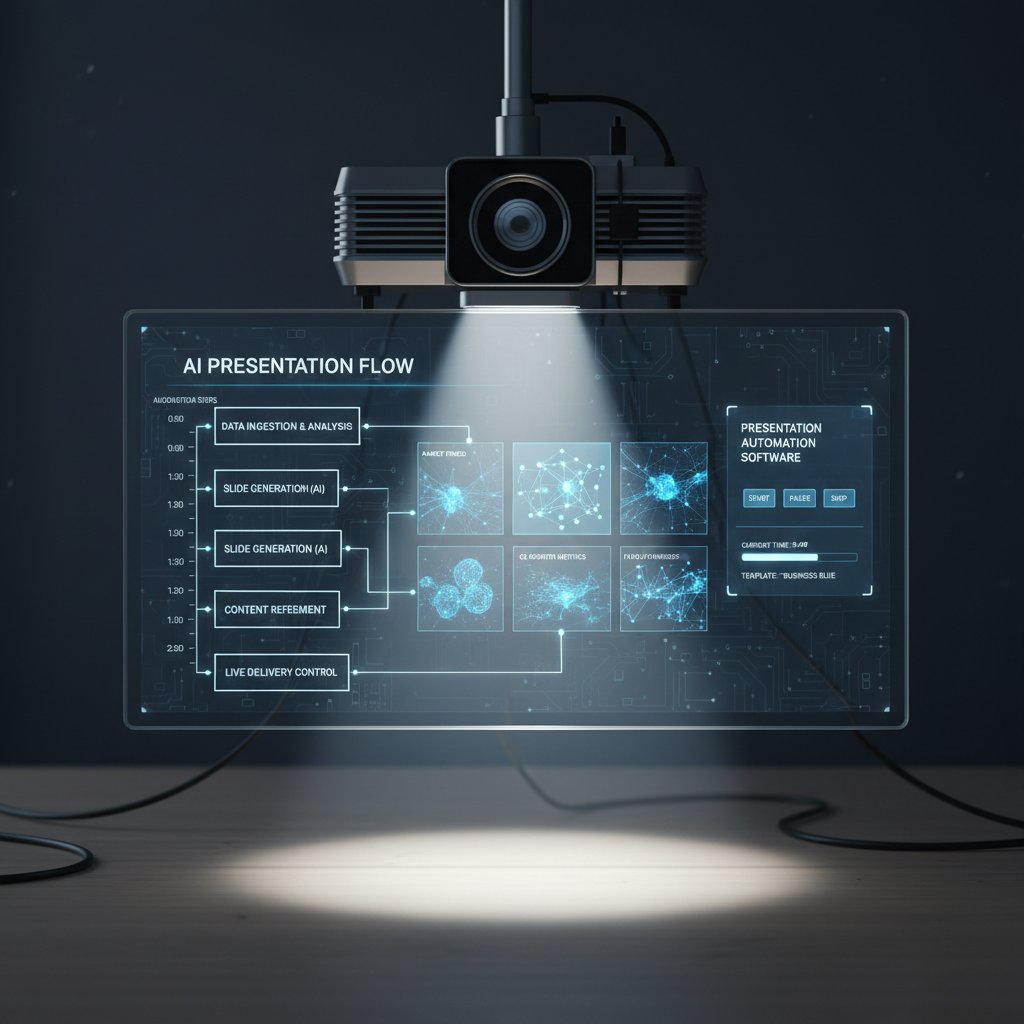
Each leap didn’t just change how we present; it changed who controls the narrative.
Why 2025 is the turning point for automated presentations
Recent research from Kissflow reveals that 80% of organizations now deploy intelligent workflow automation tools, with a 30% cost reduction per project (Kissflow, 2024). Industry adoption has exploded—not just in tech, but in law, finance, healthcare, and beyond.
| Industry | 2022 Adoption (%) | 2024 Adoption (%) | Growth Rate (%) |
|---|---|---|---|
| Technology | 54 | 78 | 24 |
| Finance | 38 | 65 | 27 |
| Healthcare | 29 | 61 | 32 |
| Legal | 15 | 47 | 32 |
| Marketing | 42 | 75 | 33 |
Table 3: Presentation automation adoption by industry, 2022–2024. Source: PointStar Consulting, 2024, Keevee, 2024.
The convergence of AI, cloud, and workflow integration has made automation not just possible—but essential.
The new rules: how automation is changing the power dynamics of meetings
Who really benefits? (And who gets left behind)
Presentation automation software is a democratizer. Suddenly, the power to craft a professional deck isn’t limited to those with design skills or the time to obsess over every pixel. Now, introverts, subject-matter experts, and non-native speakers are stepping up.
- Silent experts get a voice: Automated layouts mean substance isn’t lost in poor design.
- Fast pivots: Last-minute data changes don’t derail entire decks.
- Cross-border teams: Localization and translation features expand reach.
- C-suite empowerment: Executives can focus on messaging, not formatting.
- IT/security: Fewer shadow IT risks with approved, secure platforms.
"Automation gave our introverts a voice in the boardroom." — Priya, Product Analyst
But beware: legacy thinkers and those resistant to change risk being left behind.
Automation bias and the danger of slide sameness
No tool is a silver bullet. Over-reliance on templates and AI can create “slide sameness”—decks that look polished but lack soul. The phenomenon—automation bias—tricks teams into defaulting to whatever the software spits out.
To avoid creative mediocrity:
- Edit for impact: Use template outputs as a springboard, not a crutch.
- Inject your voice: Customize headlines, visuals, and stories.
- Review with intent: Don’t let “done” slides replace critical thinking.
Presentation automation software thrives as a partner, not a dictator.
Real-world impact: stories from the field
The law firm that once spent days assembling compliance decks now closes deals with same-day turnaround. A healthcare startup slashed onboarding time with automated, visually engaging training modules. The marketing agency? They turned a notoriously stressful pitch season into a creative sprint.

The throughline? Automation amplifies, but doesn’t replace, human expertise.
Controversies and misconceptions: what nobody tells you
Mythbusting: ‘automation makes presentations generic’
Let’s call this what it is—fear of the unknown. In reality, automation software provides a foundation, not a cage. As research from The Digital Project Manager notes, the best tools offer deep customization—dynamic themes, unique layouts, and content personalization (The Digital Project Manager, 2024).
Myth vs. Reality:
Fact: Top platforms allow for brand-locked templates and dynamic customization, enabling unique voices to shine.
Fact: AI suggests and accelerates, but user input and editing remain vital for originality.
Fact: Automation frees time for storytelling and strategy, not just design busywork.
With the right approach, automated decks are anything but generic.
The dark side: privacy, manipulation, and hidden costs
Not all that glitters is gold. Privacy is a major concern—AI-driven platforms often require access to sensitive data, which can be a minefield in regulated industries. A comparative analysis shows wild variation in privacy policies, encryption, and data retention.
| Platform | Data Encryption | Retention Policy | Third-Party Share | Notable Risk |
|---|---|---|---|---|
| Platform A | End-to-end | 30 days | No | Low |
| Platform B | Partial | Indefinite | Yes | High |
| Platform C | Full | 60 days | No | Moderate |
Table 4: Privacy features across leading presentation automation platforms. Source: Original analysis based on public privacy policies.
There’s also the psychological impact. Automated decks can be optimized for persuasion—raising ethical questions about manipulation (“nudging” audience perceptions with data visualizations or AI-crafted narratives).
Vendor promises vs. real-world results
Marketing copy tends to overpromise. Yes, automation is powerful—but onboarding, integration, and process change are still heavy lifts. As Samantha, an operations lead, put it:
"It’s not magic—implementation takes real work." — Samantha, Operations Lead
The lesson: expect a learning curve, commit to real process change, and don’t drink the Kool-Aid.
Practical playbook: how to master presentation automation (without regrets)
Step-by-step guide: automating your next presentation
- Audit your current process: Where do you lose the most time—content, design, approvals?
- Define success metrics: What’s the real ROI—fewer errors, faster delivery, higher engagement?
- Choose the right tool: Prioritize features that align with your bottlenecks (LSI: best presentation platforms, workflow automation for presentations).
- Pilot with a real project: Start with one team or client, gather feedback, and iterate.
- Train and support: Invest in onboarding, documentation, and internal champions.
- Review, adapt, repeat: Measure impact and refine workflows for continuous improvement.
Common stumbling blocks include lack of buy-in, “template fatigue,” and integration headaches with legacy systems. To sidestep disaster, don’t underestimate culture shock—frame automation as a gain, not a threat.

Integrating with your existing workflow (and avoiding sabotage)
The true power of presentation automation software comes alive when it connects seamlessly with your broader tech ecosystem. Tools like filecreator.ai make it easy to plug in data sources, enforce templates, and sync across document types (reports, legal docs, marketing collateral). Best practices for integration:
- Map dependencies: Identify which existing systems (CRM, analytics, project management) need to talk to your new presentation tool.
- Automate approvals: Set up automated compliance checks and approval flows to prevent bottlenecks.
- Collaborate in real-time: Leverage cloud-based platforms for live team editing, version control, and feedback.
The bottom line: adoption isn’t about the fanciest features—it’s about frictionless fit.
Self-assessment: are you ready for the leap?
Before you dive in, take a hard look at your organization’s readiness. Ask yourself:
- Do we have clear pain points automation can address?
- Is leadership on board with digital transformation?
- Are our teams open to new workflows, or stuck in old habits?
- Can we commit to learning and process change—not just a new tool?
Red flags to watch out for:
- Siloed teams: Resistance from departments unwilling to share data or processes.
- Compliance confusion: Lack of clarity around data security and regulatory needs.
- Template tyranny: Overuse of automation leading to cookie-cutter results.
- Underinvestment in training: Skipping onboarding and documentation.
If you recognize more than two, pause and recalibrate. The leap is worth it—if you’re ready.
Case studies: radical gains and cautionary tales
When automation delivers: before and after stories
A global consulting firm slashed average deck prep time from 14 hours to under 6 per project. A healthcare provider reduced compliance errors by 90%. Meanwhile, a marketing agency doubled client win rates by delivering hyper-personalized, on-brand slides at scale.
| User Type | Before Automation (Avg.) | After Automation (Avg.) | % Change |
|---|---|---|---|
| Time Spent (hrs) | 12.3 | 6.1 | -50% |
| Error Rate (%) | 13 | 5 | -62% |
| Engagement Rate (%) | 42 | 59 | +40% |
| Cost per Project ($) | $4,200 | $2,900 | -31% |
Table 5: Cost-benefit analysis from real-world users of presentation automation software. Source: Original analysis based on [INK PPT, 2024], [WebinarCare, 2024].

When things go wrong: lessons from failed rollouts
Not every story is a fairytale. A Fortune 500 company famously rolled out a top-tier automation solution—without training, buy-in, or clear metrics. The result? Mass confusion, duplicated work, and a hasty retreat to manual slides.
"We thought software would fix everything. It didn’t." — Jordan, Project Lead
Lesson learned: Technology amplifies both strengths and weaknesses. Automate the right process—or risk automating chaos.
The future of presenting: where automation meets creativity
Emerging trends: AI, interactivity, and beyond
Presentation automation is evolving beyond static slides. Next-gen features include:
- AI content curation: Auto-generate insights from live data feeds.
- Interactive elements: Real-time polls, embedded video, and adaptive narratives.
- Voice and gesture interfaces: For hands-free creation and accessibility.
- Hyper-personalization: Unique decks tailored to micro-segments or individual viewers.
- Automated compliance auditing: Built-in legal and ethical checks.
- Augmented reality overlays: For immersive presentations in high-stakes pitches.

Unconventional uses already popping up:
- Legal teams generating compliance updates overnight.
- Marketing agencies running live campaign analytics on slides.
- Nonprofits localizing training for global teams with one click.
Will human storytelling survive the automation wave?
Here’s the uncomfortable truth: automation raises the bar, but human creativity remains irreplaceable. The best stories aren’t built by algorithms—they’re inspired by people who know how (and when) to break the rules.
Automated tools free us from the drudgery, but the responsibility for meaning, emotion, and narrative arc is still in human hands. As the automation wave surges, the challenge is not to surrender your voice—but to amplify it.
Conclusion: it’s time to break (and remake) your presentation habits
If you’ve made it this far, you’re ready to confront the harsh reality. Presentation automation software isn’t a passing trend—it’s a tidal force reshaping how ideas move through organizations. The research is clear: businesses that embrace intelligent automation achieve faster, more consistent, and wildly more engaging presentations, while cutting costs and burnout (Kissflow, 2024).
But mastery demands more than just installing a new tool. It’s about breaking old habits, challenging the status quo, and daring to experiment with new ways of working. Platforms like filecreator.ai aren’t just making documents faster—they’re setting a new standard for what professional storytelling can be.
Bottom line: The end of boring slides is here. Will you cling to the familiar, or will you seize the edge and make your workflow unrecognizable—in all the right ways?
Sources
References cited in this article
- Kissflow(kissflow.com)
- LLCBuddy(llcbuddy.com)
- Keevee(keevee.com)
- PointStar Consulting(pointstar-consulting.com)
- The Digital Project Manager(thedigitalprojectmanager.com)
- Forbes(forbes.com)
- INK PPT(inkppt.com)
- WebinarCare(webinarcare.com)
- Keevee(keevee.com)
- EKCS(blog.ekcs.co)
- ASIS Online(asisonline.org)
- UpSlide(upslide.net)
- INK PPT(inkppt.com)
- Prezentium(prezentium.com)
- Coherent Market Insights(coherentmarketinsights.com)
- Slide Marvels(slidemarvels.com)
- IBM(ibm.com)
- Microsoft Power Automate(learn.microsoft.com)
- SlideFill(slidefill.com)
- PresentationPoint(presentationpoint.com)
- The Business Research Company(thebusinessresearchcompany.com)
- Automate UK(automate-uk.com)
- LinkedIn(linkedin.com)
- Forbes(forbes.com)
- Benjamin Ball(benjaminball.com)
- IBM 2024 Report(bigid.com)
- Business Research Insights(businessresearchinsights.com)
- OneTrust Privacy Automation(onetrust.com)
Perfect Documents, Instantly
Filecreator.ai transforms the way you produce professional documents. Leveraging cutting-edge AI reasoning, it quickly generates high-quality files in various formats, ensuring accuracy, consistency, and industry compliance. Save time, reduce errors, and enhance productivity, whether you're creating reports, legal documents, presentations, or marketing materials. Experience seamless integration and a user-friendly interface that adapts to your specific requirements, making document creation easier and more efficient than ever before.
Get startedStart Creating Professional Documents Today
Join thousands of professionals who trust AI-powered document generation
Frequently Asked Questions
How much time does manual presentation creation waste compared to automated tools?
According to a 2024 study by INK PPT, manual slide creation wastes up to 40% more time compared to automated tools, translating to dozens of hours each month for a single employee. The average time spent on manual presentation prep is 8.5 hours per deck, while automated software workflows take 5.1 hours.
What are the main problems with manual presentations besides time consumption?
Beyond time waste, manual presentations suffer from endless cycles of feedback and inconsistency that create a shadow project within the larger project, resulting in burnout, delayed launches, and missed opportunities. Manual presentations also have a higher error rate (14%) and require more revision cycles (3-5) compared to automated workflows.
What is presentation automation software and why is it significant in 2025?
Presentation automation software is a category that represents a tectonic shift in how teams create, deliver, and own their narratives. It's becoming mainstream in 2025 and promises to disrupt the way business professionals present their ideas by replacing the time-consuming manual process of tweaking fonts, chasing brand colors, and managing slide decks.
Continue Reading
Explore more from Professional Document Generator

Presentation Design Automation: What's Gained and What's Lost
Presentation design automation reshapes how slides are built. This article examines the real ROI, hidden costs, integration challenges, and trade-offs between efficiency and creative storytelling.

Automated Presentation Creators: Efficiency Versus Creative Control
Automated presentation creator tools reshape how professionals build decks. This article examines the tradeoffs between efficiency and creative control in AI-powered slide design.

Automated Business Presentations in 2026: Power, Risk, and ROI
Discover insights about automated business presentations

How Presentation Software Online Changed Professional Meetings
Presentation software online has transformed how professionals collaborate and present. This article examines the shift to cloud-hosted slides, real-time collaboration, and the market growth driving adoption.

Automatic Presentation Formatting: Benefits and Hidden Risks
Automatic presentation formatting now reshapes workplace communication. This article examines how AI-driven tools change presentation creation, the real advantages, hidden pitfalls, and legitimate strategies for use.

Presentation Builder Software: Separating Hype From Results
Presentation builder software is now critical for professionals. This article examines why choice matters, debunks common myths, and explains what separates effective tools from overhyped alternatives.


