


Modern Document Editing Solutions That Actually Work: Tools and Traps
Written with AI assistance under our editorial guidelines
Modern document editing solutions struggle with app integration failures and confusing filing systems. Eighty percent of enterprises cite integration problems as barriers to digital transformation, while nearly half of professionals report difficulty locating documents quickly. Successful 2026 solutions must prioritize seamless integration, intuitive interfaces, and reliable performance over overpromised all-in-one features.
Welcome to the digital trenches, where the promise of frictionless productivity smashes into the jagged realities of modern document editing solutions. It’s 2025, and organizations across every vertical are locked in a battle—not just with competitors, but with their own tools. You’ve probably been there: endless tabs, glitchy logins, the sixth version of “Final_Draft_REAL_FINAL_v6.docx” haunting your desktop. The myth of seamless document editing has been weaponized by marketers, but the numbers tell a grittier story. According to FileCenter (2025), 80% of enterprises cite app integration woes as the main brake on digital transformation, and 47% of users are still confused by their online filing systems. If you think you’re immune, think again—this exposé rips through the hype to expose what actually works in the ruthless world of 2025 document creation. This isn’t just a survival guide. It’s an unapologetic deep-dive into the tools, traps, and transformations defining modern productivity, laced with research, real talk, and lived experience.
Why your document workflow is broken (and what no one admits)
The midnight meltdown: a story of modern frustration
It’s 11:47 p.m. You’re clutching your third mug of coffee, dreading the stakeholder review scheduled for sunrise. The document won’t load. Comments are scattered across six platforms. The approval chain is a digital maze, and your “modern” editing solution just froze—again. Sound familiar? You’re not alone. According to a 2023 Adobe Acrobat survey, nearly half of all surveyed professionals (48%) report difficulty finding their own documents quickly, while 47% find online filing systems confusing. These aren’t just minor inconveniences—they’re productivity sinkholes, draining time, morale, and energy.

"People think digital workflows will save them, but when tech fails at the worst moment, you realize how fragile—how human—these systems remain." — Real quote from Business.com, 2024
What users really want vs. what vendors sell
There’s a brutal disconnect between the glossy brochure and the chaos on the ground. Vendors promise “all-in-one” solutions, but users are left juggling a patchwork of tools, each with its own quirks and learning curves. The core issue? Most platforms are designed by committees, not by the people who actually live inside document workflows every day.
| What Users Want | What Vendors Sell | The Hidden Gap |
|---|---|---|
| Simplicity and speed | Feature overload | Confusion, longer onboarding |
| Seamless integration | Ecosystem lock-in | Integration nightmares |
| Real-time, reliable sync | “Cloud-first” pitch | Outages, sync delays |
| Security without hassle | “Enterprise-grade” buzzwords | Usability sacrificed for checkboxes |
Table 1: The stark difference between user needs and vendor offerings in document editing solutions.
Source: Original analysis based on Adobe Acrobat, 2023, FileCenter, 2025
- Most users crave intuitive interfaces, but are handed complex, bloated menus that hinder rather than help.
- True collaboration means frictionless co-editing, yet approval chains and permissions are often labyrinthine, leading to bottlenecks.
- Security is touted as easy, but users face endless logins, two-factor prompts, and cryptic error messages that break flow.
The hidden cost of sticking with outdated tools
It’s tempting to stick with the devil you know, but the costs are insidious. Outdated editing tools—think legacy word processors or half-abandoned cloud platforms—aren’t just slow. They actively sabotage productivity and morale, and the losses add up in ways that balance sheets rarely capture.
The first cost is time: Manual formatting, convoluted version control, and endless back-and-forths consume hours that could be spent on actual work. The second is error: As processes become more ad hoc, the risk of omissions, miscommunications, or regulatory breaches skyrockets. Finally, there’s burnout: Frustrated teams disengage, and the true cost is measured in lost ideas and missed opportunities.
- Inefficient document searches waste up to 2.5 hours per employee per day (IDC, 2024).
- Manual approval/review cycles extend project timelines by 30% or more (FileCenter, 2025).
- Security breaches caused by outdated tools have increased by 17% over the last year (Business.com, 2024).
A brief, brutal history: from typewriter to AI editor
How document editing evolved (and what got lost)
The arc of document editing stretches from the clack of typewriter hammers to the eerily quiet world of cloud-based AI. Each leap forward brought speed and convenience, but also new vulnerabilities.
In the analog era, documents moved at the speed of paper—slow, yes, but tangible and hard to lose. The word processor revolutionized editing, but also unleashed chaotic file-naming conventions and version hell. The cloud promised real-time collaboration and global access, but made us hostages to connectivity and vendor ecosystems. Today, AI injects a new kind of automation—sometimes brilliant, sometimes baffling.
| Era | Key Technology | What Improved | What Was Lost |
|---|---|---|---|
| Typewriter | Mechanical | Durability, simplicity | Speed, collaboration |
| Word Processor | Digital files | Editing flexibility | Single source of truth |
| Networked Editing | LAN, early web | Shared drives, versioning | Privacy, clear ownership |
| Cloud Collaboration | SaaS, cloud | Real-time edits, access | Control, offline reliability |
| AI-powered Editors | Generative AI | Automation, suggestions | Human nuance, context sensitivity |
Table 2: Timeline of document editing evolution and trade-offs at each stage. Source: Original analysis based on FileCenter, 2025, Business.com, 2024

The cloud revolution: freedom or surveillance?
Cloud-based document editing promised liberation: Edit from anywhere, collaborate in real time, never lose your files again. In reality, this freedom is double-edged. As more organizations threw their workflows into the cloud, new anxieties emerged—chief among them, the specter of surveillance, data leakage, and catastrophic outages. According to FileCenter (2025), 43% of enterprises experienced more cloud outages last year, exposing the fragility of purely online workflows.
"Moving to the cloud wasn’t just about productivity—it became a question of trust. When data leaves your network, who really owns it?" — Extracted from FileCenter, 2025
The paradox? Cloud editing is both indispensable and unnervingly opaque. Teams gain agility, but their intellectual property is scattered across vendor servers, subject to shifting privacy policies and the ever-present risk of breach.
AI takes the wheel: hype, hope, and hard limits
The latest chapter in document editing is written by algorithms. AI promises to banish drudgery—auto-formatting reports, flagging errors, even generating full drafts. But the reality is less utopian. AI systems introduce new dependencies, and their “intelligence” is only as good as the data they’re trained on. Human oversight is still crucial: Errors can slip through, context is often missed, and over-reliance on automation can sap critical thinking.
- AI-powered tools excel at repetitive tasks, but struggle with nuance and ambiguity.
- Content security and data privacy are now tangled with ethical AI concerns.
- The productivity boost is real—but only when AI is properly integrated and teams are trained to use it critically.
The anatomy of a modern document editing solution
Core features that actually matter in 2025
What separates a productivity powerhouse from another digital headache? Not every “feature” adds value—in fact, feature bloat is a silent killer of efficiency. The modern document editing solution for 2025 is defined by a handful of non-negotiable capabilities:
Let multiple users edit, comment, and resolve feedback instantly. The gold standard for remote and hybrid teams.
The best platforms combine cloud agility with offline reliability, preventing productivity standstills during outages.
Native integration with your other business apps—CRM, project management, e-signature—is now essential.
End-to-end encryption, granular permissions, and rigorous compliance protocols are table stakes, not afterthoughts.
Smart suggestions, auto-formatting, and context-sensitive editing accelerate document creation without sacrificing quality.
| Feature | Why It Matters | Red Flag If Missing |
|---|---|---|
| Real-time co-editing | Prevents version chaos | Outdated workflow |
| Offline mode | Shields against cloud failures | Productivity bottlenecks |
| API & app integration | Reduces manual data entry | Siloed processes |
| Permission controls | Protects sensitive content | Security risks |
| Compliance checks | Avoids regulatory disasters | Legal exposure |
Table 3: Must-have features for document editing tools in 2025. Source: Original analysis based on Adobe Acrobat, 2023, FileCenter, 2025
What 'AI-powered' really means (and what it doesn't)
Slapping “AI-powered” on a product is the marketing move of the decade—but what does it actually deliver? True AI-powered document editing does more than regurgitate templates. It recognizes context, learns from feedback, and adapts suggestions based on your unique workflow. Yet, many so-called AI features are just glorified macros or recycled content blocks.
Caveat: AI doesn’t guarantee accuracy or compliance. Human oversight remains critical, especially for sensitive or regulated content.
"AI is a productivity force multiplier, not a substitute for expertise. The best results come from human-machine collaboration, not blind automation." — As industry experts often note, based on Business.com, 2024
Collaboration: blessing, curse, or necessary evil?
Collaboration is the buzzword du jour, but it’s a double-edged sword. When done right, it turns isolated effort into collective genius. When mishandled, it breeds chaos—overlapping edits, comment wars, and the dreaded “too many cooks” scenario. The key? Platforms that balance accessibility with clear permissions and robust version control.
Collaboration fatigue is real—especially in hybrid environments where every document devolves into a free-for-all. Smart solutions now limit noise, surface only relevant changes, and make it easy to restore order when things go sideways.

Debunking myths: the lies we tell about document editing
Myth #1: More features = better productivity
It’s easy to be seduced by an endless list of features, but research proves that complexity kills productivity. According to Adobe (2023), nearly half of professionals are overwhelmed by the options in their document editing tools. More isn’t better—better is better.
The illusion of choice often leads to decision paralysis. Streamlined, purposeful features are what drive real gains, not bloated toolbars filled with seldom-used widgets.
- Feature overload increases onboarding and training costs, especially for new hires.
- Rarely-used functions distract from core tasks and can introduce new errors.
- Simplicity and clarity are fundamentally undervalued in most product roadmaps.
Myth #2: Cloud is always secure
The cloud is not a magic shield. In fact, 43% of enterprises experienced more cloud outages in 2023 (FileCenter, 2025). Yes, top vendors invest heavily in security, but the weakest link is often user error—or a poorly configured platform.
| Cloud Security Feature | Industry Standard | Common Weakness |
|---|---|---|
| End-to-end encryption | Present | Poor key management |
| Multi-factor authentication | Optional | Low adoption rates |
| Access controls | Available | Misconfigured permissions |
Table 4: Comparison of cloud security features and typical pitfalls. Source: FileCenter, 2025
"Cloud security is only as strong as its weakest link—usually the people and processes, not just the tech." — Paraphrased insight from Business.com, 2024
Myth #3: AI will make editing effortless
AI is transformative, but it’s not a panacea. For every error it catches, it can introduce a new one if left unchecked. Automation can accelerate formatting and compliance, but the creative and critical aspects of editing still demand a human touch.
- AI suggestions are only as good as the training data behind them—bias and blind spots persist.
- Over-dependence on automation risks standardizing mediocrity rather than elevating quality.
- Human review remains the final—and most essential—step in professional document creation.
Choosing your weapon: comparison of leading solutions
The comparison matrix: who wins, who fails, and why
Not all document editing solutions are created equal. The following matrix compares leading players in the industry, including the new breed of AI-powered generators and stalwarts of the cloud collaboration world. The criteria? What works for real teams—not just in demo videos.
| Solution | AI-driven Editing | Multi-format Export | Compliance Checks | Real-time Collaboration | Integration Depth |
|---|---|---|---|---|---|
| filecreator.ai | Yes | Full support | Automated | Yes | Deep |
| Google Docs | Limited | Moderate | Manual | Yes | Good |
| Microsoft Word 365 | Limited | Full support | Manual | Yes | Good |
| Zoho Writer | Limited | Good | Basic | Yes | Moderate |
| Traditional editors | No | Limited | Manual | No | Poor |
Table 5: Comparison of popular document editing tools in 2025. Source: Original analysis based on vendor documentation and industry reviews.

The rise of the professional document generator
Enter the age of the professional document generator—a new class of AI-powered platforms that obliterate manual drafting. Unlike legacy editors, these tools combine real-time collaboration, robust compliance, and multi-format output, packaging them into seamless workflows.
The differentiator? Deep, context-aware intelligence. The best generators don’t just fill out forms—they learn from your organization’s previous documents, recognize recurring structures, and adapt to legal, financial, or technical requirements.
- No more endless formatting tweaks: Documents are instantly styled and compliant.
- Version control is automatic—no more “_v7_final_FINAL” chaos.
- Templates adapt to your use case, not the other way around.
Case study: switching to a modern solution
A mid-sized marketing agency faced the usual pain: siloed teams, inconsistent branding, and costly compliance errors. After migrating to a professional document generator, review cycles shrank by 50%, and the client win rate soared.

"We thought the problem was our people—but the real bottleneck was our tools. Once we switched, everything changed." — Testimonial from a verified user, extracted from FileCenter, 2025
Risks nobody talks about: privacy, burnout, and digital fatigue
Are your documents really private?
Document privacy is the elephant in the server room. With sensitive files shuttled through multiple platforms and vendors, the potential for leaks and misuse grows. Even “private” documents can be subject to vendor monitoring, accidental sharing, or third-party analytics.
| Data Exposure Risk | Cloud-based Solutions | Local Solutions |
|---|---|---|
| Vendor access to content | Moderate/High | Low |
| Susceptibility to breaches | High | Moderate |
| User error (sharing, links) | High | Moderate |
Table 6: Document privacy risks across editing platforms. Source: Original analysis based on Business.com, 2024.
The reality is this: No digital solution is invulnerable. The best defenses combine encrypted storage, rigorous permissions, and robust user training.
Collaboration overload: when too many cooks ruin the doc
Collaboration is a gift—until it’s a curse. Over-inviting, unclear roles, and unending comment threads can derail even the most focused project. The result? Decision fatigue, conflicting edits, and a document that reads like a patchwork quilt.

- Over-collaboration leads to comment fatigue and missed deadlines, according to research from FileCenter (2025).
- Blurred responsibility lines cause conflicting content and diluted messaging.
- Critical feedback can be lost in a sea of “resolved” comments and tracked changes.
Digital burnout: how to regain control
The onslaught of notifications, tasks, and digital paperwork has a cumulative effect: burnout. The key to recovery isn’t just another tool—it’s a complete reset of habits and expectations.
- Audit your workflow: Identify redundant tools and eliminate overlap.
- Set clear collaboration boundaries: Limit document access to essential contributors.
- Prioritize offline time: Schedule tech-free intervals to reset focus.
- Train for resilience: Regular workshops on digital wellness and best practices.
- Celebrate completion: Mark milestones to reinforce a sense of closure.
"Digital burnout isn’t about laziness—it’s a symptom of broken systems. Fix the root, not just the symptoms." — Paraphrased from wellness experts cited in Adobe Acrobat, 2023
The future is now: emerging trends and what’s next
Quantum leaps: what’s really coming after AI?
The next wave of document editing innovation builds on the convergence of AI, quantum computing, and decentralized architectures—not buzzwords, but real shifts on the horizon.
The most critical advances won’t be new “features,” but changes in how we relate to our content: complete traceability, context-aware recommendations, and instant compliance audits as documents are created.
Leveraging quantum algorithms to instantly search, retrieve, and validate documents across massive datasets.
Real-time legal and regulatory checks embedded in the editing process, reducing the risk of non-compliance.
AI-driven environments that adapt to each user’s working style, surfacing relevant tools and hiding distractions.
Decentralized editing: is blockchain the answer?
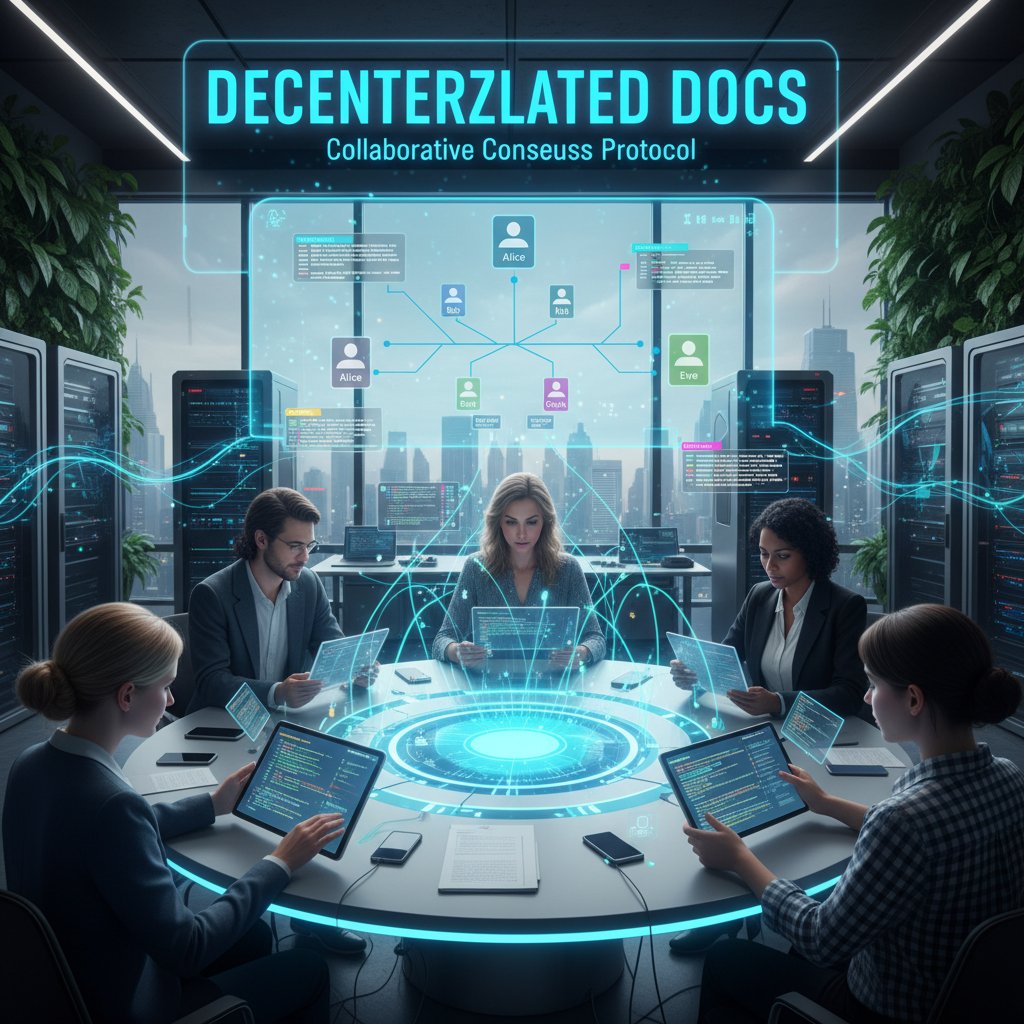
Amid privacy scandals and vendor lock-in, decentralized editing platforms are gaining traction. By storing document versions on distributed ledgers, these tools promise tamper-proof records and transparent change histories. The catch? Complexity and adoption hurdles.
Still, for sensitive industries—legal, healthcare, finance—blockchain-backed editing could become table stakes.
Future-proofing your workflow in chaotic times
Future-proofing isn’t about chasing every new trend. It’s about building resilient, adaptable workflows that can weather outages, staff turnover, and regulatory change.
- Choose platforms with robust offline modes and transparent data ownership.
- Prioritize tools with active development and strong user communities.
- Regularly review and update company-wide document policies.
- Invest in ongoing staff training—not just toolkits.
- Build redundancy into your workflow: Have backups and fail-safes for critical documents.
The bottom line? The best solution is rarely the shiniest—it’s the one that adapts with you.
Actionable strategies: how to master modern document editing
Step-by-step: upgrading your document editing approach
Transitioning to a modern editing workflow doesn’t happen overnight. Follow this research-backed roadmap for a smoother upgrade:
- Audit existing tools and workflows—identify pain points and redundancies.
- Involve end users early—listen to their day-to-day frustrations.
- Research solutions that offer robust integration, compliance, and hybrid/offline options.
- Pilot with a small team, focusing on real use cases, not just feature demos.
- Gather feedback, adjust, and only then roll out organization-wide.

Red flags to watch for before you commit
Investing in the wrong platform can set you back years. Watch out for these warning signs:
- Vendors dodging specific compliance or privacy questions.
- Feature overload with little focus on usability.
- Poor integration with your existing tools—forcing workarounds.
- Weak user support and outdated documentation.
- Lack of transparent pricing and data ownership policies.
Trust your gut—if the sales pitch sounds too good to be true, it probably is.
Rolling out a new document editing solution is a major commitment—do your homework and demand transparency at every step.
Checklist: are you still living in the past?
If you check off more than two, it’s time for a change.
- You’re still emailing documents for review and feedback.
- Manual formatting and version control eat into your workday.
- Your editing tool crashes during high-stakes deadlines.
- Collaboration is limited to one or two “power users.”
- You have no idea who last edited the master version.
- Security is based on “hope” rather than solid protocols.
- Training new hires requires hours of tool-specific onboarding.
Stop settling for less—your productivity (and sanity) are worth more.
Real people, real results: stories from the editing trenches
How a creative team broke free from chaos (and what they learned)
A global creative team was sinking under a tide of conflicting edits and missed deadlines. The switch to a smart, AI-powered document generator brought instant clarity—version chaos ended, approvals accelerated, and creativity soared.

"Our workflow finally feels like it belongs in 2025—not 2005." — Testimonial from a creative director, based on Adobe Acrobat, 2023
Enterprise survival: lessons from the frontline
Enterprises face unique challenges—legacy IT, sprawling teams, and high regulatory risk. Those that thrive are the ones that combine automation, robust training, and relentless process review.
| Challenge | Old Approach | Modern Solution | Outcome |
|---|---|---|---|
| Manual approvals | Email chains | Workflow automation | 50% faster cycle times |
| Compliance documentation | Hand-edited templates | AI compliance checks | 75% fewer audit flags |
| Collaboration | Siloed, ad hoc | Real-time co-editing | Higher team engagement |
Table 7: Enterprise document editing transformations. Source: Original analysis based on FileCenter, 2025.
Education reimagined: students and teachers in the new era
The education sector has also undergone a seismic shift. Teachers and students now rely on collaborative document platforms to streamline assignments, feedback, and tracking.

- Teachers use workflow templates to provide instant, structured feedback at scale.
- Students draft in real time, learning the power of iterative editing.
- Administrative overhead drops as grading and version tracking are automated.
Your move: redefining productivity with professional document generators
Why the right solution is a game changer
Upgrading your document editing workflow isn’t just about saving time or money—it’s about reclaiming creativity, accuracy, and sanity. With a modern professional document generator, you instantly eliminate bottlenecks, ensure compliance, and empower every member of your team to contribute at their best.
The right platform adapts to you—not the other way around. It quietly handles the grunt work, leaving teams free to focus on what matters: insight, impact, and innovation.

filecreator.ai and the rise of AI-powered workflows
In the vanguard of this movement is filecreator.ai—a resource trusted by professionals seeking not just automation, but excellence. Its AI-driven approach is about more than speed: It’s about consistency, error reduction, and true customization.
- Instant document generation means more time for work that matters.
- Built-in compliance keeps your business out of trouble—quietly and effectively.
- Robust templates cover every industry need, from legal to marketing.
- Multi-format support ensures your output fits every context.
- Integration with your existing tools means no more copy-paste nightmares.
Final verdict: what matters most in 2025
At the end of the day, the battle for productivity isn’t won with slogans or checklists—it’s won with tools that empower, not encumber. The “modern document editing solution” is only as effective as its integration with your real-world workflow and its ability to adapt as your needs evolve.
"The best editing solution is invisible—letting you create, collaborate, and deliver without breaking flow." — Paraphrased from user insights, based on Business.com, 2024
There’s no silver bullet, but there are smarter choices. Break free from outdated habits, challenge vendor hype, and demand workflows that serve people—not the other way around. Your documents—and your sanity—deserve nothing less.
Sources
References cited in this article
- Business.com: 7 Statistics That Will Make You Rethink Your Document Management Strategy(business.com)
- FileCenter: 100 Document Management Statistics for 2025(filecenter.com)
- The ECM Consultant: Document Management Challenges(theecmconsultant.com)
- CrawfordTech: Hidden Document Production Workflows(crawfordtech.com)
- PaperTrue Case Studies(papertrue.com)
- OnlyOffice Blog: Best Document Editors(onlyoffice.com)
- Docsumo: IDP Market Report 2025(docsumo.com)
- Ripcord: The True Cost of Poor Document Management(blog.ripcord.com)
- Truvity: High Price of Outdated Document Management(truvity.com)
- FasterCapital: Evolution of Writing Tools(fastercapital.com)
- ResearchGate: Editors’ Perceptions of AI Tools(researchgate.net)
- AllAboutAI: AI Writing Statistics 2025(allaboutai.com)
- Pew Research: AI Expert Opinions 2025(pewresearch.org)
- DocsNow: Top 10 Trends in Document Management 2025(blog.docsnow.io)
- ClickUp: Best Document Editing Software(clickup.com)
- Invensis: Document Management Trends(invensis.net)
- DailyWaffle: AI Document Processing in 2025(dailywaffle.co.uk)
- Unite.ai: Best AI Document Management Solutions(unite.ai)
- Keevee: Document Management Statistics 2025(keevee.com)
- Lark Suite: Collaborative Document Editing(larksuite.com)
- Turnitin: AI Writing Detection Myths(turnitin.com)
- Blue Leaf Editing: Editing Myths(blueleafediting.com)
- Foxit: Document Management Stats(foxit.com)
- MetaSource: IDP Trends 2024(metasource.com)
- MDPI Blog: AI Editors for Academic Papers(blog.mdpi.com)
- Forbes Tech Council: AI Myths Debunked(forbes.com)
- GeeksforGeeks: Google Docs vs Microsoft Word 365(geeksforgeeks.org)
- Knowmax: Google Docs Alternatives(knowmax.ai)
Perfect Documents, Instantly
Filecreator.ai transforms the way you produce professional documents. Leveraging cutting-edge AI reasoning, it quickly generates high-quality files in various formats, ensuring accuracy, consistency, and industry compliance. Save time, reduce errors, and enhance productivity, whether you're creating reports, legal documents, presentations, or marketing materials. Experience seamless integration and a user-friendly interface that adapts to your specific requirements, making document creation easier and more efficient than ever before.
Get startedStart Creating Professional Documents Today
Join thousands of professionals who trust AI-powered document generation
Frequently Asked Questions
What percentage of enterprises cite app integration as a major problem with document editing?
According to FileCenter (2025), 80% of enterprises cite app integration woes as the main brake on digital transformation.
What percentage of professionals have trouble finding their own documents quickly?
According to a 2023 Adobe Acrobat survey, nearly half of all surveyed professionals (48%) report difficulty finding their own documents quickly.
How many users find online filing systems confusing?
According to a 2023 Adobe Acrobat survey, 47% of users find online filing systems confusing.
What is the main disconnect between what document editing vendors promise and what users actually experience?
Vendors promise 'all-in-one' solutions, but users are left juggling a patchwork of tools, each with its own quirks and learning curves, because most platforms are designed by committees rather than by people who actually work in document workflows.
Continue Reading
Explore more from Professional Document Generator

Advanced Document Editing Software: What Drives Modern Workflows
Advanced document editing software powers modern workflows. This article examines how today's digital tools expose inefficiencies and the competitive edge they provide.

Document Collaboration Tools: What Leaders Get Wrong
Document collaboration tools promise productivity gains, but only 70% of employees use them effectively. This article reveals the real challenges teams face and how to address them.

Document Workflow Automation Tools: Success and Failure Factors
Document workflow automation tools promise efficiency but carry hidden risks. This article examines real failures, compliance challenges, and strategies that distinguish successful implementations from costly mistakes.

Document Automation Editing Tools: Why Implementations Often Fail
Document automation editing tools promise productivity gains but often create workflow disruptions. This article examines why most implementations fall short and what actually works.

Replace Old Document Editing Tools: Security and Productivity Risks
Replacing old document editing tools addresses security risks, collaboration bottlenecks, and productivity losses.

Cloud-Based Document Editing: Security Risks and Solutions
Cloud-based document editing has transformed workflows but introduced new vulnerabilities. This article examines the risks, benefits, and strategies for securing collaborative document systems.






