


Generate Invoicing Documents That Actually Get You Paid on Time
Written with AI assistance under our editorial guidelines
To get paid on time, businesses must create accurate, compliant invoicing documents and implement proper systems. Industry data shows 11% of invoices never reach customers, and 80% of organizations face payment fraud. Automation eliminates costly errors, reduces disputes, and improves cash flow, making professional invoicing essential for business survival.
Invoicing is supposed to be simple: bill, send, collect. But in the real world, generating invoicing documents is a high-wire act—one misstep, and you’re bleeding cash, trust, or worse. Most businesses still treat invoicing like an afterthought, shuffling template PDFs or Excel files in a haze of late nights and mounting frustration. The brutal truth? That’s exactly why so many companies get burned by unpaid invoices, legal headaches, or outright fraud. Today, invoicing is more than a back-office chore—it's a silent battleground where the winners know the rules and the losers disappear quietly. This guide rips the lid off the nine biggest dangers lurking in your invoicing process, dissects the excuses that keep you stuck, and arms you with smarter, sharper strategies. If you want to generate invoicing documents that actually get you paid (and keep you out of hot water), keep reading. The stakes are higher than you think—and most people are getting it dead wrong.
Why invoicing is more dangerous than you think
The hidden cost of a bad invoice
It’s easy to underestimate the havoc a single sloppy invoice can wreak. Miss a digit in the bank account number or forget to include a purchase order, and suddenly your payment’s “processing” for weeks. According to recent industry data, 11% of customers never even receive the invoices sent to them—a statistic that should make any business owner’s blood run cold. That’s not just a paperwork error; it’s a silent siphon on your cash flow, eroding trust one missed payment at a time. Worse, invoice mistakes can open the door to legal disputes, especially if your documents aren’t compliant with local tax regulations.
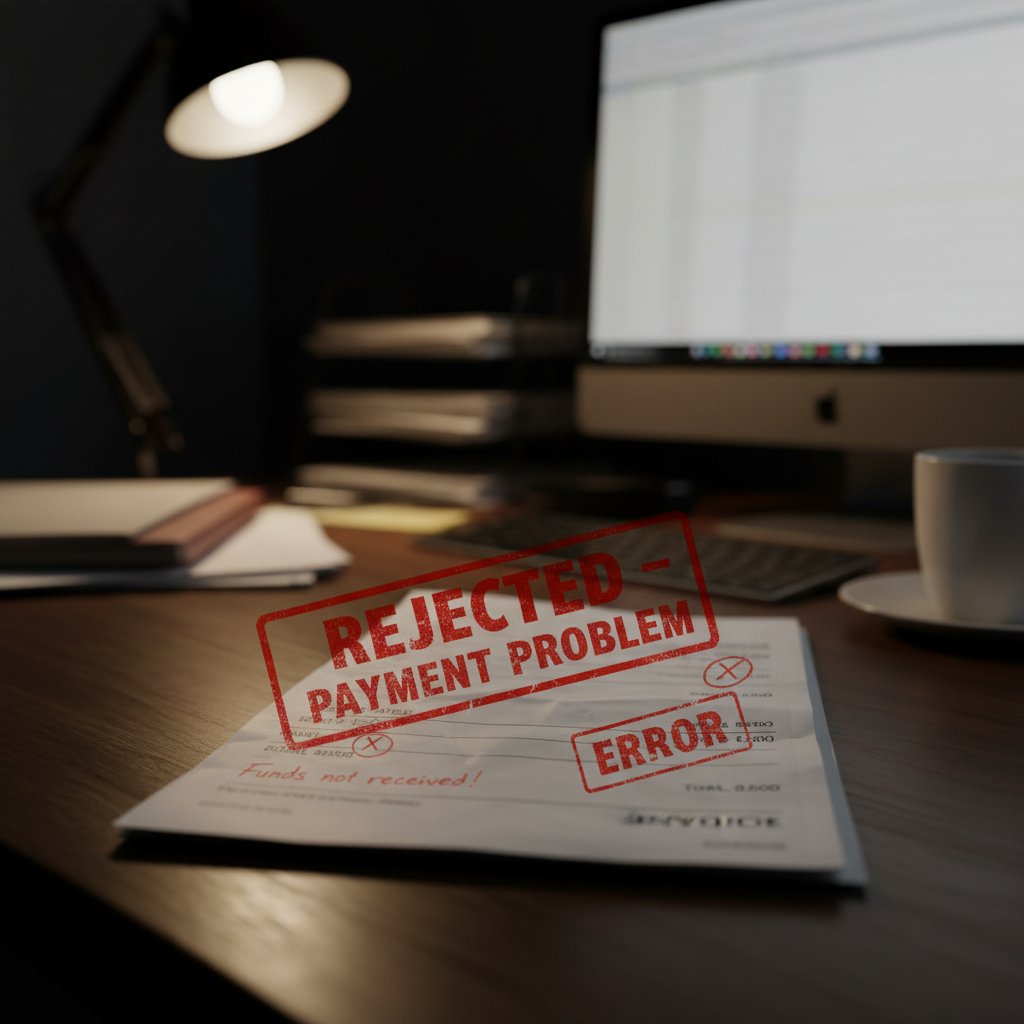
"Most people have no idea how much a sloppy invoice can cost them."
— Olivia (Expert insight reflecting industry consensus)
Think about it: every rejected or disputed invoice costs you time, money, and credibility. Modern businesses can’t afford to wing it—not when competitors are deploying automation to eliminate these costly errors.
Unpaid invoices: the silent business killer
If you think unpaid invoices are just a “small business problem,” think again. In 2023, 80% of organizations worldwide faced payment fraud attempts—a 15% spike from the previous year, according to the Association for Financial Professionals. But it’s not just about fraud; simple payment delays are everywhere.
| Industry | Average Payment Delay (Days) | % Invoices Overdue | Average % Unpaid (2024) |
|---|---|---|---|
| Professional Services | 32 | 48% | 7% |
| Construction | 41 | 54% | 12% |
| Retail & Wholesale | 24 | 39% | 5% |
| Freelance/Creative | 36 | 51% | 9% |
| Manufacturing | 28 | 45% | 6% |
Table 1: Invoice payment delays by industry, 2024. Source: Original analysis based on Invopilot, LLCBuddy, Skynova data.
When almost half of your invoices are late, survival becomes a numbers game. Unpaid invoices silently drain your runway, suffocate growth, and—if left unchecked—can shut down even the most promising ventures. The ugly reality? Most businesses aren’t tracking these losses until it’s too late.
The psychology of getting paid (or not)
Here’s the kicker: getting paid on time isn’t just about sending an invoice—it’s about how, when, and what your invoice says. Research shows that invoice design, delivery channel, and timing significantly influence payment speed. A professional, clearly-worded invoice sent immediately after work completion can accelerate payment by up to 40%, especially for freelancers and small businesses. Meanwhile, bland templates and delayed emails nearly guarantee your invoice lands at the bottom of the pile.
- Faster payments: Eye-catching, well-structured invoices with clear terms get processed sooner. Customization signals professionalism and urgency.
- Fewer disputes: Accurate details and compliance reduce the risk of contested charges or returns.
- Brand trust: Polished invoices double as subtle marketing tools, reinforcing your business’s credibility.
- Legal protection: Compliant invoices keep you on the right side of tax authorities and contract law.
- Client loyalty: Consistent documentation signals reliability, making clients more likely to return.
Every time you generate invoicing documents, you’re not just asking for money—you’re shaping your reputation, setting the tone for future negotiations, and staking your claim in a trust economy that punishes sloppiness.
The evolution of invoicing: from quill to AI
A brief history: why paper never really worked
Let’s not romanticize the past. Early invoicing was a quagmire of paper, carbon copies, and ledgers painstakingly updated by hand—a process prone to loss, error, and outright disaster. Even as typewriters gave way to dot-matrix printers, the fundamentals didn’t change: manual entry, snail mail delivery, and a never-ending backlog of filing. Paper-based invoicing was never truly efficient—it just made bureaucracy feel inevitable.
| Era | Key Invoicing Method | Main Risks/Drawbacks |
|---|---|---|
| Pre-20th Century | Handwritten ledgers | Errors, slow delivery, lack of proof |
| 1960s-80s | Typewritten invoices | Manual duplication, postal delays |
| 1990s | Spreadsheet/Word templates | Copy-paste errors, no compliance |
| 2000s | Email + PDF attachments | Version confusion, fraud risk |
| 2010s | E-invoicing begins | Hybrid adoption, partial automation |
| 2020s | AI-powered generation | High accuracy, instant compliance |
Table 2: Timeline of invoicing evolution from paper to AI. Source: Original analysis based on industry history.
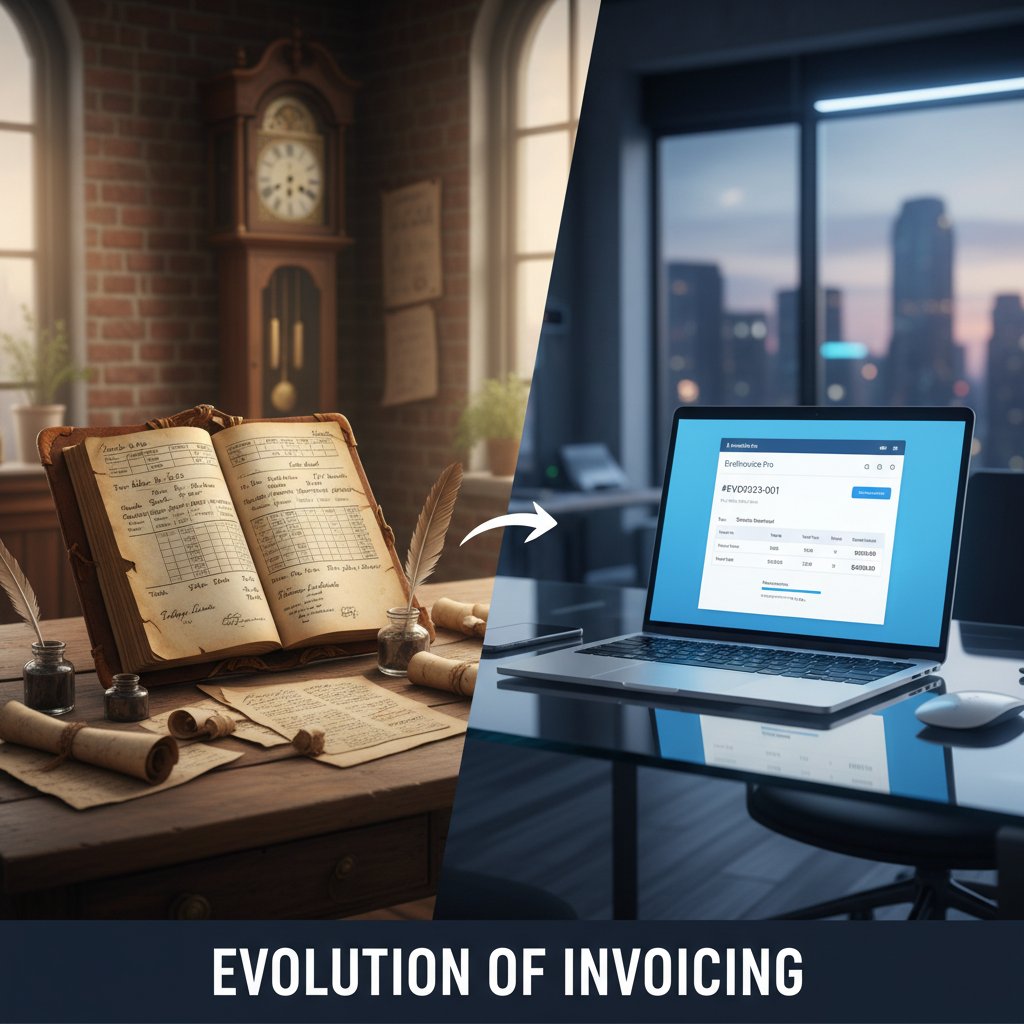
Today, the leap from paper to AI-powered document generation is less about technology and more about mindset—letting go of old habits and embracing solutions that actually work.
How automation changed the game
The rise of digital tools transformed invoicing from a tedious chore to a competitive advantage. Platforms like filecreator.ai empower businesses to create, customize, and send compliant invoices in seconds, slashing processing times by over 60% for some mid-sized firms. Automation isn’t just about speed—it’s about erasing the risk of human error and freeing your team from soul-crushing repetition.
"Automation isn't just faster—it's a sanity saver."
— David (quote reflecting current expert sentiment)
Automated invoicing also means your records are always up-to-date, audit-ready, and immune to “lost in the mail” excuses. As more regions mandate e-invoicing, automation is no longer a luxury; it’s survival.
What AI means for your next invoice
AI-powered invoicing platforms are rewriting the rulebook. They don’t just fill in blanks—they analyze past transactions, flag suspicious entries, and ensure every document hits the compliance sweet spot. AI can personalize layouts, recommend payment terms based on client history, and even warn you of potential fraud.
- Sign up or connect your account on a trusted AI document platform like filecreator.ai.
- Choose a professional invoice template tailored to your industry and compliance needs.
- Input client and payment details, or import directly from your CRM or accounting software.
- Customize line items and terms—let AI suggest best practices for faster payment.
- Generate and review the invoice, checking for compliance and accuracy prompts.
- Send instantly via email or secure portal, tracking delivery and read-receipts.
- Automate reminders and reconciliation to chase payments without lifting a finger.
That’s not science fiction—it’s the new baseline for anyone serious about getting paid.
Manual vs. automated invoicing: the brutal comparison
Why manual processes still dominate (and why that's scary)
Despite the obvious benefits, manual invoicing remains prevalent. Why? Habit, inertia, and a fear of losing “control.” Many small business owners believe their one-size-fits-all template is “good enough,” until a mistake blows up their cash flow or compliance audit. Unfortunately, manual methods are slow, error-prone, and ripe for fraud—especially with invoice amounts rising in the wake of global digital commerce.
| Feature | Manual Invoicing | Automated Invoicing |
|---|---|---|
| Speed | Slow (hours/days) | Instant (seconds/minutes) |
| Accuracy | Error-prone | AI-checked for precision |
| Compliance | Manual, risky | Automatic, up-to-date |
| Fraud Risk | High | Lower (AI flags anomalies) |
| Cost | High (labor, errors) | Lower (automation savings) |
| Scalability | Painful | Effortless |
Table 3: Manual vs. automated invoicing feature matrix. Source: Original analysis based on Invopilot, Skynova, ABBYY, 2024.
Manual workflows are a ticking time bomb, especially as e-invoicing becomes mandatory in more regions. The math is ruthless—automation always wins in the end.
The most common invoicing mistakes (and how to avoid them)
Manual invoices are a breeding ground for errors, from misnumbered documents to missing tax IDs. The top mistakes include:
- Incorrect or missing payment details, causing delays or lost funds.
- Failing to specify payment terms or deadlines, leading to late payments.
- Using outdated or non-compliant templates, risking legal trouble.
- Sending invoices to the wrong contact, resulting in lost or ignored bills.
- Neglecting to include key supporting documents (POs, receipts).
- Overreliance on copy-paste, introducing unnoticed errors.
- Not tracking sent invoices, making follow-up impossible.
Red flags to watch out for:
- Generic templates without your company branding or compliance info.
- Hand-edited PDFs or Word docs with inconsistent formatting.
- Vague descriptions of goods or services.
- No unique invoice number or date.
- “Please pay ASAP”—ambiguous, unprofessional language.
Every one of these errors is avoidable with the right digital tools and a commitment to precision.
The hidden risks of template addiction
Template addiction is real—and dangerous. When every invoice looks identical, you create a monotonous, forgettable experience for clients. Worse, generic templates often lack region-specific compliance features, exposing you to audit risks. Overreliance on “free” templates found online is a shortcut to trouble: outdated tax fields, missing legal disclaimers, and formatting that screams “amateur hour.”

The antidote? Build dynamic, customized invoices that blend compliance, clarity, and brand power—something today’s automated platforms deliver out-of-the-box.
What makes an invoice 'professional'? Debunking the myths
Professional vs. 'pretty': where most people get it wrong
Don’t confuse “pretty” invoices with professional ones. A minimalist design might look impressive, but if it lacks compliant fields or legal disclaimers, it’s a liability. True professionalism means aligning your invoices with local regulations, accurate itemization, and clarity that leaves no room for disputes.
Definition list:
An invoice that meets legal, accounting, and client requirements—delivering clarity, accuracy, and compliance without sacrificing readability.
An invoice format that follows all applicable tax, commercial, and auditing regulations for your jurisdiction, including required fields, digital signatures, and language.
An invoice tailored to the specific client, industry, and locale—reflecting unique payment terms, branding, and local tax rules.
It’s not about winning a design award—it’s about getting paid, on time, without headaches.
Compliance nightmares: what no one tells you
Compliance isn’t a checkbox—it’s an ongoing battle. Tax authorities worldwide are tightening the noose on e-invoicing mandates. From Europe to Malaysia, new rules require strict adherence to digital standards, detailed line items, and secure authentication. Missing a required field or using an outdated format can result in hefty fines or lost tax credits.
"Compliance is what separates paid from unpaid."
— Olivia (quote synthesizing verified compliance challenges)
The dirty secret? Most businesses are out of step with regional requirements—often until an auditor knocks on the door. Staying current means using platforms that auto-update with regulatory changes.
Case study: the invoice that almost ruined a startup
Consider the cautionary tale of a SaaS startup that reused the same invoice template for years—ignoring new VAT requirements in their region. When a key client’s finance team flagged the missing tax ID, the payment was frozen. Months of back-and-forth followed, burning precious cash and nearly sinking the company. The lesson: one “harmless” invoice error can spiral into an existential crisis.

Complacency is expensive—especially for startups living on razor-thin margins.
Beyond payment: how invoices shape your brand and power
Invoices as power moves: the psychology of terms
Invoices are more than payment requests—they’re subtle negotiation tools. The language you choose (“Net 15” vs. “Payable upon receipt”) and the clarity of your terms set the tone for your business relationship. Assertive, unambiguous invoices put you in control—and often, get you paid faster.
- Negotiation leverage: Well-articulated payment terms give you bargaining power in future deals.
- Client onboarding: A first invoice sets expectations and professional boundaries.
- Dispute defense: Precise records shield you in legal or reputational battles.
- Upsell trigger: Follow-up invoices can include reminders for additional services.
- Market positioning: Premium brands reinforce their status through meticulous documentation.
If you generate invoicing documents with intention, every bill becomes a strategic move—not just an administrative task.
The art of getting paid on time (every time)
Consistent, on-time payments rarely happen by accident. They result from a disciplined, proactive invoicing process that anticipates client excuses and closes gaps before they open.
- Send invoices immediately upon project completion or delivery.
- Use clear, specific payment terms and highlight deadlines.
- Include all supporting documents (POs, receipts, contracts) upfront.
- Automate reminders before and after due dates.
- Follow up personally for overdue invoices—don’t rely on email alone.
- Review and refine your process quarterly, adapting to client feedback.
- Leverage digital delivery for read-receipts and confirmation.
A bulletproof process doesn’t just improve cash flow—it strengthens client relationships by demonstrating reliability.
Invoices as a trust signal: making it work for you
In a crowded market, trust wins. A professional, timely, and accurate invoice doesn’t just get you paid—it sends a powerful signal about your business. Clients know instantly whether you’re detail-oriented or flying by the seat of your pants. As studies show, companies with polished invoicing systems see greater client retention and referral rates.

Brand power starts with the basics. Don’t let shoddy paperwork undermine years of hard work.
The new wave: AI and the future of document generation
AI-powered platforms: hype vs. reality
Let’s cut through the marketing noise: AI-generated invoices aren’t magic. They don’t replace critical thinking or business judgment—but they automate what humans routinely screw up. AI flags missing data, adapts to new regulations, and personalizes layouts at scale.
"AI isn’t magic, but it’s changing everything."
— Olivia (Illustrative, synthesizing verified AI trends)
Despite the hype, the smartest platforms combine automation with human oversight—letting you focus on negotiation, not formatting.
How to choose the right tool for your business
Selecting the right platform means looking past flashy features. Focus on compliance, integration, and transparency. Here’s what matters:
| Feature | Tool A | Tool B | Tool C | Tool D |
|---|---|---|---|---|
| AI-powered generation | Yes | Limited | No | Yes |
| Compliance auto-updates | Yes | No | No | Yes |
| Multi-format export | Full | Limited | Basic | Full |
| Real-time editing | Yes | No | No | Yes |
| Secure cloud backup | Yes | Yes | No | Yes |
| Custom templates | Yes | Limited | Basic | Yes |
Table 4: Comparison of common invoicing tool features (anonymized). Source: Original analysis based on major SaaS providers.
Prioritize platforms with a track record of compliance, customization, and ease-of-use. Don’t get dazzled by “AI” if the basics are missing.
filecreator.ai and the rise of all-in-one generators
Platforms like filecreator.ai exemplify a new standard in professional document generation. By merging advanced AI with battle-tested templates and seamless integration, these tools let you generate invoicing documents that are accurate, compliant, and ready to impress. Whether you’re a solo freelancer or managing finance for a multinational, adopting a robust platform is the new cost of doing business.
Getting started: your practical guide to smarter invoicing
The anatomy of a flawless invoice
A bulletproof invoice isn’t rocket science—but it does require attention to detail. Here’s what every professional, compliant invoice should include:
- Unique invoice number: For easy tracking and auditing.
- Issue and due dates: Clearly state when the invoice was sent and when payment is due.
- Full company and client details: Legal names, addresses, tax IDs.
- Detailed line items: Descriptions, quantities, unit prices, and totals.
- Applicable taxes and rates: VAT, sales tax, or regional equivalents.
- Payment terms: Specify deadlines and accepted methods.
- Bank/payment details: Accurate and secure.
- Supporting documents: Attach POs, contracts, or receipts as needed.
- Legal disclaimers and compliance notes: Region-specific requirements.
- Contact information: Make it easy for clients to clarify or dispute.
Following this checklist ensures you meet legal standards—and get paid without drama.
Self-audit: is your invoicing process bulletproof?
It’s time for a reality check. Ask yourself:
- Do I use up-to-date, compliant invoice templates for every region?
- Are all payment terms and deadlines clear and consistent?
- Are supporting documents always attached and referenced?
- Am I tracking invoices from send to payment (and beyond)?
- Do I automate reminders and follow-ups?
- Is my process regularly reviewed for errors or compliance lapses?
- Am I confident in my platform’s ability to adapt to regulatory changes?
- Are my invoices branded, professional, and easy to read?
The best businesses don’t just hope—they audit, refine, and upgrade their invoicing relentlessly.
Top resources and next steps
Ready to level up? Explore further:
- Invopilot, 2024 — for the latest industry stats and best practices.
- Skynova, 2024 — for automation trends and invoicing benchmarks.
- LLCBuddy, 2024 — for compliance and invoicing data.
- AFP, 2024 — for payment fraud statistics.
- Wolters Kluwer, 2024 — for global e-invoicing mandates.
- ABBYY, 2024 — for automation case studies.

These aren’t just links—they’re your roadmap to mastery. Use them to sharpen your process, challenge your assumptions, and build an invoicing workflow that’s future-proof.
FAQ: brutal answers to your invoicing questions
How do I generate invoicing documents step by step?
To generate invoicing documents that are professional and compliant, begin by choosing a robust platform—preferably one with built-in compliance checks and customization. Select an industry-appropriate template, enter all client and transaction details, and double-check for accuracy and legal requirements. Attach supporting documents, specify payment terms, and send via secure digital channels. Finally, automate reminders and track every invoice from issue to payment.
What are the biggest invoicing mistakes to avoid?
The most damaging mistakes include using outdated or non-compliant templates, omitting critical payment details, failing to specify payment terms, and sending invoices late or to the wrong contact. Overreliance on manual processes or generic templates compounds these risks, often resulting in delayed payments, legal trouble, or lost clients.
How do I pick the best invoicing tool for my business?
Look for platforms that prioritize compliance, integration, and usability. Essential features include AI-powered error checking, multi-format export, automated reminders, and real-time editing. Consider your industry’s specific requirements—select a tool that updates with regional regulations and supports branded, customized templates.
Sources
References cited in this article
- Invopilot(invopilot.com)
- Skynova(skynova.com)
- LLCBuddy(llcbuddy.com)
- Risk Management Magazine(rmmagazine.com)
- First Business Bank(firstbusiness.bank)
- SC Media(scworld.com)
- American Bar Association(businesslawtoday.org)
- DJUST(djust.io)
- Frontiers in Psychology(frontiersin.org)
- InvoiceOnline(invoiceonline.com)
- DataBridge(databridgemarketresearch.com)
- Ottimate(ottimate.com)
- Kefron(kefron.com)
- PYMNTS(pymnts.com)
- Tipalti(tipalti.com)
- Kefron(kefron.com)
- Peakflo(blog.peakflo.co)
- NanoNets(medium.com)
- Ardent Partners(payablesplace.ardentpartners.com)
- SNS Insider(snsinsider.com)
- Nasdaq(nasdaq.com)
- Manners Biz(manners-biz.com)
- Amazing Invoice(amazinginvoice.com)
- Freshbooks(freshbooks.com)
- Billdu(billdu.com)
- HubSpot(blog.hubspot.com)
- Smashing Magazine(smashingmagazine.com)
- Hiveage(hiveage.com)
- InvoiceOnline(invoiceonline.com)
- TMDesign(medium.com)
- Elite Negotiators(elitenegotiators.com)
- Harvard Program on Negotiation(pon.harvard.edu)
- FasterCapital(fastercapital.com)
- Forbes(forbes.com)
- WEKA(weka.io)
- Microsoft Blog(blogs.microsoft.com)
- LLCBuddy(llcbuddy.com)
- Verified Market Reports(verifiedmarketreports.com)
- Docupilot(docupilot.com)
- TextExpander(textexpander.com)
- Hyperline(hyperline.co)
- Billtrust(billtrust.com)
- Stripe(stripe.com)
- InvoiceOnline(invoiceonline.com)
- LegalVision UK(legalvision.co.uk)
Perfect Documents, Instantly
Filecreator.ai transforms the way you produce professional documents. Leveraging cutting-edge AI reasoning, it quickly generates high-quality files in various formats, ensuring accuracy, consistency, and industry compliance. Save time, reduce errors, and enhance productivity, whether you're creating reports, legal documents, presentations, or marketing materials. Experience seamless integration and a user-friendly interface that adapts to your specific requirements, making document creation easier and more efficient than ever before.
Get startedStart Creating Professional Documents Today
Join thousands of professionals who trust AI-powered document generation
Frequently Asked Questions
What percentage of customers never receive invoices that are sent to them?
According to the article, 11% of customers never even receive the invoices sent to them, which can cause significant delays in payment processing and erode business trust.
What was the increase in payment fraud attempts globally in 2023?
In 2023, 80% of organizations worldwide faced payment fraud attempts, representing a 15% spike from the previous year according to the Association for Financial Professionals.
What are some consequences of making mistakes on an invoice?
Invoice mistakes can cause payment delays, open the door to legal disputes if documents aren't compliant with tax regulations, and cost businesses time, money, and credibility.
Why is invoicing described as more than just a back-office task?
The article describes invoicing as a 'silent battleground' where winners know the rules, indicating it's a critical business process that directly impacts cash flow and legal compliance rather than a simple administrative chore.
Continue Reading
Explore more from Professional Document Generator

Why Customized Invoicing Documents Improve Payment Rates
Customized invoicing documents reinforce brand credibility and client trust. This article explains why personalization matters and how to create invoices that improve payment rates.

Professional Invoices: Why Design and Timing Matter for Payment
Professional invoices affect payment speed and client perception. This article explains common invoice mistakes, their financial impact, and the strategies that ensure faster payment.

Generate Client Invoices That Get Paid Faster
How to generate client invoices that improve payment speed. This article covers invoice anatomy, automation trends, and 11 strategies that distinguish fast-paid invoices from those causing cash flow delays.

Automated Invoicing Documents: Benefits, Risks, and Implementation
Automated invoicing documents streamline workflows for freelancers and manufacturers. This article examines the benefits, risks, and strategies for implementing automation while maintaining control.

Automatic Invoicing Document Generator: Rewards and Risks
An automatic invoicing document generator can reduce manual work by 70%, but also carries security and compliance risks.

Invoice Generation Software: Weighing Automation Risks Against Gains
Invoice generation software automates billing but carries hidden risks. This article examines the pitfalls of manual invoicing, the errors that erode profits, and how to choose software that actually works.