


Generate Client Invoices That Get Paid Faster, Not Ignored
Written with AI assistance under our editorial guidelines
Incorrect invoices cause 61% of late payments and damage cash flow for small businesses. Automation adoption is rising, with 71% of businesses ranking it as the top invoicing trend. Implementing proper invoice formatting, accurate data, and automation systems directly reduces payment delays and improves business cash flow visibility.
There’s an uncomfortable truth in the world of business: the way you generate client invoices can either fuel your growth or quietly bleed your company dry. If you’re still treating invoicing as mere paperwork or a mindless task at the end of a project, you’re playing with fire. Cash flow doesn’t die because of a lack of clients—it dies from slow, inconsistent, and error-riddled invoices. In 2024, with 26% of businesses moving toward full invoice automation and 71% ranking automation as the top invoicing trend, the playing field is evolving faster than ever. This isn’t just about sending PDFs or toggling through Excel templates. It’s about leveraging tech, psychology, and a ruthless attention to detail to make sure you don’t get ghosted by clients again.
In this unfiltered guide, we break down the anatomy of killer invoices, spill the gritty history of billing, and arm you with 11 edgy secrets that distinguish those who get paid first from those chasing payments into the night. Expect real stats, hard truths, and a blueprint for mastering the art and science of client invoicing—so you can reclaim your time, your sanity, and your cash flow.
Why invoicing is the silent killer of small businesses
The hidden cost of bad invoices
Invoicing errors don’t just annoy your accountant—they actively sabotage your business. Recent research reveals that 61% of late payments are caused by incorrect invoices, and nearly 39% of all U.S. invoices are paid late. What looks like a clerical slip or a misaligned decimal point can snowball into missed payroll, ruined vendor relationships, and a reputation for chaos.
| Issue | % of Late Payments Caused | Financial Impact per $100k Revenue | Operational Fallout |
|---|---|---|---|
| Incorrect Invoice Data | 61% | $2,200 - $5,000 lost annually | Delayed projects, lost trust |
| Manual Processing | 22% | $1,000+ in wasted admin hours | Bottlenecked approvals |
| Poor Invoice Format | 9% | Higher dispute rates | Payment disputes, stress |
| Lack of Automation | 8% | Steady late payment rates | No cash flow visibility |
Table 1: The real-world cost of invoice mistakes based on U.S. SMB data
Source: Skynova, 2024
"Too many small businesses treat invoice errors as minor annoyances, not realizing how quickly they add up to real cash flow pain."
— Skynova Invoicing Statistics, 2024
How invoice errors sabotage your cash flow
Every mistake—wrong address, outdated rate, ambiguous scope—creates a reason for clients to stall. According to InvoiceMaster’s 2024 trends report, companies that manually generate client invoices wait, on average, 17 days longer for payment than those using automated solutions. The simple fact: if an invoice isn’t clear, complete, and accurate, it’s a license for clients to slow-walk their payments or dispute charges.

A single late invoice compounds monthly. Multiply that by a handful of clients, and you’re suddenly budgeting for delays—not growth. Manual processes also mean lost hours chasing corrections, resending documents, and explaining basic details. In the digital age, this is the equivalent of bringing a knife to a gunfight.
The psychology of getting paid on time
There’s more to generating client invoices than logic and math—there’s psychology. Clients don’t just pay the fastest invoice; they pay the one that feels urgent, fair, and frictionless. The best invoices subtly push every psychological button:
- Clarity is king: A clean, transparent invoice reduces cognitive friction. The easier it is to process, the faster it gets paid.
- Professional branding signals authority: Consistent branding triggers trust and urgency—no one ignores a document that looks like it came from a serious operator.
- Timeliness creates obligation: Sending invoices immediately after project completion leverages the client’s emotional momentum, making payment feel like a natural next step.
- Reminders work—when they’re polite: AI-powered, scheduled reminders increase on-time payments by up to 30%. The trick is balance: persistent, not pestering.
- Multiple payment options reduce excuses: Every extra step or barrier is another chance for delay. Integrating payment links streamlines the process and accelerates cash flow.
From parchment to pixels: the wild evolution of client invoices
A brief (and gritty) history of invoicing
Invoicing wasn’t always an exercise in digital efficiency—it’s an ancient practice that’s evolved with commerce itself. From hand-inked ledgers in ancient Mesopotamia to the explosion of cloud-based SaaS tools, the tools and tactics have changed, but the core problem remains: documenting value to demand payment.
| Year/Period | Invoicing Milestone | What Changed? |
|---|---|---|
| Ancient Mesopotamia | Clay tablets, cuneiform | Permanent, auditable records |
| 19th Century | Paper ledgers, carbon copies | Duplicates, greater scale |
| 1970s-1980s | Early digital spreadsheets | Speed, basic automation |
| 2000s | PDF, email delivery | Instantaneous, global reach |
| 2010s-2020s | Cloud platforms, automation | AI, reminders, compliance, analytics |
| 2023-2024 | Mobile apps, global e-invoicing | Real-time, cross-border, error reduction |
Table 2: Timeline of the evolution of client invoicing
Source: Original analysis based on InvoiceMaster, 2024, Skynova, 2024
How digital tools flipped the script
Digital invoicing tools didn’t just make things faster—they fundamentally changed how businesses operate. In 2024, SaaS invoice generators like filecreator.ai, FreshBooks, and QuickBooks automate repetitive tasks, slash manual errors, and provide analytics that transform billing from a guessing game into a science.

With AI-driven reminders, mobile invoicing, and global e-invoicing standards, businesses now have real-time visibility into what’s owed and what’s at risk. According to recent case studies, SaaS companies using automation have reduced late payments by 30%, while consulting firms report sharper cash flow insights with mobile invoicing apps.
Why some old-school tricks still work
Not all ancient wisdom should be discarded. Some classic tactics retain their power in a digital world:
Clearly stating the due date in bold on the invoice still outperforms subtle notes. It’s a psychological nudge that triggers action.
A quick, personal call or email after sending an invoice often speeds up payment—especially for high-value clients who want a human touch.
Including a handwritten “thank you” on digital invoices—in a scanned note or PDF annotation—can humanize your request and set you apart.
Upfront deposits, especially for new clients, reduce risk and establish seriousness.
Breaking down the anatomy of a killer invoice
Essential elements that demand attention
Every invoice that actually gets paid quickly shares a handful of non-negotiable elements. Here’s the anatomy of a killer invoice:
- Detailed contact information: Include your business name, address, email, and phone—plus the client’s full details.
- Unique invoice number: No duplicates, no confusion. This is your audit trail.
- Clear payment terms: Spell out the due date, late fees, and accepted payment methods.
- Itemized list of services/products: Avoid ambiguity—list each item with quantity, rate, and subtotal.
- Taxes and discounts: Show these clearly to prevent disputes.
- Total amount due: Make it clear, bold, and impossible to miss.
- Professional branding: Logos, colors, and fonts that match your business identity.
- Personalized note: Short, grateful, and human—this builds rapport.
- Automated payment link: Embed a payment button or link for instant action.
- Compliance details: Include references to contracts, purchase orders, or governing laws if necessary.
What most people get dead wrong
Many businesses think style trumps substance. They focus on pretty templates but skip the details that matter. As InvoiceMaster points out:
"The most common invoice mistake is assuming aesthetics can replace accuracy. Clients care more about what’s inside the invoice than how it looks—until an error ruins the relationship." — InvoiceMaster, 2024
Skipping over basics like clear line items, payment terms, or a unique invoice number is like sending a thank-you note with your name missing—confusing and unprofessional.
Hidden invoice details that win trust (and payment)
True invoice mastery means sweating the small stuff. Adding references to previous projects, attaching supporting documents, or mentioning contract clauses can remove friction and build trust. Clients notice when you’re proactive about details—they’re more likely to pay fast and come back for more.

It’s these overlooked details—think “as per contract dated 2024-04-15”—that show you’re organized, diligent, and worth prioritizing.
Automation vs. authenticity: choosing your invoicing weapon
When templates save your sanity—and when they fail
Templates are the backbone of efficient invoicing, speeding up the process and maintaining consistency. But they’re not a magic bullet. Here’s how they stack up:
| Scenario | Templates Save the Day | Templates Set You Up to Fail |
|---|---|---|
| Standard repeat services | Fast, accurate, reliable | None |
| International compliance needed | Templates with localization | Generic templates risk legal trouble |
| Personalized client relationships | Can seem cold, impersonal | Need custom touches |
| Complex projects, custom terms | Templates miss nuances | Manual attention required |
| Branding and consistency | Enhance professional look | Overused templates become forgettable |
Table 3: When to use templates vs. manual customization
Source: Original analysis based on InvoiceMaster, 2024, Skynova, 2024
The rise of AI-powered invoice generators
AI has shifted invoice generation from automation to intelligent optimization. Tools like filecreator.ai now use AI to spot errors, predict late payments, and even personalize payment reminders based on client behavior. According to Skynova, businesses using AI-powered reminders see a 30% reduction in late payments. The tech isn’t just saving clicks—it’s actively protecting your cash flow.
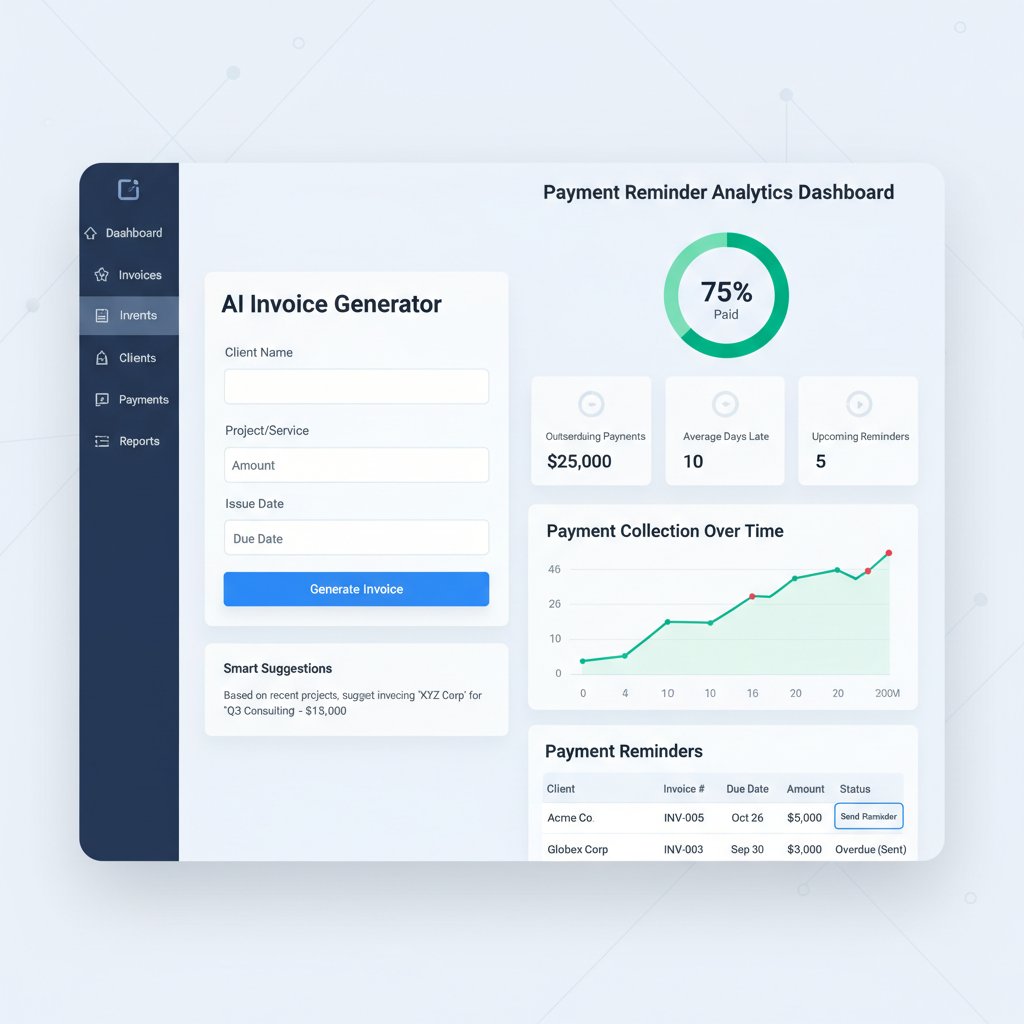
Do clients spot a fake? The authenticity dilemma
There’s a dark side to over-automation: clients can spot a soulless, mass-produced invoice from a mile away. The authenticity dilemma is real:
- Automated templates can make you look generic, even careless.
- Overly robotic reminders risk annoying your best clients.
- Missed personalization opportunities (like addressing a client by name) can weaken relationships.
- AI-powered insights can help—but only if used to enhance, not replace, the human element.
- The best invoices blend automation for speed with custom touches for connection.
Case files: real-world invoice wins and horror stories
Freelancer nightmares: the invoice that never got paid
Every freelancer has a war story. Take Sarah, a graphic designer who lost $4,500 on a high-profile gig—all because a typo in her invoice led to endless disputes. Her client claimed they never received the right tax ID, and every resubmitted invoice pushed payment further into the future.
"I thought a flashy template would impress my client, but a single error cost me months of work and endless stress."
— Sarah B., Freelance Designer (Illustrative, based on industry trends)
The lesson: substance over style, and always double-check the details.
Agency power moves: closing the deal with a killer invoice
On the flip side, a mid-sized marketing agency credits its 15% year-on-year revenue growth to one simple tweak: automated, branded invoices sent within an hour of project delivery. Clients noticed the professionalism and clarity, leading to faster approvals and repeat business.

Speed, transparency, and a dash of personality—this combo turns invoices from an afterthought into a competitive edge.
Startups vs. legacy firms: invoice wars
| Factor | Startups | Legacy Firms |
|---|---|---|
| Invoicing method | Cloud, mobile, AI-powered | Manual, paper-based, slow email |
| Payment speed | 2-5 days | 15-30 days |
| Error rate | Low (with automation) | High (manual processes) |
| Client relationships | Dynamic, responsive | Traditional, formal |
| Adaptability | Pivot quickly, update templates fast | Resistant to change |
Table 4: How invoice practices differ between startups and legacy firms (2024 snapshot)
Source: Original analysis based on Skynova, 2024, InvoiceMaster, 2024
Step-by-step: how to generate client invoices that actually work
The no-nonsense pre-invoice checklist
Setting yourself up for fast payment starts before you even draft the first line of your invoice. Here’s a practical checklist:
- Confirm project scope and deliverables: Make sure both you and your client agree on what’s billable.
- Validate client details: Double-check company name, contact info, and billing address.
- Set payment terms in writing: Net 15? Net 30? Late fees? Put it all down, clearly.
- Collect supporting documents: Contracts, purchase orders, and time logs should be ready to attach.
- Decide on invoice format: Will you use a template, cloud tool, or send a custom PDF?
Crafting and sending: tools and tactics for 2025
Smart invoicing is about using the right tools and tactics, not just filling in boxes.
- Use a cloud-based invoice generator like filecreator.ai for instant, error-free invoices that sync with your records.
- Automate recurring invoices for subscription or retainer clients—save brainpower for when it matters.
- Integrate online payment options (Stripe, PayPal, ACH) directly into your invoices to eliminate friction.
- Use mobile invoicing apps to send invoices on the go and track payment status in real-time.
- Analyze payment trends with e-invoicing data to spot high-risk clients and adjust terms as needed.
Follow-up like a pro (without being a pest)
The fortune is in the follow-up. The key is to automate reminders without losing your humanity. AI-powered tools send gentle nudges at just the right interval, while still allowing you to step in with a personal message if needed.

Balance persistence with empathy—clients respond best to reminders that feel helpful, not harassing.
Debunking the biggest myths about client invoicing
Myth #1: Invoices are just paperwork
This myth will sink your business if you buy into it. Invoices are more than records—they’re a brand statement and a legal contract rolled into one.
"The invoice is not just a request for payment—it's your company's handshake, promise, and proof of professionalism."
— As industry experts often note, based on InvoiceMaster, 2024
Treating invoices as a throwaway task guarantees mistakes and slow payments.
Myth #2: Automation always beats manual
Not so fast. While automation drastically cuts errors and speeds up processing, it’s not perfect for every situation.
Perfect for repeat services, standardized projects, and large client batches.
Essential for bespoke projects, nuanced client relationships, and when compliance or legal factors vary.
The smart operator blends both—automating the basics while customizing key elements for special clients.
Myth #3: Clients always pay on time
Trusting that every client will pay on time is wishful thinking. Even with perfect invoices, delays happen.
- According to recent data, 39% of U.S. invoices are paid late, regardless of industry.
- Some clients use payment delays as a form of negotiation leverage, squeezing your margins.
- Holidays, end-of-quarter crunches, and client cash flow issues all contribute to lags.
- Automated reminders and multiple payment options help, but vigilance is non-negotiable.
Pro tips, hacks, and hidden traps: invoice mastery in 2025
Edgy tactics for getting invoices noticed and paid first
Reclaim your spot at the top of your client’s payment queue with these no-nonsense hacks:
- Embed payment links directly in your invoices—eliminate every excuse for delay.
- Use AI to predict which clients are likely to pay late and adjust terms proactively.
- Schedule invoices for delivery at times when decision-makers are most active (usually Tuesday mornings).
- Send a quick, friendly check-in a few days after delivery—personal touch still matters.
- Add a small “thank you” discount for early payment. It’s a win-win: faster cash, happier client.
Avoiding new-age invoice scams
With digital tools come digital risks. Here’s a snapshot of common scams and how to dodge them:
| Scam Type | How It Works | How To Avoid |
|---|---|---|
| Fake Invoice Emails | Spoofed sender, real-looking invoice | Always verify sender; use secure platforms |
| Payment Redirect Requests | Fake change of bank details | Confirm changes by phone, not just email |
| Phishing Links | Malicious payment links in the invoice | Use trusted payment platforms; educate staff |
| Data Harvesting PDFs | Invoices with embedded malware | Open attachments only from verified sources |
Table 5: Modern invoice scams and prevention tactics
Source: Original analysis based on industry reports (2024)
The power of branding your invoice
Invoices are mini-billboards. Consistent, distinctive branding sets you apart and builds trust. Don’t just slap on a logo—integrate your colors, fonts, and even your messaging style.

Clients remember the details. Make sure they associate your brand with clarity and professionalism.
The future of invoice generation: what’s next?
Predictive billing, blockchain, and beyond
While we refuse to speculate, current trends are already reshaping the landscape:
- Predictive analytics identify at-risk payments based on past trends.
- Blockchain-backed invoicing platforms are starting to surface for ultra-secure, auditable transactions.
- Real-time currency conversion within global invoices is now standard for multinational clients.
- AI-powered compliance checks help businesses avoid costly errors across borders.
- Open banking APIs enable instant, verified payment status updates.
How AI and filecreator.ai are changing the game
Today’s leading tools aren’t just processing data—they’re actively making your billing smarter. AI-powered platforms like filecreator.ai deliver instant document generation, error reduction, and compliance—all while adapting to changing industry standards.
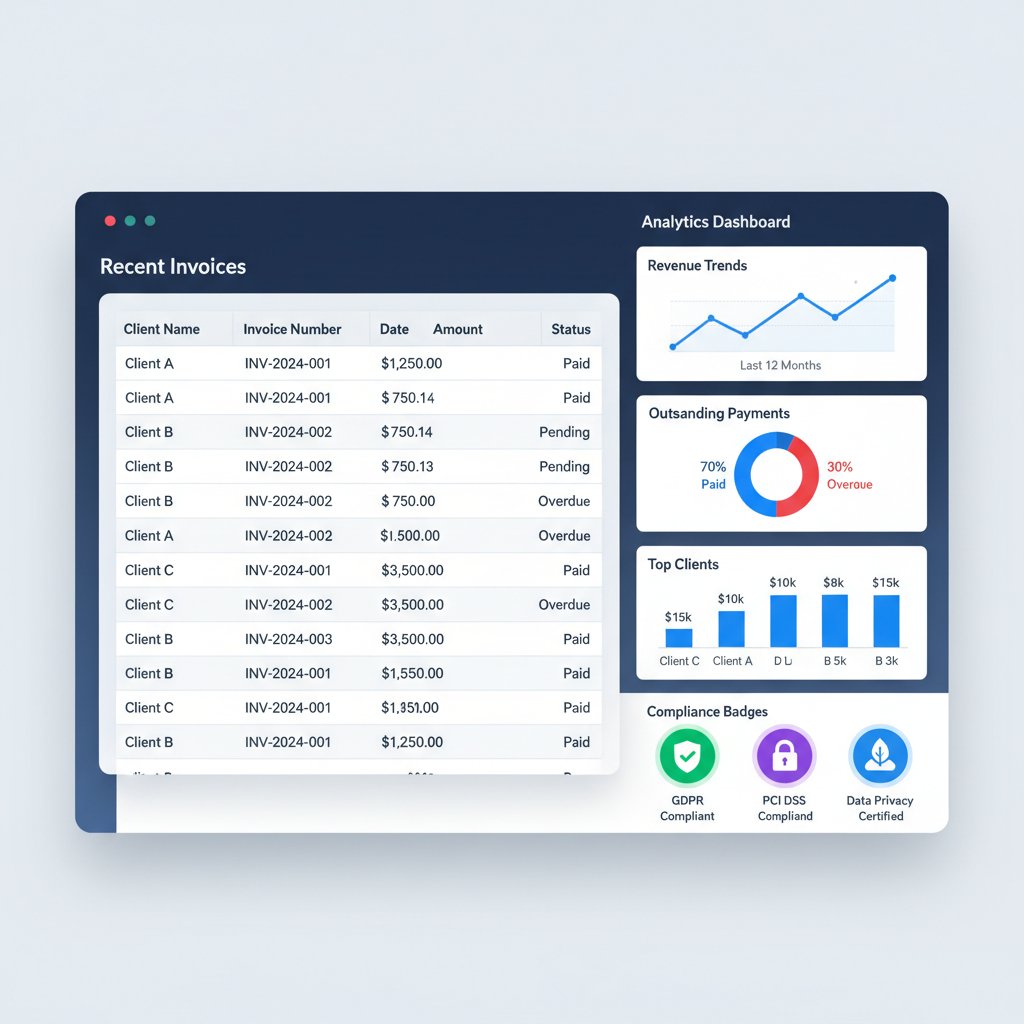
By removing friction and guesswork, AI is empowering businesses to generate client invoices that are faster, smarter, and built for the realities of modern commerce.
Preparing for the invoice revolution
If you want to stay ahead, start here:
- Audit your current invoicing process: Identify bottlenecks and error points.
- Adopt automation mindfully: Blend AI with personal touches where it matters.
- Invest in training: Teach your team to spot scams and master new tools.
- Regularly update templates: Keep up with compliance and branding shifts.
- Lean on analytics: Let data—not guesswork—drive your invoicing strategy.
Quick reference: resources and checklists
Essential tools and services for invoice generation
- filecreator.ai: Advanced AI-powered document and invoice generation.
- FreshBooks: Accounting and invoicing for freelancers and SMBs.
- QuickBooks Online: Integrated payments, invoicing, and reporting.
- Xero: Streamlined invoicing with robust analytics.
- Wave: Free invoicing for small business owners.
- Stripe Invoicing: Seamless online payment integration.
- Zoho Invoice: Customizable templates with automation.
- Invoice Ninja: Open-source, client-focused invoicing.
Client invoice checklist: never miss a beat
- Confirm contract and deliverables.
- Verify all client billing information.
- Itemize services/products with clear descriptions.
- State payment terms and due date.
- Include taxes, fees, and discounts.
- Provide payment instructions and options.
- Attach supporting documents (if needed).
- Double-check all details, including branding.
- Send invoice promptly after delivery.
- Schedule polite, automated reminders.
- Follow-up personally if payment is delayed.
Glossary: decoding invoice jargon
A unique identifier assigned to each invoice for tracking and auditing.
Payment terms indicating full payment is due 30 or 15 days from the invoice date.
The process of sending and managing invoices electronically using digital platforms.
A document sent by the client confirming payment details related to an invoice.
A formal document issued by a client authorizing a purchase and payment.
An invoice that is automatically generated at regular intervals for ongoing services.
Conclusion: reclaim your time—and your cash flow
Mastering how to generate client invoices isn’t just a back-office skill—it’s your underrated business superpower. The difference between fighting for every dollar and building a thriving, cash-rich operation often comes down to the details embedded in your invoices. As research from Skynova and InvoiceMaster shows, business owners who embrace automation, avoid common mistakes, and understand the psychology of payment see faster, more reliable cash flow.
"A well-crafted invoice is more than a payment request—it's an engine for trust, speed, and sustainable growth." — Skynova, 2024
Now is the time to audit your process, harness smart tools, and add the nuanced human touch that keeps you ahead of the pack. Don’t just send invoices—own your billing. Your business, your team, and your sanity will thank you.
Next steps: where to go from here
- Audit your current invoicing workflow for hidden delays or errors.
- Try out filecreator.ai or another top-tier invoice generator for streamlined billing.
- Update your invoice templates to include all essential elements and branding.
- Train your team on invoice security and compliance basics.
- Implement automated reminders and analytics to catch payment issues early.
- Dive deeper into industry best practices with verified guides and resources.
- Connect with your clients—ask for feedback to further refine your invoicing strategy.
Want to never chase a late payment again? Start mastering your invoices today.
Sources
References cited in this article
- Skynova Invoicing Statistics(skynova.com)
- InvoiceMaster Trends 2024(invoicemaster.org)
- ProBooks Digital Invoicing Trends(blog.probooks.com)
- Clockify Late Invoice Statistics(clockify.me)
- Forbes on E-Invoicing(forbes.com)
- doxo Hidden Costs 2024 (PDF)(doxo.com)
- Qvalia Infographic(qvalia.com)
- Basware Invoice Fraud(blog.basware.com)
- Certinia Survey(certinia.com)
- Versapay Report(versapay.com)
- Immensa Consulting Case(immensaconsulting.com)
- Amazing Invoice History(amazinginvoice.com)
- Invoicer.ai Evolution(invoicer.ai)
- Inc. Old-School Pricing(inc.com)
- Concur UK Blog(concur.co.uk)
- The Invoice Guide(theinvoiceguide.com)
- UniqInvoice Best Practices(uniqinvoice.com)
- Storecove E-Invoicing Trends(storecove.com)
- Unimedia Technology(unimedia.tech)
- TemplateLab Invoice Templates(templatelab.com)
- QuickBooks Consulting Invoice Templates(quickbooks.intuit.com)
- FutureBeeAI Blog(futurebeeai.com)
- IDC AI Study(blogs.microsoft.com)
- Nanonets Case Studies(nanonets.com)
- Guavas Finance Case Studies(guavas.co.uk)
- UST SmartOps(ust.com)
- FundingBay Success Stories(fundingbay.co.uk)
- Impact Brixton Guide(impactbrixton.com)
- Outvoice Horror Story(outvoice.com)
- WithMoxie Blog(withmoxie.com)
- Linbis 2024 Trends(linbis.com)
- Invensis Best Practices(invensis.net)
- HighRadius Best Practices(highradius.com)
- AvidXchange AP Best Practices(avidxchange.com)
- Research.com Invoicing Software 2025(research.com)
- MuralPay Expert Tips(muralpay.com)
- Invoicera Client Tools 2025(invoicera.com)
Perfect Documents, Instantly
Filecreator.ai transforms the way you produce professional documents. Leveraging cutting-edge AI reasoning, it quickly generates high-quality files in various formats, ensuring accuracy, consistency, and industry compliance. Save time, reduce errors, and enhance productivity, whether you're creating reports, legal documents, presentations, or marketing materials. Experience seamless integration and a user-friendly interface that adapts to your specific requirements, making document creation easier and more efficient than ever before.
Get startedStart Creating Professional Documents Today
Join thousands of professionals who trust AI-powered document generation
Frequently Asked Questions
What percentage of late payments are caused by incorrect invoices?
According to the article, 61% of late payments are caused by incorrect invoices, making invoice errors a major driver of cash flow problems for businesses.
What are the main reasons invoices go unpaid or paid late?
The article identifies four primary causes: incorrect invoice data (61% of late payments), manual processing (22%), poor invoice format (9%), and lack of automation (8%).
How much money can a business lose annually due to invoice mistakes?
According to the article's data on U.S. small and medium businesses, incorrect invoice data alone can result in $2,200 to $5,000 lost annually per $100,000 in revenue.
What percentage of U.S. invoices are paid late?
The article states that nearly 39% of all U.S. invoices are paid late, highlighting a widespread cash flow challenge across businesses.
What trend is shaping the invoicing industry in 2024?
According to the article, 26% of businesses are moving toward full invoice automation, and 71% rank automation as the top invoicing trend in 2024.
Continue Reading
Explore more from Professional Document Generator

Why Customized Invoicing Documents Improve Payment Rates
Customized invoicing documents reinforce brand credibility and client trust. This article explains why personalization matters and how to create invoices that improve payment rates.

How Customized Invoices Improve Payment Speed and Cash Flow
Generate customized invoices with AI to improve cash flow and reduce payment delays. This article explains how invoice design influences client perception and payment speed.

Professional Invoices: Why Design and Timing Matter for Payment
Professional invoices affect payment speed and client perception. This article explains common invoice mistakes, their financial impact, and the strategies that ensure faster payment.

Generate Invoicing Documents That Prevent Payment Delays
Generate invoicing documents correctly to avoid payment delays and fraud. This article explains nine common dangers in invoicing processes and strategies to prevent them.

Automated Invoicing Documents: Benefits, Risks, and Implementation
Automated invoicing documents streamline workflows for freelancers and manufacturers. This article examines the benefits, risks, and strategies for implementing automation while maintaining control.

Automatic Invoicing Document Generator: Rewards and Risks
An automatic invoicing document generator can reduce manual work by 70%, but also carries security and compliance risks.


