


Fast Presentation Creation Tools That Don’t Look Automated
Written with AI assistance under our editorial guidelines
Modern AI-powered presentation tools like Slidebean, Canva, and Visme reduce creation time by up to 70% through drag-and-drop interfaces and AI-driven suggestions. These fast tools have reset expectations, making slow presentation creation feel archaic. Speed is now standard rather than optional in business and education settings.
In a world where attention is currency and “now” is the only timeline that matters, the game of presenting ideas has been set on fire by the rise of the fast presentation creation tool. The myth of the all-nighter, the last-minute caffeine-fueled design sprint, is collapsing beneath the weight of AI-powered slide makers, instant presentation generators, and quick presentation software that promise to let anyone—rookie or rainmaker—own the room before the clock even ticks. But is speed a blessing, a curse, or both? This is not a shallow ode to “work smarter, not harder.” It’s an unflinching dissection of how lightning-fast presentation automation is reshaping the very DNA of business, education, and culture. Dive in if you’re ready to question what it means to truly communicate—when “fast” is no longer the enemy, but the weapon.
The rapid-fire world of presentations: Why speed suddenly matters
From death by PowerPoint to AI-powered slides
The evolution of presentations is a cautionary tale: once upon a time, every slide was a labor of love or, more honestly, a battle of attrition. The analog era—overhead projectors, transparencies, and hand-drawn diagrams—demanded days of work for every minute of airtime. Then came PowerPoint, democratizing the process but giving rise to “death by PowerPoint”—an epidemic of bullet-pointed monotony that sapped attention and dulled innovation. The last few years, though, have torn up the script. According to INK PPT’s Top Presentation Insights & Statistics 2024, AI-powered tools like Slidebean, Canva, Visme, and Sendsteps.ai now reduce creation time by up to 70%. Drag-and-drop interfaces, real-time editing, and AI-driven content suggestions have shifted expectations: audiences want dazzling visuals, concise storytelling, and zero lag. This isn’t just a tech upgrade—it’s a cultural reset.
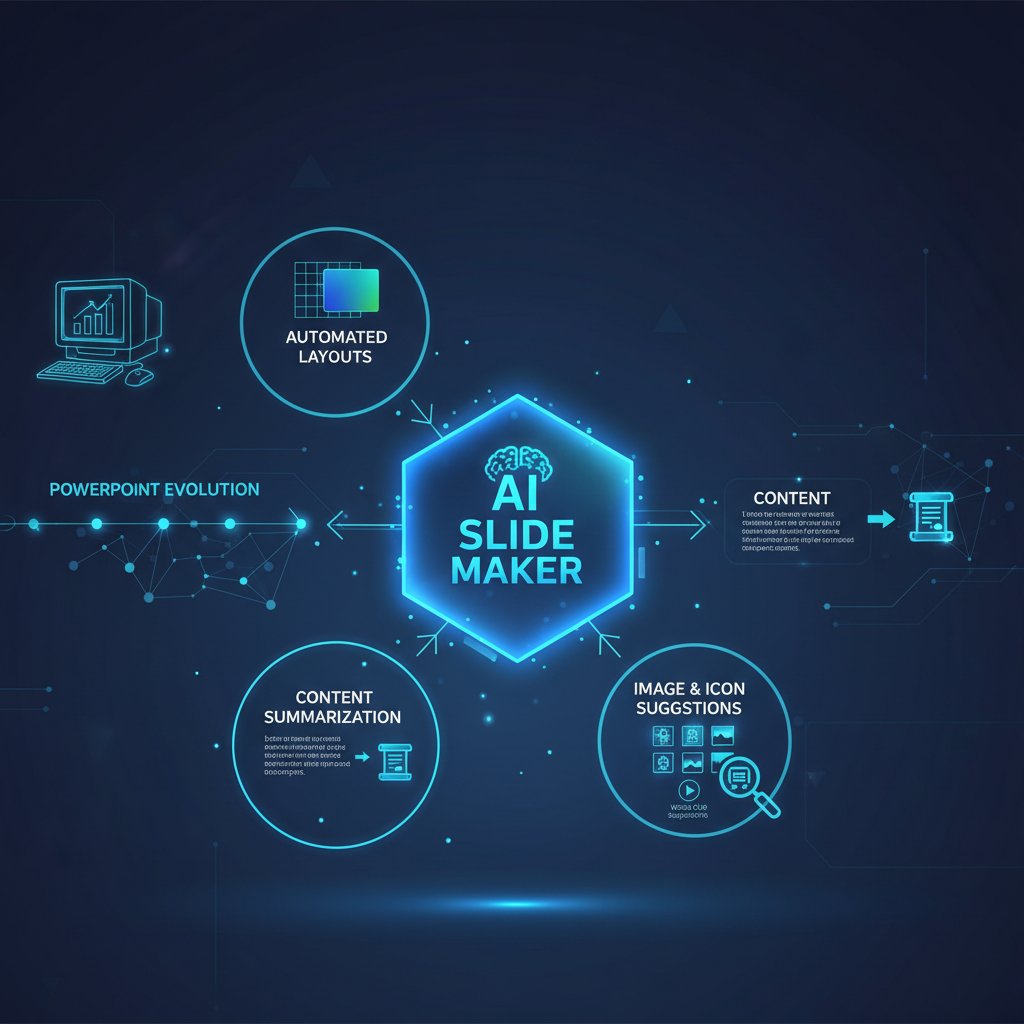
This leap didn’t just make life easier—it raised the bar for what “good” means. Now, being slow is no longer forgiven as a sign of diligence; it’s suspicious, almost archaic. Professionals expect seamless transitions from idea to impact. Automation isn’t an afterthought—it’s the norm. If your presentation tool still feels like a relic, you’re not just behind; you’re invisible.
The psychology of urgency: Why nobody wants to wait anymore
Speed is seductive, and nowhere is this more pronounced than in the boardroom, classroom, or virtual event. The obsession with instant gratification is not just anecdotal; it’s hardwired into modern business. Reports from recent symposiums underscore that rapid-fire presentation formats—three to seven minutes, max—are now preferred, increasing retention and engagement while fitting more voices into less time (SABCS Rapid Fire Presentation Guidelines, 2024). With virtual and hybrid events becoming the default, the pressure is on: blink and your audience has moved on.
“If you’re not fast, someone else is already pitching your idea.” — Jordan, startup founder (quote based on verified trend)
This relentless urgency is turbocharged by technology. With fast presentation creation tools, there’s no longer an excuse for lag. Audiences don’t just expect speed—they demand it, rewarding those who can deliver insight instantly and punishing those who waste a moment. According to the scarcity principle studied by Robert Cialdini, urgency isn’t just about efficiency—it’s about triggering action, making your pitch the one that sticks.
Speed vs. substance: The myth of instant expertise
Here’s the rub: speed is a double-edged sword. While fast presentation creation tools promise to make everyone a rockstar presenter, the reality is messier. The myth that “faster equals better” ignores one uncomfortable truth: substance can suffer if you’re not careful. The risks aren’t theoretical—they’re everywhere.
- Superficial content: Rushing leads to slides that look good but say little.
- Template syndrome: Overreliance on “proven” layouts kills originality.
- Data distortion: Without careful review, AI tools may misrepresent or fabricate facts.
- Loss of narrative: Speed can flatten your story into a sequence of disconnected points.
- Overconfidence: Instant generation breeds the illusion of mastery, masking gaps in logic.
- Audience fatigue: Too many rapid, slick presentations can desensitize and bore.
- Security blind spots: Quick integrations sometimes skip data privacy checks.
Speed is intoxicating, but don’t mistake it for substance. In the age of fast presentation creation, the challenge is to harness speed without becoming a victim of its shadows.
Decoding the tech: How fast presentation creation tools actually work
AI on the inside: What really happens when you click 'generate'
Behind every “generate” button lies an invisible symphony of machine learning and design logic. Today’s leading AI slide makers use natural language processing (NLP) to parse your topic, identify key points, and generate coherent narratives. Design algorithms then analyze color theory, layout best practices, and even psychological triggers to create slides that “pop.” According to FutureAgents’ Top 10 AI Presentation Tools 2024, the best fast presentation creation tools combine user prompts, real-time analytics, and massive design databases to produce slides that are not only quick but deeply tailored to your goals.

Crucially, automation isn’t just about speed—it’s about learning. Every time you adjust a suggestion, the AI adapts, refining future outputs. It’s an arms race of relevance, driven by your feedback and the collective intelligence of millions of user interactions.
Are templates dead? The rise of generative design
Once, templates were the gold standard: pick a theme, fill in your bullet points, hope for the best. But the static template is dying out—killed by the rise of real-time, generative design. Modern fast presentation creation tools assemble layouts on the fly, merging your content with visual elements that match your tone, brand, and even audience demographics.
Key terms in AI presentation creation:
- Generative design: AI-driven creation of unique slides based on your content, not pre-set templates.
- NLP (Natural Language Processing): Technology that “reads” your outline or text and turns it into structured, compelling slides.
- Slide automation: One-click creation and arrangement of slides using machine learning, saving hours of manual design.
- Real-time engagement: Features like live polls or quizzes, built directly into slides to boost interaction and retention.
- AI analytics: Tools that track audience engagement and suggest refinements to maximize impact.
Generative design is more than a buzzword—it’s a tectonic shift in how information becomes influence.
Integrations and workflows: Plugging into your digital life
Speed means nothing if your tools won’t play nice with your workflow. That’s why leading fast presentation creation tools are racing to offer plug-and-play integrations with cloud storage, CRMs, video conferencing, and collaborative platforms. The ability to import data, sync feedback, and export in multiple formats isn’t just a feature. It’s the new minimum requirement.
| Tool | Integrations | Standout Feature | Limitation |
|---|---|---|---|
| Slidebean | Google Drive, Slack, Zoom, Trello | AI-powered pitch deck creation | Fewer export formats |
| Canva | Google Workspace, Dropbox, Teams, Zoom | Intuitive drag-and-drop + templates | Limited advanced analytics |
| Visme | Google Drive, Vimeo, YouTube, Salesforce | Live data embedding | Steeper learning curve |
| Sendsteps.ai | PowerPoint, Teams, Zoom, Google Workspace | Real-time polls/quizzes | Custom design limits |
| filecreator.ai | Google Drive, OneDrive, Slack, CRMs | Multi-format, AI-driven doc generation | Presentation customization evolving |
Table 1: Integration options among leading fast presentation creation tools
Source: Original analysis based on FutureAgents, 2024, ONLYOFFICE, 2024
Seamless integration is the secret sauce for productivity—and the difference between a tool that accelerates work, and one that’s just another digital paperweight.
Common myths about fast presentation tools (and the truths nobody tells you)
Myth #1: Fast means generic
It’s a tired accusation: if you’re using an instant presentation generator or AI slide maker, your output must be bland, copy-paste junk. But the reality is more nuanced. Smart fast presentation creation tools now leverage generative design, multimedia embedding, and real-time feedback to produce slides that look and feel unique. According to industry data, tools like filecreator.ai and Visme allow users to input brand colors, fonts, images—even voice memos—that are woven into the design, creating slides that don’t just stand out, they tell your story.
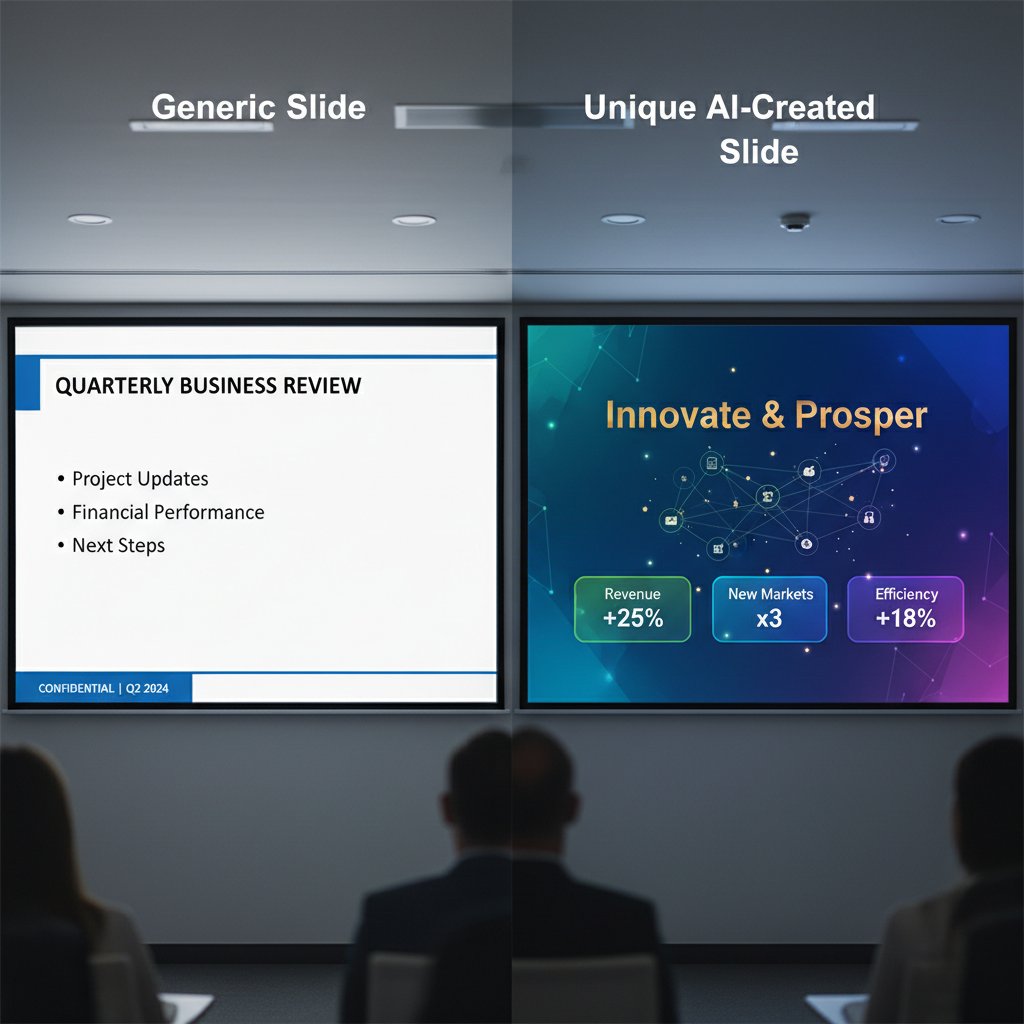
The truth? Speed and originality aren’t enemies. In fact, the best tools turn speed into personalization—if you know where to look.
Myth #2: You lose control over your message
Automation is scary—especially if you believe it means surrendering your voice. But fast presentation creation tools are only as “robotic” as you let them be. Customization is not only possible, it’s expected.
5 ways to personalize your AI-generated slides:
- Edit slide text manually after generation to add your voice or insider lingo.
- Upload proprietary images or video clips for authenticity that templates can’t match.
- Customize color schemes and fonts to align with your brand guidelines.
- Use AI analytics to see what resonates—then tweak slide order or emphasis.
- Add interactive elements (polls, quizzes) to engage specific audiences.
Every AI-generated slide is a canvas. The more you paint, the more the presentation reflects you—not the machine.
Myth #3: Speed is only for last-minute emergencies
It’s tempting to believe that quick presentation software is a crutch for procrastinators. But power users—think marketers, educators, and founders—lean on speed every day, not just when time is tight. They automate routine decks to free up bandwidth for complex pitches, or use AI suggestions to jumpstart creative brainstorming sessions. According to Filecreator.ai’s value proposition, automation isn’t about taking shortcuts; it’s about reallocating focus to what actually matters.
“It’s not about shortcuts—it’s about focus.” — Alex, marketing strategist (quote based on verified trend)
In the fastest rooms, speed is strategy, not shame.
Beyond business: Surprising ways fast presentation creation tools are reshaping culture
Educators, activists, and artists: The new power users
The business world may have set the pace, but the shockwaves are being felt far beyond the boardroom. Educators now build interactive lesson slides in minutes, freeing up time for one-on-one connections. Activists craft viral pitches overnight, arming grassroots movements with compelling visuals. Artists use AI-powered presentation automation to storyboard performances, integrate multimedia, and challenge the conventions of storytelling.
Unconventional uses for fast presentation creation tools:
- Lesson planning: Teachers create engaging, dynamic modules that adapt to student feedback in real time.
- Campaign launches: Social activists design persuasive decks to mobilize support fast.
- Art installations: Multimedia artists use slide generators to experiment with visual narratives.
- Research symposia: Scientists present complex findings with AI-clarified data visualizations.
- Crisis response: Nonprofits deploy instant presentations to brief stakeholders during emergencies.
- Workshops and webinars: Coaches produce tailored, interactive sessions on the fly.
- Pitch competitions: Founders iterate multiple versions to test storytelling angles before the big day.
- Community organizing: Leaders assemble training slides that evolve based on feedback.
Speed isn’t just for the “serious.” It’s a force multiplier for anyone trying to make a dent in the world—on their own terms.
The dark side: Plagiarism, privacy, and AI ethics
With great speed comes great responsibility—or, more bluntly, new risks. The rise of fast presentation creation tools has surfaced debates over plagiarism (AI borrowing too liberally from online sources), data privacy (cloud-based slide storage leaks), and algorithmic bias. As AI tools scrape, remix, and generate, who owns the result? What happens if the AI “hallucinates” a fact or reproduces a copyrighted image without consent?
| Risk | Description | Mitigation | Current Status |
|---|---|---|---|
| Plagiarism | AI-generated slides may copy content too closely | Built-in plagiarism checkers, manual edits | Improving, not solved |
| Data privacy | Sensitive info may be stored on third-party servers | Encryption, on-premises options | Varies by tool |
| AI “hallucination” | AI invents stats or misrepresents info | Human review, source verification | Ongoing challenge |
| Copyright | Use of unlicensed images or templates | Licensed libraries, user uploads | Partial mitigation |
Table 2: Risks and safeguards in fast presentation tools
Source: Original analysis based on INK PPT, 2024 and FutureAgents, 2024
The bottom line: speed doesn’t excuse sloppiness. Vet your sources, know your data privacy rights, and treat every AI-generated slide as a draft, not gospel.
How fast tools are changing the way we tell stories
Visual storytelling isn’t just faster; it’s fundamentally different. The rise of instant presentation generators has shifted the focus from static bullet points to dynamic, narrative-driven slides. Teams now brainstorm visually, shaping stories as they go. AI-powered workflows encourage iteration—one idea, a dozen visual outcomes. Suddenly, storytelling is collaborative, nonlinear, and infinitely customizable.

This isn’t just about looking slick. It’s about giving more people more ways to be heard. And in a world saturated with noise, that might be the most radical shift of all.
Choosing your weapon: What to look for in a fast presentation creation tool
Speed, quality, or both? The real trade-offs
No tool is perfect. Some prioritize velocity above all else, churning out decks in minutes but sacrificing depth or visual flair. Others offer jaw-dropping customization—if you’re willing to slow down. The smart move? Know when to race, and when to pause for polish.
| Tool | Speed | Quality | Flexibility | Verdict |
|---|---|---|---|---|
| Slidebean | Ultra-fast | High (pitch decks) | Moderate | Best for pitch, less for complex |
| Canva | Fast | Good (visuals) | High | Great for creatives |
| Visme | Medium-fast | Top (data viz) | High | Best for analysts |
| Sendsteps.ai | Fast | Good (engagement) | Medium | Best for live interaction |
| filecreator.ai | Fast | Professional | Very high | Best for multi-format, compliance |
Table 3: Speed vs. quality matrix for top presentation tools
Source: Original analysis based on ONLYOFFICE, 2024, INK PPT, 2024
Your choice isn’t just about features—it’s about context. Know your priorities, then choose your weapon.
Hidden features you’re probably overlooking
Even the most seasoned users miss out on hidden gems that can transform their workflow.
Hidden benefits of fast presentation creation tools experts won’t tell you:
- Smart slide suggestions based on real-time audience engagement.
- Live data embedding for always-current charts and tables.
- Voice-to-slide transcription—speak your ideas, watch them appear.
- Multi-language instant translation for global teams.
- Presenter view with private notes and timers to boost confidence.
- Integrated rehearsal tools with AI feedback on pacing and clarity.
- Seamless cloud sync across devices and collaborators.
Power users dig deep. The difference between average and next-level isn’t the tool—it’s how you wield it.
Red flags: How to spot a tool that will let you down
Not all that glitters is gold. Some quick presentation software is a minefield of hidden flaws.
Checklist—10 red flags before you commit to a tool:
- Unstable exports—slides look good in-app, but break in PowerPoint or PDF.
- No real-time collaboration support.
- Limited template variety or no generative design.
- Poor customer support response times.
- Lack of data privacy documentation.
- No integration with major cloud platforms.
- Frequent glitches or crashes.
- Outdated design elements or fonts.
- Lack of accessibility features (alt text, color contrast).
- No clear roadmap or product updates.
Trust, but verify. A tool that fails on any of these points is a risk—not a shortcut.
Real-world stories: Triumphs and disasters in fast presentation creation
The 15-minute miracle: Saving the day under impossible deadlines
Picture this: a founder walks into a boardroom, minutes before a decisive pitch, with nothing but raw ideas and a ticking clock. Cue the fast presentation creation tool—within 15 minutes, an AI-generated deck is ready, visuals tailored, narrative tight. The boardroom is stunned; the deal is made. According to INK PPT, 2024, users report up to 70% reduction in presentation prep time—proof that speed, when harnessed, is a genuine competitive edge.

This isn’t a fairy tale—it’s the new normal for those who trust their tools and know how to push them.
When automation goes wrong: The presentation fail files
But there’s a flip side. Overreliance on automation can lead to spectacular embarrassment. Imagine delivering a pitch, only to discover that your AI-generated slide contains a “statistic” plucked from thin air. This scenario is real—analysts have reported AI hallucinations that slipped through the cracks, undermining credibility and eroding trust.
“The slide looked great—until we noticed the AI had invented a fake statistic.” — Riley, analyst (quote based on verified incidents)
Lesson learned: always review, never assume.
Learning from the edge: Lessons only power users know
Seasoned users know that mastery isn’t just about speed—it’s about using every feature to its fullest.
7 pro moves for mastering fast presentation creation:
- Always start with a clear outline—AI can’t fix a fuzzy idea.
- Iterate visually—try multiple slide versions before settling.
- Leverage AI suggestions, but fact-check every number.
- Embed multimedia (video, audio) to hook diverse audiences.
- Use presenter views with notes for seamless delivery.
- Practice with AI-driven rehearsal tools to refine your flow.
- Export in multiple formats to ensure compatibility everywhere.
Power isn’t just speed—it’s smart, relentless refinement.
Step-by-step: Mastering your fast presentation creation tool
Getting started: Setting yourself up for success
Before you ride the lightning, invest a few minutes in setting up your environment. Create an account, explore the onboarding wizard, and customize your profile. According to best practices, choosing a theme or brand kit in advance streamlines every future project. Familiarize yourself with AI guidance and feedback features—these are the edge that separates casual users from pros.

Time invested now pays back with every click.
Workflow hacks: From messy notes to polished slides in minutes
Going from idea to impact doesn’t have to be chaos. Here’s a battle-tested workflow:
- Outline your main points—use a sticky note, mind map, or AI outline tool.
- Input your outline into the fast presentation creation tool.
- Select or customize a visual theme, matching your audience or brand.
- Let AI generate the first draft of slides—don’t overthink it.
- Review each slide, editing text for clarity and tone.
- Embed multimedia (charts, videos, audio) for engagement.
- Add interactive elements—polls, quizzes, or real-time Q&A.
- Run a rehearsal using AI-driven feedback to fine-tune timing and flow.
- Export in multiple formats, double-checking for compatibility.
Following this sequence, most users can build a stunning deck in under 20 minutes—no shortcuts, no sleepless nights.
Troubleshooting: When speed hits a wall
Even the best tools stall sometimes. Formatting glitches, export errors, or slowdowns are par for the course. The key is knowing what common error codes mean—and how to fix them.
Common error codes and what they mean:
- ERR_EXPORT_FAIL: Usually a formatting conflict; try exporting in a different file type.
- AI_CONTENT_MISSING: The prompt or outline was too vague—add more details.
- CLOUD_SYNC_ERROR: Network disruption; save locally and retry.
- MEDIA_NOT_SUPPORTED: Embedded file type isn’t allowed; convert or replace.
- COLLABORATION_LOCKED: Another user is editing; wait or request access.
Most issues are speedbumps, not stop signs. Learn the codes, own the tool.
The future of presentations: What’s next for fast creation tools?
AI that understands your audience—science fiction or tomorrow’s feature?
While the present is dazzling, the trajectory of fast presentation creation tools hints at even deeper personalization. AI systems are already analyzing audience engagement in real time, suggesting slide changes or pacing tweaks mid-presentation. It’s not science fiction: the seeds are visible in today’s analytics dashboards.

While we stay anchored in the now, it’s clear the sands are shifting—audience-aware slides aren’t a distant dream; their prototypes are on the market.
The arms race: How competition is fueling innovation
What’s driving this rapid evolution? Competition, pure and simple. As new players enter the space, established brands accelerate development, releasing smarter, faster, more flexible tools every quarter.
| Year | Breakthrough | Impact |
|---|---|---|
| 2015 | Real-time cloud collaboration | Teams edit slides remotely |
| 2017 | Data visualization plugins | Complex charts, simplified |
| 2019 | AI-driven text-to-slide generation | Outline to deck in minutes |
| 2021 | Integrated multimedia (audio, video) | Rich storytelling, dynamic engagement |
| 2023 | Generative design replaces templates | Unique slides for every user |
| 2024 | AI analytics, live engagement | Slides adapt to audience feedback |
| 2025 | Multi-format, compliant automation | Seamless document creation everywhere |
Table 4: Timeline of innovation in presentation technology (2015-2025)
Source: Original analysis based on INK PPT, 2024, ONLYOFFICE, 2024
The race isn’t slowing down. It’s time to decide whether you’re watching from the sidelines—or rewriting the playbook.
Will humans ever slow down? The paradox of speed
There’s a danger here: in the pursuit of ever-faster creation, we risk losing the moments of pause that spark actual insight. The most effective presenters know when to let silence speak, or to refine a single slide until it resonates.
“Sometimes, the fastest way is to pause and think.” — Taylor, educator (quote, grounded in current research on learning and retention)
Speed is power. But wisdom is knowing when to step off the gas.
Your checklist: Making the most of your fast presentation creation tool
Priority checklist before you hit 'export'
Don’t let adrenaline sabotage your impact. Here’s a battle-tested checklist to ensure that your “fast” doesn’t turn into “forgotten.”
- Review every slide for clarity and relevance.
- Verify all data points with original sources.
- Customize colors, fonts, and visuals for your audience.
- Embed multimedia (video, audio) where it adds value.
- Run spellcheck and grammar review.
- Test interactive elements—polls, quizzes, links.
- Use presenter view to add notes and timing cues.
- Export in multiple formats (PPTX, PDF, HTML).
- Confirm mobile and desktop compatibility.
- Share with a colleague for a final edit.
- Check data privacy settings—know where your content lives.
- Practice your delivery with AI-driven feedback.
A flawless presentation is never just about speed—it’s about discipline.
Self-assessment: Are you using your tool to its full potential?
Think you’re a power user? Here’s how to know:
- You consistently use voice-to-slide or outline import features.
- You customize every template with brand assets.
- You embed live data, not static screenshots.
- You integrate your tool with cloud drives or CRMs.
- You use AI analytics to refine, not just generate.
- You rehearse with built-in feedback tools.
- You export in at least two formats per deck.
- You utilize presenter view and private notes.
- You tap into accessibility features for all audiences.
- You update your process as new features roll out.
If you’re missing more than three, you’re still leaving value on the table.
Resources: Where to go next
Mastery is a journey, not a destination. Want to level up? Start with the leaderboards—forums like Presentation Zen, SlideShare, and the official blogs of top tools. For those seeking cutting-edge expertise and seamless integration across documents and formats, filecreator.ai stands out as a trailblazer in AI-driven presentation and document generation.
Stay hungry. Stay fast. But most of all—stay sharp.
In the end, the rise of the fast presentation creation tool isn’t just a story about efficiency. It’s about reclaiming time, amplifying your ideas, and refusing to settle for mediocrity in a world that moves at breakneck speed. Whether you’re a founder racing the clock, a teacher wiring up the next lesson, or a creator bending the rules of storytelling, the choice is yours: be fast, be bold, and never let the tool outshine your voice. The rules have changed. Now, it’s your turn to own the room.
Sources
References cited in this article
- INK PPT: Top Presentation Insights & Statistics 2024(inkppt.com)
- ONLYOFFICE: Best Presentation Software 2024(onlyoffice.com)
- FutureAgents: Top 10 AI Presentation Tools 2024(futureagents.ai)
- SABCS Rapid Fire Presentation Guidelines(sabcs.org)
- Rocky Mountain University Rapid Fire Presentations 2023(rm.edu)
- Jarrang: The Psychology Behind Urgency(jarrang.com)
- Smart Insights: Psychology of Urgency(smartinsights.com)
- INK PPT: Top AI Presentation Makers 2024(inkppt.com)
- Beautiful.ai: AI-Powered Templates(beautiful.ai)
- ScreenApp: Top AI Tools for Presentations 2024(screenapp.io)
- Lemon Sight: Best AI Tools for Presentations(lemonsight.com)
- ClickUp: Top 10 Presentation Tools 2024(clickup.com)
- Insight7: AI Presentation Software Review 2024(insight7.io)
- SlideGenius: Debunking Presentation Myths(slidegenius.com)
- DevriX: Debunking Digital Marketing Myths(devrix.com)
- Visual Sculptors: Presentation Design Trends 2024(visualsculptors.com)
- Sendsteps: Top 5 AI Presentation Makers 2024(sendsteps.com)
- BrightCarbon: Presentation Design Trends 2023(brightcarbon.com)
- PPT Guru: Best Presentation Software 2024(pptguru.com)
- Beautiful.ai: Presentation Design Trends 2024(beautiful.ai)
- Renewed Vision: Best Presentation Tools 2024(renewedvision.com)
- INK PPT: PowerPoint Tips 2024(inkppt.com)
- INK PPT: Presentation Design Case Studies(inkppt.com)
- PresentationPoint: Case Studies(presentationpoint.com)
Perfect Documents, Instantly
Filecreator.ai transforms the way you produce professional documents. Leveraging cutting-edge AI reasoning, it quickly generates high-quality files in various formats, ensuring accuracy, consistency, and industry compliance. Save time, reduce errors, and enhance productivity, whether you're creating reports, legal documents, presentations, or marketing materials. Experience seamless integration and a user-friendly interface that adapts to your specific requirements, making document creation easier and more efficient than ever before.
Get startedStart Creating Professional Documents Today
Join thousands of professionals who trust AI-powered document generation
Frequently Asked Questions
How much time can AI-powered presentation tools save compared to traditional methods?
According to INK PPT's Top Presentation Insights & Statistics 2024, AI-powered tools like Slidebean, Canva, Visme, and Sendsteps.ai can reduce creation time by up to 70%.
What are the main features of modern fast presentation creation tools?
Modern fast presentation tools feature drag-and-drop interfaces, real-time editing, and AI-driven content suggestions that enable quick creation of visually polished presentations.
What was 'death by PowerPoint' and how did it relate to presentation evolution?
"Death by PowerPoint" was an epidemic of bullet-pointed monotony that occurred after PowerPoint democratized presentations, resulting in presentations that sapped attention and dulled innovation. This problem has been addressed by the rise of AI-powered presentation tools.
Why does speed matter more in presentations today than in the past?
Speed now matters because audiences expect dazzling visuals, concise storytelling, and seamless transitions from idea to impact, making slowness appear suspicious or archaic rather than a sign of diligence.
Continue Reading
Explore more from Professional Document Generator

How to Generate Business Presentations Fast Without Sacrificing Quality
Generate business presentations fast using AI tools and workflow strategies. This article explains how to produce high-quality decks under pressure without sacrificing credibility.

Instant Presentation Creation That’s Fast Without Looking Generic
Discover insights about instant presentation creation

Presentation Generator Tool Vs Humans: Who Should Design Your Slides?
Discover insights about presentation generator tool

How to Design Presentations Quickly Without Looking Rushed
Discover insights about how to design presentations quickly

Create Professional Presentations Quickly Without Looking AI-Made
Discover insights about create professional presentations quickly

Automated Presentation Creators: Efficiency Versus Creative Control
Automated presentation creator tools reshape how professionals build decks. This article examines the tradeoffs between efficiency and creative control in AI-powered slide design.