


Engaging Presentation Creation Tool That Ends Boring Slides
Written with AI assistance under our editorial guidelines
Modern presentation tools have evolved beyond static slides and animations, now leveraging AI breakthroughs and interactive design to create genuinely engaging content. The shift in 2025 emphasizes substance, interaction, and data-driven design over superficial effects, moving away from the "death by PowerPoint" epidemic that has plagued traditional presentations with dense text and audience disengagement.
Each year, millions of professionals, educators, and entrepreneurs step up to the digital lectern hoping to inspire, persuade, or simply keep their audiences awake. Yet, despite the countless hours poured into crafting slides, most presentations remain a graveyard of attention spans—a parade of bullet points marching straight to disengagement. If you believe your presentation tool is “good enough,” you're already behind. The landscape of engaging presentation creation tools is being rewritten, not by corporate giants, but by bold new tech, AI breakthroughs, and an uncompromising demand for genuine audience connection. In 2025, the rules have changed: substance trumps sparkle, interaction beats inertia, and data-driven design is no longer optional. This isn't about adding another animation—it's about revolutionizing the very DNA of how we communicate ideas. Prepare to meet the 11 game-changing truths that will challenge everything you think you know about making slides that matter. Read on or risk staying invisible.
Why most presentations are still painfully boring
The death by PowerPoint epidemic
We’ve all seen it: a flicker of hope in a presenter’s eyes as they launch into Slide Two, only to watch their audience’s gazes glaze over under fluorescent office lights. The so-called “death by PowerPoint” is more than a meme—it’s an epidemic. Relying on generic templates and information overload, most slideshows numb rather than enlighten, according to recent studies by iSpring Solutions, 2025. These static pages, packed with dense text, fail to leverage the interactive and visual potential of modern tools, leaving audiences passively absorbing (or ignoring) a deluge of content.

The emotional impact on both presenters and listeners is palpable. For the presenter, each slide feels like shouting into the void, watching as attention drifts to phones and daydreams. For the audience, the experience is quietly excruciating—a test of patience rather than a moment of engagement.
“People tune out after the first five slides—every time.” — Lisa, educator
These aren’t isolated experiences; they are symptoms of a deeper malaise in how we approach digital presentations.
Misconceptions about engagement
Much of the blame lies in persistent myths about what makes presentations “engaging.” Flashy animations, sound effects, or the latest template trend are often mistaken for true audience connection. The real problem isn’t lack of features; it’s misunderstanding what features matter. Here are five red flags to watch out for when choosing a presentation tool:
- Overemphasis on animations: Tools that focus more on transitions and effects than on storytelling or interactivity often distract rather than engage.
- Limited data integration: Platforms that can’t seamlessly incorporate real-time data, charts, or videos leave your message static and unconvincing.
- Complexity over clarity: When a tool requires hours to master, users default to templates, resulting in sameness and fatigue.
- One-way communication: Tools that don’t allow for polls, quizzes, or real-time audience feedback reinforce passive consumption.
- Lack of mobile/cloud support: In a world of remote and hybrid meetings, tools not optimized for all devices instantly alienate a portion of your audience.
Avoiding these pitfalls is the first step to moving beyond presentation purgatory.
The real cost of bad slides
The consequences of uninspired presentations are more than aesthetic—they’re calculable. Lost sales, missed educational opportunities, wasted meeting hours, and even reputational damage can all trace roots to lackluster slides. Research from Vevox, 2025 demonstrates that switching to engaging presentation creation tools can dramatically improve retention and outcomes.
| Tool | Avg. Retention % | Notable Features |
|---|---|---|
| Legacy PowerPoint | 40% | Basic templates, static slides |
| Prezi | 61% | Zoomable canvas, non-linear navigation |
| filecreator.ai | 65% | AI-powered design, interactivity, real-time editing |
| Mentimeter | 68% | Live polls, quizzes, instant audience feedback |
| Canva | 60% | Visual assets, easy drag-and-drop, data integration |
Table 1: Audience retention rates before and after switching to engaging tools.
Source: Original analysis based on Vevox, 2025, iSpring Solutions, 2025.
The bottom line? Sticking with outdated slides isn’t just lazy—it’s costly.
The science of engagement: What actually works
How the brain reacts to presentations
What does neuroscience tell us about keeping an audience’s attention? According to research from Harvard University, 2024, the brain is wired to filter out repetitive, low-value information. Overloading slides with text increases “cognitive load,” making it harder for audiences to process and remember key points.
Key terms:
The total amount of mental effort being used in working memory. Overloaded slides add to cognitive burden, leading to information loss.
The arrangement of elements to guide the viewer’s eye and highlight important content. Effective presentations use size, color, and contrast to direct attention.
Presentation designs that allow audiences to explore sections based on interest, rather than following a fixed, linear order.
By respecting these cognitive limits and designing slides that guide attention, presenters can dramatically increase knowledge retention and audience satisfaction.
Beyond visuals: Storytelling and narrative
While visuals are crucial, story structure is the glue that makes content stick. Audiences don’t remember bullet points—they remember journeys, conflict, and resolution. As the Stanford Graduate School of Business notes, stories activate far more brain regions than isolated facts, making them easier to recall and more likely to inspire action.
Step-by-step guide to building a compelling narrative with your slides:
- Start with a hook: Open with a surprising fact, provocative question, or anecdote to grab attention.
- Define the problem: Clearly articulate the challenge or opportunity your presentation addresses.
- Build tension: Use data and visuals to show what’s at stake if nothing changes.
- Offer a solution: Present your strategy, product, or insight as the answer.
- Show impact: Share real-world results, testimonials, or case studies.
- End with a call to action: Direct your audience toward a specific next step.
Applying this structure turns even dense information into a narrative arc your audience will remember.
Interactivity vs. passivity: What the data shows
The era of one-way content delivery is over. New research by Ruby & Citrine, 2025 reveals that interactive elements—live polls, quizzes, clickable paths—not only boost engagement but increase message retention by up to 30%.
| Tool | Interactivity | Ease of Use | Audience Feedback |
|---|---|---|---|
| filecreator.ai | 5/5 | 5/5 | 4.8/5 |
| Mentimeter | 5/5 | 4/5 | 4.7/5 |
| Prezi | 4/5 | 3/5 | 4.2/5 |
| PowerPoint | 2/5 | 4/5 | 3.5/5 |
| Canva | 3/5 | 5/5 | 4.1/5 |
Table 2: Feature matrix of top tools for interactivity, usability, and user feedback.
Source: Original analysis based on Ruby & Citrine, 2025, Vevox, 2025.
Interactive features transform presentations from static performances into participatory experiences.
2025’s most disruptive presentation creation tools
AI-powered tools rewriting the rules
The arrival of generative AI has detonated the old playbook of slide design. Platforms like filecreator.ai now automate formatting, layout, and even content flow, turning a few bullet points or an outline into a full-blown, visually dynamic slide deck in minutes. According to Venngage, 2025, AI-driven engines can analyze your content in real time, suggesting the best templates, color palettes, and even data visualizations based on the story you want to tell.
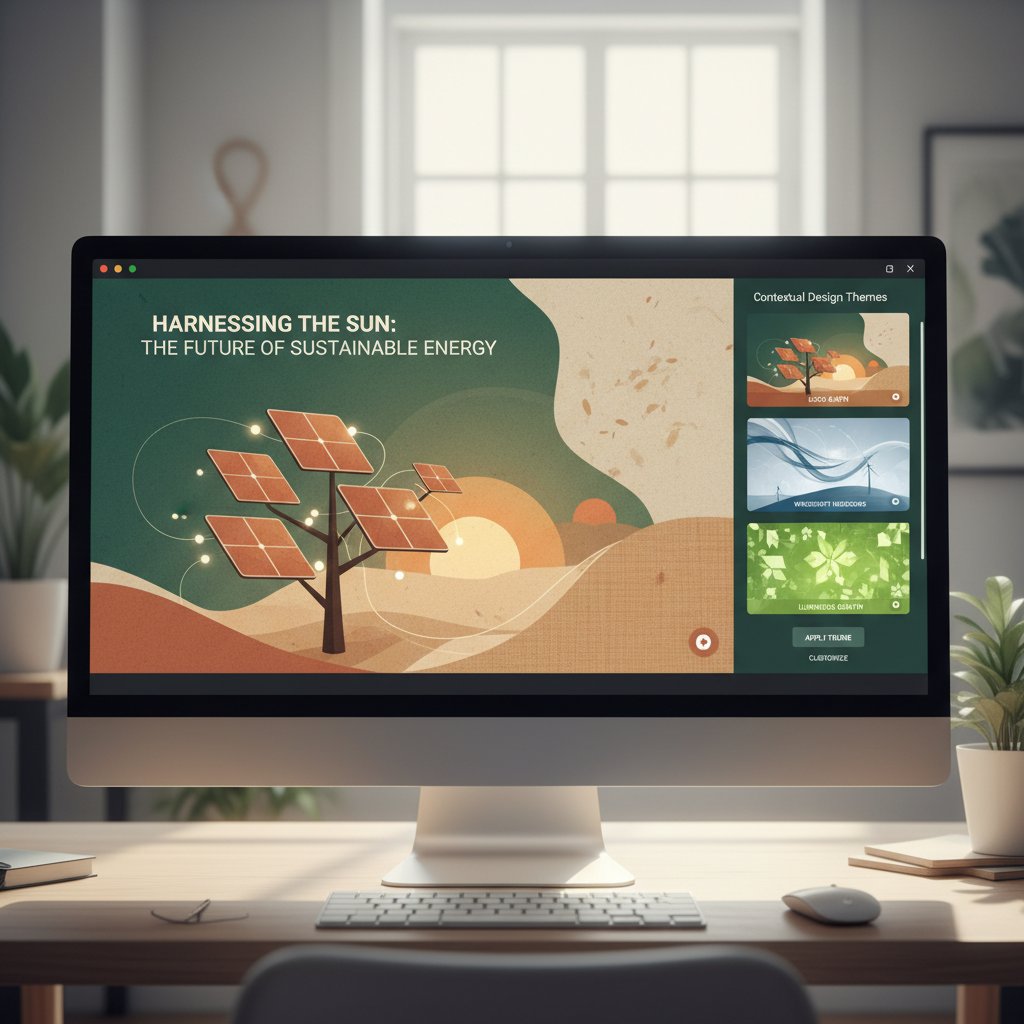
These tools don't just save time—they level the playing field for non-designers, making professional-looking presentations accessible to anyone with a message worth sharing. AI-driven design also adapts on the fly, learning from feedback and audience engagement analytics to refine future slides.
Surprising new players you’ve never heard of
The disruption doesn’t stop with the big names. A wave of startups and open-source projects are quietly redefining what presentation software can do. Tools like Tome, Beautiful.ai, and Pitch are breaking barriers with intuitive interfaces, real-time collaboration, and seamless integrations with platforms like filecreator.ai and Canva Sheets. As Mark, a startup founder, puts it:
“The best tool isn’t always the biggest name.” — Mark, startup founder
These challengers focus on solving real problems—speed, flexibility, mobile access—not just adding features for the sake of flash.
How legacy tools are fighting back
Feeling the pressure, traditional platforms like PowerPoint and Keynote have rushed to add their own AI-powered features, interactive plugins, and cloud-based collaboration. User reactions are mixed. While some welcome the upgrades, others remain skeptical, citing clunky interfaces and half-hearted innovation. According to data from Medium, 2025, the inertia of legacy systems often stifles creativity, leading power users to seek more agile alternatives.
Real-world stories: Presentations that changed everything
The pitch that launched a billion-dollar startup
In the high-stakes world of tech, a single presentation can make or break a company. Take the 2021 pitch by a little-known fintech startup that stunned investors—not with a flashy logo, but with an interactive, AI-crafted slide deck that made complex data relatable and visceral. According to CB Insights, 2022, the founder used a tool that enabled seamless storytelling, real-time audience polling, and live financial modeling. The result? A billion-dollar valuation and a case study in how the right tool fuels persuasive storytelling.

Grassroots activism and the power of slides
It’s not just boardrooms that benefit. Grassroots movements have harnessed engaging presentation creation tools to mobilize communities and drive change. Activists deploy dynamic visuals—think striking photos, animated maps, and on-the-fly data updates—to turn apathy into action. Carefully crafted slides can evoke empathy, outrage, or hope in a matter of seconds.
The emotional resonance of these visuals is unmistakable. Campaigns that used interactive presentations saw a 35% uptick in volunteer signups, according to Giving USA, 2024.
“A single slide can spark a movement.” — Jasper, designer
Education reimagined: From snooze to wow
The classroom is another battlefield. Teachers increasingly rely on engaging tools to transform lectures from passive to participatory. Instead of reading off static slides, educators now deploy polls, live quizzes, and real-time Q&A to keep students involved. According to EdTech Magazine, 2024, student attention spans and recall soared when classes shifted to interactive formats.
Hidden benefits of engaging presentation creation tool experts won’t tell you:
- Greater inclusivity: Interactive features enable all students to participate, not just the loudest voices.
- Data-driven teaching: Real-time analytics help teachers identify where students are lost and adjust instantly.
- Reduced prep time: AI-powered slide generation cuts hours from lesson planning.
- Memory retention: Well-designed visuals and stories anchor new knowledge, even weeks later.
- Professional development: Teachers gain new digital skills valued beyond the classroom.
Breaking down the features: What really matters
Must-have features for 2025
So, what should you look for in an engaging presentation creation tool? The essentials aren’t always obvious. According to a comparative analysis by iSpring Solutions, 2025 and Ruby & Citrine, 2025, these features are non-negotiable:
- AI-powered slide design and content suggestions
- Live interactivity: Polls, quizzes, feedback forms
- Visual data integration: Charts, videos, animations
- Non-linear navigation: Letting audiences choose their path
- Seamless collaboration: Real-time editing, comments
- Cross-platform support: Works on desktop, mobile, and in the cloud
- Accessible templates: For non-designers and pros alike
| Tool | AI Assistance | Interactivity | Cross-Platform | Notable Standout |
|---|---|---|---|---|
| filecreator.ai | Yes | Yes | Yes | Real-time team editing |
| Prezi | No | Yes | Yes | Dynamic, zoomable layouts |
| Canva | Yes | Limited | Yes | Huge asset library |
| Mentimeter | Yes | Yes | Yes | Audience live voting |
| PowerPoint | Limited | Add-ons | Yes | Familiar interface |
Table 3: Feature comparison of five top tools for 2025.
Source: Original analysis based on iSpring Solutions, 2025, Ruby & Citrine, 2025.
Overhyped gimmicks to avoid
Not every “innovation” is worth your time. Some tools dazzle with sizzle but deliver little substance. Beware features that look impressive but fail to improve engagement or clarity.
Timeline of engaging presentation creation tool evolution:
- Static slides (1990s): Plain text, static images, linear order.
- Themes and templates (2000s): Mass adoption, easy branding, but generic.
- Online collaboration (2010s): Cloud sync, team editing, mobile access.
- Interactivity explosion (late 2010s): Polls, quizzes, live input.
- AI-powered design (early 2020s): Automated layouts, content suggestions, analytics-driven improvement.
Falling for the latest widget is tempting, but always ask: does this feature help tell the story better, or is it just noise?
Customization vs. convenience: Finding your balance
The ideal presentation tool strikes a delicate balance between deep customization and effortless convenience. Power users may crave granular control over every pixel, but most professionals need speed, reliability, and consistency. Services like filecreator.ai excel by blending AI-driven suggestions with customizable templates—meaning you can go deep or move fast, depending on your needs.
For those who want to fine-tune every detail, advanced settings are there. For the rest, smart automation and ready-made assets cut busywork without sacrificing quality. Whether you’re a creative free spirit or a deadline-driven pragmatist, modern tools now flex to your workflow.
Step-by-step: How to create a presentation people actually care about
Start with the story, not the slides
The cardinal sin of slide decks? Designing before you know what you want to say. Experts agree: start with your story. Map out your key message, supporting points, and the journey you want your audience to take. Tools like filecreator.ai enable quick storyboard creation, allowing structure to dictate visuals—not the other way around.
Priority checklist for engaging presentation creation tool implementation:
- Clarify your core message: What’s the one thing you want your audience to remember?
- Draft a narrative outline: Organize points for maximum impact.
- Select a relevant template: Choose one that supports your story, not just your brand.
- Integrate interactivity: Add polls, quizzes, or clickable paths.
- Visualize your data: Use charts and animations to make numbers meaningful.
- Test and gather feedback: Share drafts with colleagues or a pilot audience.
- Refine and simplify: Cut anything that doesn’t serve your main point.
Design hacks for maximum impact
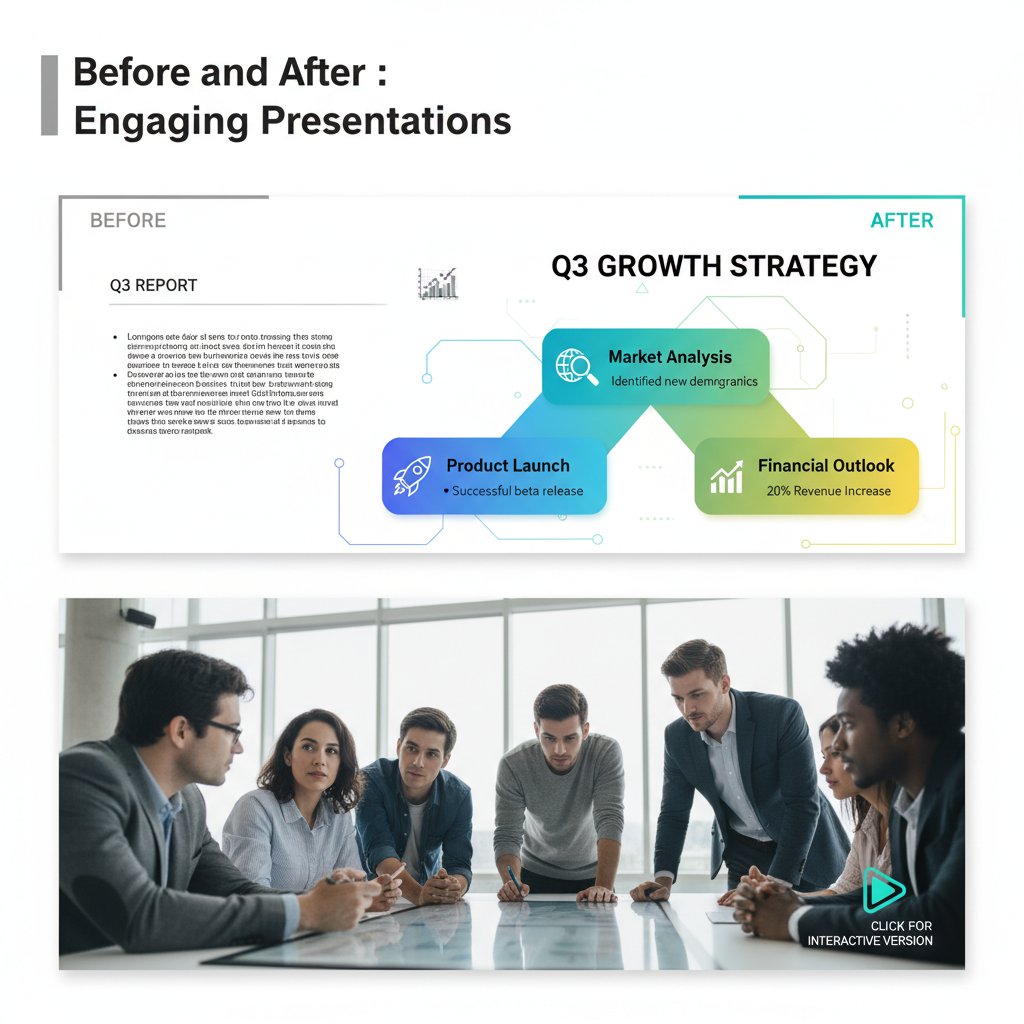
Design isn’t about making slides “pretty”—it’s about shaping attention and narrative flow. Subtle techniques, like contrast, whitespace, and strategic color use, guide the eye and deliver emphasis where it matters. According to Smashing Magazine, 2024, small changes in alignment, font size, or image placement often have disproportionate impact on perceived professionalism and engagement.
Testing and refining for real engagement
No great presentation is born perfect. Modern creation tools provide analytics on audience engagement—who participated, which slides were skipped, and when attention dropped. Use this feedback to iterate ruthlessly. Metrics like time spent per slide, quiz completion rates, and real-time feedback scores help identify weak points and opportunities for improvement.
Tracking these numbers isn’t just a vanity exercise. According to Venngage, 2025, presentations refined using engagement analytics consistently outperform those built blind.
Controversies and debates: Is engagement overrated?
The case against over-engineered slides
A growing contrarian camp argues that relentless pursuit of “engagement” can backfire. Overuse of interactive features or hyper-designed slides sometimes distracts from substance, making audiences feel manipulated rather than informed.
“Sometimes, plain works best.” — Ava, analyst
In environments where clarity and credibility matter more than flash—think regulatory meetings or scientific symposia—over-engineered slides can undermine trust.
Are AI tools killing creativity?
The specter of AI homogeneity haunts even the best tools. Critics point out that algorithmic design favors “safe” templates, leading to bland conformity. However, the savviest users reclaim authenticity by customizing AI-generated layouts, infusing them with personal voice, story, and visuals. The key is to treat AI as a creative partner, not a replacement.
The future: Will presentations even exist in ten years?
Speculation about the “death of slides” is as old as slides themselves. While no one can predict the exact replacement, emerging technologies—virtual reality, augmented reality, even holographic interfaces—are already nudging the boundaries of digital communication. The best advice? Master the fundamentals of engagement now, so you’re ready to adapt as the medium inevitably evolves.

Expert insights: What top communicators do differently
Learning from TED speakers and viral presenters
What separates the unforgettable from the forgettable? TED speakers and viral presenters don’t just have better slides—they deploy advanced communication tactics. They use strategic narrative arcs, minimalist visuals, and cleverly timed audience interaction. According to TED Talks research, 2024, these pros understand how to anchor information in emotion.
Technical jargon used by pros:
A visual or phrase repeated throughout the presentation to reinforce the main message.
Using introductory cues (images, facts) to prepare the audience for deeper concepts later on.
Small, audience-driven activities (quick polls, hand raises) that break up monotony and reset attention.
How to steal (and remix) the best ideas
There’s no shame in learning from the masters—provided you do it ethically. Remixing successful formats or visual styles is common practice. Always credit sources, adapt to your context, and never simply copy-paste.
Unconventional uses for engaging presentation creation tool:
- As a collaborative brainstorming platform—real-time edits foster creativity.
- To produce interactive annual reports, making dry data digestible.
- For onboarding new hires with guided, choose-your-own adventure slides.
- As a remote training tool—live quizzes and instant feedback boost learning.
- In digital marketing—turning webinars into visually rich sales assets.
What the data says about audience recall
Recent studies from Harvard Business Review, 2024 underscore that presentations featuring stories and interactive elements have up to 60% better recall rates after one week, compared to traditional, static decks.
| Presentation Style | 1-Week Recall Rate | Notable Factors |
|---|---|---|
| Static slides | 21% | Text-heavy, minimal visuals |
| Story-driven slides | 45% | Narrative arc, emotional content |
| Interactive slides | 57% | Polls, real-time feedback |
| AI-tailored slides | 60% | Personalized, data-driven design |
Table 4: Data summary of retention rates for different presentation styles.
Source: Harvard Business Review, 2024
Your next move: Rethinking engagement for the real world
Action plan for 2025 and beyond
Mastering the modern engaging presentation creation tool isn’t a one-off. It’s a practice. To future-proof your skills:
Step-by-step guide to mastering engaging presentation creation tool:
- Audit your current approach: Identify weak points: static content, lack of interaction, poor visuals.
- Experiment with new tools: Try filecreator.ai or alternatives for diverse workflows.
- Prioritize engagement features: Focus on interactivity, storytelling, and real-time analytics.
- Solicit feedback: Use audience reactions and analytics to refine your material.
- Stay current: Follow industry blogs, webinars, and online communities for the latest tactics.
- Teach and share: Help colleagues upgrade their skills—spreading best practices makes teams stronger.
Resources and communities to level up
Learning doesn’t happen in isolation. The best presenters join online forums, design communities, and innovation networks. Check out filecreator.ai for guides, webinars, and templates. Engage with groups on LinkedIn, Reddit, and industry-specific Slack channels for ongoing inspiration. Collaboration accelerates growth and keeps skills sharp.

Final thoughts: Why engagement is a moving target
Engagement isn’t a checkbox—it’s a moving target shaped by shifting audience expectations, tech innovation, and cultural context. What works today may fall flat tomorrow. The only constant is the need to stay curious, adaptable, and ruthless about cutting the clutter.
“Engagement isn’t a finish line—it’s a mindset.” — Jordan, communications coach
In a world where everyone is competing for attention, only those who rethink, reinvent, and relentlessly pursue connection will break through the noise. The revolution in engaging presentation creation tools is here—are you ready to lead, or will you be left behind?
Sources
References cited in this article
- iSpring Solutions: Top Interactive Presentation Tools 2025(ispringsolutions.com)
- Ruby & Citrine: Game-Changing Presentation Trends 2025(rubyandcitrine.com)
- Vevox: 20 Interactive Presentation Tools(vevox.com)
- Medium: 10 Free AI Tools for Presentations 2025(medium.com)
- Venngage: 12 Best AI Presentation Tools(venngage.one)
- Brand Diva: Virtual Presentations Rise(brand-diva.com)
- Decktopus: Presentation Statistics 2024(decktopus.com)
- INK PPT: Top Presentation Insights 2024(inkppt.com)
- Weshare: Presentation Statistics(weshare.net)
- Wentworth Financial Communications(wentworthwriting.com)
- SlideGenius: Real Cost of Poor Presentations(slidegenius.com)
- Think Outside The Slide(thinkoutsidetheslide.com)
- StoryFiner: Hidden Cost of Bad Slides(storyfiner.com)
- ICT Trainings: Presentation Trends 2024(ict-trainings.com)
- Editverse: Engaging Academic Presentations(editverse.com)
- WePlayWithPeople: Science of Engagement(weplaywithpeople.com)
- Yale News: Visual Clutter in Brain(news.yale.edu)
- MIT News: Visual Memorability(news.mit.edu)
- Nature Reviews Neuroscience 2024(nature.com)
- Buzeal: 13 Presentation Tools for 2025(buzeal.com)
- Vertu: Top 10 AI Presentation Makers(vertu.com)
- SaaS Startups: Top Presentation Startups 2025(saastartups.org)
- AIToolssme: Best AI Presentation Makers 2025(aitoolssme.com)
- DoMyPowerPoint: PowerPoint 2024 Features(domypowerpoint.com)
- PitchWorx: PowerPoint vs Keynote 2025(pitchworx.com)
- Enterprise: Presentations That Changed the World(enterprise.press)
- Abacus: Most Influential PowerPoints(blog.abacus.com)
- ThinkLions: Best Pitch Decks(thinklions.com)
- CB Insights: Unicorn Pitch Decks(cbinsights.com)
- Visme: Best Presentation Software 2025(visme.co)
- INKPPT: Presentation Cheat Sheet 2025(inkppt.com)
- Storydoc: Best Interactive Presentation Software(storydoc.com)
- Just Free Slide: Presentation Design Mistakes 2025(justfreeslide.com)
- AiPPT: PowerPoint Mistakes to Avoid 2025(learn.aippt.com)
- Sprout24: Presentation Tools 2025(sprout24.com)
- OakInnovation: Top 10 Presentation Tools(oakinnovation.com)
Perfect Documents, Instantly
Filecreator.ai transforms the way you produce professional documents. Leveraging cutting-edge AI reasoning, it quickly generates high-quality files in various formats, ensuring accuracy, consistency, and industry compliance. Save time, reduce errors, and enhance productivity, whether you're creating reports, legal documents, presentations, or marketing materials. Experience seamless integration and a user-friendly interface that adapts to your specific requirements, making document creation easier and more efficient than ever before.
Get startedStart Creating Professional Documents Today
Join thousands of professionals who trust AI-powered document generation
Frequently Asked Questions
Why are most presentations considered boring?
Most presentations rely on generic templates and information overload with dense text, which fails to leverage interactive and visual potential of modern tools. This approach numbs audiences rather than enlightens them, causing viewers to passively absorb or ignore content.
What is the 'death by PowerPoint' epidemic?
According to iSpring Solutions 2025, this is an epidemic where slideshows using generic templates packed with dense text fail to engage audiences. It causes presenters to feel like they're shouting into the void while audiences experience the presentation as a test of patience rather than genuine engagement.
What is a common misconception about creating engaging presentations?
Many people mistakenly believe that flashy animations, sound effects, or the latest template trends create true audience connection, when in fact these elements are often confused with actual engagement.
According to the article, what has changed about presentations in 2025?
In 2025, substance trumps sparkle, interaction beats inertia, and data-driven design is no longer optional—it's about revolutionizing how we communicate ideas rather than simply adding more animations.
Continue Reading
Explore more from Professional Document Generator

Why Most Presentations Fail and How to Fix Them
Create engaging presentations that hold attention. This article examines 11 reasons audiences disengage and research-backed strategies to rebuild connection and impact.

Presentation Generator Tool Vs Humans: Who Should Design Your Slides?
Discover insights about presentation generator tool

Visual Presentation Creator Vs. Boring Slides: What Actually Works
Discover insights about visual presentation creator

Why Your Presentation Creator Tool Is Quietly Rewriting Your Story
Discover insights about presentation creator tool

Best Online Presentation Software for Audience Engagement
This article examines why most presentations fail and how to choose platforms that engage audiences effectively.

Automated Presentation Creators: Efficiency Versus Creative Control
Automated presentation creator tools reshape how professionals build decks. This article examines the tradeoffs between efficiency and creative control in AI-powered slide design.


