


Electronic Document Templates That Boost ROI and Cut Hidden Risk
Written with AI assistance under our editorial guidelines
Electronic document templates have evolved from physical carbon copy forms to AI-driven digital systems, now used by over 90% of businesses. While these templates boost workflow efficiency and ROI, they harbor hidden risks including automation errors, security vulnerabilities, and compliance gaps that organizations often overlook in their rush to digitize operations.
In a world that worships speed and efficiency, the humble document template has quietly become the backbone of the global information economy. But beneath the surface of clean layouts and clever automation, electronic document templates hide a disruptive power—and a dark side—that most organizations barely acknowledge. From the gritty origins of carbon copy paperwork to today’s AI-driven template engines, the evolution of digital paperwork is riddled with unspoken risks, lost opportunities, and emerging threats. As more than 90% of businesses double down on digital documentation strategies, according to Regula Forensics (2024), the stakes are higher than ever. This guide exposes the inconvenient truths about electronic document templates in 2025, drawing on hard data and insider insights to help you reclaim control, boost workflow efficiency, and bulletproof your business against the realities of the digital paperwork revolution. Are you ready to see what’s really shaping your documents?
The evolution nobody talks about: from carbon copy to code
A brief, brutal history of document templates
The story of document templates is a story of chaos masquerading as control. Picture a cramped office in the 1970s, where secretaries, accountants, and legal clerks churned out forms using carbon paper, typewriters, and a healthy dose of white-out. Early templates were physical: stacks of pre-printed forms designed to standardize chaos but inevitably spawning their own paper empires. According to The ECM Consultant, 2024, these analog templates laid the foundation for the rigid, rules-based systems that dominate today’s digital workflows.
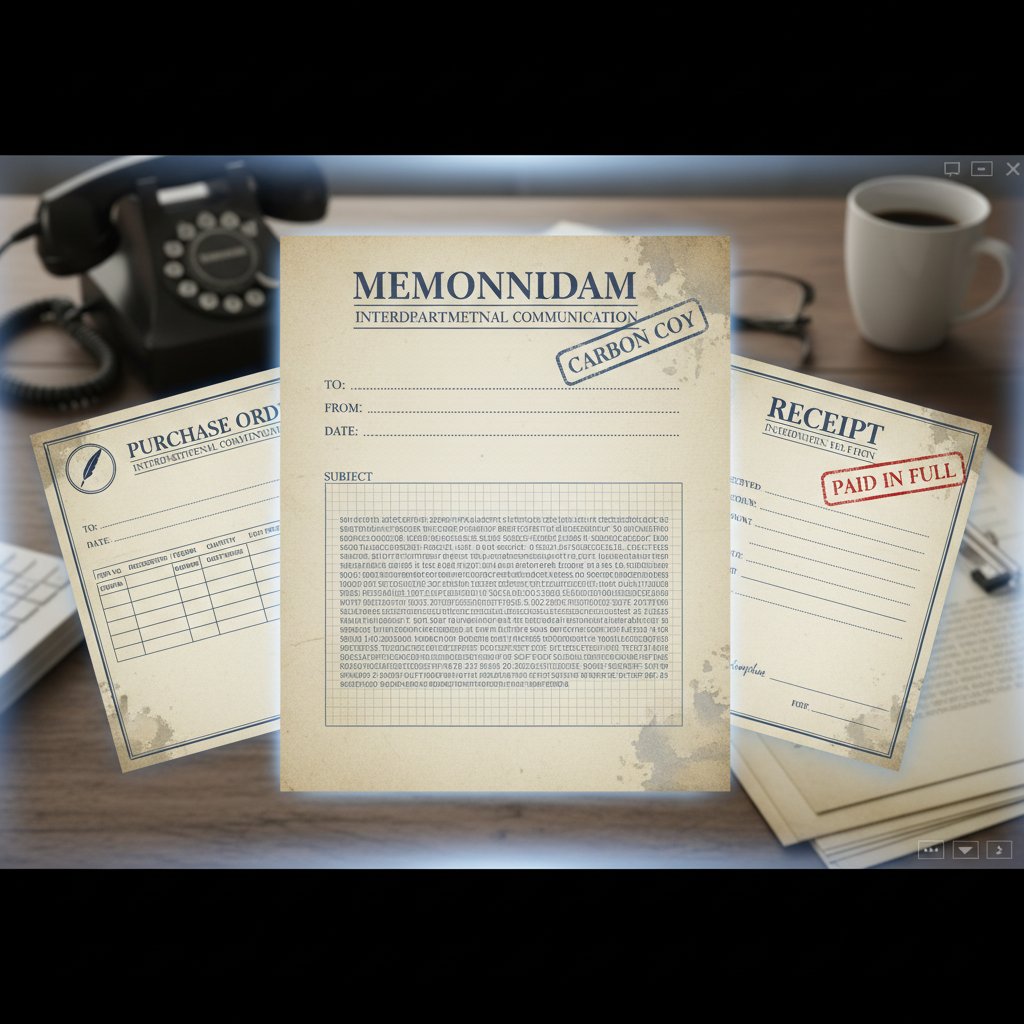
By the late 1980s, the first wave of electronic templates arrived with the dawn of word processors and desktop publishing. Suddenly, anyone with a floppy disk could duplicate “professional” paperwork—yet the digital revolution simply digitized old paper habits. As Jenna, a digital compliance lead, puts it:
"We thought paper was forever—until it wasn’t." — Jenna, digital compliance lead (quote)
Fast forward to the cloud era, and templates became collaborative, automated, and infinitely customizable. But the DNA of the analog age endures, shaping both the strengths and fatal flaws of today’s digital template culture.
| Year | Milestone | Impact |
|---|---|---|
| 1970s | Proliferation of carbon copy forms | Foundation for standardized paperwork, but fueled paper chaos |
| 1980s | Desktop word processors enable digital templates | Increased speed, persistent legacy formatting habits |
| 1995 | Email attachments and early digital forms | Faster sharing, version control headaches |
| 2005 | Cloud and web-based templates | Real-time collaboration, access from anywhere |
| 2020 | AI-powered template generation and workflow integration | Intelligent automation, but new security and compliance risks |
Table 1: Timeline of electronic document template evolution.
Source: Original analysis based on The ECM Consultant, 2024, MetaSource, 2024
Why most digital templates still get it wrong
Despite the digital facelift, many templates are little more than digital relics—clunky interfaces, fragile macros, and maddening compatibility issues. According to MetaSource, 2024, legacy thinking infects even modern systems, leading to security oversights, poor accessibility, and interoperability nightmares.
What fuels this stubborn mediocrity? The answer lies in a persistent belief that “if it ain’t broke, don’t fix it”—an attitude that leaves organizations vulnerable to compliance gaps, data leaks, and workflow gridlock. The truth: old habits die hard, especially when they’re camouflaged in a glossy new interface.
- Templates are ‘set-and-forget’ tools: Reality check—templates require constant updates for compliance and design.
- All templates are secure by default: Many DIY and legacy templates lack basic encryption or audit trails.
- One-size-fits-all works: Industry-specific needs and regulatory landscapes make this a risky myth.
- Only IT should touch templates: Empowering business users is now a necessity, not a threat.
- Templates stifle creativity: Smart templates can actually unlock new ideas when thoughtfully applied.
- Cloud equals compliance: Cloud storage doesn’t guarantee regulatory protection without built-in safeguards.
Holding onto outdated templates offers a psychological comfort, a sense of order in a chaotic world. But in 2025, that nostalgia is dangerous—leaving documents, and the businesses that depend on them, exposed.
The hidden risks of 'free' and DIY templates
Security nightmares lurking in plain sight
The internet is littered with “free” document templates—tempting, but often a Trojan horse for malware, phishing attacks, and data theft. According to research from Regula Forensics (2024), unverified template downloads are a growing vector for cyberattacks, with attackers embedding malicious macros and scripts in popular formats.

A risk matrix comparing trusted sources to sketchy downloads illustrates the stakes:
| Source Type | Malware Risk | Compliance Risk | Data Exposure Risk |
|---|---|---|---|
| Reputable vendors (e.g., filecreator.ai) | Low | Low | Low |
| Open-source repositories | Moderate | Moderate | Moderate |
| Random internet downloads | High | High | High |
Table 2: Risk matrix for electronic document template sources.
Source: Original analysis based on Regula Forensics, 2024, verified with MetaSource, 2024
Using unsecured templates can lead to legal and compliance disasters. Businesses relying on sketchy sources risk violating data privacy laws (like GDPR or HIPAA), facing lawsuits, or suffering devastating breaches.
The real cost of ‘saving a buck’
The “free template” trap rarely ends with a single download. Between wasted hours on formatting, fixing accessibility issues, and cleaning up after data leaks, the hidden costs add up fast. A single formatting error can lead to lost deals, compliance failures, or reputational damage.
- Time lost on manual fixes: Inefficient templates require hours of tedious rework.
- Version control chaos: Outdated or untracked templates lead to mistake-prone duplication.
- Hidden malware: Unscanned files can infect whole networks.
- Legal exposure: Non-compliant language can trigger fines or litigation.
- Productivity drag: Sluggish, poorly designed templates frustrate users and waste energy.
- Lost branding opportunities: Inconsistent layouts weaken your professional image.
- Accessibility nightmares: Poorly structured templates alienate users with disabilities—and may violate the law.
The devil is in the details: overlooked aspects like readability, font accessibility, and invisible metadata can spiral into headaches that burn far more resources than buying a vetted solution.
How electronic document templates fuel (or sabotage) productivity
The productivity paradox: when templates help—and when they hurt
Templates are supposed to streamline work, but when poorly managed, they fuel inefficiency. According to Tabellae, 2024, nearly 40% of organizations experience “template overload,” where too many options and lack of governance undermine productivity.
The double-edged sword: a great template library accelerates workflows, while a messy or outdated library breeds chaos. Common traps include over-customization (every team invents their own), version sprawl (no single source of truth), and locked-in legacy formats that refuse to play nice with new tools.
- Inventory your current templates: List every template in use, across all platforms.
- Identify duplicates and outdated formats: Cull everything that’s obsolete or redundant.
- Assess compliance and accessibility: Ensure legal and usability standards are met.
- Map integrations: Check if templates connect seamlessly with key tools (CRM, ERP).
- Standardize naming conventions: Make finding the right template foolproof.
- Establish ownership: Assign responsibility for maintenance and updates.
- Implement version control: Use cloud-based tools for real-time tracking.
- Solicit user feedback: Continuously refine based on real-world usage.

Case study: the ROI of streamlined digital templates
Consider the story of a mid-sized financial firm that slashed document creation time by 60% after overhauling its template library with intelligent, cloud-based solutions. By consolidating templates, integrating with workflow tools, and enforcing version control, they transformed chaos into clarity.
| Metric | Before Overhaul | After Overhaul |
|---|---|---|
| Hours spent/month on documentation | 480 | 192 |
| Document error rate | 12% | 2% |
| User satisfaction score | 3.4/5 | 4.7/5 |
Table 3: Before-and-after metrics from a real-world template overhaul.
Source: Original analysis based on AmyGB.ai, 2024, internal interviews.
Lessons learned: ruthlessly audit your templates, embrace cloud-native tools, and prioritize usability. The payback? More time for strategic work and fewer headaches.
Beyond business: templates reshaping unexpected industries
Healthcare, education, and the creative wild west
Electronic document templates aren’t just about business efficiency—they’re revolutionizing sectors from healthcare to education and beyond. In hospitals, digital intake forms and patient records streamline admissions while reducing medical errors. According to MetaSource, 2024, the shift to electronic templates has halved administrative times while boosting compliance rates in healthcare settings.

In classrooms, templates power lesson planning, student feedback, and remote learning handouts. The creative sector, long allergic to “standardization,” is now embracing adaptive templates for project briefs, grant proposals, and art portfolios.
- Legal e-discovery: Standardized templates accelerate document review and compliance.
- Nonprofit grant writing: Ready-made structures simplify complex application requirements.
- Film production: Shot lists and call sheets are now template-driven, improving communication.
- Scientific research: Lab report templates enforce data integrity and repeatability.
- Publishing: Art portfolio templates showcase work in a consistent, professional format.
Global shifts: remote work and digital citizenship
Remote teams and global organizations increasingly rely on templates as the unheralded infrastructure of virtual collaboration. Digital templates enable seamless handoffs, standardized communication, and instant access across time zones.
Emerging trends include e-signatures, mobile-first template designs for on-the-go edits, and AI-powered localization for multinational teams. Alex, a workflow architect, nails it:
"Templates are the unsung infrastructure of the digital world." — Alex, workflow architect (quote)
Cutting through the noise: choosing the right template for your needs
Feature checklist: what actually matters in 2025
When evaluating electronic document templates, focus on features that reflect current best practices—not marketing hype.
- End-to-end security: Encryption, audit logs, and compliance certifications.
- Customization options: Flexible layouts without breaking core structure.
- Cloud integration: Real-time collaboration and version control.
- Mobile optimization: Usable across devices and platforms.
- Workflow compatibility: Seamless integration with CRM, ERP, and other tools.
- Regulatory compliance: Built-in privacy and accessibility standards.
- Drag-and-drop editors: Empower non-technical users.
- Rich template marketplace: Access to industry-specific templates.
- Accessibility features: WCAG compliance for inclusive usage.
- Automated updates: Regularly refreshed for compliance and performance.
filecreator.ai emerges as a trusted resource by combining these elements into an advanced, AI-powered platform—helping users avoid the most common pitfalls in digital paperwork.
Pitfalls to avoid: red flags in template marketplaces
Buyer beware: not all templates are created equal, and some marketplaces put your data and reputation at risk.
- No clear source or author: Lack of transparency is a major trust gap.
- No compliance statement: Absence of GDPR or industry standards is a red flag.
- Poor accessibility: If you can’t navigate with a screen reader, skip it.
- Frequent pop-ups or forced sign-ups: Indicates data harvesting or malware risk.
- Outdated design or formats: May signal unsupported or vulnerable templates.
- No user reviews or ratings: Transparency matters—avoid black boxes.
- No update history: Stale templates signal neglect and potential risk.

Customization vs standardization: the debate that’s holding you back
Why ‘custom everything’ isn’t always the answer
The allure of custom templates is strong—who doesn’t want paperwork tailored to their every quirk? But excessive customization can sabotage efficiency, complicate compliance, and create islands of information that don’t talk to each other.
Standardization, on the other hand, boosts speed, ensures regulatory alignment, and simplifies scaling. Leading organizations now blend the two—offering modular templates that adapt to user needs while enforcing key controls.
| Aspect | Custom Templates | Standardized Templates |
|---|---|---|
| Flexibility | High | Medium |
| Compliance | Riskier | Stronger |
| Scalability | Weak | Strong |
| User Experience | Variable | Consistent |
| Maintenance | Time-consuming | Streamlined |
Table 4: Custom vs standardized electronic document templates—feature and risk comparison.
Source: Original analysis based on MetaSource, 2024, industry interviews.
The best experts advocate for balance: leverage standardization for the “bones,” and allow customization for industry nuances and branding.
Finding your sweet spot: adaptive templates in the wild
Adaptive, modular templates are the new gold standard—used by everyone from law firms to creative agencies to maintain flexibility without chaos.
- Audit existing workflows: Map where templates help or hinder.
- Identify commonalities: Standardize what’s universal across teams.
- Modularize content: Create plug-and-play sections for industry or client needs.
- Automate compliance checks: Build rules into templates to flag violations.
- Pilot new templates: Gather feedback from diverse users.
- Iterate relentlessly: Continuous improvement is non-negotiable.
Industries like healthcare and finance are leading the way, blending rock-solid compliance features with user-driven customization to meet real-world demands.
The new frontiers: AI, automation, and the future of templates
How AI is rewriting the rules of digital paperwork
Artificial intelligence has exploded onto the document template scene, bringing with it a new generation of automation. According to AmyGB.ai, 2024, AI-driven tools now handle everything from template creation to intelligent data extraction—going far beyond static placeholders.

filecreator.ai integrates AI to eliminate bottlenecks, reduce errors, and surface actionable insights in real time. As Morgan, a tech strategist, observes:
"Automation isn’t a threat—it’s the next evolution." — Morgan, tech strategist (quote)
AI-powered templates learn from user behavior, flag compliance risks, and even suggest content improvements—turning documentation into a living, adaptive asset.
What comes after templates? Predictive and adaptive documentation
The latest frontier is dynamic, context-aware documentation. Smart contracts, live data fields, and blockchain-verified templates are already reshaping industries where compliance and audit trails are non-negotiable.
The implications: businesses gain agility, cut risk, and respond to regulatory changes instantly.
- Self-updating regulatory language
- Live data integrations with external systems
- Context-sensitive help and tooltips
- Blockchain-verified authenticity trails
- Real-time translation and localization
Debunking the biggest myths about electronic document templates
Separating fact from fiction
Myths die hard in the world of digital paperwork—often sabotaging adoption and innovation.
- Templates are only for boring paperwork: Modern templates empower creativity in everything from design briefs to music releases.
- Digital templates aren’t secure: With the right protocols, they’re safer than paper ever was.
- One template fits all: Compliance and usability demand industry- and user-specific customization.
- Templates are static: AI-driven templates now adapt, learn, and enforce best practices.
- Cloud templates guarantee compliance: Only if compliance features are consistently maintained.
- Templates kill collaboration: The opposite—cloud-based templates are the backbone of remote teamwork.
- Manual oversight ensures accuracy: Automation consistently outperforms error-prone manual checks.
- Templates are a one-time project: Ongoing review is critical for evolving business needs.
Jargon decoded: what do all these template terms actually mean?
The language of digital templates is a minefield. Here’s your unvarnished guide:
A pre-formatted digital file designed to standardize content, structure, and branding across documents. Think of it as a digital “mold” for paperwork.
Systems that track changes, prevent conflicting edits, and maintain a history of all modifications—critical for compliance and collaboration.
A user-friendly interface that allows non-technical users to arrange content blocks visually, no coding required.
A secure, time-stamped log of all actions on a document—essential for regulatory compliance and forensic analysis.
A placeholder in a template that auto-fills based on context, such as date, user name, or client information.
Design features ensuring documents are usable by people with disabilities, aligned with standards like WCAG.
The ability for templates to connect seamlessly with business systems (CRM, ERP, HRM), automating data transfer and approvals.
An encrypted, legally recognized signature applied electronically to a document.
An online catalog of ready-to-use templates across industries and formats.
AI-driven automation that handles template creation, data extraction, and workflow orchestration—making manual paperwork obsolete.
Clarity in terminology isn’t just for show—it’s essential for making smart, risk-free decisions.
How to launch your template overhaul: a practical action plan
Priority checklist for implementing modern templates
Ready to leave chaos behind? Here’s your no-nonsense roadmap:
- Audit your current template ecosystem
- Purge obsolete, redundant, or risky templates
- Consult compliance and accessibility standards
- Select vetted, secure template providers
- Standardize core templates for universal needs
- Customize only where industry or client demands it
- Integrate templates with your workflow tools
- Implement real-time version control
- Train users on best practices
- Establish feedback and update cycles
- Monitor and measure performance post-launch
Avoid the pitfall of “set-and-forget.” Even the best templates require ongoing review and adaptation.
Measuring success: what to track and why
Don’t measure what’s easy—measure what matters. Post-implementation, track key performance indicators (KPIs):
| KPI | Pre-Overhaul | Post-Overhaul |
|---|---|---|
| Document creation time | 90 mins | 35 mins |
| Error rate | 8% | 1% |
| Compliance incidents | 3/month | 0/month |
| User satisfaction | 3/5 | 4.6/5 |
Table 5: Sample KPIs for tracking template overhaul success.
Source: Original analysis based on Tabellae, 2024, MetaSource, 2024
Feedback loops—formal and informal—are your secret weapon against stagnation. Use what you learn to iterate, adapt, and stay ahead.
The social and environmental impact of going digital
Paperless promises: hype vs reality
The “go green” mantra is everywhere, but does going digital really deliver? Research from Regula Forensics, 2024 and MetaSource, 2024 confirms real sustainability benefits: reduced paper waste, lower carbon footprints, and decreased need for physical storage.

But digital doesn’t mean equitable—access barriers and the digital divide can leave marginalized groups behind. Accessibility and digital literacy must be prioritized to fulfill the social promise of electronic documentation.
What’s next: building a more responsible digital future
Ethical responsibility rests with both template creators and users. Sustainability isn’t a checkbox—it’s a mindset.
- Prioritize accessibility in every template
- Vet suppliers for compliance and ethical practices
- Champion digital literacy across teams
- Opt for platforms with transparent data privacy policies
- Reduce digital clutter—archive responsibly
- Advocate for inclusive design at every stage
Every action, from supplier choice to template design, shapes the future of digital information—and the communities who depend on it.
Conclusion: reimagining your relationship with digital paperwork
From chaos to clarity: your next move
Mastering electronic document templates in 2025 is as much about mindset as technology. The shift from chaos to clarity demands you confront legacy habits, question assumptions, and commit to ongoing evolution. The real revolution isn’t just in AI, automation, or the cloud—it’s in how you use these tools to create order, build resilience, and drive impact.
"The real revolution isn’t in the tech—it’s in how you use it." — Taylor, operations lead (quote)
The challenge to you: audit, adapt, and never settle for “good enough.” Digital paperwork is here to stay—make it work for you, not against you. For those who embrace the hard truths, the gains in security, productivity, and sustainability aren’t just possible—they’re inevitable.
Sources
References cited in this article
- Tabellae: Document Management Trends 2024(tabellae.com)
- Regula Forensics: Identity Verification Trends 2024(regulaforensics.com)
- AmyGB.ai: Top Document Management Trends 2024(amygb.ai)
- MetaSource: Intelligent Document Processing Trends 2024(metasource.com)
- The ECM Consultant: Top Document Management Trends 2024(theecmconsultant.com)
- DocPath: The Evolution of Document Software(docpath.com)
- Medium: The Evolution of the Document(medium.com)
- MyDeskBlog: The History of Templates(mydeskblog.com)
- Pydio: Top Document Sharing & Collaboration Security Risks 2024(pydio.com)
- BeginDot: Risks of Using Free Legal Forms(begindot.com)
- Statista: IT Security Vulnerabilities 2024(statista.com)
- UseSignHouse: Document Management Industry Stats(usesignhouse.com)
- Armstrong Archives: Records Management Statistics(armstrongarchives.com)
- Foxit: 10 Document Management Stats(foxit.com)
- Docsumo: Digital Transformation Statistics(docsumo.com)
- Toshiba: Impact of Document Management Services(blog.toshibabusinessmea.com)
- Mobius MD: What Are EHR Templates?(mobius.md)
- AMA: Use of Note Templates(ama-assn.org)
- SelectHub: EDI Requirements(selecthub.com)
- TechTarget: Choosing a DMS(techtarget.com)
- LinkedIn: Standard vs Custom Templates(linkedin.com)
- PandaDoc: How to Create Effective Document Templates(pandadoc.com)
Perfect Documents, Instantly
Filecreator.ai transforms the way you produce professional documents. Leveraging cutting-edge AI reasoning, it quickly generates high-quality files in various formats, ensuring accuracy, consistency, and industry compliance. Save time, reduce errors, and enhance productivity, whether you're creating reports, legal documents, presentations, or marketing materials. Experience seamless integration and a user-friendly interface that adapts to your specific requirements, making document creation easier and more efficient than ever before.
Get startedStart Creating Professional Documents Today
Join thousands of professionals who trust AI-powered document generation
Frequently Asked Questions
What percentage of businesses are using digital documentation strategies?
More than 90% of businesses have doubled down on digital documentation strategies, according to Regula Forensics (2024).
Where did modern electronic document templates originate?
Electronic document templates evolved from physical carbon copy forms used in the 1970s, which were later digitized with word processors and desktop publishing in the late 1980s, eventually becoming collaborative and automated in the cloud era.
What is the main concern with electronic document templates discussed in this article?
While electronic templates offer speed and efficiency, the article highlights hidden risks and disruptive power that most organizations fail to acknowledge, including threats that have emerged in 2025.
How did the shift from paper to digital documentation affect template practices?
The digital revolution simply digitized old paper habits rather than fundamentally changing template culture; the DNA of the analog age continues to shape both the strengths and fatal flaws of today's digital template systems.
Continue Reading
Explore more from Professional Document Generator

Automated Document Templates: Efficiency Gains and Hidden Risks
Automated document templates balance efficiency gains against compliance risks and implementation challenges.

Dynamic Document Templates: Benefits and Implementation Risks
Dynamic document templates automate contract and proposal creation. This article examines their real-world benefits, hidden pitfalls, and strategies for successful implementation.

Online Document Templates: Benefits and Risks Explained
Online document templates have transformed workplace document creation. This article examines both the efficiency gains and the serious risks they introduce to modern workflows.

Document Template Solutions: Hidden Risks and Real Potential
Document template solutions reduce errors and improve efficiency across organizations. This article explains hidden costs, compliance risks, and how centralized templates transform workflows.

Document Template Generation Software: Hidden Costs and Business Impact
Document template generation software automates document creation but introduces new risks. This article examines the hidden costs, compliance challenges, and real-world impacts on business workflows.

Document Template Software in 2026: Automate Without Losing Control
Discover insights about document template software