


How Customizable Document Templates Transform Workflows and Reduce Inefficiency
Written with AI assistance under our editorial guidelines
Customizable document templates powered by AI-driven automation deliver significant competitive advantages in modern workflows. Organizations relying on generic templates waste up to 40% more time on manual edits and corrections monthly, costing tens of thousands annually through errors and compliance failures. Advanced, customizable templates streamline document creation, reduce inefficiencies, and maintain brand consistency across teams.
If you think “customizable document templates” means picking a pretty Word doc and filling in a few blanks, you’re still living in the digital Stone Age. In 2025, workflows that hinge on cookie-cutter templates are getting obliterated by the rise of real, AI-driven customization. This isn’t just about saving a few minutes; it’s the difference between organizations that thrive and the ones that drown in chaos, non-compliance, and missed opportunities. According to recent stats, 87% of companies are enforcing return-to-office mandates this year, and the pressure to streamline document workflows is at a fever pitch (MyPerfectResume, 2024). Meanwhile, experts are adamant: only teams with advanced, customizable document templates will sidestep the avalanche of inefficiency coming for everyone else. In this definitive guide, we’ll rip apart the myths, expose the hidden costs, and hand you the playbook for outsmarting outdated workflows—no matter your industry, team size, or tech stack. Welcome to the future of document creation, where templates aren’t just a shortcut—they’re your competitive edge.
Why generic templates are sabotaging your workflow
The hidden costs of outdated document templates
Let’s get real: sticking to tired, generic document templates is like patching a dam with chewing gum. On the surface, it seems like they save time, but the hidden inefficiencies and risks will devour your bottom line. Studies show that organizations relying on non-customizable templates lose up to 40% more time on manual edits, corrections, and rework each month. In financial terms, this translates to tens of thousands annually—money flushed away on avoidable errors, compliance blunders, and branding slip-ups that erode trust both inside and outside the company.

According to workplace trend surveys, document errors caused by generic templates result in an average loss of 16 hours per employee per month. Multiply that by a mid-sized team, and you’re looking at a productivity black hole. The data is clear: using outdated templates is not just inefficient—it’s a silent killer for modern business performance.
| Cost Factor | Average Impact per Month | Potential Annual Loss (USD) |
|---|---|---|
| Time lost correcting errors | 16 hours/employee | $15,000+ |
| Compliance failure fines | 1–2 incidents | $8,500–$30,000 |
| Brand inconsistency revisions | 10–14 reworks | $7,200 |
| Missed deadlines (client fallout) | 2–3 lost clients | $20,000+ |
Table 1: Summary of time and money lost due to template errors in business workflows.
Source: Original analysis based on MyPerfectResume (2024), workplace trend surveys (2024).
Common myths about customizable document templates
It’s almost comical how many professionals still assume all templates are created equal. That’s like saying all cars are the same because they have four wheels. The real danger? Believing that a template downloaded from some random site is “good enough.” This myth is costing businesses more than they realize—not just in hours wasted, but in missed opportunities for process automation, compliance enforcement, and genuine brand differentiation.
Unveiling the hidden benefits of customizable document templates:
- Built-in compliance controls help prevent costly regulatory mistakes—no more “I forgot to update that clause” disasters.
- Brand consistency is enforced at every touchpoint, making you look polished, credible, and in control.
- Real-time data integration means no more manual copy-paste errors—populate contracts, reports, or HR forms with a click.
- Dynamic fields and logic allow templates to adapt on the fly, delivering exactly what each scenario demands.
- Audit trails give peace of mind—track who changed what, when, and why.
- Instant scalability lets you roll out new policies, contracts, or marketing assets across the entire company in minutes.
“Most people don’t realize how much money they’re leaving on the table with bad templates.” — Jordan, Senior Workflow Analyst, 2024
Why "free" often means risky
Here’s a hard truth: if you’re still downloading free templates from the wilds of the internet, you’re playing with fire. Free templates are notorious for hidden code, outdated clauses, and a complete lack of compliance checks. They might look slick, but under the hood, they’re an open invitation to errors, data leaks, and even legal nightmares.
Compliance and data security aren’t optional anymore. Many free templates fail to meet even the bare minimum standards for GDPR, HIPAA, or industry-specific regulations. According to IT security experts, using non-verified templates exposes companies to malware, data breaches, and intellectual property theft. In 2024, a single breach linked to a non-compliant template can sink your reputation overnight.

The evolution of document templates: from typewriters to AI
A brief history of document templates
Document templates didn’t pop out of nowhere—they’ve been quietly shaping the business world for over a century. In the early days, secretaries used carbon copies and typewriters to create reusable forms, painstakingly retyping each new contract, invoice, or memo by hand. The march to digital began with word processors and mail merge, but these tools barely scratched the surface of what true customization could achieve.
- 1900s: Carbon-copy forms and typewritten templates standardize paperwork.
- 1980s: Word processors and basic mail merge bring digital templates to offices.
- 1990s–2000s: Spreadsheets and static forms allow limited customization, but are prone to errors.
- 2010s: Cloud-based document editors introduce collaboration, but customization remains clunky.
- 2020s: AI-powered platforms like filecreator.ai redefine what’s possible, merging automation, compliance, and creativity.

How AI is disrupting the template game
The arrival of AI-powered document generators isn’t just a step forward—it’s a quantum leap. Platforms like filecreator.ai have engineered a seismic shift, making it possible to generate personalized, compliant, and perfectly branded documents in seconds. No more one-size-fits-none forms. Today’s AI engines handle logic, data integration, and brand compliance on the fly, eliminating the grunt work and letting you focus on results.
“AI hasn’t just changed templates—it’s changed how we think about work.” — Taylor, Automation Consultant, 2024
| Feature | Traditional Templates | AI-powered Templates |
|---|---|---|
| Manual data entry | Yes | No (automated population) |
| Brand enforcement | Manual | Automatic |
| Compliance checks | User-dependent | Built-in, real-time |
| Dynamic logic | Limited | Advanced (conditional fields) |
| Collaboration | Basic | Real-time, multi-user |
| Version control | Manual | Automated, with audit trails |
Table 2: Comparing traditional and AI-powered document template features.
Source: Original analysis based on workplace trend surveys, 2024.
Are templates killing creativity—or unleashing it?
There’s a running debate: do customizable document templates stifle innovation, or set creativity free? The critics claim templates turn everyone into robots, churning out the same bland forms. In reality, the opposite is true—next-gen templates remove the mental load of formatting and compliance, giving marketers and brand teams the space to focus on message and impact.
For example, marketing teams now use customizable templates to create campaign assets that adapt to each region, language, or product line—without losing brand voice or design flair. Meanwhile, HR departments craft onboarding kits that reflect company culture, not just legal checkboxes. Creative uses range from interactive pitch decks that auto-adapt for different audiences to dynamic event invitations with real-time personalization.
Unconventional uses for customizable document templates:
- Legal self-audit tools: Firms build templates that help clients self-assess compliance before formal reviews.
- Interactive sales proposals: Templates auto-adjust pricing and terms based on client segment or deal stage.
- Employee recognition certificates: HR creates custom awards on the fly, tailored to each achievement or department.
- Crisis communication kits: PR teams roll out scenario-specific templates at lightning speed during emergencies.
What makes a template truly customizable?
Core features of next-gen templates
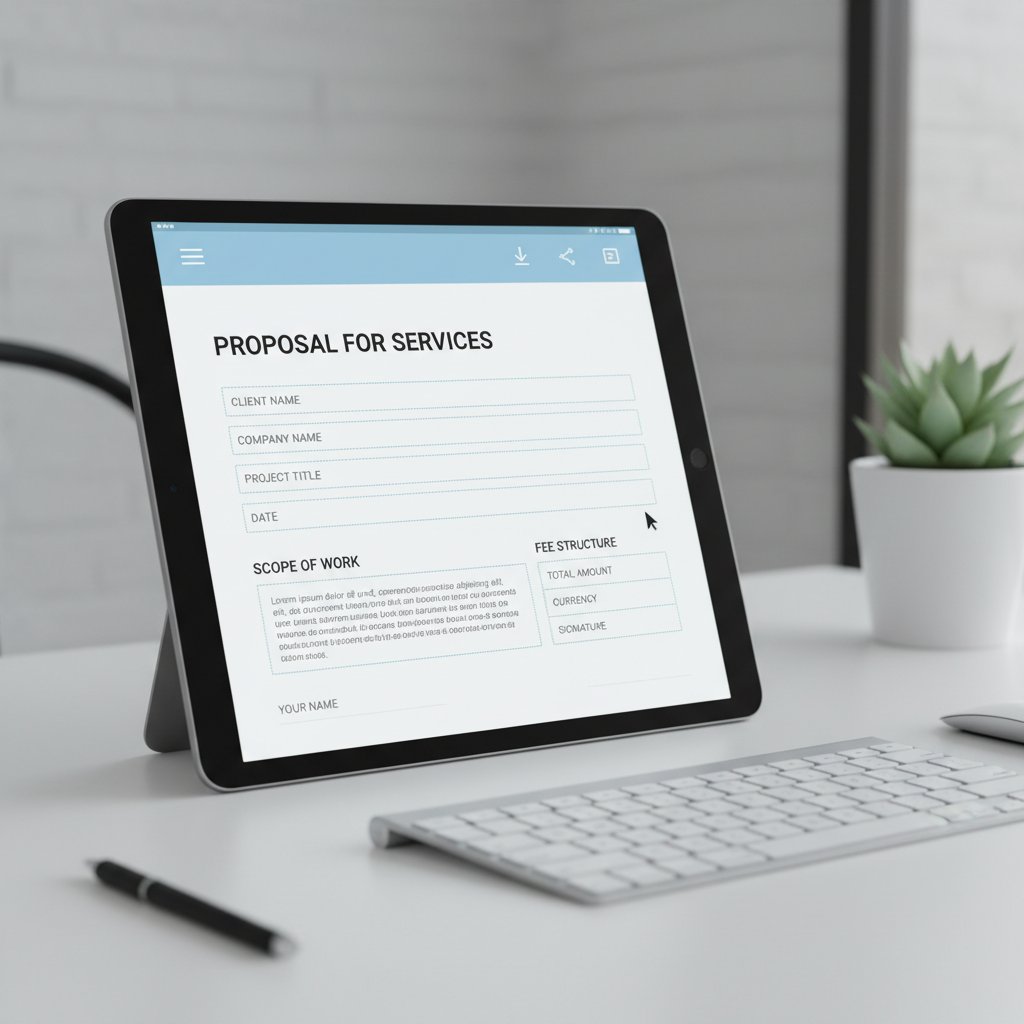
It’s easy to slap a fillable field into a PDF and call it “customizable.” But the real pros know what separates the wheat from the chaff. Next-gen templates come packed with capabilities that put static downloads to shame. Think: dynamic fields that pull live data, automated compliance checks, logic flows, and granular brand controls.
Definition list of essential features:
The degree to which a template can be tailored in structure, content, and appearance—without breaking compliance or brand standards.
The ability to track, revert, or compare template iterations, preserving a full audit trail.
Live, data-driven inputs that auto-populate from databases, user input, or APIs.
Built-in checks ensuring documents always meet regulatory and industry requirements, reducing legal risk.
Customization vs. personalization: what's the difference?
Let’s kill the confusion: customization is about the structure; personalization is about the content. Customization enables you to reshape a template—add new sections, change branding, adjust workflows. Personalization means injecting unique, context-aware information for each recipient, like names, addresses, or project specifics.
For example, an HR leader customizes a template by adding an extra onboarding step for remote hires (structure), then personalizes each offer letter with the candidate’s details (content). A sales manager customizes the pitch deck template for a new product line, then personalizes it for each client’s pain points.
| Feature | Customization | Personalization |
|---|---|---|
| Structure editing | Yes | No |
| Content injection | No | Yes |
| Brand elements | Yes (change logos/colors) | No |
| Data population | No | Yes (auto-fill names, etc.) |
| Automation logic | Yes (conditional sections) | No |
Table 3: Customization vs. personalization in document templates.
Source: Original analysis based on expert insights and industry best practices, 2024.
Red flags to watch for when choosing templates
Not all “customizable” templates deliver on their promise. Many are wolves in sheep’s clothing—flexible at first glance, but rigid and archaic under the hood. If your template can’t adapt in under five minutes, you’re not dealing with the real thing.
Red flags that spell trouble:
- Locked-down sections that can’t be edited without a paid upgrade or developer help.
- No audit trail—you can’t see who changed what, leading to compliance headaches.
- Incompatible formats that don’t support cloud collaboration or version control.
- Poor mobile support—templates break or look sloppy on phones and tablets.
- Lack of compliance cues—no warnings or guidance on legal, privacy, or industry standards.
“If you can’t adapt your template in under five minutes, it’s not really customizable.” — Morgan, Document Workflow Strategist, 2024
Industry secrets: how top companies weaponize document templates
Case study: customizable templates in high-stakes industries
In regulated sectors like healthcare, finance, and law, customizable document templates are more than a convenience—they’re an operational necessity. Legal teams rely on advanced templates to auto-populate contract data while embedding e-signature workflows. HR departments use templates that pull candidate information straight from ATS platforms, slashing error rates and onboarding times.
Compliance and audit trails are critical. In finance, templates integrate with ERP systems to ensure every generated statement is logged, timestamped, and unalterable, satisfying audit requirements and protecting against fraud. Healthcare organizations leverage templates to standardize patient documentation, embed privacy clauses, and ensure HIPAA compliance.

Brand consistency at scale
Big brands aren’t immune to the chaos of inconsistent documents—if anything, the stakes are higher. Picture a global company rolling out a rebrand: without customizable templates, chaos rules as outdated logos and fonts persist for months. The result? Confused clients, diluted messaging, and a PR headache.
To enforce visual and tonal consistency, organizations deploy master templates centrally and lock down critical brand elements. Local teams get flexibility for region-specific tweaks, but logos, fonts, and legal language remain untouchable.
Step-by-step guide to mastering templates for large teams:
- Centralize your template library in the cloud with permission controls.
- Lock down brand-critical design elements while allowing field-level edits.
- Automate user access based on department, location, or role.
- Roll out changes globally—update once, deploy instantly across teams.
- Monitor usage analytics to spot bottlenecks and enforce compliance.
- Collect feedback and iterate rapidly to keep templates current and relevant.
When templates go wrong: cautionary tales
It only takes one rogue template to spark disaster. Consider the case of a mid-sized firm that recycled an old NDA template for a high-profile deal, only to discover a critical clause was missing. The fallout? Lost client trust, legal exposure, and a frantic scramble to fix the damage.
Such horror stories teach hard lessons: always audit your templates, track revisions, and never rely on a “set-and-forget” approach. Regular training and automated compliance checks are non-negotiable.

How to choose (and implement) the right document template
Checklist: what to look for in a customizable template
Don’t get bamboozled by flashy templates with no substance. Here’s your priority checklist for picking the real deal:
- Full-field customizability—edit structure, branding, and workflows on demand.
- Integrated compliance checks—legal, privacy, and industry standards built-in.
- Cloud-based access—collaborate from anywhere, anytime.
- Dynamic data population—auto-fill fields from your CRM, HRIS, or ERP.
- Version control and audit trail—track changes, restore past versions, and ensure accountability.
- Mobile and multi-format support—generate PDFs, DOCX, PPTX, and more, flawlessly on any device.
- Analytics—monitor usage, spot bottlenecks, and optimize continuously.
- Automated updates—roll out improvements company-wide with zero disruption.
For best-practice templates that tick every box, platforms like filecreator.ai are recognized resources for modern professionals demanding more from their documentation tools.
Self-assessment: is your current workflow holding you back?
Most teams don’t realize how much time—and potential—they’re wasting until they put their workflow under a microscope. Take an honest look at your current process: are you still relying on static files, manual updates, or endless back-and-forth emails to finalize documents? If so, you’re leaving efficiency and accuracy on the table.

Actionable steps to upgrade:
- Audit your document creation process for bottlenecks and error points.
- Collect feedback from users at every level—what frustrates them?
- Identify compliance risks and branding inconsistencies.
- Pilot a customizable document template solution with a small team.
- Roll out improvements based on real-world usage and analytics.
Integration with your tech stack
Even the best template is useless if it doesn’t play nice with your tech stack. Seamless integration with CRM, ERP, and cloud platforms is essential for real-time collaboration and data accuracy. Automation cuts manual input, while version control ensures you can always track back to source.
Definition list of key integration terms:
Allows templates to pull or push data from other business applications, ensuring real-time accuracy.
Automated tracking of document changes, enabling rollback, comparison, and compliance.
Streamlines access by letting users authenticate with a single set of credentials across platforms.
Provides usage data, revealing bottlenecks, user behavior, and compliance gaps.
Customizable templates and the future of work
Remote teams and template-driven collaboration
The remote work revolution is here to stay, and nothing enables distributed teams like customizable templates. When everyone’s working from São Paulo to Singapore, asynchronous workflows are only possible when templates are consistent, cloud-based, and collaborative. The challenge? Maintaining consistency and compliance across time zones, cultures, and devices.

Templates become the glue holding processes together. With robust version control and permissions, teams avoid “document drift” and keep every file on-brand and compliant, no matter where contributors log in.
The next frontier: no-code and low-code document design
No-code and low-code platforms are breaking down barriers even further. Now, business users—regardless of technical skill—can design, launch, and iterate document templates without waiting for IT. This democratization benefits everyone, but especially small teams and fast-moving startups.
Steps to transition to no-code customizable templates:
- Evaluate your current document needs and identify pain points.
- Choose a no-code platform with robust template design and automation features.
- Migrate your existing templates or build new ones with drag-and-drop interfaces.
- Train your team on customization best practices and compliance.
- Iterate rapidly based on user feedback and analytics.
Risks and responsibilities: data, privacy, and compliance
With great power comes great responsibility. Document templates now sit at the intersection of privacy law, data security, and compliance. Regulatory requirements are evolving fast—GDPR, HIPAA, and industry-specific mandates all demand airtight processes.
Best practices for template security:
- Restrict access to sensitive templates via role-based permissions.
- Encrypt data both in transit and at rest.
- Log every template edit for full auditability.
- Review and update compliance clauses regularly.
| Compliance Standard | Requirement Summary | Industry |
|---|---|---|
| GDPR (EU) | Data minimization, access controls, audit logs | General |
| HIPAA (US) | Protected health info, encryption, audit trail | Healthcare |
| SOX (US) | Financial data integrity, change management | Finance |
| CCPA (California, US) | Consumer data rights, opt-out, transparent use | General |
Table 4: Current compliance standards for document templates (2025).
Source: Original analysis based on regulatory texts and legal commentary, 2024.
Expert insights: what the pros wish you knew
Insider strategies for maximizing template ROI
If you want to play at the top level, you need pro-level strategies. Experts agree: treat templates as living assets, not static files. Integrate analytics, collect user feedback, and iterate relentlessly. Build training into your onboarding process and make template management a shared responsibility.
Pro-level hacks for customizable document templates:
- Automate data population to eliminate copy-paste errors.
- Set expiration dates on outdated templates to force timely updates.
- Use analytics to spot high-usage templates and optimize their performance.
- A/B test versions to discover what works best for compliance and engagement.
- Maintain a feedback loop—let users flag issues or suggest improvements directly in the template UI.
“You wouldn’t believe how much a well-designed template can boost your bottom line.” — Riley, Workflow Automation Lead, 2024
Critical mistakes even smart teams make
Even experienced teams fall into traps: relying on legacy templates, skipping version control, or ignoring compliance updates. The cost? Errors, rework, and regulatory penalties.
Ongoing template review is critical—set a review calendar, assign owners, and build accountability into your workflow. Don’t wait for a compliance audit or customer complaint to trigger action.

Template trends to watch in 2025 and beyond
While this guide focuses on present realities, it’s impossible to ignore trends already shaping the market. AI-powered customization is now mainstream, real-time analytics are replacing gut instinct, and low-code design is democratizing template creation for everyone—not just IT.
Upcoming trends in customizable document templates:
- Seamless integration with collaboration platforms like Slack and Teams.
- Automated compliance updates—legal clauses refresh without manual intervention.
- Deeper data analytics—measure template ROI in real business outcomes.
- Hyper-personalization—templates adapt in real time to each recipient’s context.
- Voice and chat-driven document creation—goodbye, keyboard.
Your action plan: future-proofing your document workflow
Step-by-step guide: upgrading to next-gen templates
Ready to ditch the status quo? Here’s how to migrate painlessly:
- Map your current document workflows and identify key bottlenecks.
- Engage stakeholders—from legal to marketing—to define must-have features.
- Research and shortlist platforms offering true customizable templates (filecreator.ai is a trusted reference here).
- Pilot with a core team and collect performance data.
- Train users and launch company-wide with clear documentation and support.
- Monitor analytics and feedback for continuous improvement.
- Set up regular review cycles to keep templates current and compliant.
Your migration isn’t done until every document, process, and team sings in harmony.
Must-ask questions before choosing your next template provider
Don’t settle for smoke and mirrors. Here are the non-negotiable questions to grill any vendor on:
- Do templates offer real structural and content customization, or just surface-level tweaks?
- How is compliance (legal, privacy, branding) enforced?
- What integrations are available with my existing platforms?
- How is version control managed?
- Can you track every change and access a full audit trail?
- Is there a feedback system for ongoing improvement?
- What analytics are provided on template usage and performance?
- How frequently are templates (and compliance clauses) updated?
- Is training and support included?
- What security standards and certifications does the platform meet?
For a trusted benchmark, filecreator.ai is widely cited by professionals as a leader in customizable document templates and workflow automation.
Key takeaways and next steps
If you’re still using off-the-shelf templates, now’s the time to get serious. Customizable document templates aren’t just a workflow upgrade—they’re the foundation of modern, compliant, and high-performing organizations. Every section of this guide points to the same truth: when you outsmart outdated workflows, you protect your brand, save money, and unleash your team’s real potential. The next move is yours—will you keep patching leaks, or build a workflow that’s bulletproof?

Frequently asked questions about customizable document templates
What are customizable document templates?
Customizable document templates are digital blueprints for business documents—contracts, reports, proposals, HR forms—that can be tailored to specific needs without sacrificing compliance or branding. Unlike static templates, they offer dynamic fields, real-time data integration, and structure editing, empowering companies to standardize workflows while personalizing content for each scenario.
What sets customizable templates apart is their ability to evolve—adapting to new regulations, branding, or workflow requirements without starting from scratch. This agility makes them indispensable in fast-moving industries.
How do I customize a template for my business?
Customizing a template starts by selecting a base model that fits your use case—be it legal, finance, or marketing. Using a platform like filecreator.ai, you adjust structure, branding, and logic: add company logos, embed compliance clauses, and set up dynamic fields for data auto-population. Next, test the template with real users, collect feedback, and refine until it aligns perfectly with your workflow.
Common challenges include ensuring compliance, managing version control, and training users. Solutions? Choose platforms with built-in compliance checks and analytics, set up review cycles, and provide documentation or training for your team.
Are AI-powered templates worth it?
The data says yes—AI-powered templates reduce document creation time by up to 40% and dramatically cut error rates. They automate data population, flag compliance gaps, and enable real-time collaboration. Downsides? Some teams face a learning curve, and integration with legacy systems can be tricky. But given current trends and performance gains, the ROI is hard to ignore.
Where can I find reliable customizable templates?
Look for reputable providers with transparent compliance practices, robust support, and a track record of regular updates. Prioritize platforms that offer analytics, integration, and feedback channels. Ongoing support and frequent updates are non-negotiable—outdated templates are a liability. Platforms like filecreator.ai are recognized resources for AI-powered, customizable document solutions trusted by professionals across industries.
Sources
References cited in this article
- MyPerfectResume(myperfectresume.com)
- UNECE Paper Template(unece.org)
- Atlassian Workflow Examples(atlassian.com)
- Hubler Workflow Design(hubler.ai)
- Ripcord(blog.ripcord.com)
- Celent/Capella Solutions(capellasolutions.com)
- LinkedIn(linkedin.com)
- AIIM(info.aiim.org)
- Heritage Law(heritagelaw.com)
- Paperrockdocs(paperrockdocs.com)
- Defense Acquisition University(dau.edu)
- Templafy(templafy.com)
- Way With Words(waywithwords.net)
- KPMG(kpmg.com)
- Mindee(mindee.com)
- McKinsey(mckinsey.com)
- Adobe Creative Trends Report 2024(news.adobe.com)
- Springer Journal(link.springer.com)
- LinkedIn(linkedin.com)
- W3Layouts(w3layouts.com)
- Docsumo(docsumo.com)
- Smartsheet/IDC(smartsheet.com)
- Nielsen Norman Group(nngroup.com)
- Eleken UX(eleken.co)
- Progress(progress.com)
- Schwartz & Meyer(schwartzandmeyer.co.uk)
- Legal Trunk(legaltrunk.com)
- Uplift Content(upliftcontent.com)
- Gartner Magic Quadrant(info.laserfiche.com)
- ShareFile(sharefile.com)
- Documentation.ai(documentations.ai)
Perfect Documents, Instantly
Filecreator.ai transforms the way you produce professional documents. Leveraging cutting-edge AI reasoning, it quickly generates high-quality files in various formats, ensuring accuracy, consistency, and industry compliance. Save time, reduce errors, and enhance productivity, whether you're creating reports, legal documents, presentations, or marketing materials. Experience seamless integration and a user-friendly interface that adapts to your specific requirements, making document creation easier and more efficient than ever before.
Get startedStart Creating Professional Documents Today
Join thousands of professionals who trust AI-powered document generation
Frequently Asked Questions
What percentage of time do organizations lose using non-customizable templates?
According to the article, organizations relying on non-customizable templates lose up to 40% more time on manual edits, corrections, and rework each month.
How many hours per employee per month are lost due to document errors from generic templates?
The article states that document errors caused by generic templates result in an average loss of 16 hours per employee per month.
What percentage of companies are enforcing return-to-office mandates in 2025?
According to the article, 87% of companies are enforcing return-to-office mandates in 2025, increasing pressure to streamline document workflows.
What is the potential annual financial loss from time spent correcting template errors?
The article indicates that time lost correcting errors from generic templates can result in a potential annual loss of $15,000 or more per organization.
Why are customizable document templates considered a competitive advantage in 2026 workflows?
According to the article, only teams with advanced, customizable document templates will avoid inefficiency and chaos, making them essential for organizations that want to thrive in modern workflows.
Continue Reading
Explore more from Professional Document Generator

Document Template Customization That Saves Hours—Not Your Style
Discover insights about document template customization

Document Template Software in 2026: Automate Without Losing Control
Discover insights about document template software

Automated Customized Documents: Control, Compliance, and Reality
Document automation with AI customization addresses control and compliance challenges. This article examines what automated customized documents actually deliver and where risks remain.

Customizable Business Documents: Efficiency, Risk, and Actual ROI
Customizable business documents bring efficiency gains and compliance risks. This article examines the myths, real costs, and measurable return on investment behind professional document generators.

Document Template Editing Software and Operational Efficiency
Document template editing software reduces manual errors and improves compliance. This article explains the operational costs of poor templates and how to choose software effectively.

Automated Document Templates: Efficiency Gains and Hidden Risks
Automated document templates balance efficiency gains against compliance risks and implementation challenges.





