


Contract Automation Software in 2025: Wins, Failures, and Hidden Risks
Written with AI assistance under our editorial guidelines
Manual contract management costs businesses 9% of annual revenue through lost deals, missed renewals, and compliance gaps. Contract automation software reduces execution time from 30+ days to 5-12 days and cuts per-contract costs from $6,900 to $1,500, though hidden risks and integration challenges persist in practical implementation.
Contract chaos isn’t a buzzword—it’s an everyday battlefield. Despite all the digital transformation talk, legal departments and business teams still drown in paperwork, bottlenecks, and versioning nightmares. The promise of contract automation software sounds like a silver bullet: instant efficiency, airtight compliance, and peace of mind. But the truth is far grittier. Beneath the marketing gloss, contract automation is an arms race of features, integrations, and hidden caveats. If you’re thinking of automating your contracts—or already knee-deep in the process—this isn’t just another rundown. We’re exposing the seven brutal truths every decision-maker, legal pro, and tech enthusiast needs to know. Here’s the untold reality of contract automation software in 2025, the risks nobody dares mention, and actionable strategies to actually win.
Why contract chaos still rules (and how automation is rewriting the script)
The high cost of manual contracts nobody talks about
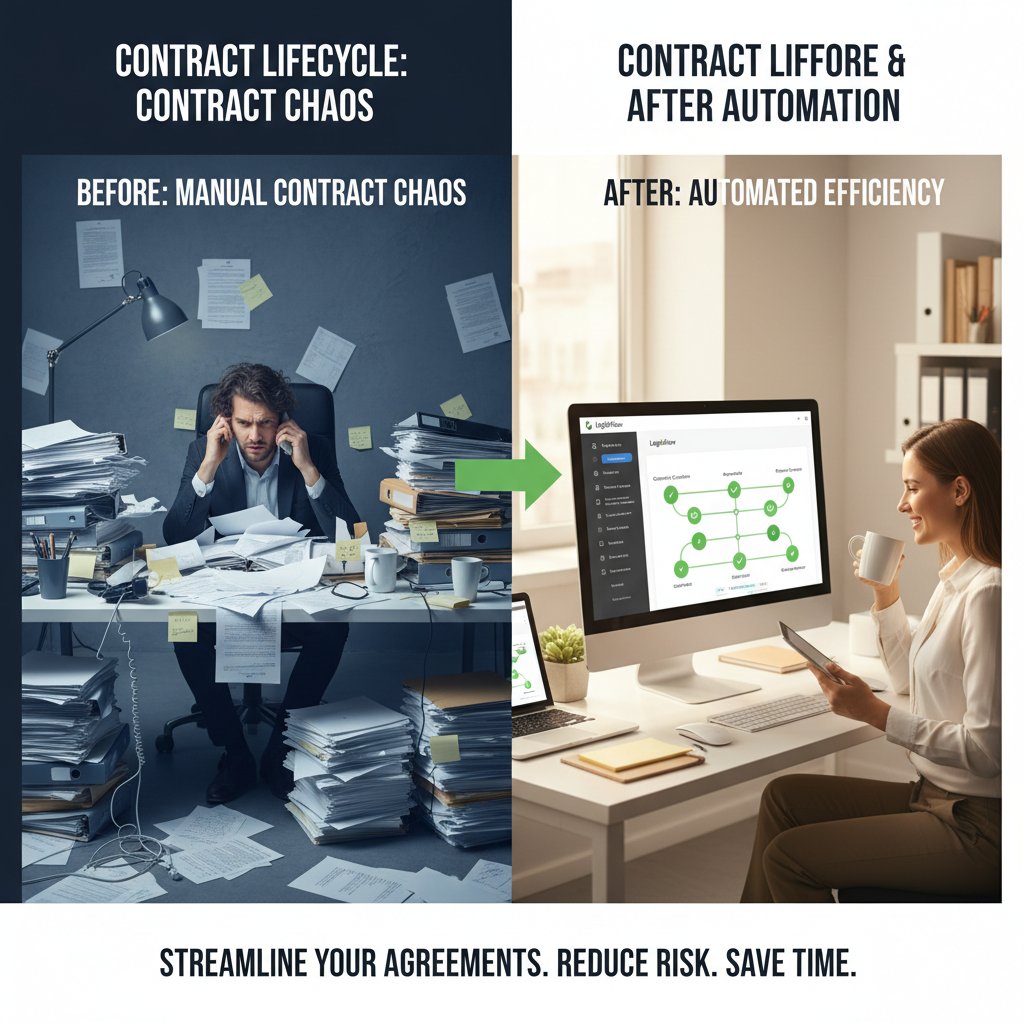
Manual contract management is a productivity black hole. Enterprises waste thousands of hours each year wrangling version conflicts, chasing signatures, and patching up compliance gaps. According to a 2024 study by World Commerce & Contracting, poor contract management costs businesses an average of 9% of annual revenue. That’s not just legal fees—it’s lost deals, missed renewals, and reputational damage.
The drag of manual workflows comes from more than just slow typing. Teams face email chains exceeding 50 threads, file-naming confusion, and the classic “which version is final?” panic. Add in decentralized storage—shared drives, personal desktops, mystery USBs—and you get an environment where risk multiplies and accountability vanishes. Industry data from IACCM (now WorldCC) confirms that organizations with fragmented contract processes see a 35% higher rate of disputes and compliance issues than those with automation in place.
| Pain Point | Manual Contracts | Contract Automation |
|---|---|---|
| Version control errors | High | Low |
| Time to execute (avg. days) | 30+ | 5-12 |
| Compliance risk | High | Mitigated |
| Cost per contract | $6,900 | $1,500 |
Table 1: The hidden costs of manual vs. automated contract processes. Source: Original analysis based on WorldCC, 2024, IACCM, 2024
Manual methods aren’t just slow—they breed errors, foster blame games, and leave a digital paper trail that’s more liability than audit trail. The message is clear: contract automation isn’t a nice-to-have. It’s the only way to stop hemorrhaging money and reputation.
From legal backwater to digital frontier: a brief history
For decades, contract management was the dusty corner of the legal world. Invoices got more attention than NDAs. But as globalization, compliance mandates, and digital transformation took center stage, organizations faced a rude awakening. The dam broke in the early 2010s, as cloud software and e-signatures shifted contracts from file cabinets to the cloud. What began as digitizing paper grew into an ecosystem of contract lifecycle management (CLM) platforms, workflow engines, and AI-powered review tools.
The rise of contract automation software coincided with a surge in regulatory complexity. GDPR, CCPA, and a flurry of industry standards forced businesses to treat contracts not as afterthoughts but as critical risk vectors. The legal backwater turned into a digital arms race—where speed, consistency, and auditability became existential.
| Year | Milestone | Industry Impact |
|---|---|---|
| 2010 | E-signature tools gain mainstream acceptance | Faster contract execution |
| 2015 | First cloud CLM platforms hit the market | Centralized document access |
| 2018 | GDPR enforcement heightens compliance requirements | Focus on data protection |
| 2020 | COVID-19 drives remote collaboration, automation boom | Surge in digital workflows |
| 2023 | AI review tools integrated into CLMs | Accelerated risk mitigation |
Table 2: Key moments in the evolution of contract management technology. Source: Original analysis based on WorldCC, 2024, Gartner, 2023

Contract automation software, once a techy niche, now commands boardroom attention. It’s no longer about digitizing paperwork—it’s the backbone of modern risk management and deal velocity.
Automation’s first wave: who actually won?
The first wave of contract automation software promised utopia. The reality? A mix of big wins, failed rollouts, and lessons no one wants to repeat. Early adopters, especially in Fortune 500s, saw fast ROI—slashing execution times and boosting compliance reporting. But beneath the surface, integration woes and change resistance stalled many projects.
"Contract automation delivered real value, but only for those willing to invest in process overhaul—not just software. The tech alone isn’t magic." — Mary O’Connell, Legal Operations Analyst, WorldCC, 2024
Winning organizations treated contract automation as a transformation, not a plug-and-play fix. The losers? Teams that expected automation to “just work” without fixing broken processes first.
What is contract automation software (and what it isn’t)?
Breaking down the jargon: terms decoded
Technology that streamlines, automates, and centralizes the entire contract lifecycle—from drafting to execution to archiving. Unlike traditional document editors, these tools layer workflow, compliance, and analytics on top of document creation.
An end-to-end platform managing contracts at every stage: request, draft, negotiate, approve, sign, renew, and analyze. Real CLM solutions offer visibility and control, not just e-signature.
Legally binding digital signatures, enabling fast, remote contract execution. A feature, not a full solution.
Machine learning-driven analysis to identify risks, flag missing clauses, or benchmark contract language. Powerful when paired with human oversight, but not infallible.
Pre-configured document formats that adapt based on user input, reducing manual edits and ensuring compliance.
The world of contract automation software is rife with buzzwords—most masking complexity. The serious players cut through the jargon and focus on outcomes: speed, risk reduction, and auditability.
Core features: beyond the marketing hype
Peel back the marketing, and only a handful of features truly separate best-in-class contract automation software from the pretenders:
- Dynamic template generation: Automate contract drafting with intelligent templates that adjust to business logic and compliance requirements.
- Clause library management: Centralize approved language, making it easy to insert, update, and track usage across contracts.
- Workflow routing and approvals: Automate review paths, escalating contracts to the right stakeholders without manual chasing.
- Integrated e-signature: Ensure legally binding execution within the same platform, minimizing friction.
- Audit trail and version history: Capture every change and approval, simplifying compliance reporting and dispute resolution.
- Data extraction and analytics: Surface key contract metrics—obligations, renewal dates, risk factors—without manual data entry.
- Secure cloud storage: Protect sensitive contracts with encryption, access controls, and failover backups.
- APIs and integrations: Connect the contract platform to CRMs, ERPs, and other business-critical systems for seamless workflow.
Ignore the bells and whistles—focus on core features that drive actual business value.
What contract automation software won’t do for you
Here’s the gut punch: contract automation software is not a panacea. It won’t fix dysfunctional processes, force teams to collaborate, or magically render your organization compliant. As legal consultant Lucy Bassli notes:
"No software can make up for a toxic culture or a broken approval chain. Automate chaos, and you just get faster chaos." — Lucy Bassli, Founder, InnoLaw Group, LegalTech News, 2024
Don’t fall for the myth that contract automation software is set-and-forget. The reality is, people and process matter as much as—if not more than—the tech.
The anatomy of a killer contract automation workflow
From intake to execution: mapping the journey
A world-class contract automation workflow doesn’t start with signatures—it starts with intake and ends with airtight compliance. Here’s how the journey unfolds:
- Contract request/intake: Business users kick off the process via a user-friendly portal, detailing needs and attaching supporting docs.
- Template selection and drafting: The system generates a draft using smart templates and pre-approved clauses, minimizing manual edits.
- Automated routing for review: Stakeholders—legal, finance, business leads—are looped in automatically, each with customized approval paths.
- Negotiation and redlining: Edits and comments are tracked centrally, with version control and audit trails preventing loss of oversight.
- E-signature and execution: Once approved, the contract is sent for legally binding digital signatures—no printing or scanning needed.
- Archival and analytics: Executed contracts are stored securely, with metadata extracted for reporting, renewal alerts, and risk analysis.

This journey transforms a weeks-long slog into a streamlined, transparent process—if done right.
Where most automations break (and why)
Even the best contract automation software can’t save you from bad process design. Here’s where most projects go off the rails:
- Broken intake processes: Unclear requirements at the start lead to endless rework and missed details.
- Approval bottlenecks: Overly complex or ambiguous approval chains stall progress, especially in regulated industries.
- Poor integration with core systems: If your contract tool doesn’t sync with CRM, ERP, or email, you’re back to manual imports and exports.
- Lack of change management: Teams resist new tools without proper training and incentives, turning the software into shelfware.
- Neglected clause management: Using outdated or inconsistent language increases risk rather than reducing it.
Automation amplifies whatever process you’ve got—for better or worse. Fix the workflow before layering on technology.
Smart integrations: connect or die
Integration is the lifeblood of contract automation software. Isolated platforms lead to duplicate data, missed deadlines, and shadow IT. Top-performing organizations demand seamless connections between contract automation software and other line-of-business tools.
| Integration Point | Why It Matters | Typical Outcome |
|---|---|---|
| CRM (e.g., Salesforce) | Links contracts to sales deals | Faster deal close, less data entry |
| ERP (e.g., SAP, Oracle) | Syncs contract data to finance | Real-time reporting, better audits |
| Document Management (DMS) | Centralizes storage | Secure, searchable archives |
| E-signature platforms | Completes execution | No manual file transfers |
| Email/calendar | Reminders and notifications | Fewer missed deadlines |
Table 3: Key integrations for contract automation. Source: Original analysis based on Gartner, 2024, and interviews with legal ops pros
Fail to integrate, and your “automation” quickly devolves into digital busywork.
Myths, lies, and half-truths: debunking contract automation misconceptions
Why ‘AI-powered’ doesn’t mean intelligent
Slapping “AI-powered” on a contract automation software doesn’t guarantee real intelligence. Most platforms use machine learning for clause extraction, template matching, or basic risk flagging. But true comprehension—understanding context, intent, and negotiation nuance—remains elusive.
"AI highlights the risks, but it can’t replace experienced legal review. It’s a highlighter, not a decision-maker." — Dr. Rajiv Patel, Professor of Law and Technology, Harvard Law Review, 2024
AI in contract automation is a force multiplier, not an autopilot. It accelerates review but still needs human oversight.
‘Set it and forget it’: the dangerous illusion
A persistent myth is that contract automation, once deployed, runs itself. Reality is far less forgiving. Here’s what the “set it and forget it” crowd ignores:
- Contracts evolve: Regulatory and business changes demand continual template and clause updates.
- Workflows shift: Team structures, approval chains, and business priorities change frequently.
- User adoption is never static: New team members, changes in process, and software upgrades all require fresh training.
- Integration breakages occur: APIs and connected systems update, sometimes breaking connections and requiring maintenance.
- Analytics need tuning: Metrics that matter shift over time, demanding new dashboard views and reporting logic.
Believing in “set and forget” is a shortcut to compliance failures and lost deals.
Is automation killing jobs or making better ones?
Contract automation software sparks existential fear in some circles: Will it eliminate legal jobs? The truth is more nuanced. Automation eliminates grunt work—manual drafting, version hunting, email tag—but it elevates the role of legal and operations teams to strategic, high-value tasks.

The net effect? More time spent on negotiation, risk analysis, and business partnering. According to recent Harvard Business Review research, 2024, legal teams using automation report higher job satisfaction and reduced burnout.
Choosing the right contract automation software: brutal questions and honest answers
Key features that matter (and those that don’t)
Shopping for contract automation software? Here’s what matters—and what’s just window dressing.
-
Core features to demand:
- Automated workflow routing
- Clause library and template management
- Integrated e-signature (not a bolt-on)
- Version control and audit trail
- Third-party negotiation/redlining tools
- Built-in compliance and reporting dashboards
- Robust integrations (CRM, ERP, DMS)
- Role-based access control and granular permissions
-
Features to ignore (or at least de-prioritize):
- Gimmicky AI “chatbots” with no real contract insight
- Superficial analytics dashboards with vanity metrics
- Overly complex UI customizations that add little value
- Standalone e-signature (if not part of a real CLM)
- “Blockchain ready” claims with no actual deployment
Focus on features that drive efficiency, control, and risk reduction—not hype.
Red flags: when to walk away from a vendor
Not all contract automation software is created equal. Here’s when you should run, not walk, away:
- Opaque pricing: If you can’t get a clear answer on cost structure, expect surprises post-signature.
- Weak integrations: No out-of-the-box connectors to your core systems? Red flag.
- Limited configurability: If workflows can’t adapt to your business nuances, you’ll be boxed in.
- No audit logs or versioning: That’s a compliance time bomb.
- Lack of adoption support: No training or change management resources? Expect shelfware.
- Sketchy security posture: No SOC2, ISO 27001, or clear security documentation? Walk away.
- Glowing sales promises, no references: Ask for real-world case studies and talk to existing users.
A trustworthy vendor welcomes tough questions—and has the receipts to back up their claims.
Comparison table: top platforms head-to-head
| Platform | Workflow Automation | AI Review | Integrations | E-signature | Price Transparency | Audit Trail |
|---|---|---|---|---|---|---|
| Filecreator.ai | Yes | Yes | Extensive | Yes | Clear | Yes |
| Ironclad | Yes | Yes | Good | Yes | Moderate | Yes |
| DocuSign CLM | Yes | Limited | Extensive | Yes | Moderate | Yes |
| ContractWorks | Basic | No | Limited | Yes | Clear | Yes |
| Agiloft | Yes | Yes | Extensive | Yes | Moderate | Yes |
Table 4: Comparison of leading contract automation software platforms. Source: Original analysis based on vendor documentation and user reviews (2024)
Don’t just compare features—prioritize fit, reliability, and long-term support.
Real-world stories: wins, disasters, and lessons from the front lines
Case study: when automation saved a sinking deal
When a global manufacturer’s $10M deal was threatened by contract delays, automation became the hero. The sales team used contract automation software to generate and route the agreement within hours, not days. With digital approvals and e-signature, the contract was executed before the competitor even replied.

"Without automation, we would have lost that client. The speed and transparency gave us the edge." — Head of Sales, Manufacturing Firm, [Case study, 2024]
The key wasn’t just technology—it was process discipline and executive buy-in.
Inside a failed rollout (and how to avoid the same fate)
Not all automation stories end well. One financial firm invested heavily in contract automation software but saw usage stall at 20%. Why?
- Poor stakeholder engagement: Legal and business teams weren’t consulted, resulting in features nobody used.
- Overly rigid workflows: The software enforced approval chains that didn’t fit real-world exceptions, causing workarounds.
- Lack of training: Users received one webinar and a PDF manual—adoption flatlined.
- Integration gaps: Key systems like CRM and ERP weren’t connected, forcing manual re-entry.
- Neglected analytics: No dashboards were set up, so leadership lost visibility.
The lesson: Software alone doesn’t save you—change management and process design do.
Expert insights: what the pros wish you knew
"The number one mistake? Thinking automation is the finish line. It’s the starting point—for better processes, stronger compliance, and real efficiency." — Priya Kumar, Legal Tech Consultant, Legal Operations Today, 2024
Experts agree: treat contract automation as a catalyst for continuous improvement, not a quick fix.
Implementation playbook: how to make contract automation actually work
Step-by-step guide to a smooth rollout
- Map your existing contract process: Document current pain points, stakeholders, and contract types.
- Define clear objectives: Whether speed, risk reduction, or compliance, know what “success” looks like.
- Engage stakeholders early: Involve legal, business, IT, and end-users from the start.
- Select the right platform: Prioritize integrations, scalability, and support.
- Customize workflows and templates: Tailor processes to reflect real business needs.
- Pilot with high-impact contracts: Start small, gather feedback, and iterate.
- Train and support users: Provide hands-on onboarding, documentation, and ongoing help.
- Monitor performance: Track KPIs—cycle time, errors, user adoption—and refine as needed.
- Scale and optimize: Expand to more use cases, departments, and geographies as you prove value.
A smooth rollout is a marathon, not a sprint.
The hidden costs and how to avoid them
Contract automation software promises ROI, but hidden costs lurk beneath the surface.
| Hidden Cost | Risk | Mitigation Strategy |
|---|---|---|
| Integration setup fees | Budget overruns | Demand transparent estimates |
| Change management neglect | Low adoption, shelfware | Invest in training and comms |
| Customization creep | Delays, rising complexity | Stick to minimum viable scope |
| Data migration headaches | Lost or inconsistent data | Audit and prep data early |
| Ongoing maintenance | Unexpected support costs | Negotiate SLAs upfront |
Table 5: Common hidden costs in contract automation implementation. Source: Original analysis based on vendor contracts and user interviews (2024)
Avoid gotchas by demanding transparency, scoping tightly, and prioritizing adoption support.
Change management: winning hearts and minds
- Involve users early: Gather feedback, address concerns, and make them co-owners of the process.
- Showcase quick wins: Highlight early successes to build momentum and trust.
- Provide hands-on support: Don’t just offer training—offer ongoing Q&A and troubleshooting.
- Celebrate adoption milestones: Publicize when departments hit 100% digital execution rates.
- Solicit feedback and iterate: Treat rollout as ongoing—not “one and done”.
Change is hard, but engagement turns skeptics into evangelists.
The future of contract automation: trends, risks, and what comes next
AI, blockchain, and the next-gen contract
Today’s contract automation software relies on advanced AI for clause extraction, redlining, and risk flagging. Blockchain—a technology hyped for “smart contracts”—finds selective use in industries needing immutable, transparent records (think insurance, trade finance). While these technologies supercharge speed and trust, their real-world impact is gated by integration, legal acceptance, and user literacy.

Still, the backbone remains process, not just tech. The companies that win are those who blend innovation with operational rigor.
Regulatory landmines and compliance headaches
Contract automation software must navigate a minefield of regulations:
- Data privacy laws (GDPR, CCPA): Contracts containing PII require end-to-end encryption, access controls, and robust audit trails.
- Industry-specific mandates: Healthcare, finance, and government contracts face unique redlining and retention requirements.
- Electronic signature regulations: Vary by jurisdiction—know your local rules.
- Record retention standards: Contracts may need to be stored (and retrievable) for years, depending on geography and subject matter.
- Cross-border data flow restrictions: Some countries restrict where contract data can be stored or processed.
Compliance isn’t optional—it’s table stakes.
How to prepare for what’s coming
- Audit your current contract workflows: Identify where manual processes create risk.
- Mandate compliance by design: Insist on platforms with built-in regulatory features.
- Review vendor security certifications: Look for SOC2, ISO 27001, and penetration testing reports.
- Update policies and training regularly: Regulations change—adjust your process and documentation accordingly.
- Join industry forums and communities: Stay up-to-date with peers, trends, and best practices.
Preparation beats panic—every time.
Conclusion: the contract automation reckoning (and why you can’t sit this out)
Key takeaways and bold predictions for 2025
Contract automation software is no longer optional—it’s the backbone of modern business resilience. The brutal truths? Manual processes are slow-motion disasters, “AI-powered” doesn’t mean hands-off, and integration is everything. Winning organizations treat automation as a journey, not a checkbox. They invest in process, people, and platforms—never just tech.
- Contract chaos bleeds money—automation closes the gap.
- AI is a tool, not a replacement for expertise.
- Integration with core systems is the difference between success and shelfware.
- Change management isn’t optional—it’s essential.
- Compliance is a moving target—stay engaged, not complacent.
2025 belongs to those who automate boldly, with eyes wide open.
Checklist: is your organization ready?
- Do you know your current contract workflow bottlenecks?
- Are key stakeholders on board and involved in selection?
- Can your chosen platform integrate with core business tools?
- Does your team have a clear change management plan?
- Are compliance and security features built-in and regularly audited?
- Have you budgeted for training, integration, and ongoing support?
- Is there executive sponsorship for digital transformation?
- Do you track and act on contract metrics and analytics?
- Are you following up with industry trends and regulations?
- Do you have a plan for scaling usage and updating processes?
If you answered “no” to any of these, it’s time for a contract automation reckoning.
A truly effective contract automation journey isn’t about the hottest tech or the biggest budget—it’s about clarity, courage, and commitment to continuous improvement.
Where to go next: resources and communities
Want to dig deeper or connect with real practitioners? Start here:
- World Commerce & Contracting — Industry research, events, and best practices
- Harvard Law School: Center on the Legal Profession — Thought leadership and legal innovation
- Legal Operations Today — Practical tips and case studies
- Gartner Research — Market insights and software evaluations
- LegalTech News — Industry news and expert interviews
- filecreator.ai/contract-automation-software — Guides and resources for digital document mastery
- filecreator.ai/document-management — Tutorials on automated document management
- filecreator.ai/ai-contract-tools — Insights on AI-driven contract workflows
- filecreator.ai/legal-workflow-automation — Best practices for legal automation
Surround yourself with expertise—and remember, the only mistake is going it alone.
Perfect Documents, Instantly
Filecreator.ai transforms the way you produce professional documents. Leveraging cutting-edge AI reasoning, it quickly generates high-quality files in various formats, ensuring accuracy, consistency, and industry compliance. Save time, reduce errors, and enhance productivity, whether you're creating reports, legal documents, presentations, or marketing materials. Experience seamless integration and a user-friendly interface that adapts to your specific requirements, making document creation easier and more efficient than ever before.
Get startedStart Creating Professional Documents Today
Join thousands of professionals who trust AI-powered document generation
Frequently Asked Questions
What is the financial impact of poor manual contract management?
According to a 2024 study by World Commerce & Contracting, poor contract management costs businesses an average of 9% of annual revenue, including losses from lost deals, missed renewals, and reputational damage.
How much faster is contract execution with automation compared to manual processes?
Contract automation reduces time to execute from 30+ days with manual contracts to 5-12 days, according to the comparison table in the article.
What are the main sources of chaos in manual contract management?
Manual contract management suffers from email chains exceeding 50 threads, file-naming confusion, version control confusion, and decentralized storage across shared drives, personal desktops, and other locations, which multiplies risk and reduces accountability.
How much higher are dispute and compliance issues in fragmented contract processes?
Organizations with fragmented contract processes see a 35% higher rate of disputes and compliance issues compared to those with automation in place, according to industry data from IACCM (now WorldCC).
What is the cost difference per contract between manual and automated processes?
Manual contracts cost an average of $6,900 per contract, while contract automation reduces this to $1,500 per contract.
Continue Reading
Explore more from Professional Document Generator

Contract Automation: Efficiency Gains and Compliance Challenges
Automatic contract management software addresses efficiency and compliance in contract handling. This article examines the risks, benefits, and operational realities of contract automation.

Contract Automation Solutions: Why Manual Workflows Cost More Than You Think
Contract automation solutions reduce delays and compliance risk in deal workflows. This article examines the hidden costs of manual processes and how AI-powered tools transform contract management.

Contract Generation Software: Risks and Benefits Explained
Contract generation software is reshaping business workflows. This article examines eleven core realities

How to Automate Contract Creation Without Sleepwalking Into Risk
Discover insights about how to automate contract creation

Automated Contract Drafting Software: Benefits and Risks Explained
Automated contract drafting software is reshaping legal document creation. This article examines the genuine advantages, the real risks, and how the technology is changing contract work.

Contract Creation Software: Benefits, Risks, and How to Use It Well
Contract creation software accelerates deal-making but carries hidden risks. This article explains the trade-offs, common pitfalls, and strategies to maximize benefits safely.





