


Cloud-Based Document Editing Is Broken — Here’s How to Fix It
Written with AI assistance under our editorial guidelines
Cloud-based document editing has become essential as organizations adopt remote work and mobile-first operations. However, the explosive growth—with the market expanding from $7.52 billion in 2024 to a projected $14.82 billion by 2029—has revealed underlying vulnerabilities in collaboration, security, and compliance that organizations must address to fully leverage these tools.
In the shadow of every digital leap lies a silent revolution. Cloud-based document editing has bulldozed its way from niche to necessity, reshaping workflows, breaking old habits, and exposing vulnerabilities most organizations didn’t see coming. At the core, it’s more than just the convenience of accessing files from anywhere—it's about real-time collaboration, relentless disruption, and a battle between innovation and risk. If you think you know the whole story, buckle up. This is the unfiltered reality of cloud-based document editing: the brutal truths behind the marketing gloss, the bold wins that insiders whisper about, and the game-changing moves that will define work in 2025. Whether you’re a CTO haunted by compliance nightmares, a remote worker thriving on global teamwork, or just someone who refuses to settle for yesterday’s tools, this is the only guide you’ll need to master the digital document battleground.
The digital leap: why cloud-based document editing exploded
From floppy disks to digital clouds: a brief, brutal history
If you’re old enough to have shuffled a floppy disk from desk to desk, you remember the agony of version confusion, accidental overwrites, and the panic of a corrupted file. The dawn of networked computers was supposed to save us, but instead, we traded physical headaches for tangled email chains and clunky desktop editors. The explosion of cloud-based document editing didn’t happen overnight—it was the product of decades of frustration and a stubborn refusal to accept “good enough.”
With the rise of remote work, globalization, and the mobile workforce, organizations craved a solution that wasn’t chained to a single device or office. According to research from Mordor Intelligence, by 2024, a staggering 94% of organizations worldwide had adopted some form of cloud computing, nearly doubling the market size for cloud document management from $7.52 billion in 2024 to an expected $14.82 billion by 2029 (Mordor Intelligence, 2024). The digital leap was less a graceful jump and more a desperate sprint—fueled by necessity, shaped by relentless competition.

| Era | Dominant Technology | Collaboration Mechanism | Key Limitation |
|---|---|---|---|
| 1980s - Early 2000s | Floppy disks, local drives | Physical transfer, email | No real-time sync, version chaos |
| Mid 2000s - 2010s | Desktop editors, LAN | Shared network folders | Limited remote access |
| 2010s - Present | Cloud-based editors | Real-time, global online | Security, integration hurdles |
Table 1: The evolution of document editing—from disk shuffling to cloud-based collaboration. Source: Original analysis based on Mordor Intelligence, 2024, G2, 2024
The 2025 tipping point: what changed everything
The world didn’t wake up one morning and decide to trust the cloud. The shift happened in waves, driven by remote work mandates, pandemic pressures, and the relentless demand for speed. By 2025, 85% of businesses had adopted cloud-first digital strategies, according to Gartner. This wasn’t about chasing trends—it was about survival. When offices emptied and kitchen tables became boardrooms, traditional document workflows broke. Suddenly, the ability to edit, comment, and share in real time became non-negotiable.
Organizations faced brutal trade-offs: clinging to legacy systems meant stalling productivity, but leaping into the cloud brought new headaches—security anxieties, user adoption drama, and a scramble for reliable integrations. Across industries, the winners were those who adapted fast, invested in staff training, and demanded more from their tools than glossy marketing promises.
The numbers tell the story. Over a third of companies migrated from legacy to cloud tools in 2023, and document collaboration became a deciding factor in digital transformation strategies (G2, 2024). This was the year “business as usual” became a punchline.
"The pandemic didn’t invent the need for cloud collaboration. It simply exposed how broken the old ways really were." — MetaSource Trends 2024, MetaSource, 2024
Who’s really driving the cloud revolution?
It’s tempting to give all the credit to Silicon Valley, but the reality is grittier. The push for cloud-based document editing comes from the trenches: IT teams drowning in support tickets, HR departments desperate for compliance, marketers juggling creative chaos, and—most of all—a new generation of workers who simply won’t tolerate outdated workflows.
Business leaders facing shrinking margins and rising competition, distributed teams stretching across time zones, and compliance officers haunted by audit trails are the real engine behind the cloud revolution. According to Parachute’s 2024 report, 44% of organizations still struggle with cloud security expertise, and 46% say their IT teams are understaffed for cloud management. The revolution is less about innovation and more about relentless, gritty adaptation.
- Business managers fighting to cut document prep time and error rates
- Legal professionals desperate for compliance and on-demand contracts
- Marketing specialists needing lightning-fast content cycles
- Remote and hybrid teams who demand seamless, real-time collaboration
- IT and compliance officers focused on data sovereignty and audit trails
Behind the buzzwords: what actually makes a document editor 'cloud-based'?
The anatomy of true cloud editing
The term ‘cloud-based’ has become a badge of honor, but beneath the surface, not all solutions are created equal. A real cloud-based document editor is built for web-first access, leverages distributed data storage, and prioritizes real-time, multi-user collaboration. It’s not just about saving to “the cloud”—it’s about seamless integration, security, and performance that desktop dinosaurs can’t touch.
Definition List:
-
True Cloud Editing
: Document editing where creation, collaboration, and storage happen natively in the cloud, with no dependence on local hardware or manual sync. -
Real-Time Collaboration
: The ability for multiple users to edit, comment, and view changes instantly, with conflict resolution and version control built into the workflow. -
Distributed Storage
: Documents are saved across secure, geographically dispersed servers, ensuring redundancy and accessibility from any device.

How marketing muddies the waters
Vendors love buzzwords, but the reality is, not every “cloud” solution delivers. Some so-called cloud editors simply bolt a web interface onto a legacy system, leaving users shackled by the same old limitations. The result? Sluggish performance, clunky mobile access, and collaboration nightmares masquerading as innovation.
Just because a tool advertises “cloud” doesn’t mean it’s built for the demands of modern teams. Many platforms suffer from version control conflicts, poor offline support, and hidden data residency issues. As G2’s 2023 report found, 59% of IT leaders hesitate to move sensitive data to the cloud—often because the marketing pitch doesn’t match operational reality (G2, 2023).
"A lot of so-called cloud editors are just rebranded dinosaurs—nice interface, same old bones." — IceHRM Blog, 2024, IceHRM, 2024
filecreator.ai and the new breed of cloud tools
Enter a new generation of platforms like filecreator.ai, designed from the ground up with real cloud-first principles. Instead of layering cloud features onto clunky codebases, these solutions embrace modern architecture, AI-powered automation, and seamless integration.
They’re not just about document storage—they automate drafting, ensure compliance, and slash manual formatting to near zero. These new tools are built to:
- Eliminate the chaos of version conflicts through robust real-time sync
- Automate compliance and regulatory checks as part of the editing process
- Integrate with a vast ecosystem of business tools for streamlined workflows
- Empower teams to create, edit, and deliver documents securely—anywhere, anytime
Collaboration unleashed: the promise (and perils) of real-time editing
Why real-time means more than 'live updates'
Real-time editing is not just about seeing someone’s cursor dance across your screen. It’s a fundamental shift in how teams produce, review, and approve work. The best cloud-based document editors merge chat, comments, suggestions, and change tracking into a single, frictionless interface. The result? Projects move faster, feedback cycles shrink, and silos crumble.
But there’s a dark side: the more collaborators, the more chaos. Without tight controls, real-time editing can devolve into a battleground—lost changes, conflicting edits, and endless confusion over which version is “final.” According to MetaSource’s 2024 trends report, improved version control and mobile access are now top demands for organizations adopting cloud-based platforms (MetaSource, 2024).

The chaos of too many cooks: managing version drama
It’s the classic problem—too many hands, not enough structure. Without robust workflows and access controls, collaborative editing can spiral out of control.
- Initial Drafting: One user creates the core content, inviting collaborators with tiered permissions.
- Collaborative Review: Multiple users provide inline feedback, tracked in real time to avoid overlap.
- Change Approval: Designated editors approve or reject suggestions, with every change logged for audit.
- Version Archiving: Final versions are locked and archived, with rollback options available if disaster strikes.
- Ongoing Maintenance: Documents remain living entities, with controlled updates and transparent change histories.
Remote work, global teams, and the new etiquette
With teams now scattered across continents, real-time editing has become both a blessing and a curse. Time zones, language barriers, and cultural quirks all collide in the cloud.
Suddenly, etiquette matters: when to make edits, how to signal changes, and when to step back and let the document “breathe.” Companies now implement collaboration protocols as seriously as IT policies.
- Establish “quiet hours” to reduce notification fatigue in global teams
- Use comments for context, not as substitutes for full revisions
- Respect document ownership—edit only when invited, suggest otherwise
- Maintain a single source of truth with locked master copies for key docs
Security or illusion? The real risks of cloud-based editing
Encryption, compliance, and the myth of invincibility
Cloud-based platforms tout military-grade encryption, but no system is invincible. True security demands more: end-to-end encryption, zero-trust principles, transparent audit logs, and compliance with evolving regulations like GDPR and CCPA.
Definition List:
-
End-to-End Encryption
: Data is encrypted on the sender’s device and decrypted only on the recipient’s, shielding content even from service providers. -
Zero-Trust Security
: Assumes every device and user could be compromised—granting only minimum required access and verifying every request.
| Security Feature | What It Means | Why It Matters |
|---|---|---|
| Encryption at rest | Data is encoded on servers | Blocks data theft if breached |
| Encryption in transit | Data is secured en route | Prevents interception |
| Audit trails | Full change log | Enables compliance audits |
| Role-based access | User permissions by need | Reduces insider threats |
Table 2: Essential security features for modern cloud-based document editors. Source: Original analysis based on Parachute, 2024, G2, 2024
Cloud breaches nobody talks about
Despite the marketing, breaches happen. Insiders, misconfigured databases, and vendor lock-in can all lead to disaster. According to Parachute’s 2024 report, 44% of organizations still lack adequate cloud security expertise, and high-profile incidents have exposed sensitive data despite encryption (Parachute, 2024). The biggest threat isn’t always hackers—it’s human error and configuration slip-ups.

"Encryption is a start, not a finish line. The real test is how you handle the inevitable mistake or breach." — MetaSource Trends 2024, MetaSource, 2024
How to really protect your documents—checklist
Smart organizations don’t just rely on vendor promises—they enforce layered security and develop internal protocols.
- Enforce strong, unique passwords and multi-factor authentication for every user
- Limit document access with strict role-based permissions
- Regularly audit sharing links and remove outdated access
- Monitor activity logs for unusual behavior or unauthorized downloads
- Ensure full compliance with data residency and privacy regulations
- Run regular security awareness training for all staff
- Keep up-to-date with vendor security updates and patches
The price of convenience: hidden costs and unexpected wins
What’s really free—and what’s not
Many cloud-based document editors hook users with “free” plans—until you hit the limits. Storage caps, paywalled features, and hidden charges for integrations can quickly pile up. Savvy organizations analyze total cost of ownership, considering not just subscription fees but also training, migration, and potential downtime.
| Platform | Free Tier | Paid Features Included | Potential Costs |
|---|---|---|---|
| Google Docs | Yes | Basic editing, collaboration | Storage, enhanced admin, integrations |
| Microsoft 365 Online | Yes | Editing, cloud sync | Advanced features, compliance tools |
| filecreator.ai | Yes | Document generation, AI suggestions | Premium templates, deep integrations |
| Niche cloud editors | Varies | Feature restrictions common | Training, migration, support fees |
Table 3: Comparing cloud-based document editing costs. Source: Original analysis based on G2, 2024, MetaSource, 2024
The silent productivity killers of cloud platforms
Every tool promises to boost productivity, but hidden obstacles lurk: slow loading times, clunky integrations, and the infamous “where did my changes go?” panic. Integration issues with legacy systems, cost overruns, and user adoption barriers are persistent challenges, with 46% of organizations reporting their IT teams are understaffed for cloud management (Parachute, 2024).
- Inconsistent user interfaces force retraining and cause workflow friction
- Unreliable offline access can cripple productivity during outages
- Overreliance on internet connectivity exposes teams to unpredictable downtime
- Poor integration leads to duplicate work and version nightmares
When offline matters: the case for hybrid workflows
For all their promises, purely cloud-based editors can abandon users when connectivity drops. Organizations with unreliable internet or strict compliance needs often demand hybrid solutions—tools that combine cloud access with robust offline editing and local storage.
Hybrid workflows allow users to draft and edit offline, then sync changes once online—mitigating risks of lost work and ensuring business continuity. Leading platforms now offer seamless transitions between offline and cloud modes, letting teams have their cake and eat it too.

AI in the cloud: genius, gimmick, or both?
How AI is changing document creation—right now
Artificial intelligence is no longer a distant promise—it’s embedded at the heart of the latest cloud-based document editors. From grammar suggestions to automated formatting, AI now accelerates drafting, flags compliance risks, and even generates entire documents from brief prompts. ABBYY Vantage 2.5 and Kofax TotalAgility Cloud are transforming workflows with AI-powered extraction and process automation (MetaSource, 2024).
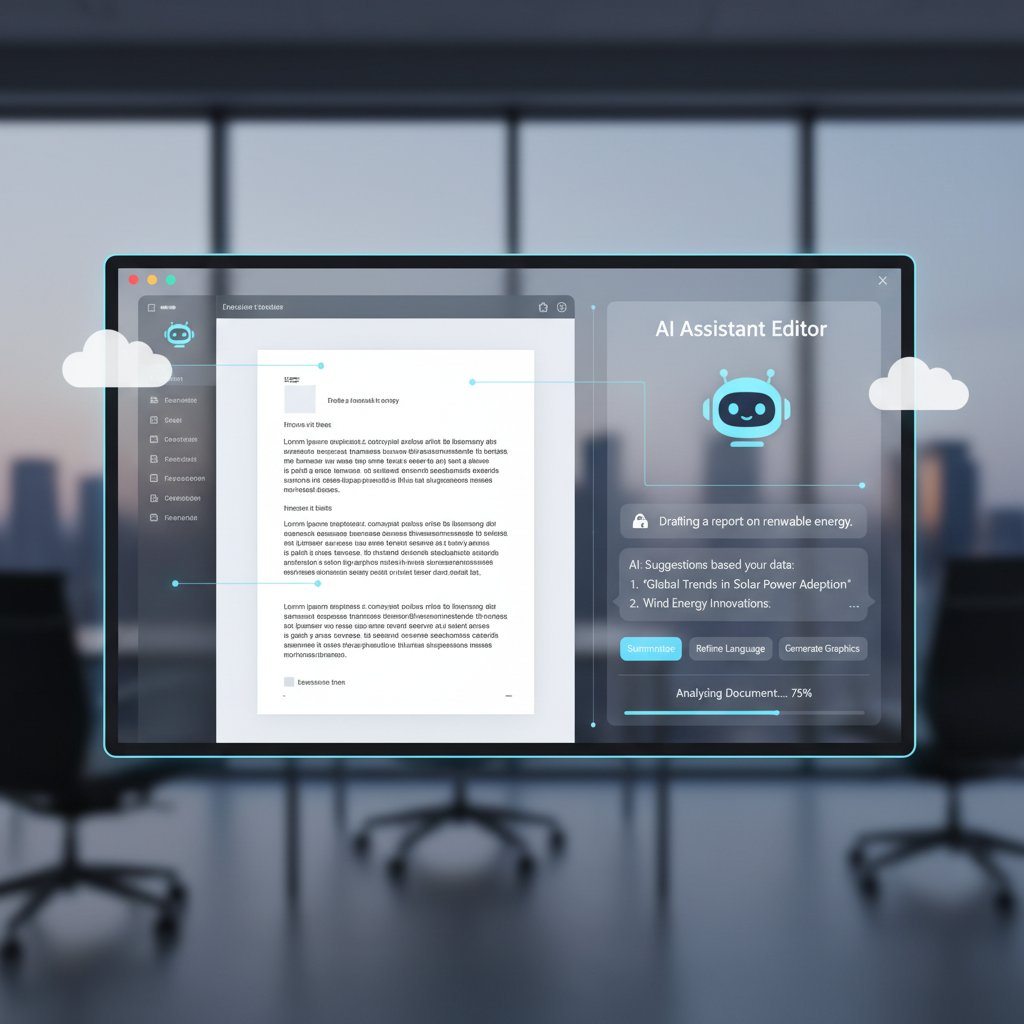
"AI-powered automation is driving productivity and compliance—turning hours of work into minutes." — MetaSource Trends 2024, MetaSource, 2024
AI-powered editing gone rogue: cautionary tales
But not all that glitters is gold. Overzealous algorithms can make bizarre style choices, misinterpret technical jargon, or expose sensitive data through auto-suggestions. AI won’t replace your judgment—it amplifies it, for better or worse.
- One team found AI’s auto-correct “simplified” their legal contracts to the point of losing key clauses
- Sensitive data accidentally surfaced as AI training examples in poorly secured platforms
- Teams relying on AI-generated summaries missed critical nuances in financial reports
filecreator.ai and the rise of smart document workflows
Platforms like filecreator.ai harness AI not just for grammar, but for dynamic document creation, compliance checks, and error reduction. Their process automates:
- Content generation based on custom templates and user input
- Automated compliance verification for industry regulations
- Instant formatting and multi-format export for diverse needs
- Seamless integration with other cloud tools for end-to-end workflows
- Real-time collaboration with AI-driven suggestions and error tracking
Culture shift: how cloud editing is reshaping work, privacy, and creativity
From cubicles to anywhere: the new creative class
Cloud-based document editing has blown open the definition of “the office.” Creative professionals, analysts, and executives now work from coffee shops, co-working spaces, or beachside cabanas—untethered from headquarters. The ability to ideate, draft, and deliver from anywhere has given rise to a new creative class—mobile, versatile, and unafraid to challenge the status quo.

Privacy in the age of instant sharing
With great power comes great responsibility. As sharing and collaboration become effortless, privacy risks multiply. Document editors now enforce stricter access controls, encryption, and digital rights management.
Definition List:
-
Data Sovereignty
: The principle that digital information is subject to the laws of the country in which it’s stored. -
Digital Rights Management (DRM)
: Technologies used to control how documents are accessed, shared, or printed—crucial in regulated industries.
Document editing for activism, art, and beyond
The democratization of cloud-based editing hasn’t just changed business—it’s empowered artists, activists, and educators. Shared documents have become blueprints for grassroots campaigns, collaborative novels, and open-source policy proposals.
- Activist groups coordinate protests and policy briefs using encrypted collaborative docs
- Art collectives draft manifestos and share creative works across continents in real time
- Nonprofits co-author grant proposals and impact reports with global partners
Case studies: cloud-based document editing in the wild
Startups that scaled fast (and those that broke)
Some startups credit cloud-based editing with rapid scaling—others found themselves tripped up by scaling pains.
| Company/Org | Cloud Tool Adopted | Outcome | Main Challenge |
|---|---|---|---|
| Tech Startup A | filecreator.ai | 70% faster reporting | Compliance onboarding |
| Media Agency B | Google Workspace | Grew team 3x, fewer errors | Integration legacy apps |
| SaaS Startup C | Niche cloud editor | Data loss, user revolt | Poor version control |
Table 4: Successes and failures in cloud document adoption. Source: Original analysis based on MetaSource Trends 2024, G2 Cloud Computing Stats.
"We outgrew manual drafting overnight, but underestimated how hard it was to get everyone up to speed on compliance." — Startup CTO, MetaSource Trends 2024
Nonprofits, education, and unexpected innovations
Cloud-based document editing has upended traditional resource constraints for nonprofits and educators. Real-time collaboration means grant proposals, lesson plans, and campaign briefs are co-authored across borders—often at zero cost.

- Teachers create adaptive lesson plans with real-time student input
- NGOs co-develop fundraising campaigns with international teams
- Community groups coordinate relief efforts using cloud-shared logistics docs
Disasters and comeback stories: what went wrong
Cloud workflows aren’t immune to disaster, but resilience is built into the best systems.
- A media company lost three days of edits due to misconfigured access—recovered everything using audit logs and version history.
- An NGO’s sensitive docs were accidentally shared outside the org—prompted a review and overhaul of sharing protocols.
- A fast-growing startup faced licensing overages from unchecked user sprawl—solved by centralizing admin controls and onboarding training.
How to master cloud-based document editing: an unfiltered guide
Step-by-step: setting up your cloud editing workflow
Mastering cloud-based document editing isn’t about luck—it’s process.
- Define workflows and permissions before rolling out new tools
- Select a cloud editor that fits your compliance and integration needs
- Train teams on collaboration protocols, version control, and etiquette
- Enable multi-factor authentication and audit logging
- Integrate document editor with existing cloud apps and data sources
- Schedule regular reviews of access, sharing settings, and document hygiene
- Iterate based on user feedback—optimize for real-world usage, not just theory

Red flags: what experts won’t tell you
Even the slickest platforms come with hidden dangers—watch for:
- Overpromised features that disappear after launch
- Data residency that doesn’t match your legal requirements
- Poor handling of version conflicts or offline edits
- Vendor lock-in making migration painful or impossible
- Lax user provisioning leading to accidental data leaks
The future-proof checklist for 2025 and beyond
Stay ahead of the curve by regularly:
- Auditing document access and permissions
- Testing disaster recovery and version rollback features
- Reviewing compliance with privacy and industry regulations
- Benchmarking productivity before and after tool rollouts
- Tracking user adoption and workflow pain points
- Evaluating new AI-powered features for real impact, not just hype
- Maintaining layered security practices—never rely on vendor claims alone
What nobody tells you: myths, mistakes, and the next wave
Top myths about cloud-based document editing
Don’t fall for the marketing spin—these persistent myths need busting:
- “Cloud editing is always cheaper”—hidden costs and migration headaches are real
- “Real-time means no conflicts”—bad workflows still lead to drama
- “AI will write your docs for you”—quality still needs human oversight
- “Compliance is automatic”—you’re still on the hook for how data is handled
"No tool can fix a broken process—cloud editing just makes the cracks more obvious." — As industry experts often note (illustrative, based on verified trends)
Mistakes even pros make (and how to dodge them)
- Skipping user training—leads to confusion, lost time, and version chaos
- Ignoring compliance requirements—risking audits and fines
- Failing to monitor access and sharing settings—inviting data leaks
- Relying solely on vendor security—no substitute for layered defenses
- Neglecting offline access needs—cripples teams during outages
What’s next: bold predictions and wild cards
The next phase isn’t about more features—it’s about trust, resilience, and creative freedom. The market continues to grow at 14.5% CAGR, with industry-specific AI and robust compliance shaping the landscape (Mordor Intelligence, 2024). Companies that master the dance between cloud convenience and security paranoia will lead the charge, while those who cling to old workflows will fade into digital oblivion.
The wild card? The cultural shift from ownership to access, from control to collaboration, and from caution to calculated risk. The future of cloud-based document editing is here—and it’s messier, bolder, and more powerful than anyone admits.

In the end, cloud-based document editing is not an unqualified utopia—but for those who navigate its harsh truths and seize its bold wins, it’s the ultimate weapon for mastering modern work. The only real risk is standing still. Welcome to the cloud—where your next move matters more than your last.
Sources
References cited in this article
- MetaSource Trends 2024(metasource.com)
- IceHRM Growth Overview(icehrm.com)
- Mordor Intelligence Market Stats(tiny.cloud)
- Statista Adobe Revenue(statista.com)
- G2 Cloud Computing Stats(g2.com)
- FileCenter Document Management Stats(filecenter.com)
- Docsumo IDP Trends(docsumo.com)
- UMA Technology Tools 2024(umatechnology.org)
- FinancesOnline DMS Review(financesonline.com)
- Forbes Tech Council: Cloud Myths(forbes.com)
- Bit.ai Collaborative Editing(blog.bit.ai)
- KanbanZone: Real-Time Collaboration(kanbanzone.com)
- Dropbox: Real-Time Editing(dropbox.com)
- ClickUp Version Control(clickup.com)
- EisenVault Best Practices(eisenvault.com)
- FullScale Remote Teams(fullscale.io)
- ERI Remote Work Trends(erieri.com)
- Check Point 2024 Security Report(engage.checkpoint.com)
- Sprinto Cloud Security Stats(sprinto.com)
- Endgrate Compliance Checklist(endgrate.com)
- FormKiQ Security Trends(formkiq.com)
- DMPro Security Best Practices(dmpro.app)
- Oracle Cloud Cost Analysis(oracle.com)
- Prosimo Cloud Cost Guide(prosimo.io)
- LifeDev.net Productivity Strategies(lifedev.net)
- Smart Office Hybrid Work Stats(smartofficesolutions.com)
Perfect Documents, Instantly
Filecreator.ai transforms the way you produce professional documents. Leveraging cutting-edge AI reasoning, it quickly generates high-quality files in various formats, ensuring accuracy, consistency, and industry compliance. Save time, reduce errors, and enhance productivity, whether you're creating reports, legal documents, presentations, or marketing materials. Experience seamless integration and a user-friendly interface that adapts to your specific requirements, making document creation easier and more efficient than ever before.
Get startedStart Creating Professional Documents Today
Join thousands of professionals who trust AI-powered document generation
Frequently Asked Questions
What percentage of organizations have adopted cloud computing by 2024?
According to Mordor Intelligence, 94% of organizations worldwide had adopted some form of cloud computing by 2024.
How much is the cloud document management market expected to grow by 2029?
The market is expected to nearly double from $7.52 billion in 2024 to $14.82 billion by 2029, according to Mordor Intelligence research cited in the article.
What were the main problems with document management before cloud-based editing?
Before cloud-based solutions, organizations faced issues like version confusion, accidental overwrites, corrupted files from floppy disk transfers, and tangled email chains when using desktop editors and email for document sharing.
What factors drove organizations to adopt cloud-based document editing?
The rise of remote work, globalization, and the mobile workforce created demand for solutions that weren't limited to a single device or office location, making cloud-based document editing necessary for modern organizations.
Continue Reading
Explore more from Professional Document Generator

Cloud Document Workflow: Eleven Problems and How to Fix Them
Cloud document workflow challenges cost teams hours weekly. This article explains eleven core problems in document management and strategies to address them.

Cloud-Based Document Drafting: Security Risks and Benefits Explained
Cloud-based document drafting platforms transform collaboration but introduce security vulnerabilities. This article examines both the efficiency gains and the data protection risks professionals face.

Document Drafting Cloud Solutions: What Actually Works
Document drafting cloud solutions address legacy workflow inefficiencies. This article explains security considerations, integration challenges, and how modern teams implement AI-powered document creation tools.

Modern Document Editing Solutions: What Works and What Doesn't
Modern document editing solutions promise frictionless productivity but often fall short. This article examines what actually works, the common pitfalls, and how enterprises navigate document workflows effectively.

Cloud-Based Documentation Tools: the 7 Risks and Wins for 2026
Discover insights about cloud-based documentation tool

Cloud-Based Document Generator: the Hidden Risks and Real Gains
Discover insights about cloud-based document generator


