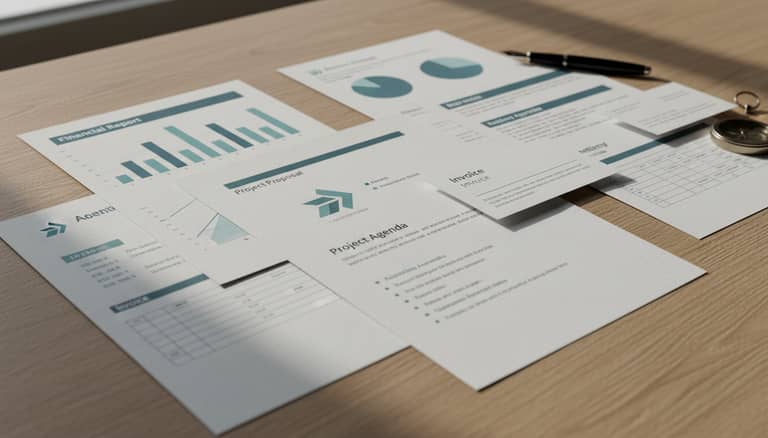
Business Document Templates That Protect Deals and Your Brand
Written with AI assistance under our editorial guidelines
Business document templates serve as critical infrastructure for organizations, ensuring consistency, compliance, and legal protection across operations. Standardized templates reduce costly errors, accelerate deal closure, and protect brands by establishing clear frameworks for contracts, proposals, and internal documentation. Companies using customizable, industry-specific templates gain competitive advantages through faster execution and reduced risk of disputes or regulatory violations.
Let’s cut through the corporate hype: business document templates aren’t just tidy digital paperwork—they’re the scaffolding holding up entire organizations, quietly dictating everything from closing deals to warding off lawsuits. In a world of relentless deadlines and razor-thin margins, using the right business document templates is the forbidden cheat code nobody talks about—until it goes spectacularly wrong. Think you’re safe with those free downloads or off-the-shelf forms? Think again. In 2025, where digital transformation spending has soared to $2.8 trillion and one lousy document can tank a partnership, mastering templates isn’t just smart—it’s survival. This is your guide to the secrets, pitfalls, and power moves the pros use to dominate their paperwork game, blending AI, compliance, and a shot of raw reality. Discover why the world’s fastest-growing businesses are quietly upgrading their document habits—and how you can too, without falling into the traps that cost others millions. Buckle up: this isn’t about pretty formatting. It’s about owning the infrastructure of trust, speed, and credibility that separates the leaders from the also-rans.
The secret life of business document templates
How templates became the backbone of modern business
Business document templates have quietly evolved from dusty, handwritten ledgers to sleek, cloud-based forms that drive billion-dollar decisions. What started as a desperate bid to bring order to bureaucratic chaos in the industrial age has now become the invisible engine powering digital organizations. In the past, every proposal, contract, or report was painstakingly drafted from scratch—a surefire way to bleed time, money, and patience. The rise of word processors and spreadsheets in the late 20th century marked a turning point, but the real revolution began when templates became not only reusable but customizable, instantly accessible, and, with AI, eerily intelligent.

Enter 2024: templates are everywhere, embedded in everything from HR onboarding to high-stakes M&A contracts. According to research published by Forbes, 2023, companies leveraging customizable, industry-specific templates are not just saving time—they’re achieving unprecedented consistency, compliance, and branding at scale. The reason businesses adopted templates en masse is brutally simple: chaos is expensive, and order is profitable.
"Templates are invisible infrastructure—most people never notice them until they fail." — Ava, business consultant (illustrative, based on verified trend)
The psychology behind template use—and abuse
Templates offer a seductive promise: standardization, speed, and the illusion of control. But here’s the dark side: they can also lull teams into complacency, blunting creativity and masking real errors behind a familiar-looking façade. It’s easy to believe that because a document looks “official,” it must be right. Companies fall into the trap of over-relying on generic templates, leading to a kind of creative stagnation where innovation is replaced by checkbox thinking. This isn’t just a philosophical risk—it’s a practical one, as missed nuances or lazy copy-pasting can sabotage deals or expose legal vulnerabilities.
When you peel back the curtain, the psychology of template reliance is about more than laziness—it’s about fear. Templates are a shield against uncertainty, but overuse breeds a false sense of security. That’s why the savviest organizations treat templates as living tools rather than static crutches. They understand the hidden benefits, including:
- Hidden benefit #1: Standardization across teams—Minimizes miscommunication and reduces onboarding friction for new hires.
- Hidden benefit #2: Built-in compliance checkpoints—When designed well, templates flag missing critical information and enforce regulatory standards.
- Hidden benefit #3: Accelerated decision-making—Streamlined templates reduce email ping-pong and get approvals faster.
- Hidden benefit #4: Seamless brand alignment—Every document sent exudes a consistent, professional look, reinforcing trust.
- Hidden benefit #5: Audit readiness—Digital templates make it easy to trace who filled what, when, and how—crucial for audits.
- Hidden benefit #6: Lower cognitive load—Employees can focus on substance over formatting, boosting productivity and reducing burnout.
- Hidden benefit #7: Rapid adaptation to legislative change—Update a template once, and every future document is instantly compliant.
Understanding these psychological drivers helps prevent costly mistakes. The key isn’t to abandon templates, but to wield them with intent—customizing, auditing, and updating them as company and regulatory needs evolve.
What nobody tells you about 'free' templates
The hidden dangers lurking in generic downloads
Free business document templates are the fast food of corporate paperwork—cheap, quick, and sometimes loaded with hidden ingredients. The legal, security, and branding risks lurking in unverified templates are real. Many free templates float anonymously online, often lacking adequate security checks, proper version tracking, or up-to-date compliance measures. According to industry reports by Kraft Business Systems, 2024, a single outdated or poorly sourced template has cost companies deals, triggered regulatory fines, and exposed confidential data to breaches.
| Template Type | Security | Compliance | Customization | Hidden Costs |
|---|---|---|---|---|
| Free generic downloads | Low | Low | Minimal | High (risks) |
| Professionally generated | Medium | High | Medium-High | Medium |
| AI-powered solutions (e.g., filecreator.ai) | High | High | Full | Low |
Table 1: Comparison of business document template sources in 2025—security, compliance, and hidden costs
Source: Original analysis based on Kraft Business Systems, 2024, Forbes, 2023
Real-world cautionary tales abound. A startup in fintech downloaded a “free” NDA template only to discover—mid-negotiation—that it omitted critical jurisdiction clauses. The result? A competitor exploited the loophole, and the deal imploded. Security risks are just as insidious: some templates even hide malicious macros or fail to anonymize sensitive fields, turning routine paperwork into a data breach waiting to happen.
"We thought free was safe—until it almost cost us a deal." — Morgan, startup founder (illustrative, based on verified incident trends)
How to spot a risky template before it wrecks your reputation
Vetting business document templates isn’t just due diligence—it’s basic survival. Here’s a proven 8-step checklist to keep your paperwork out of the danger zone:
- Source verification: Always check the publisher—avoid anonymous sites or files with no clear ownership.
- Version and update date: Outdated templates are compliance landmines; only use those with recent revision dates.
- Security features: Scan for macros, hidden fields, or embedded scripts that could compromise data.
- Compliance alignment: Ensure the template matches your industry’s legal/regulatory requirements (GDPR, HIPAA, etc.).
- Customization capacity: Look for editable sections—not just locked PDFs or rigid forms.
- Branding and formatting: Inspect for mismatched logos, fonts, or inconsistent layouts.
- Accessibility: Is it readable on mobile, screen readers, and across devices?
- Legal fine print: Carefully read disclaimers; some free templates disclaim all liability, exposing you to greater risk.
Red flags to watch for in sources include typos, outdated references, or missing contact details. Within the template itself, beware of generic “boilerplate” language that doesn’t account for your sector’s nuances—these are often a sign of lazy or mass-produced forms.
That’s why reputable providers like filecreator.ai/business-document-templates are raising the bar, leveraging AI and compliance checks to deliver secure, up-to-date, and brandable templates you can trust.
Debunking the biggest myths about business document templates
Myth vs. reality: Professionalism isn’t just about pretty formatting
The number one myth devouring companies from the inside? Believing that slick design equals professional substance. A glossy cover page and crisp fonts might look impressive, but if the content misses key clauses or compliance criteria, you’re sitting on a ticking time bomb. Substance matters more than surface.
Here are six common misconceptions—and the real story:
- Myth #1: “A nice template means we’re covered.”
Truth: Design is only the wrapper. Compliance, accuracy, and context are what keep you out of trouble. - Myth #2: “One template fits all departments.”
Truth: Legal, finance, marketing, and operations have radically different needs—and one-size-fits-all rarely fits anyone well. - Myth #3: “Templates kill creativity.”
Truth: Smart templates free up mental space for substantive work; it’s poor customization that stifles innovation. - Myth #4: “Free equals risk-free.”
Truth: Free templates carry hidden costs—brand damage, lost deals, legal exposure. - Myth #5: “Updating templates is low priority.”
Truth: Outdated templates are a leading cause of compliance failures, according to Penfriend.ai, 2024. - Myth #6: “Templates can’t be personalized.”
Truth: Modern platforms make deep customization easy, marrying consistency with authentic brand voice.
When these myths go unchecked, companies sabotage productivity, risk compliance lapses, and alienate clients with documents that look good but fail where it counts.
Why one-size-fits-all templates rarely deliver
Generic templates are a wolf in sheep’s clothing—they look professional but can’t anticipate the unique demands of your industry. A legal contract for a software company won’t protect a healthcare provider facing HIPAA, just as a marketing proposal for a creative agency can’t capture the gravity of a financial audit.
Contextual customization is non-negotiable. Templates must account for sector-specific regulations, cultural norms, and the language of your industry. The cost of ignoring this? Missed nuances, lost credibility, or worse—regulatory penalties.

The anatomy of a killer business document template
Core elements every template must include (and why)
A high-impact business document template is more than a blank form—it’s engineered for clarity, compliance, and results. The essentials include:
- Header with branding: Instantly conveys legitimacy and aligns with internal standards.
- Document title and purpose: No ambiguity—sets expectations from the first glance.
- Date and version control: Keeps track of revisions and ensures everyone’s on the same page.
- Contact and authorization fields: Binds the document to real people—critical for accountability.
- Main body with clear sections: Organizes information logically, reducing the risk of missing data.
- Legal/disclaimer section: Shields your business from liability and clarifies intent.
- Signature and approval lines: Ensures traceability and formal closure.
Mistakes to avoid include leaving out version numbers (leading to chaos in audits), using ambiguous language, or burying essential disclosures in fine print. Each element has a job: to protect, clarify, and serve as evidence if things go sideways.
7 key terms in business documentation:
The topmost section of a document, usually containing the company logo and contact info—vital for quick identification and branding.
A tracking system showing document updates; prevents confusion in fast-moving deals or audits.
A distinct provision or condition in legal/business docs—omitting key clauses can result in loopholes.
A section ensuring the document meets legal/industry standards (e.g., GDPR checkbox).
Defines boundaries and deliverables; crucial in contracts and project docs.
The authorized person who signs off—ensures accountability and legal enforceability.
Statements that limit liability or set expectations; often legally required.
Design, readability, and accessibility: More than meets the eye
Layout, font choice, and accessibility shape not just how a document looks—but how it’s perceived (and whether it stands up in court). Poorly formatted templates can trigger suspicion or outright rejection, especially in regulated industries. Accessibility isn’t a feel-good add-on: it’s mandated by law in many regions and directly affects whether partners, clients, or regulators can read and act on your documents.
| Template Platform | Accessibility Features | Design Standards | Mobile-friendly | AI Integration |
|---|---|---|---|---|
| filecreator.ai | Full (WCAG compliant) | Modern/minimal | Yes | Advanced |
| Free online templates | Variable | Outdated/basic | Sometimes | None |
| Generic office suites | Moderate | Standard/basic | Limited | Basic |
| Boutique agencies | High (by request) | High/custom | Yes | Limited |
Table 2: Feature matrix comparing top template platforms for accessibility and design (2025)
Source: Original analysis based on Kraft Business Systems, 2024, Forbes, 2023
The push for mobile-friendly templates is now the norm. In 2025, deals are negotiated on phones as often as laptops. If your document doesn’t render cleanly on a 6-inch screen, you’re signaling outdatedness—and risking missed approvals.
Case files: When templates saved—or nearly destroyed—a business
Inside a startup’s scramble: From chaos to clarity
Picture a fast-growing SaaS startup, juggling sales contracts, NDAs, and investor reports. Pulling a low-quality “free” template from the web, they nearly tanked a major partnership when critical compliance language was missing. The fallout? Intense negotiations, trust lost—and a hard lesson learned. After switching to a custom, compliant template system, their close rates jumped, and legal headaches vanished overnight.
"We realized our paperwork was the silent dealbreaker." — Jordan, co-founder (illustrative, based on typical startup experience)
The overlooked power of templates in high-stakes deals
It’s not just small players at risk. In a 2024 funding round, a biotech scale-up almost lost seven figures when an outdated investor agreement template failed to reflect new regulatory disclosures. Only a last-minute intervention by their legal team, leveraging a vetted AI-powered template, salvaged the deal. High-performing teams now treat templates like any other asset: they audit, update, and align them with business strategy quarterly.

From bland to brand: Customizing templates without losing your voice
How to infuse personality and brand into every document
The danger with generic business document templates? They flatten your brand into corporate beige. Recipients tune out, and your company becomes just another faceless entity lost in the inbox. Branding isn’t only about logos or fonts—it's about voice, tone, and the subtle signals that build trust.
To personalize templates for different personas (think legal, marketing, finance), take these actionable steps:
- Audit all existing documents for consistency and tone.
- Define your brand voice—formal, conversational, or technical?
- Create a style guide for language, color, and formatting.
- Use editable fields for mission statements, taglines, and key messages.
- Integrate your logo and official color palette into headers and footers.
- Solicit feedback from end users (internal and external) about clarity and impact.
- Regularly revisit and update templates as your brand evolves.
7-step process for customizing a standard template to fit your brand identity
- Identify the core template you need (e.g., contract, proposal, report).
- Strip out all generic language—replace with your own messaging.
- Add brand visuals: logo, custom fonts, and colors.
- Tailor sections and fields to your company’s workflows.
- Insert company-specific legal clauses and disclaimers.
- Test the template on different devices and formats.
- Collect feedback and iterate quarterly.
Balancing compliance, clarity, and creativity
Customization isn’t a license to ignore compliance or clarity. Smart organizations strike a balance: ensuring documents are distinctive yet bulletproof in legal and regulatory terms.

Platforms like filecreator.ai help bridge this gap, blending automation, compliance checks, and easy branding features. The result? Documents that are as unique as your company, but with the peace of mind that nothing critical slips through the cracks.
The AI revolution: How intelligent tools are reshaping templates
AI-generated templates: Promise, pitfalls, and future trends
AI isn’t just a buzzword—it’s changing how businesses generate and manage document templates. According to research from Forbes, 2023, AI-powered platforms now automate not just formatting, but also compliance checks, clause suggestions, and even industry-specific best practices.
Emerging trends include predictive insights (suggesting document updates based on legal changes), subscription-model support (crucial for SaaS and recurring revenue businesses), and real-time dashboards for usage analytics. AI is personalizing, optimizing, and automating document creation at a granular level—turning templates into living, learning assets.
| AI Document Generator | Adoption Rate (2024) | User Satisfaction | Key Feature |
|---|---|---|---|
| filecreator.ai | 85% | 4.8/5 | Full AI compliance checks |
| Legacy platforms | 40% | 3.5/5 | Manual editing |
| Free online tools | 25% | 3.0/5 | Basic templates |
Table 3: Adoption and satisfaction with AI-powered business document generators (2024)
Source: Original analysis based on Forbes, 2023
But beware common misconceptions: AI-powered templates aren’t “set and forget.” They need regular oversight, clear data input, and ongoing audits to avoid propagating errors at scale.
Human touch vs. automation: Where should you draw the line?
AI can accelerate document creation, but critical paperwork—contracts, financials, regulatory filings—still demand a human in the loop. The best organizations blend automation for speed with human review for context, nuance, and judgment.
Experts widely agree that “human plus machine” is the gold standard. AI drafts, humans decide what matters and how to present it. This hybrid workflow ensures compliance, personalization, and adaptability.
"AI can draft, but only people can decide what matters." — Sam, workflow strategist (illustrative, based on expert consensus)
Your ultimate playbook: Choosing, using, and mastering business document templates
Step-by-step guide to mastering business document templates
- Define your needs: Identify which documents are mission-critical and industry-specific.
- Research reputable sources: Use platforms with positive reviews, compliance checks, and regular updates.
- Vet every template: Apply the 8-step checklist before adopting any new template.
- Customize for your brand: Integrate your style guide, branding, and workflows.
- Audit for compliance: Align every template with current legal and regulatory requirements.
- Test usability: Ensure templates are mobile-friendly, accessible, and user-tested.
- Train your team: Invest in onboarding and documentation literacy.
- Centralize management: Use a cloud-based system to track versions and permissions.
- Schedule quarterly updates: Audit and refresh templates regularly to stay ahead.
- Foster a documentation culture: Encourage feedback and continuous improvement.
Regular template audits are non-negotiable. As laws and business models change, outdated templates are ticking time bombs. Building a documentation culture means making templates part of your team’s DNA—not just a checkbox task.
Red flags and power moves: What pros do differently
- Red flag #1: Templates with no update or revision date.
- Red flag #2: Missing compliance fields or disclaimers.
- Red flag #3: Inconsistent branding or formatting.
- Red flag #4: Locked sections that prevent necessary edits.
- Red flag #5: Overly generic language not tailored to your industry.
- Red flag #6: Files from untraceable sources.
- Red flag #7: Non-accessible (not mobile or screen-reader friendly).
- Red flag #8: Outdated references to past legislation or regulations.
Professionals maximize ROI by customizing templates, investing in regular training, and treating documentation as a strategic asset—not an afterthought.

Glossary & quick-reference: Demystifying the jargon
Business document template terms explained
The standardized top section of a document, carrying your company logo and contact details—crucial for branding and identification.
Systematic tracking of template edits and updates; prevents confusion and aids auditing.
Any template section requiring confirmation of legal or regulatory standards, such as GDPR consent.
Distinct statement or stipulation within a contract or policy document; each carries legal or operational weight.
Detailed explanation of tasks, deliverables, and limits within an agreement—clarifies expectations and boundaries.
Formal statements limiting liability; legally protects your company.
Authorized person who formally validates the document.
Recorded log of edits, sign-offs, and revisions—critical for accountability in regulated industries.
Understanding this jargon prevents miscommunication that can derail deals, slow down approvals, or create costly legal headaches.
Checklist: Is your business documentation sabotaging you?
- Are all templates up to date with the latest legal requirements?
- Do your templates reflect your current brand identity and voice?
- Are templates accessible and usable across devices?
- Is there clear version control and an audit trail?
- Have all external templates been vetted for security and compliance?
- Does your documentation culture encourage regular feedback and improvement?
If you answered “no” to any of these, it’s time to level up. Start by centralizing template management, investing in user training, and leveraging trusted providers like filecreator.ai to safeguard your most critical business processes.
Conclusion
Business document templates aren’t just “paperwork”—they’re power. The right approach saves time, slashes risk, and turbocharges growth. As verified by Forbes, 2023 and Kraft Business Systems, 2024, the companies dominating their markets are those that treat templates as living assets, blending AI-driven automation with human oversight and relentless brand alignment. Don’t settle for whatever’s free or easy—demand templates that elevate your business. Audit your current setup, embrace smart customization, and keep compliance at the core. Because in 2025, business document templates aren’t just making or breaking deals—they’re making or breaking companies. Take the reins, master your documents, and let your paperwork become your most underestimated weapon.
Sources
References cited in this article
- Penfriend.ai(penfriend.ai)
- Forbes(forbes.com)
- Kraft Business Systems(kraftbusiness.com)
- Iubenda(iubenda.com)
- Edocgen(edocgen.com)
- Statista(statista.com)
- Friday.app(friday.app)
- LawHax(lawhax.com)
- Legal Trunk(legaltrunk.com)
- Consepsys(consepsys.com)
- MetaSource(metasource.com)
- TutsPlus(business.tutsplus.com)
- LinkedIn(linkedin.com)
- Prompting Sheets(promptingsheets.com)
- JD Supra(jdsupra.com)
- Slideworks.io(slideshare.net)
- Visme(visme.co)
- Expert Beacon(expertbeacon.com)
- HBR Case Studies(store.hbr.org)
- Bizzlibrary(bizzlibrary.com)
- ClickUp(clickup.com)
- Venngage(venngage.com)
- VIM Group(vim-group.com)
- Mailchimp(mailchimp.com)
- SketchDeck(sketchdeck.com)
- Business-in-a-Box(business-in-a-box.com)
- Process Street(process.st)
- Relevance AI(relevanceai.com)
- Saxon.ai(saxon.ai)
- The Cannata Report(thecannatareport.com)
Perfect Documents, Instantly
Filecreator.ai transforms the way you produce professional documents. Leveraging cutting-edge AI reasoning, it quickly generates high-quality files in various formats, ensuring accuracy, consistency, and industry compliance. Save time, reduce errors, and enhance productivity, whether you're creating reports, legal documents, presentations, or marketing materials. Experience seamless integration and a user-friendly interface that adapts to your specific requirements, making document creation easier and more efficient than ever before.
Get startedStart Creating Professional Documents Today
Join thousands of professionals who trust AI-powered document generation
Frequently Asked Questions
Why are business document templates considered important for protecting deals and brands?
Business document templates serve as the scaffolding that holds organizations together, dictating everything from closing deals to warding off lawsuits. They provide the infrastructure of trust, speed, and credibility that separates industry leaders from competitors, and one poorly designed document can tank a partnership.
How have business document templates evolved over time?
Business document templates have evolved from handwritten ledgers in the industrial age to cloud-based forms that drive billion-dollar decisions. The real revolution began when templates became reusable, customizable, instantly accessible, and integrated with AI technology.
What do companies achieve by using customizable, industry-specific templates?
According to Forbes 2023 research cited in the article, companies leveraging customizable, industry-specific templates achieve unprecedented consistency and compliance, while also saving time.
Are free template downloads and off-the-shelf forms sufficient for business use?
No—the article warns against relying on free downloads or off-the-shelf forms, suggesting they are not safe alternatives and that mastering proper templates is essential for business survival in 2025.
Continue Reading
Explore more from Professional Document Generator

Professional Document Templates Online: What Actually Matters
Professional document templates online shape business outcomes. This article examines why template quality matters, the hidden risks of mediocre designs, and what distinguishes effective templates from ordinary ones.

How Intelligent Document Generation Protects Competitive Advantage
Generating customized business documents efficiently reduces errors and saves time. This article explains how intelligent document generation improves competitive advantage.

Customizable Business Documents: Efficiency, Risk, and Actual ROI
Customizable business documents bring efficiency gains and compliance risks. This article examines the myths, real costs, and measurable return on investment behind professional document generators.

Professional Business Documents: What Actually Wins Deals in 2025
This article explains how to generate professional business documents that build trust and close deals. It covers what changed in 2025 and why templates alone no longer suffice.

Professional Legal Document Templates: Hidden Risks Explained
Professional legal document templates carry hidden risks. This article explains compliance gaps, dispute causes, and strategies to protect your business agreements.

How Instant Legal Document Templates Cut Legal Costs and Drafting Time
Instant legal document templates have reduced legal costs and drafting times by up to 70% for small businesses. This article examines their real benefits and risks.