


Best Online Presentation Software That Actually Keeps People Awake
Written with AI assistance under our editorial guidelines
Eighty-nine percent of remote workers admit to zoning out during online presentations, with engagement dropping by up to 60% within the first two minutes. Successful presentations require clarity, relevance, and interactivity rather than flashy animations or gimmicks to maintain audience attention in today's distracted digital environment.
In a world where digital storytelling has become the new currency of influence, your choice of online presentation software is no longer just a technical detail—it’s your reputation, your attention magnet, and sometimes, your make-or-break moment. The search for the best online presentation software isn’t a matter of personal taste or budget. It’s a high-stakes game riddled with hidden pitfalls and wild new rules that most guides are too polite to mention. This isn’t another fluffy listicle; it’s a reality check. We’re about to dissect the 11 brutal truths every communicator, marketer, and team leader faces in 2025. Forget what you thought you knew—because the wrong platform can sabotage even your best ideas, while the right one can make you unforgettable in a distracted world.
Why most online presentations flop (and how to break the cycle)
The real cost of a boring slide deck
We all know the glazed-over look—the one that creeps across an audience when your third bland slide fades in. According to a recent Canva survey (2023), 89% of remote workers admit to zoning out during online presentations. That’s not a glitch in the matrix; it’s the norm. Every uninspired slide isn’t just an inconvenience—it’s a slow bleed on your credibility. In the digital age, a boring presentation is a reputation killer and a time vampire. Each yawn, each second of dead air, chips away at your authority. And here’s the kicker: the audience isn’t just bored, they’re multitasking, fact-checking you, and—if you’re not careful—tuning you out entirely. Your slide deck is the frontline of your message. Treat it like a throwaway, and it’ll throw you away.

"Most slideshows die before the second minute—don’t let yours be one of them." — Alex, digital strategist
What the stats say about attention spans in 2025
Today’s digital attention span is a battlefield. Research from Vevox (2024) and Inkbot Design (2025) reveals that the average drop-off rate for online presentations hits hard and fast. Within the first two minutes, audience engagement can plummet by as much as 60% compared to in-person meetings. The deluge of notifications, open tabs, and virtual fatigue means that holding attention is the exception, not the rule. And it’s not just about flashy animations or neon color palettes—those tricks wear out quickly. What matters is clarity, relevance, and interactivity. Platforms promising “engagement” with gimmicks often miss the point: no amount of AI sparkle will compensate for a poorly structured message.
| Presentation Type | Avg. Engagement Drop (First 2 min) | Engagement after 10 min | Reported Distraction Rate |
|---|---|---|---|
| In-person | 23% | 43% | 39% |
| Traditional online | 60% | 78% | 89% |
| Interactive/AI-aided | 35% | 51% | 55% |
Table 1: Statistical summary of audience engagement drop-off rates for online presentations vs. in-person. Source: Original analysis based on Vevox, 2024, Canva, 2023
Flashy features are a band-aid, not a cure. Research shows that retention comes from well-paced narratives, audience interaction, and visual clarity—not from stacking on bells and whistles that confuse or distract.
The culture of "just wing it"—and how software can (or can’t) save you
Let’s get brutally honest: the “just wing it” mentality is pandemic, especially among teams scrambling for last-minute decks. But here’s the twist—no amount of AI magic or template wizardry can rescue a storyless, undercooked message. The best online presentation software is a catalyst, not a crutch. Overreliance on auto-designers and auto-outliners traps you in mediocrity, where every pitch sounds like it was spat out by the same bot.
- Hidden benefits of planning before you build:
- You clarify your message before getting seduced by shiny templates.
- Narrative flow trumps random slide order every time.
- Pre-planned structures are quicker to visualize and build—less time, stronger impact.
- You avoid overstuffing slides with data that nobody remembers.
- Presenters who rehearse with a clear outline feel more confident and less robotic.
A brief, brutal history of presentation software
From overhead projectors to AI-powered slides
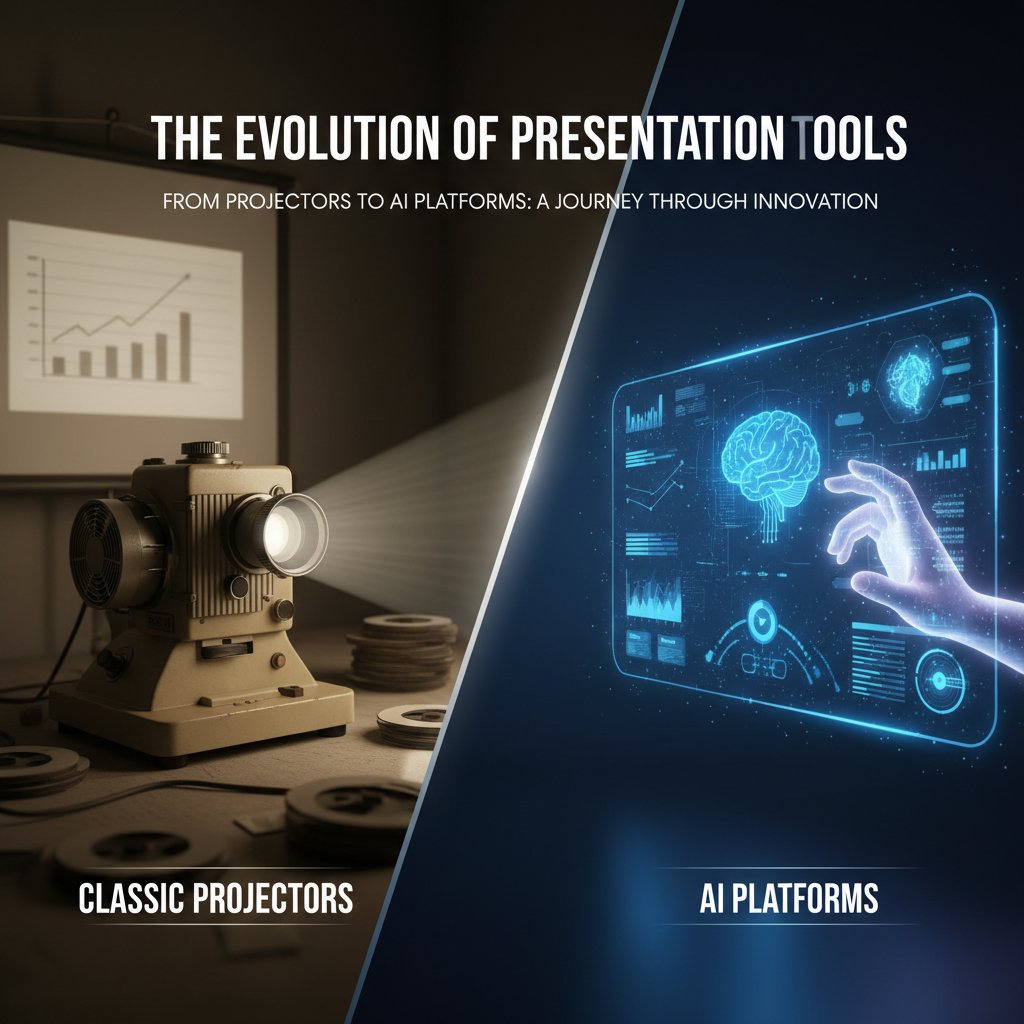
Presentation software didn’t start with click-to-share links and auto-generated graphics. The journey began with clunky overhead projectors, acetate sheets, and marker ink-stained fingers. Then came PowerPoint, the ‘90s disruptor that changed boardrooms forever. Fast forward: Google Slides democratized sharing. Prezi broke the linear mold. Canva and Beautiful.ai launched pixel-perfect design into the hands of non-designers. Now, in 2025, we’re in the age of AI—a place where software claims to “think creatively” for you, spitting out smart layouts and catchy headlines.
| Year | Milestone | Impact |
|---|---|---|
| 1987 | PowerPoint launches | Sets standard for digital slide creation |
| 2006 | Google Slides (Docs) released | Collaboration in the cloud becomes mainstream |
| 2009 | Prezi debuts | Introduces non-linear, zoomable presentations |
| 2016 | Canva launches presentations | Simplifies design, brings templates to the masses |
| 2022 | Beautiful.ai and Pitch mature | AI-powered design and team workflows hit critical mass |
| 2024 | AI-generated slides go mainstream | Real-time content suggestions, auto-layouts, voice integration |
Table 2: Key milestones in presentation software history. Source: Original analysis based on Inkbot Design, 2025, 10XSheets, 2025
How remote work changed the game forever
The pandemic didn’t just force us onto Zoom; it rewired how—and why—we present. Suddenly, every living room became a boardroom. The line between “presenter” and “audience” blurred as side conversations, chat messages, and private notes became part of the live experience. The pressure for on-demand collaboration, instant feedback, and seamless sharing exploded. Presentation tools had to evolve, or die trying.
"Suddenly, every living room became a boardroom." — Jamie, remote work advocate
Decoding the hype: What makes software "the best" in 2025?
Core features that actually matter (and which are overrated)
Let’s cut through the marketing fluff. In 2025, the best online presentation software nails a few essentials: real-time collaboration, airtight cloud sync, mobile device support, and robust export options. But not every “revolutionary” feature is worth your time. Some tools pack in 3D effects and VR gimmicks you’ll never use. Others force you into proprietary formats or lock you out of advanced editing unless you pay up. It’s not about quantity of features—it’s about the right ones, executed flawlessly.
| Feature/Platform | PowerPoint | Google Slides | Canva | Beautiful.ai | Prezi | Pitch | Visme |
|---|---|---|---|---|---|---|---|
| Real-time co-edit | Yes | Yes | Yes | Yes | No | Yes | Yes |
| Mobile editing | Yes | Yes | Yes | Partial | Yes | Yes | Partial |
| AI design assist | Partial | No | Yes | Yes | No | Yes | Partial |
| Non-linear slides | No | No | No | No | Yes | No | No |
| Secure cloud | Yes | Yes | Yes | Yes | Yes | Yes | Yes |
| Free version limits | Storage | Fewer features | Exports | Watermarks | Content | Exports | Exports |
Table 3: Feature matrix comparing top 7 online presentation tools on must-have vs. gimmick features. Source: Original analysis based on Visme, 2024, Inkbot Design, 2025
Is AI in presentations a revolution or just more noise?
AI is everywhere—from auto-generating headlines to suggesting layouts that “pop.” But is the AI wave making us better or just more generic? The best tools use AI to speed up workflows, catch design flaws, and surface insights. The risk? Overuse leads to decks that look and sound the same—slick but soulless. True innovation is when AI helps you break habits, not reinforce them.
The hidden costs nobody talks about
Subscription fatigue is real. Many platforms dangle “free” access, but the price tags come later: watermarks, limited exports, storage caps, or paywalls for key features. You think you’re saving money—until you hit the wall mid-project.
- Red flags to watch out for when comparing free vs. paid options:
- “Unlimited” plans with hidden export or collaboration limits.
- Watermarks or branding you can’t remove without upgrading.
- Paywalled access to templates, assets, or analytics.
- Version lock-in, restricting your ability to move projects out.
- Add-on modules for “advanced” features that should be standard.
Security, privacy, and the dark side of cloud presentations
Are your slides really safe on the cloud?
Uploading your pitch to the cloud might save you from version hell, but it exposes you to new risks: breaches, leaks, and accidental shares. The best online presentation software in 2025 goes beyond buzzwords like “end-to-end encryption”—they deliver transparent security policies, granular permission controls, and clear data retention rules.
| Platform | Encryption | 2FA | Fine-grained sharing | Data Location | Privacy Policy Score |
|---|---|---|---|---|---|
| PowerPoint 365 | Yes | Yes | Yes | User choice | High |
| Google Slides | Yes | Yes | Yes | US/EU | Medium |
| Canva | Yes | Yes | Partial | Global | Medium |
| Prezi | Yes | Yes | Partial | US/EU | Medium |
| Pitch | Yes | Yes | Yes | EU | High |
Table 4: Comparison of security features and privacy policies for major online platforms. Source: Original analysis based on Vevox, 2024, Visme, 2024
What happens when presentations leak?
Breaches aren’t theoretical. Whether it’s a financial roadmap sent to the wrong client, or an internal pitch indexed by Google, the fallout is real: lost deals, public embarrassment, or worse. As cybersecurity consultant Morgan points out,
"One wrong click, and your pitch is public." — Morgan, cybersecurity consultant
Case studies show that even major firms have had sensitive decks leaked through misconfigured sharing links or lax password policies.
How to protect your work—basic steps everyone forgets
Basic steps matter more than any tech wizardry. Many users skip simple precautions, assuming the platform will “just work.”
- Always enable two-factor authentication. It’s not optional.
- Check sharing permissions before sending any link. “Anyone with the link” is a recipe for leaks.
- Regularly review access logs and revoke old shares.
- Export sensitive decks as PDFs if possible. Limit editable copies.
- Update passwords and use platform-integrated security features.
Design matters: How to make your message unforgettable
Why most templates suck (and what to do instead)
Templates are everywhere. Bland, corporate, soul-crushing templates that turn bold ideas into gray wallpaper. Relying on generic layouts is the fastest way to fade into digital oblivion. Worse, overused templates broadcast “I didn’t care enough to customize.” The difference between a forgettable and unforgettable presentation? Thoughtful design, custom visuals, and layouts that serve your story—not the other way around.
Accessibility isn’t an option—it’s a necessity
Accessibility isn’t just a checkbox; it’s the difference between being heard and being invisible. In 2025, the best online presentation software builds in accessible color palettes, live captioning, and screen reader compatibility. If your message can’t reach every audience, it might as well not exist.
Key accessibility terms:
Creating slides that allow everyone—even those with disabilities—to engage and understand, using high-contrast colors, clear fonts, and readable layouts.
Text descriptions for images, crucial for screen readers and visually impaired users.
Automated or human-generated subtitles for spoken content, vital for those with hearing impairments.
The ability to move through a presentation using only a keyboard, important for those who can’t use a mouse.
Unconventional uses for online presentation software
Who says slides are just for quarterly reports? Inventive users are hijacking presentation tools for activism, therapy sessions, or immersive storytelling. Some therapists use cloud slides to help clients track moods visually. Activists are building rapid-response decks to organize campaigns in real-time. Immersive storytellers are blending multimedia, live polls, and branching narratives to make audiences active participants.
- Unconventional uses for best online presentation software:
- Digital art portfolios with interactive elements.
- Virtual escape rooms and gamified learning experiences.
- Group therapy sessions with mood-tracking slides.
- Rapid-fire campaign organizing for activism.
- Real-time collaborative storytelling and audience-driven workshops.
Real-world reviews: What users love—and hate—about top platforms
Case study: How a startup nailed its pitch (and what went wrong first)
Take the journey of one scrappy fintech startup. Their first attempt at an investor pitch—built on a free tool with basic templates—flopped. Investors cited “uninspired visuals” and “cluttered messaging.” The team regrouped, switched to a more robust online presentation platform with AI-assisted design and live collaboration. They focused on story structure, interactive visuals, and seamless delivery. The result? Not just a successful funding round, but a template for how to combine design, narrative, and technology for real-world impact.

User testimonials: The good, the bad, and the ugly
Users are brutally honest. Many love the freedom and creativity of modern tools, but there’s a dark side: hidden limits, buggy exports, and surprise paywalls.
"I thought free meant easy, but the hidden limits almost killed my project." — Taylor, freelancer
Others rave about the power of real-time collaboration, especially when teams are scattered across time zones. The consensus: No tool is perfect, but the best ones stay out of the way and let you focus on your message.
filecreator.ai in the wild: How professionals are making it work
Professionals from law, marketing, and finance are increasingly turning to platforms like filecreator.ai to streamline their workflow—not just for presentations, but for quick document generation, compliance, and seamless integration with other tools. Many report that using filecreator.ai in tandem with traditional presentation software allows them to move faster, reduce manual errors, and focus on substance over formatting. In an era overloaded with options, the real competitive edge is knowing how to combine best-in-class tools for results that are greater than the sum of their parts.
Debunking myths: What everyone gets wrong about online presentations
Myth vs. reality: Do prettier slides get better results?
It’s tempting to think that sleek slides guarantee success. But research from Visme (2024) and Canva (2023) shows that design is only as strong as the story it supports. Overdesigned decks can actually obscure your message, while simple, clear visuals reinforce it.
- Clarify your message before you design. Don’t let visuals dictate the story.
- Use visuals to amplify, not distract. Every image should have a purpose.
- Limit text—focus on headlines and key data. Let your spoken words do the explaining.
- Test for accessibility and readability. Good design is inclusive.
- Align the rhythm of slides to your narrative flow. Avoid slide overload.
Myth: More features always mean more power
Feature bloat is the slow death of productivity. Tools that pack in every possible option often create more confusion and cognitive load. The best online presentation software focuses on intuitive, uncluttered interfaces.
If you find yourself spending more time learning the tool than building your message, you’re over-tooling. Look for platforms that prioritize workflow—not just checklists.
Who really wins? Our verdict on the best online presentation platforms
The 2025 leaderboard: Winners, losers, and wildcards
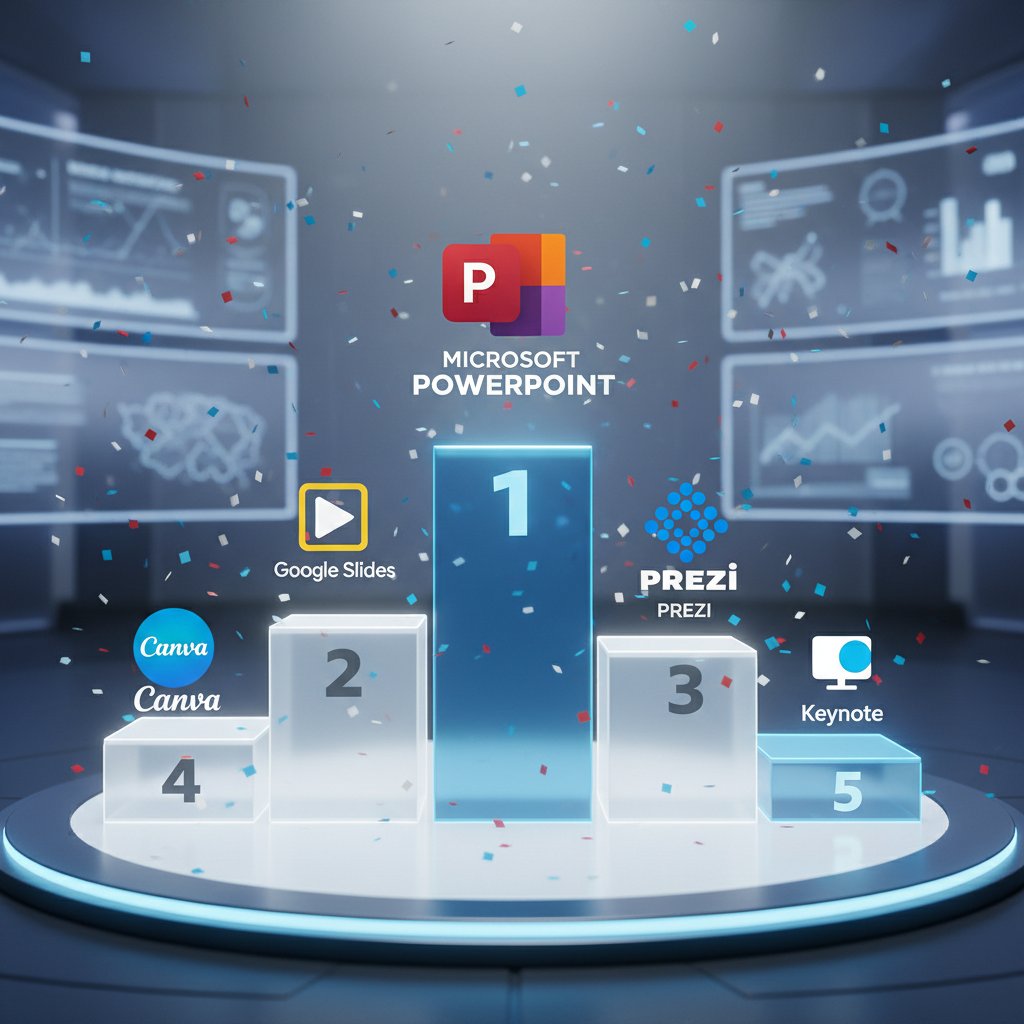
After dissecting usability, innovation, security, and value, some trends are crystal clear. PowerPoint remains the “safe bet” for deep features and integration. Google Slides rules for collaborative teams. Canva and Beautiful.ai are design disruptors, while Prezi and Pitch offer edge for non-linear narratives and innovation. But every choice comes with trade-offs—so know what matters for your mission.
| Platform | Usability | Innovation | Security | Value | Score |
|---|---|---|---|---|---|
| PowerPoint | 9/10 | 7/10 | 9/10 | 7/10 | 8.0 |
| Google Slides | 8/10 | 7/10 | 8/10 | 8/10 | 7.8 |
| Canva | 9/10 | 8/10 | 8/10 | 8/10 | 8.3 |
| Beautiful.ai | 8/10 | 9/10 | 8/10 | 7/10 | 8.0 |
| Prezi | 7/10 | 9/10 | 7/10 | 7/10 | 7.5 |
| Pitch | 8/10 | 8/10 | 9/10 | 7/10 | 8.0 |
| Visme | 8/10 | 7/10 | 8/10 | 8/10 | 7.8 |
Table 5: Final comparison showing scoring across usability, innovation, security, and value. Source: Original analysis based on Visme, 2024, Inkbot Design, 2025
Best for teams, best for solo creators, best for rebels
- Teams: Google Slides and Pitch score highest for seamless collaboration, version history, and easy sharing.
- Solo creators: Canva and Beautiful.ai shine for fast, polished design—especially for users who want minimal learning curve.
- Rebels & storytellers: Prezi and Pitch deliver for unconventional formats and narrative-driven decks.
Checklist for matching your needs to the right platform:
- Do you need real-time editing with a global team? Prioritize collaboration tools.
- Is design the bottleneck? Look for AI-powered or template-rich platforms.
- Are privacy or compliance concerns top-of-mind? Review security features carefully.
- Do you build decks weekly, or just once a quarter? Consider the cost and learning curve.
The future of presentations: Trends that will shake the industry
AI, interactivity, and the death of the static slide
“Death by PowerPoint” is dying itself. The best online presentation software now enables live polls, real-time data integration, and audience-driven pathways. Presentations aren’t monologues—they’re dynamic, two-way experiences where your audience can shape the journey. According to research from Vevox (2024), interactive features like live Q&A and polling boost engagement rates by up to 30% compared to static slides.

Cross-industry innovation: Where to watch next
Presentation software is no longer just for business or academia. Gamers are building interactive walkthroughs. VR creators are crafting 360° storytelling decks. Social media is influencing design trends, pushing for micro-content and mobile-friendly layouts. The best platforms are already experimenting with modular slides, voice commands, and smart content generation. Keep an eye on tools that cross-pollinate with video, streaming, and interactive media.
Are you ready? Self-assessment and next steps
Checklist: Is your presentation game stuck in the past?
Take a hard look at your process. Are you still copy-pasting last year’s deck? Do your slides load slowly, or worse, look like they’re from 2015? Here’s a self-assessment to see if it’s time for a change.
- Are you using more than two fonts per deck?
- Is your software missing live collaboration?
- Do teammates struggle to access or edit slides remotely?
- Are your presentations unreadable on a phone screen?
- Do you rely on templates everyone else uses?
- Have you ever lost critical data due to poor cloud security?
- Do you feel stressed every time you prep a new deck?
- Is exporting or sharing a constant hassle?
- Do you avoid using visuals because they’re “too hard” to add?
- Are you paying for features you never use?
If you answered “yes” to more than three, your software (and your workflow) need a hard reset.
Quick reference guide: Making the switch with confidence
Migrating to new presentation software doesn’t have to be a nightmare. Start with small projects, test integrations, and only commit when you see clear workflow gains.
Essential terms before you dive in:
Automatic saving and updating of files across devices, ensuring you always have the latest version.
Multiple users editing or commenting on a presentation simultaneously.
The file types (e.g., PPTX, PDF, HTML) a platform supports for sharing or saving.
Automated layout, content, or visualization suggestions powered by artificial intelligence.
Extra security step requiring a code or device in addition to your password.
Final word: Why reclaiming your voice matters more than the software itself
In the end, the best online presentation software is only as sharp as the message you wield. Don’t let the noise of new features, flashy designs, or AI promises drown out your voice. The real power is in owning your story, building clarity from chaos, and daring to show up—authentically—in a world of digital distractions. In 2025, clarity is rebellion. If you want to be remembered, cut through the noise, and make every slide count, stop chasing templates. Start reclaiming your message.

Internal links for deeper insights
- AI presentation maker
- Secure cloud presentations
- Interactive presentation platforms
- Free vs paid presentation apps
- Presentation software for teams
- Professional document generator
- Design presentations
- Create professional reports
- Multi-format support
- Industry compliance
- Generate marketing collateral
- Produce technical manuals
- Draft legal documents
- Build custom contracts
- Prepare financial statements
- Craft HR policies
- Save valuable time
- Document creation automation
- Professional quality documents
- Error reduction in documents
Sources
Sources
References cited in this article
- Inkbot Design: Best Presentation Tools 2025(inkbotdesign.com)
- 10XSheets: Best Presentation Software 2025(10xsheets.com)
- Vevox: Top 20 Interactive Presentation Tools(vevox.com)
- Visme: Best Presentation Software(visme.co)
- Inc.com: What to Do When Your Presentation Flops(inc.com)
- Forbes: Why Virtual Presentations Fail(forbes.com)
- Converse Digital: Cost of Bad Presentations(conversedigital.com)
- Presentation Geeks: Ultimate Price Guide(presentationgeeks.com)
- SlideGenius: Cost of Poor Presentation(slidegenius.com)
- Medium: Are you one of the many people who prefer to ‘wing it’?(medium.com)
- Slashdot: PowerPoint Makes You Dumb(tech.slashdot.org)
- Silver Fox Productions: History of Presentations(silverfoxprod.com)
- Computer History Museum: Slide Logic(computerhistory.org)
- Business Insider: Hybrid Workforce Divide(businessinsider.com)
- Lorman: Best Practices for Remote Presentation(lorman.com)
- Appvizer: Best Presentation Software 2025(appvizer.com)
- Renewed Vision: Guide to Advanced Features(renewedvision.com)
- AhaSlides: Key Features(ahaslides.com)
- TrustRadius: Presentation Software 2025(trustradius.com)
- ThreatNG Security: Cloud-Based Presentation Software(threatngsecurity.com)
- Zoho: Cloud Security(zoho.com)
- Presentationskills.me: Google Slides Security(presentationskills.me)
- SlideUpLift: Google Slides Safety(slideuplift.com)
- LearnPowerPoint: How to Protect a PowerPoint Presentation(learnpowerpoint.io)
- LinkedIn: Keeping Online Presentations Safe(linkedin.com)
- Ethos3: Presentation Strategy(ethos3.com)
- SlideGenius: Why Design Matters(slidegenius.com)
- American Anthropological Association: Virtual Presentation Accessibility(americananthro.org)
- PEATworks: Steps for Accessible Virtual Presentations(peatworks.org)
- Slidebean: Best Presentation Websites(slidebean.com)
- G2: Best Presentation Software 2024(g2.com)
- Piktochart: Best Presentation Software 2024(piktochart.com)
Perfect Documents, Instantly
Filecreator.ai transforms the way you produce professional documents. Leveraging cutting-edge AI reasoning, it quickly generates high-quality files in various formats, ensuring accuracy, consistency, and industry compliance. Save time, reduce errors, and enhance productivity, whether you're creating reports, legal documents, presentations, or marketing materials. Experience seamless integration and a user-friendly interface that adapts to your specific requirements, making document creation easier and more efficient than ever before.
Get startedStart Creating Professional Documents Today
Join thousands of professionals who trust AI-powered document generation
Frequently Asked Questions
What percentage of remote workers admit to zoning out during online presentations?
According to a 2023 Canva survey cited in the article, 89% of remote workers admit to zoning out during online presentations.
How much can audience engagement drop in the first two minutes of an online presentation?
Research from Vevox (2024) and Inkbot Design (2025) reveals that audience engagement can plummet by as much as 60% compared to in-person meetings within the first two minutes.
What factors actually matter for keeping an audience engaged in online presentations?
According to the article, what matters for engagement is clarity, relevance, and interactivity—not flashy animations or neon color palettes, which wear out quickly.
Why is choosing the right presentation software important beyond just technical reasons?
The article states that your choice of online presentation software is your reputation, your attention magnet, and can be a make-or-break moment, as the wrong platform can sabotage even your best ideas while the right one can make you unforgettable in a distracted world.
Continue Reading
Explore more from Professional Document Generator

How Presentation Creation Tools Combat the Death by Powerpoint
Most presentations fail to engage audiences. This article explains how modern presentation creation tools use AI and data-driven design to transform slides into compelling communications.

Presentation Templates Online That Actually Win Deals (not Just Look Good)
Discover insights about presentation templates online

Design Presentations Online That Actually Win Deals and Attention
Discover insights about design presentations online

How Presentation Design Software Shapes Persuasion in 2025
Presentation design software has evolved into AI-powered collaborative platforms. This article explains how modern tools can differentiate effective pitches from forgettable ones.

Visual Presentation Creator Vs. Boring Slides: What Actually Works
Discover insights about visual presentation creator

Online Marketing Presentations: Tools and Methods That Work
Create marketing presentations online using AI-powered design and data-driven storytelling. This article covers the tools, platforms, and methods that cut through noise and persuade audiences.