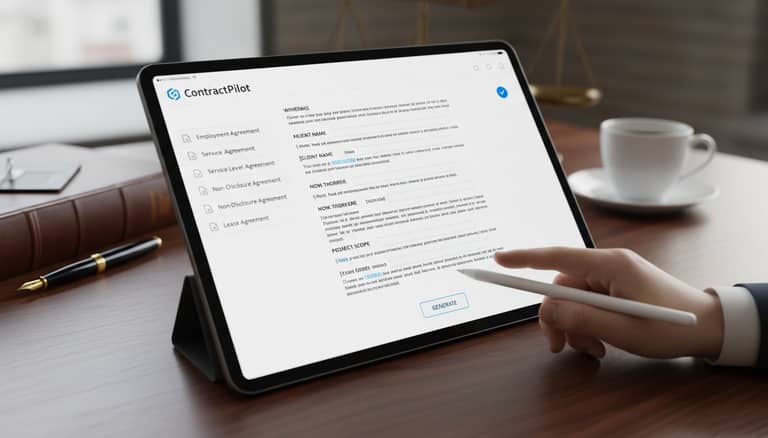
Automatic Contract Drafting Software: Power, Pitfalls, Control
Written with AI assistance under our editorial guidelines
Automatic contract drafting software promises faster deal completion and cost savings through AI-powered automation, but introduces new risks including hidden costs and control challenges. The technology shifts power from specialized lawyers to business operators while exposing organizations to compliance and trust concerns that vendor marketing rarely acknowledges.
If you think contracts are just paperwork, think again. In 2025, automatic contract drafting software isn’t just disrupting old routines—it’s detonating the entire workflow. From high-rise law firms to scrappy startups, the push for AI-powered legal document automation is fierce. The promise? Faster deals, fewer mistakes, and enough cost savings to give any CFO goosebumps. The catch? Underneath the shiny surface, this tech isn’t just changing who holds the pen—it’s exposing your business to new risks, hidden costs, and uncomfortable questions about trust, control, and what happens when code and contracts collide. Welcome to a world where “sign on the dotted line” might just mean shaking hands with a robot you barely understand.
Let’s rip the façade off the hype machine. This is not another lazy roundup of “best tools” or a sales pitch thinly disguised as analysis. Instead, we’ll reveal the seven brutal truths about automatic contract drafting software—what works, what doesn’t, who’s winning, and where people get burned. From legal paranoia to digital empowerment, from botched automations to unlikely heroes, here’s the inside track you won’t find in vendor brochures. If you’re considering AI contract generators—or trying to fix the mess one left behind—strap in. It’s about to get real.
The contract revolution: why automation matters now
From typewriters to AI: a brief history
Long before anyone uttered “machine learning contracts” or “digital contract workflow,” law offices echoed with the clatter of typewriters. Contracts were painstakingly assembled by hand, errors erased with correction tape or—if you were lucky—a secretary’s eagle eye. Fast forward to the ‘80s and ‘90s, and the personal computer changed the game. The first contract automation tools were clunky, often chained to legacy systems, but they marked the start of legal digitalization. By the 2000s, Word add-ins and template libraries offered some relief—but true transformation didn’t take off until natural language processing (NLP) and cloud platforms democratized access.
Today, AI-driven contract generators and secure contract software promise not just speed, but intelligence: clause libraries adapt to context, digital signatures close deals in minutes, and compliance checks run in the background. These leaps didn’t just streamline workflow—they shifted power from gatekeeper lawyers to agile business operators. Now, anyone with the right software can draft, store, and manage contracts at scale.

The journey hasn’t been linear. Each new technology rewrote more than the process—it rewired expectations about speed, accountability, and who really controls the terms. Today, with hyperautomation software projected to top $1.04 trillion in market value by 2024, according to ContractSafe, 2024, contract management is now a digital discipline.
| Era | Technology Milestone | Impact on Contracts |
|---|---|---|
| 1950s-1970s | Typewriters, carbon copies | Manual labor, error-prone |
| 1980s-1990s | Word processors, mail merge | Faster drafting, limited automation |
| 2000s-2010s | Template libraries, e-signatures | Mainstream digital contracts |
| 2020s | AI generators, cloud workflow, NLP | Automation, analytics, compliance |
Table 1: Contract technology evolution and its impact on business processes. Source: Original analysis based on multiple verified sources including ContractSafe, 2024
The automation wave: what’s really driving adoption
Behind the buzz, cold logic is fueling the automation wave. Business leaders crave speed and consistency, but the relentless pressure to do more with less is merciless. According to a recent market report, automation can slash operational costs by up to 90% in finance, and in 2024, 69% of daily management tasks are expected to be automated (ContractSafe, 2024). Legal departments, once fortresses of tradition, are under siege—expected to deliver more value, faster, and at lower risk.
AI adoption in contracting has exploded, leaping from 26% in mid-2023 to a jaw-dropping 76% optimism among organizations by early 2024. What’s really driving this? It’s not just hype. The relentless march of digital transformation, combined with the need for secure, audit-ready contracts, means that “good enough” is never enough. As one legal tech pioneer bluntly put it:
“If you’re not automating, you’re already behind.” — Jordan, legal tech pioneer, Percipient, 2025
But beneath the rush, the truth is raw: without the right tools and integrations, automation creates as many headaches as it cures. The winners are those who can adapt—and those who can spot the pitfalls before they step into them.
Who’s afraid of the robot lawyer?
For every bold adopter, there’s a conference room full of nervous professionals eyeing the AI revolution with suspicion. The legal sector thrives on nuance, precedent, and the human ability to read between the lines. Introducing an AI contract generator into that mix? For some, it’s like handing the keys to a sports car to a toddler.
Red flags and common fears about automated legal tools:
- Loss of control: Will software override bespoke legal judgment or miss critical subtleties?
- Data security: Can sensitive contracts really be safe in the cloud?
- Job erosion: Are junior lawyers, paralegals, and admin roles at risk?
- Compliance minefields: Will AI keep up with jurisdictional changes and regulatory flux?
- “Garbage in, garbage out”: If users don’t understand the software, can it create enforceable contracts?
- Version chaos: Without robust collaboration tools, are teams doomed to lose track of the latest draft?
- Overreliance: Will human skills atrophy if the machine “does it all”?

These aren’t just hypothetical fears. According to Percipient, 2025, workflow and legacy software integration remains a major challenge for many organizations, and poorly implemented automation can do more harm than good. The lesson? Trust, but verify—especially when your next deal is on the line.
How does automatic contract drafting software actually work?
The anatomy of an AI contract generator
Strip away the sales jargon and you’ll find that every automatic contract drafting software is built on a backbone of hard tech. The core pillars? Natural Language Processing (NLP), machine learning algorithms, workflow engines, and deep integration with digital storage and collaboration platforms.
Here’s what that means in practice: NLP scans your contract inputs—whether you’re typing, importing, or pasting—parsing for meaning, structure, and intent. Machine learning models reference clause libraries built from thousands of previous contracts, suggesting (or auto-inserting) the right language based on context. Workflow engines ensure approvals, redlining, and signatures happen in the right order, while audit trails log every change.

The “brain” that interprets legal language, pulling meaning and structure from raw text. It enables context-aware suggestions and efficient document navigation.
Databases of pre-approved contract clauses, often tailored for industries or legal requirements. These are critical for consistency—but only as good as their last update.
Logic frameworks that enforce company policy, compliance, or regulatory rules. They flag deviations, enforce mandatory provisions, and automate approvals.
The system for assembling contracts from modular paragraphs, clauses, and variables—turning “fill in the blank” into a science.
Smart, but not magic: what these tools can and can’t do
Let’s kill the myth: automatic contract drafting software is not an omniscient legal oracle. Its strengths—speed, consistency, and scalability—are real. According to research, AI can reduce contract drafting time by up to 80% (Docupilot, 2025), and collaboration features are essential to avoid version control disasters. But it’s not the silver bullet sales teams promise.
Hidden benefits experts won’t tell you:
- Automated audit trails keep regulators happy and protect you in disputes.
- Centralized storage and search features cut down on lost contracts and duplicated work.
- Automated risk-flagging can catch obvious inconsistencies before they become expensive mistakes.
- Customizable templates let you scale without sacrificing consistency—assuming you invest in proper setup.
Here’s the catch: AI contract generators will never fully replace human legal judgment. They can flag anomalies, but may miss nuanced context or industry-specific quirks. If you’re dreaming of “one-click contracts,” prepare for a rude awakening: workflows, integrations, and human review are still essential for enforceable, compliant deals.
Security, privacy, and the myth of safe automation
“Just upload your sensitive contracts to the cloud,” they said. “Everything is encrypted,” they promised. Reality? Automation brings real security and privacy challenges. Breaches aren’t hypothetical—they’re happening. According to industry experts, even the most robust digital contract workflow is only as strong as its weakest integration or misconfigured permission.
“Automation isn’t a magic bullet against data breaches.” — Morgan, IT security analyst, Percipient, 2025
To cut through the noise, here’s how leading platforms stack up on security:
| Platform | Encryption Level | Compliance Certifications | Incident Response | Access Controls |
|---|---|---|---|---|
| Docupilot | AES-256 | ISO 27001, SOC 2 | 24/7 monitoring | Role-based |
| ContractSafe | AES-256 | SOC 2 | Real-time alerts | Granular |
| Percipient | AES-128/256 | GDPR, CCPA | Automated tickets | Customizable |
Table 2: Security feature comparison of leading contract automation platforms. Source: Original analysis based on Docupilot, 2025, Percipient, 2025, and ContractSafe, 2024
Bottom line: automation improves visibility and control, but never guarantees perfect safety. The myth of “risk-free” digital contracts? Busted.
The brutal truths nobody tells you
When automation goes wrong: real-world disasters
For every success story, there’s a contract horror lurking in a corporate archive. Automation amplifies both good and bad outcomes—fast. Consider the financial services team that relied on a generic template, only to discover a missing jurisdiction clause cost them a multi-million dollar dispute. Or the HR department whose “AI-assisted” NDA mistakenly swapped out confidentiality definitions, exposing employee data.
Timeline of infamous contract automation mishaps:
- 2022: Fortune 500 tech firm’s automatic renewal clause triggers unwanted multi-year deal, costing millions.
- 2023: Healthcare provider’s template error violates state compliance, leading to regulatory fines.
- 2024: Startup loses investor confidence after AI-generated term sheet omits critical milestone deadlines.
- 2025: International distributor faces customs seizure when automated software misapplies export restrictions.
Each disaster shares a common root: automation without oversight or customization. As data from ContractSafe, 2024 shows, templates drive efficiency but require careful tuning—or they’ll generate costly errors at lightning speed.
The hidden costs (and savings) of going automatic
Vendors tout cost savings, but the ledger is rarely so simple. Yes, operational costs can drop by up to 90% in some finance functions (ContractSafe, 2024), and drafting time shrinks dramatically. But hidden costs lurk below the surface: integration with legacy systems, user training, template customization, and ongoing support.
| Org Type | Upfront Costs | Ongoing Costs | Potential Savings | ROI Factors |
|---|---|---|---|---|
| Small business | Low-moderate | Training, support | Time, reduced errors | User adoption, template quality |
| Mid-size/Enterprise | High (integration) | Customization, IT | Scale, compliance, audit | Integration, business process fit |
Table 3: Cost-benefit analysis for contract automation by organization size. Source: Original analysis based on ContractSafe, 2024 and LawNext, 2025
True ROI comes from more than speed. It’s about risk reduction, better compliance, and freeing up legal brains for high-value work. Ignore hidden costs, and you’ll eat up savings with fixes and rework.
Why most teams fail at implementation
Buying software is easy. Changing minds isn’t. The graveyard of failed automation projects is littered with stories of top-down rollouts, ignored training, and tool-fatigue. According to research, legal departments aren’t shrinking—they’re evolving, demanding new AI skills and cross-functional buy-in (ContractSafe, 2024).
Top mistakes and how to avoid them:
- Skipping cultural readiness: If users don’t trust the tool, they won’t use it.
- Underestimating training: Automation is only as smart as the people behind the keyboard.
- Poor process mapping: Automating bad workflows just makes bad faster.
- Ignoring integrations: Siloed solutions breed more manual work.
- Over-relying on default templates: Customization is non-negotiable for compliance.
- Failing to appoint an internal champion: Someone must own the rollout.
“Buying software is easy. Changing minds isn’t.” — Alex, operations lead, Percipient, 2025
If you want success, prepare your team for a mindset shift as much as a technical upgrade.
Beyond law firms: unexpected use cases and industries
Startups, HR, and real estate: where automation is quietly winning
Think contract automation is just for legal eagles? Think again. In 2025, startups, HR teams, real estate agencies, and procurement departments are quietly winning with digital contract workflow solutions. Startups love how automatic contract drafting software lets them close partnerships or funding rounds in hours—not days. HR leaders lean on automated onboarding paperwork, NDAs, and compliance forms. Real estate deals, once bogged down in paperwork, now zip through digital signatures and auto-generated leases.

Unconventional uses for automatic contract drafting software:
- Real estate agents auto-generating and tracking lease agreements.
- HR teams rolling out global compliance policies, customized by region.
- Startups scaling partnership agreements for rapid business growth.
- Procurement automating supplier onboarding and compliance checks.
- Healthcare providers managing patient consent and compliance forms.
- Marketing agencies automating SOWs (statements of work) and contracts.
- Financial firms streamlining compliance audit trails.
The secret? These industries aren’t waiting for the legal department—they’re taking contract automation into their own hands.
Cross-industry lessons: what other fields teach us
The legal sector isn’t alone in its digital reckoning. Finance, healthcare, and even marketing have already weathered the cultural and technical storms of automation. In finance, for example, hyperautomation has cut costs by up to 90% (ContractSafe, 2024). Healthcare has learned to balance efficiency with ironclad compliance.
What’s the lesson? Success comes from clear ROI measurement, robust integration, and a relentless focus on user adoption. Relying on “set and forget” is a pipe dream. Industries that thrive with automation invest not just in tools, but in skills and process discipline. That’s the playbook legal—and any department considering contract automation—should be stealing.
How to choose the right automatic contract drafting software
Feature matrix: what matters, what’s hype
The feature war is relentless, but not every bell and whistle is worth your cash. Must-have features include advanced search, centralized storage, robust collaboration, secure access controls, and real-time editing. “AI-driven” clause suggestion sounds sexy, but without compliance checks and audit trails, it’s just window dressing. Multi-format export, like PDF, DOCX, and PPTX, is vital for workflow flexibility.
| Feature | Essential? | Why It Matters | Overhyped? |
|---|---|---|---|
| AI clause suggestions | Yes | Speeds review, boosts consistency | No |
| Real-time collaboration | Yes | Prevents version chaos | No |
| Multi-format export | Yes | Fits diverse workflows | No |
| “One-click” drafting | No | Oversimplifies legal nuances | Yes |
| Blockchain integration | No | Hype exceeds current utility | Yes |
| Integrated compliance | Yes | Minimizes legal risk | No |
Table 4: Comparison of top features in contract software. Source: Original analysis based on Docupilot, 2025, Percipient, 2025, and independent reviews.
Don’t be seduced by hype—prioritize core workflow, compliance, and user adoption. Platforms like filecreator.ai embody this philosophy, focusing on professional-grade document creation and multi-format support.
Checklist: preparing your team for adoption
Before you buy, pause. The best automatic contract drafting software in the world will flop if your team isn’t ready.
Priority checklist for implementation:
- Map your current contract workflow—where are the pain points?
- Identify integration needs—what legacy systems must play nice?
- Assess user readiness—who needs training, and who will resist?
- Appoint an internal champion—someone who owns adoption.
- Customize templates—don’t rely on vendor defaults.
- Plan for compliance checks—how will new workflows be audited?
- Set clear ROI metrics—know what “success” looks like.

Skip these steps and your automation dreams will crash into reality.
Questions to ask before you sign
If you’re shopping for an AI contract generator, don’t let the sales demo dazzle you. Drill down with sharp questions—protect your business from software that overpromises and underdelivers.
Critical questions for vendors and internal stakeholders:
- How does the software handle data encryption and security?
- What compliance standards does it meet (GDPR, SOC 2, etc.)?
- Can it integrate with our existing document management tools?
- Who owns and updates clause libraries—us or the vendor?
- What support and training are provided post-implementation?
- How is version control managed in collaborative workflows?
- What happens if a template or rule engine fails in production?
- Can the tool adapt to jurisdictional-specific legal requirements?
- Is there a clear, auditable log of every document change?
Getting honest answers now saves pain later.
Myth-busting: what the sales teams won’t say
Automatic doesn’t mean autonomous
Let’s puncture the biggest myth: automation is not autonomy. Every automatic contract drafting software on the market still relies on human input, review, and judgment. Skipping final oversight is the fastest path to legal regret.
Requires users to answer prompts or select clauses. Human oversight is always present—think “AI on rails.”
The system assembles a draft end-to-end. Useful for repetitive, low-risk contracts, but still needs human sign-off.
AI handles the heavy lifting, but humans review, amend, and approve before anything is finalized.

Forget “set and forget”—real-world automation blends speed with scrutiny.
AI contracts and the law: what’s really enforceable?
Here’s where things get tricky. The law moves at a glacial pace compared to software. Is an AI-generated contract enforceable? If it meets traditional requirements—offer, acceptance, consideration, and signatures—yes. But the devil is in the details: poorly drafted or misunderstood clauses may torpedo enforceability, especially if templates or rule engines miss regulatory changes.
Human review is mission-critical. As one contract attorney notes:
“The law moves slower than the software.” — Casey, contract attorney, Percipient, 2025
So, treat AI as your paralegal, not your lawyer—final legal judgment is still a human domain.
The future of contract drafting: where do we go from here?
Will AI contracts ever replace lawyers?
Let’s be clear: for all their speed and processing power, AI contract generators have limits. Humans detect nuance, negotiate risk, and interpret intention in ways algorithms can’t. AI excels at high-volume, low-complexity tasks—but stumbles with bespoke deals, shifting regulations, or ambiguous clauses.
Where AI falls short and where it shines:
- Complex, high-stakes deals: Human expertise is irreplaceable.
- Jurisdictional nuance: AI can lag behind evolving legal changes.
- Risk assessment: AI flags obvious issues, but humans weigh tradeoffs.
- Repetitive NDAs and standard contracts: AI is king—speed and consistency are unbeatable.
- Audit trails and compliance: Automation delivers, as long as rules are updated.

The smart money is on collaboration: humans and software, each doing what they do best.
Emerging trends to watch
The arms race in legal tech isn’t slowing down. Next-gen features are on the horizon: tighter integration with digital identification, blockchain-backed smart contracts, and real-time regulatory updates. But not every “trend” is a revolution.
Upcoming trends in contract technology:
- Deeper AI integration for context-aware clause suggestions.
- Automated risk scoring and regulatory alerts.
- Universal multi-format document support.
- Secure digital ID and e-signature linkage.
- Industry-specific compliance modules.
- Integrated analytics for contract value and risk.
- Cross-platform collaboration between legal, finance, HR.
The lesson? Ignore the noise. Focus on proven features and robust workflows—gadgets don’t replace sound process.
Practical guide: getting the most from your software
Step-by-step: mastering automatic contract drafting
Ready to dive in? Here’s a practical workflow for squeezing every drop of value from your contract automation tool—especially if you’re new to the game.
Step-by-step guide:
- Sign up for your chosen platform—like filecreator.ai or another professional document generator.
- Select a template that fits your use case (NDA, MSA, SOW, etc.).
- Input required data either manually or by integrating data sources.
- Customize clauses and variables—don’t blindly trust the default.
- Initiate collaboration—share drafts with stakeholders, collect feedback.
- Run the built-in compliance checker and review suggested edits.
- Finalize, export in your required format, and collect e-signatures.
- Archive in centralized storage with full audit trail for future reference.
- Analyze contract data for workflow improvements.
Platforms like filecreator.ai streamline these steps, letting you focus on high-value work instead of getting bogged down in manual paperwork.
Case study: transformation and trial by fire
Consider the journey of a mid-sized marketing firm. Before automation, contract chaos reigned: inconsistent templates, missed renewals, and version control nightmares. After adopting an AI-powered generator, drafting time dropped by 70%, compliance errors vanished, and audit readiness soared. But it wasn’t painless—initial integration hiccups and user pushback nearly derailed the project.
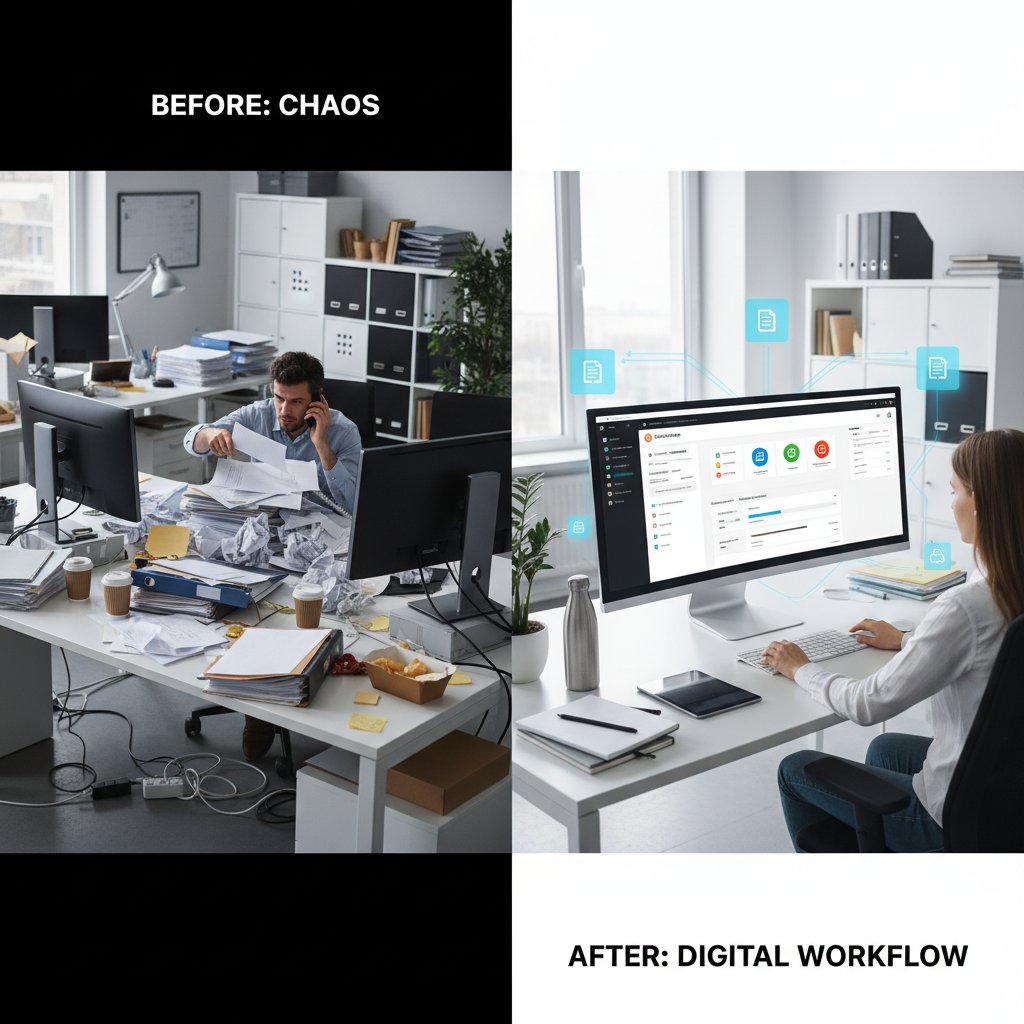
The lesson? Automation is a tool, not a miracle. Success depends on investing in process mapping, training, and customization—not just the software license.
The bottom line: is automatic contract drafting software right for you?
Self-assessment: are you ready for automation?
Before taking the plunge, run a frank self-assessment. Automatic contract drafting software is transformative—but only if you’re ready for the change.
Key questions to evaluate organizational fit:
- Do you manage enough contracts to justify automation?
- Are your workflows standardized, or bespoke and variable?
- Is your team comfortable with new technology?
- Are compliance and audit trails a real concern?
- Do you have internal champions to drive adoption?
- Can you commit to staff training and process updates?
- Are your existing systems ready to integrate with new platforms?
If you answered “yes” to most, you’re likely a good candidate. And don’t forget: professional document generators like filecreator.ai can be a vital part of your toolkit—especially for organizations craving high-quality, multi-format, compliant document generation at scale.
Final thoughts: contracts, code, and control
The contract is the lifeblood of business—a promise written in black and white, enforceable in court and carried out in the real world. Automatic contract drafting software doesn’t erase that gravity. Instead, it reshapes how we negotiate, enforce, and trust. The seven brutal truths are clear: the rewards are real, but so are the risks. If you’re ready to face automation’s challenges head-on—armed with research, skepticism, and a willingness to adapt—you might just come out ahead.
“In the end, trust is built word by word—even if those words are written by code.” — Taylor, tech ethicist
The future of contracts isn’t about erasing humans from the process. It’s about elevating them—using the best tools available to do what humans do best: make decisions, weigh risk, and build trust, one agreement at a time.
Sources
References cited in this article
- Percipient: 7 Best AI Contract Review Software for 2025(percipient.co)
- LawNext Directory: Contract Automation and Drafting 2025(directory.lawnext.com)
- Docupilot: 7 Best Contract Creation Software in 2025(docupilot.com)
- ContractSafe: 43 Contract Management Statistics Ahead of 2024(contractsafe.com)
- Quixy: Workflow Automation Statistics 2024(quixy.com)
- Fynk: Contract Management Trends for 2025(fynk.com)
- SpotDraft: What is Contract Automation?(spotdraft.com)
- IMF: Public Opinion on Automation(imf.org)
- Summize: Contract Automation Explained(summize.com)
- ContractWorks: Product Overview(contractworks.com)
- DoxFlowy: How Contract Automation Works(doxflowy.com)
- Checkbox: Contract Automation Guide(checkbox.ai)
- Aavenir: Contract Management Capabilities 2024(aavenir.com)
- Malbek: AI for Contract Management(malbek.io)
- ContractWorks: Security Features(contractworks.com)
- Verified Market Reports: Contract Drafting Software Market(verifiedmarketreports.com)
- PandaDoc: AI and Contract Management(pandadoc.com)
- NP Group: 2023 Year of Catastrophic Software Failures(npgroup.net)
- Herbert Smith Freehills: Drafting Contracts – Key Lessons from 2023(herbertsmithfreehills.com)
- GeeksforGeeks: Best AI Tools for Contract Drafting(geeksforgeeks.org)
- ContractWorks: Product Overview(contractworks.com)
- Statista: Smart Contracts in Real Estate 2023(statista.com)
- Global Growth Insights: Contract Drafting Software Market(globalgrowthinsights.com)
- Hyperstart: Contract Management Software Features(hyperstart.com)
- SpotDraft: AI in Contract Drafting(spotdraft.com)
- Richmond JOLT: AI in Contract Drafting(jolt.richmond.edu)
- DocuSign: Contract Management Trends 2025(docusign.com)
- Future Market Insights: Contract Management Software Market(futuremarketinsights.com)
Perfect Documents, Instantly
Filecreator.ai transforms the way you produce professional documents. Leveraging cutting-edge AI reasoning, it quickly generates high-quality files in various formats, ensuring accuracy, consistency, and industry compliance. Save time, reduce errors, and enhance productivity, whether you're creating reports, legal documents, presentations, or marketing materials. Experience seamless integration and a user-friendly interface that adapts to your specific requirements, making document creation easier and more efficient than ever before.
Get startedStart Creating Professional Documents Today
Join thousands of professionals who trust AI-powered document generation
Frequently Asked Questions
What is automatic contract drafting software and how has it evolved?
Automatic contract drafting software uses AI and natural language processing to generate, manage, and store contracts at scale. It evolved from manual typewriter-based drafting in the early days, through PC-based templates in the '80s-'90s, to today's AI-driven systems that offer intelligent clause libraries, digital signatures, and automated compliance checks.
What are the main benefits of contract automation software?
The primary benefits include faster deal completion, fewer mistakes, significant cost savings, and the ability for non-lawyers to draft and manage contracts independently. Automation also enables compliance checks to run in the background and allows digital signatures to close deals in minutes.
What risks and pitfalls does the article suggest about automatic contract drafting?
The article warns that automatic contract drafting software exposes businesses to new risks, hidden costs, and issues around trust and control. It emphasizes that users may not fully understand how the underlying code works, and cautions against assuming the technology is problem-free without understanding its limitations.
How has contract automation shifted power in the legal industry?
Contract automation has shifted power away from lawyer gatekeepers to agile business operators and non-legal professionals, allowing anyone with the right software to draft, store, and manage contracts independently rather than relying solely on legal experts.
Continue Reading
Explore more from Professional Document Generator

Automated Contract Drafting Software: Benefits and Risks Explained
Automated contract drafting software is reshaping legal document creation. This article examines the genuine advantages, the real risks, and how the technology is changing contract work.

Automated Legal Document Drafting: Capabilities and Limitations
Automated legal document drafting reshapes contract creation and legal work. This article examines the technology's actual capabilities, genuine hazards, and strategic advantages for legal professionals.

Contract Drafting Software Solutions: Costs, Benefits, and Impact
Contract drafting software solutions automate drafting, reduce errors, and shape modern deal-making. This article examines their true costs, benefits, and real-world impact.

Contract Drafting Apps: What AI Can and Cannot Do
Contract drafting apps automate legal work, but this article explains the hidden risks and limitations AI still cannot address in business deals.

Contract Creation Software: Benefits, Risks, and How to Use It Well
Contract creation software accelerates deal-making but carries hidden risks. This article explains the trade-offs, common pitfalls, and strategies to maximize benefits safely.

Automatic Document Drafting Software: Benefits and Real Pitfalls
Automatic document drafting software transforms workflows across legal, finance, and creative teams. This article explains the real benefits, genuine risks, and how to select the right tool.