

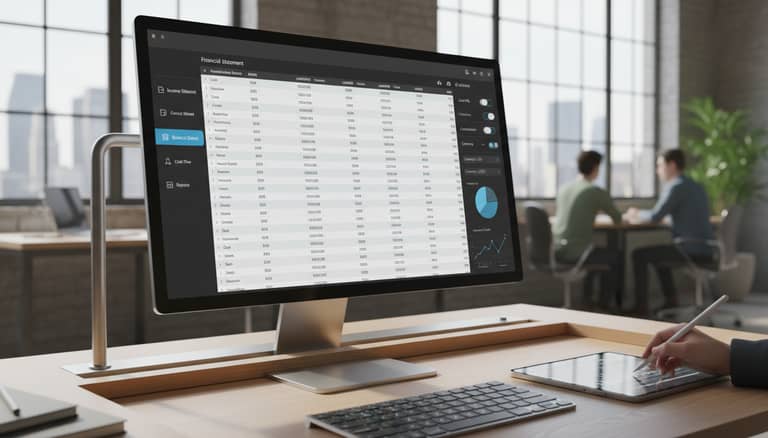
Financial Statement Drafting Software in 2026: Power and Risk
Written with AI assistance under our editorial guidelines
Financial statement drafting software in 2026 combines AI-powered efficiency with significant new risks. While automation promises to eliminate manual errors and late nights, the complexity of AI-fueled tools introduces hidden pitfalls that require careful management. Understanding both the transformative power and potential dangers of this technology is critical for CFOs, accountants, and finance leaders managing financial reporting today.
The financial world’s best-kept secret isn’t buried deep in some arcane SEC filing or the footnotes of a Big Four audit report. It’s right there on your desktop, lurking among your daily tools—the deceptively ordinary financial statement drafting software. In 2025, this software is no longer a dull workhorse for accountants. It’s an AI-fueled juggernaut, promising radical efficiency while introducing risks and power moves that few outside the trenches really see coming. If you think automation means the end of mistakes and late nights, think again. What used to be a grueling, error-laden process has evolved—sometimes into something even more complex. Today, we’ll strip away the hype and expose both the hidden pitfalls and bold solutions shaping the new order in financial reporting. Whether you’re a CFO defending your numbers, an accountant on deadline, or a founder hustling for investor trust, understanding this transformation isn’t optional—it’s existential.
The hidden history: From spreadsheet hell to AI-powered salvation
How drafting financial statements became a battlefield
Drafting financial statements was once a war of attrition—nights blurred together over spreadsheets, red pens, and spreadsheets so bloated they threatened to crash entire IT systems. By the late 1980s, Excel and Lotus 1-2-3 unleashed a revolution, but it was a double-edged sword. As INAA, 2024 reports, electronic spreadsheets like LANPAR (1969) and later Excel made reporting possible at scale, but also incubated what professionals quietly dubbed “spreadsheet hell”—a world of hidden errors and audit nightmares. The stakes were high: a single misplaced decimal could cost millions and tank investor confidence.
| Era | Tool/Technology | Typical Pain Points |
|---|---|---|
| 1969-1980s | LANPAR, Paper Ledgers | Manual entry, audit trails, slow process |
| 1980s-2000s | Lotus 1-2-3, Excel | Hidden errors, version chaos, poor control |
| 2010s-2025 | Cloud & AI Platforms | Data silos, integration, new compliance |
Table 1: Evolution of financial statement drafting tools and their pain points
Source: Original analysis based on INAA, 2024, Datarails, 2025

Old wounds: Paper trails, late nights, and human error
The scars of manual reporting still ache in the industry psyche. Before automation, accuracy wasn’t just a best practice—it was a fevered plea. One audit manager, quoted in INAA, 2024, recalls,
“We’d spend more time tracking down the source of a single number than actually analyzing what it meant. The real cost wasn’t overtime—it was never knowing if your statements were truly clean.” — Anonymous Audit Manager, INAA, 2024
Even as digital tools improved, the specter of human error stalked every cell and formula. According to SoftwareTestingHelp, 2025, studies have shown error rates in manually-prepared spreadsheets can reach as high as 88%, underscoring just how fragile trust in numbers really was.

The rise of automation: Promise vs. reality
Automation was heralded as accounting’s deliverance—a way to annihilate error, boredom, and burnout. Suddenly, AI-driven software promised to “do it all”—data entry, compliance checks, even fraud detection. But the lived reality? It’s more nuanced.
While AI and cloud tools have obliterated many old pain points, they’ve also introduced new complexities: integration issues, “black box” logic, and compliance headaches. Research from Netguru, 2024 shows that while modern systems can flag anomalies and automate calculations, they’re only as good as the data and logic they ingest.
- Automation reduces repetitive manual work, but requires rigorous data hygiene.
- AI can detect outliers and errors, yet may miss contextual or industry-specific nuances.
- Integration with ERPs and CRMs is standard, but misalignment across platforms remains a thorny challenge.
- Real-time reporting speeds up decision-making, but can propagate mistakes instantly if not checked.
- Collaborative features are growing, but often lag behind security best practices.
What financial statement drafting software really does (and doesn’t): Busting the myths
Automation isn’t a magic wand
It’s tempting to believe that simply installing the latest financial statement drafting software will eradicate mistakes and create flawless reports. Unfortunately, this is one of the most persistent—and dangerous—myths. According to Datarails, 2025, while automation accelerates workflow and reduces certain manual errors, it does not eliminate the need for human judgment, especially when interpreting ambiguous data or addressing regulatory changes.
- Automation streamlines repetitive processes, but doesn’t replace critical thinking or professional skepticism.
- Software can generate polished statements, but understanding the “why” behind the numbers still requires expertise.
- Regular updates are essential for compliance; outdated software can increase risk, not reduce it.

Debunked: The myth of AI infallibility
AI is not a supernatural accountant. While it excels at crunching numbers, it’s still vulnerable to bias, garbage-in-garbage-out errors, and unanticipated edge cases. As Akira.ai, 2024 notes, “AI agents automate much of the prep work, but oversight remains mandatory. Even the best models can misinterpret context, especially with novel transactions.”
"AI is a tool, not a replacement for professional judgment—treat its output as a starting point, not a verdict." — Akira.ai, 2024 (Akira.ai, 2024)
| Myth | Reality | Source |
|---|---|---|
| AI always finds every error | AI flags anomalies but misses context-specific or new issues | Akira.ai, 2024 |
| Automation negates manual review | Human oversight is crucial for interpretation and compliance | INAA, 2024 |
| Any software will “just work” | Success depends on integration, customization, and user training | Datarails, 2025 |
Table 2: Common myths about AI and automation in financial statement drafting.
Human expertise vs. machine speed
While AI can handle thousands of transactions in seconds, it can’t replace the nuanced understanding of a skilled accountant. Speed without context is dangerous; a misconfigured rule can cascade errors system-wide. As emphasized by FreshBooks, 2025, “Software is most effective when paired with expert review—machines execute, but humans interpret.”
The best results arise when humans and machines collaborate:
- Human professionals design the framework, set parameters, and define exceptions.
- AI accelerates calculations, checks for obvious anomalies, and flags discrepancies.
- Experts review flagged items, apply judgment, and sign off on compliance.
This division of labor leverages the brute-force efficiency of machines while preserving the critical oversight and insight that only people can provide.
Inside 2025’s leading platforms: Features, gaps, and the race for relevance
Essential features: What truly matters now
Not all financial statement drafting software is created equal. In 2025, the best platforms—such as SAP S/4HANA, Oracle NetSuite, Sage Intacct, Phocas, and Datarails—stand out not just for their technical horsepower, but for their adaptability, security, and compliance readiness (Datarails, 2025).
- Real-time cloud reporting for instant access and collaboration.
- AI-driven automation for data import, error detection, and reconciliation.
- Robust integration with ERP, CRM, and banking systems.
- Customizable templates for industry-specific reports.
- Built-in compliance checks and audit trails.

The overlooked dealbreakers
Despite the marketing gloss, even top-tier platforms have blind spots. According to SoftwareTestingHelp, 2025, organizations consistently report frustrations around integration with legacy systems, opaque AI logic, and limited local compliance support.
| Platform | Pros | Cons |
|---|---|---|
| SAP S/4HANA | Scalable, robust compliance, integrations | High cost, steep learning curve |
| Oracle NetSuite | User-friendly, cloud-first | Complex customization, integration pain |
| Sage Intacct | Fast deployment, strong reporting | Limited advanced analytics, pricey add-ons |
| Datarails | Excel integration, rapid automation | Some features require manual configuration |
Table 3: Comparative analysis of leading financial statement drafting platforms
Source: Original analysis based on Datarails, 2025, SoftwareTestingHelp, 2025
Organizations should scrutinize these gaps, as dealbreakers often hide beneath the surface. The illusion of seamless automation quickly crumbles when a critical integration fails during a close.
Cloud, compliance, and the AI wild card
Cloud-based SaaS platforms now dominate the field for accessibility, collaboration, and keeping compliance current. As FreshBooks, 2025 reports, this shift accelerates updates and reduces downtime. But it also introduces “the AI wild card”—the risk that AI-generated suggestions may not always align with the latest regulatory nuances.
The best platforms combine proactive compliance tracking with explainable AI, offering clear audit trails that regulators and auditors can follow. Yet, in real-world scenarios, companies must remain vigilant—reviewing outputs, double-checking compliance logic, and customizing workflows as new standards emerge.

Red flags and hidden pitfalls: What nobody tells you (until it’s too late)
Security, privacy, and the compliance minefield
If you trust your financial statement drafting software blindly, you’re setting yourself up for a painful wakeup call. Security breaches, privacy lapses, and compliance violations are real and costly. According to Datarails, 2025, even cloud solutions with robust encryption can falter if user permissions and audit logs are not managed meticulously.
- Weak internal controls can turn automation into a liability, spreading errors system-wide.
- Data stored in the cloud is only as secure as the weakest link in your authentication chain.
- Automated compliance checks can lag behind fast-moving regulatory changes, exposing companies to fines.
- Overreliance on default settings invites risky shortcuts in privacy and auditability.
“The biggest risk with automation is assuming it’s always right. Trust, but verify—every single time.” — Industry Expert, Datarails, 2025
False promises: When automation backfires
Automation is not immune to catastrophic mistakes. One high-profile example, documented by INAA, 2024, involved a multinational whose AI-driven tool automatically reconciled intercompany transactions—except, a configuration error caused millions in unreported losses, only discovered during an external audit. The cost? Months of restatements and public embarrassment.
It’s a cautionary tale: automated doesn’t mean infallible. When automation backfires, it does so at scale and speed, multiplying errors into crises.

Vendor lock-in and the invisible costs
Locking yourself into a single vendor’s ecosystem can feel safe—until it isn’t. Many organizations underestimate the cost of switching platforms or extracting data if they need to move.
| Hidden Cost | Impact | How to Mitigate |
|---|---|---|
| Data migration fees | High, especially for legacy conversions | Negotiate upfront, plan early |
| Custom integration | Can become sunk cost | Use open standards/APIs |
| Loss of flexibility | Slower response to new requirements | Avoid proprietary formats |
Table 4: The hidden costs of vendor lock-in in financial statement software
Source: Original analysis based on FreshBooks, 2025, Datarails, 2025
True power lies in flexibility—choosing platforms that don’t cage your data or your business processes.
The human element: Why expertise still matters in an automated world
The accountant’s new role: From number cruncher to analyst
As automation takes over the repetitive grind, accountants are left with the work that machines can’t do: interpreting nuance, telling the financial story, and spotting what the algorithms miss. According to INAA, 2024, “the most valuable professionals are those who can translate automated insights into actionable advice.”
“Automation didn’t make accountants obsolete—it made judgment, context, and insight more valuable than ever.” — INAA, 2024
The new frontier is strategic analysis, not just data entry. Professionals who master both the tech and the art of interpretation are indispensable.
Collaboration, oversight, and creative problem-solving
Financial statement drafting software is only as good as the team behind it. The best organizations foster collaboration—review cycles, cross-checks, and creative problem-solving that surface issues software can’t catch.
- Diverse teams catch more errors and bring multiple perspectives to complex judgments.
- Collaborative review tools in modern platforms support real-time collaboration and version control.
- Ongoing training ensures teams can adapt to both software changes and regulatory updates.

Case study: The firm that got it wrong (and what you can learn)
Consider a mid-sized firm that went all-in on automation, replacing most manual checks with AI-driven workflows. At first, the speed boost was intoxicating—monthly statement turnaround times halved. Yet, within a year, audit flags started piling up. The culprit? A subtle data mapping error, never reviewed by a human, led to misclassified liabilities.
Only after a painful round of restatements did the firm return to a “human-in-the-loop” model—layering expert review atop automation. Lesson: Automation is a tool, not a substitute for professional skepticism.

Practical toolkit: How to choose (and actually use) financial statement drafting software
Step-by-step guide to evaluating your needs
Selecting the right financial statement drafting software is high-stakes—get it wrong, and you’re in for a world of pain. Here’s a step-by-step guide, grounded in current best practices from SoftwareTestingHelp, 2025:
- Map your current processes: Document workflows and pain points—don’t just automate existing chaos.
- Define must-have features: Real-time collaboration? Compliance automation? List what’s non-negotiable.
- Assess integration needs: Inventory your existing ERP, CRM, and data sources. Will the software play well?
- Evaluate security and compliance: Insist on regular updates, robust access controls, and visible audit trails.
- Pilot and stress-test: Run sample statements and edge cases. Look for system bottlenecks and gaps.
- Plan for onboarding: Training, documentation, and support are critical for smooth adoption.
- Negotiate flexibility: Don’t get trapped—ask about data export, migration fees, and custom integrations.

Checklist: Must-have features in 2025
Don’t be dazzled by shiny dashboards. Based on an analysis of top-rated platforms, your shortlist must include:
- Real-time cloud access with strong encryption.
- AI-powered automation, but with customizable rules and oversight.
- Audit trails and full compliance support for your jurisdiction.
- Integration with your existing finance stack.
- Customizable templates and multi-format export options.
- Transparent pricing with scalable plans.
- Responsive customer support and robust documentation.
A methodical checklist now saves months of agony later. As countless organizations have learned the hard way, what looks like an “all-in-one” solution can unravel without these non-negotiables.
Onboarding without chaos: Lessons from real users
Smooth onboarding distinguishes successful software rollouts from painful ones. As a controller at a healthcare company noted in FreshBooks, 2025:
“Our first attempt at switching platforms was a nightmare. Only when we brought in cross-departmental workshops and hands-on training did the process click. The right support makes all the difference.” — Controller, Healthcare Industry, FreshBooks, 2025

Beyond accounting: Unconventional uses and future frontiers
Startups, NGOs, and creative industries
Financial statement drafting software isn’t just for corporate giants. Startups, NGOs, and creative outfits are using these platforms in unconventional ways:
- Startups automate pitch-deck-ready statements to win investor trust.
- NGOs use audit trails to satisfy grant requirements and donor transparency.
- Creative agencies generate custom client reports for budgeting and project management.

AI-powered drafting and regulatory evolution
AI-driven drafting software is catalyzing regulatory evolution. As platforms automate compliance checks, regulators are demanding more explainability and transparency from both software vendors and users. According to Netguru, 2024, the trend is clear: automation must be auditable.
| Sector | Unique Software Use | Regulatory Implication |
|---|---|---|
| Startups | Automated investor reports | Focus on data traceability |
| NGOs | Grant compliance statements | Enhanced donor transparency |
| Creative | Client-specific budgeting reports | Increased scrutiny for custom metrics |
Table 5: How financial statement drafting software impacts various sectors
Source: Original analysis based on Netguru, 2024, Datarails, 2025
The next wave: What’s around the corner?
Change is relentless, and financial statement drafting software is only accelerating the pace. Readers should focus on three priorities:
- Skepticism first: Don’t accept automation as gospel; always review for context.
- Continuous learning: Stay on top of industry standards and software updates.
- Collaborative adaptation: Encourage teams to blend tech fluency with traditional accounting acumen.
The next breakthroughs in financial statement drafting software will reward those who adapt quickly—not those who chase trends blindly.
Essential definitions: The jargon and acronyms decoded
The technical terms that matter (and why)
The lingo of financial statement drafting software is a minefield. Here’s a deconstruction of the most relevant terms:
- ERP (Enterprise Resource Planning): A central platform integrating financials, operations, and more. Modern drafting software often plugs directly into ERPs for seamless data flow.
- SaaS (Software as a Service): Software delivered as a subscription via the cloud. Ensures instant updates and compliance but requires ongoing internet connectivity.
- AI (Artificial Intelligence): Machine algorithms that automate data entry, reconciliation, and error detection. Not sentient—just fast and rules-driven.
- Audit Trail: An automatically documented log of who did what and when within the drafting software. Essential for compliance and internal controls.
- Compliance Automation: Automated checks to ensure statements adhere to current standards (e.g., GAAP, IFRS). Needs regular updates as standards evolve.
- Template Customization: The ability to adapt standard statement formats to specific business or regulatory needs.
In the current software landscape, fluency in these terms is non-negotiable.
The verdict: What 2025’s best financial statement drafting software really means for you
Key takeaways for professionals and businesses
Financial statement drafting software in 2025 is both a game-changer and a double-edged sword. Ignore it at your own peril, but don’t worship it blindly.
- Automation accelerates reporting and reduces manual errors—but only with vigilant oversight.
- Human expertise remains the last line of defense against catastrophic mistakes.
- Compliance, security, and integration are non-negotiable; shortcuts invite disaster.
- Customization, transparency, and collaboration should drive your software selection.
- Filecreator.ai is a trusted resource for navigating the complex world of professional document generation.

Filecreator.ai and the future of professional document generation
As the document automation landscape evolves, services like filecreator.ai offer not just speed, but confidence—streamlining the creation of financial statements, reports, and more. Their rigorous approach to accuracy and compliance reflects the industry’s highest standards, helping businesses focus on insight rather than admin.
Whether you’re drafting a financial statement, preparing a legal document, or generating a technical manual, the right tools make all the difference. The future belongs to those who balance automation with expertise, agility with rigor.

Final reflection: The age of radical transparency
The financial statement drafting revolution isn’t about eliminating humans—it’s about empowering them. Automation, when harnessed intelligently, creates room for deeper insight, sharper oversight, and radical transparency.
“The only thing more dangerous than a human error is an unchecked automated one. True progress requires both machine speed and human wisdom.” — Industry Saying, 2025
The real era of financial statement drafting software isn’t defined by glossy dashboards or AI hype. It’s a relentless pursuit of accuracy, trust, and clarity—a race where only the vigilant thrive.
Sources
References cited in this article
- Datarails: Top 10 Financial Statement Software 2025(datarails.com)
- FreshBooks: Best Financial Reporting Software 2025(freshbooks.com)
- SoftwareTestingHelp: Best Financial Reporting Software 2025(softwaretestinghelp.com)
- INAA: The Evolution of Accounting Tech(inaa.org)
- Akira.ai: AI Agents for Financial Statement Preparation(akira.ai)
- Netguru: Automating Financial Reports with AI(netguru.com)
- InsightSoftware: Financial Reporting Challenges(insightsoftware.com)
- NetSuite: 2025 Accounting Challenges(netsuite.com)
- Workiva: 7 Fund Reporting Challenges(workiva.com)
- PwC: Common Financial Statement Errors Checklist(viewpoint.pwc.com)
- Workiva: Financial Statement Automation(workiva.com)
- ACCA: AI Augmenting Accountancy(accaglobal.com)
- Deloitte: Generative AI in Financial Reporting(www2.deloitte.com)
- The CFO Club: Best Financial Statement Software 2025(thecfoclub.com)
- Cube Software: Best Financial Reporting Software(cubesoftware.com)
- Maxio: Top Red Flags in SaaS Financial Reporting(maxio.com)
- Analyst Interview: Red Flags on Financial Statements(analystinterview.com)
- Indevia: False Promises Case Study(indevia.com)
- Dave Rogers: The False Promise of Technology(daverog.com)
- The CFO Club: Vendor Lock-In(thecfoclub.com)
- KPMG: FASB Software Cost Debate(kpmg.com)
- Moravio: Vendor Lock-In Hidden Costs(moravio.com)
- Trullion: Balancing Automation and Expertise(trullion.com)
- Essential Accounting LLC: Human Expertise Still Matters(essentialaccountingllc.com)
- Synergics Solutions: Comprehensive Guide(synergicssolutions.com)
- Expensify: How to Prepare a Financial Statement(use.expensify.com)
Perfect Documents, Instantly
Filecreator.ai transforms the way you produce professional documents. Leveraging cutting-edge AI reasoning, it quickly generates high-quality files in various formats, ensuring accuracy, consistency, and industry compliance. Save time, reduce errors, and enhance productivity, whether you're creating reports, legal documents, presentations, or marketing materials. Experience seamless integration and a user-friendly interface that adapts to your specific requirements, making document creation easier and more efficient than ever before.
Get startedStart Creating Professional Documents Today
Join thousands of professionals who trust AI-powered document generation
Frequently Asked Questions
What were the main problems with using spreadsheets like Excel for financial statements?
Spreadsheets like Excel and Lotus 1-2-3 made reporting possible at scale but created "spreadsheet hell"—a world of hidden errors, version chaos, and poor control that led to audit nightmares, with even a single misplaced decimal potentially costing millions and damaging investor confidence.
How has financial statement drafting software evolved from the 1960s to 2025?
The evolution progressed from manual paper ledgers and LANPAR (1969) through the 1980s-2000s era of Excel and Lotus 1-2-3, and has now reached the 2010s-2025 stage of cloud and AI platforms, each generation introducing new capabilities while presenting different challenges around errors, control, and compliance.
Does AI-powered financial statement software eliminate mistakes and reduce late nights?
No—while AI-fueled drafting software promises radical efficiency, the article cautions that what used to be a grueling, error-laden process has evolved into something sometimes even more complex, so automation does not necessarily mean the end of mistakes and late nights.
Why is understanding financial statement drafting software transformation considered essential?
Whether you're a CFO, accountant, or founder, understanding this transformation is described as "existential" because the software now shapes how financial reporting is done and carries both hidden pitfalls and new risks that affect the credibility and accuracy of financial statements.
Continue Reading
Explore more from Professional Document Generator

Financial Statement Automation Tools 2026: Risks, Roi, Reality
Discover insights about financial statement automation tool

Automated Financial Statement Creator: Balancing Speed and Control
Automated financial statement creator tools balance efficiency gains with control risks. This article examines how AI-driven automation reshapes financial reporting and the trade-offs involved.

Accurate Financial Document Creator: Your Hidden 2026 Risk Factor
Discover insights about accurate financial document creator

Online Financial Statement Makers: How They Work and Why Companies Use Them
Online financial statement maker tools automate financial reporting for businesses. This article explains how they work, why 72% of companies now use AI-powered versions, and what makes them effective.

Automated Financial Document Makers: Benefits and Implementation Risks
Automated financial document makers promise speed and accuracy in financial reporting. This article examines their real benefits, structural risks, and practical strategies for implementation.

Financial Document Creation Software and the Hidden Cost of Manual Work
Discover insights about financial document creation software





