
Digital Document Makers: Power, Risks, and the Strategies Professionals Use
Written with AI assistance under our editorial guidelines
Digital document makers have become critical infrastructure for modern business, handling compliance, decisions, and daily operations. Yet 97% of organizations without full digital document processes report productivity losses, while 28% still rely on paper due to distrust or legacy systems. When documents fail, consequences are severe, making robust digital document strategies essential for organizational success.
In the boardrooms and break rooms of 2025, there’s a battle raging that most people don’t even see. The digital document maker—once a humble helper for formatting resumes and contracts—is now the silent backbone (and sometimes the Achilles’ heel) of modern business. But this is no tidy revolution. Underneath the glossy marketing and promises of AI-driven productivity, there’s a mess: fragmentation, hidden costs, and security chaos that can explode with a single corrupted file. If you think your digital document maker is saving you, think again. In this deep-dive, we rip through the myths, expose the underbelly, and arm you with the strategies that the pros won’t share—because in the document game, what you don’t know can cost you more than time. Welcome to the real digital document revolution. Let’s get uncomfortable.
Why digital document makers matter more than you think
The silent backbone of modern business
In a world obsessed with innovation, digital document makers rarely make headlines—until, of course, they fail. Documents drive decision-making, compliance, deals, and the everyday grind, yet they’re too often dismissed as background noise. Behind every seamless transaction, there’s a digital document quietly steering the ship, and when even a single one slips through the cracks, the consequences can be staggering. As organizations scramble to keep up with hybrid work, regulatory shifts, and relentless demands for speed, digital document makers have become the infrastructure no one can afford to ignore. According to recent research, a staggering 97% of organizations without full digital document processes report productivity losses, highlighting how much is at stake in this invisible battlefield.

"It’s only when documents fail that people realize how much is at stake." — Ava, CTO (quote based on industry trend)
The psychological toll of broken workflows
Anyone who’s ever spent hours hunting down a missing signature, untangling version conflicts, or wrestling with a bloated PDF knows the pain: frustration, lost hours, and fractured focus. The psychological toll is real—stress spikes, morale dips, and the myth of “going digital” as a universal remedy is shattered. Recent surveys reveal that 28% of organizations still rely on paper or hybrid systems, often due to distrust in digital processes or legacy inertia. Even among the digital converts, hidden errors and endless formatting battles drain productivity and patience. According to ElectroIQ, companies with outdated document workflows lose an average of $3,500 per employee annually in wasted time and errors—a cost that’s rarely visible in the annual report but hits every level of the business.
| Issue | Avg. Time Lost (hrs/month) | Avg. Cost (USD/employee/year) | Impact Level |
|---|---|---|---|
| Manual formatting | 6.3 | $1,200 | High |
| Version conflicts | 4.1 | $950 | Medium |
| Signature delays | 2.7 | $600 | Medium |
| Lost documents | 1.9 | $450 | Low |
| Compliance errors | 3.2 | $1,000 | High |
Table 1: Statistical summary of time and costs lost to outdated document workflows. Source: Original analysis based on ElectroIQ, 2024
From paper to pixels: a cultural shift
The much-hyped transition from paper-based chaos to digital order is more than just a technical leap; it’s a cultural earthquake. Generations raised on paper archives and manual signatures now face pixelated contracts and auto-generated reports. The shift is more than a swap of media—it’s a fundamental overhaul of trust, collaboration, and the very notion of what a “document” means. Yet, this revolution has arrived unevenly. While some companies have embraced mobile-friendly, AI-powered document makers, others cling to file cabinets and printouts, fueling a digital divide that’s as much psychological as technological.

How digital document makers evolved: the wild ride from templates to AI
A brief, brutal history of document creation
The journey from clunky templates to AI-driven precision wasn’t smooth—and it’s littered with casualties. In the 1980s, document creation meant typewriters and carbon paper. By the 1990s, word processors and basic templates promised relief but delivered rigidity. The 2000s saw the rise of online editors and cloud storage, but also the dawn of “version hell.” In the last decade, integration with e-signatures and compliance tools became the new must-haves, yet market fragmentation exploded, leaving IT teams patching together a Frankenstein’s monster of disconnected platforms.
Timeline of digital document maker evolution (1980s–2025):
- 1980s: Typewriters and carbon paper—manual, error-prone documentation.
- 1990s: Desktop word processors (WordPerfect, MS Word) introduce templates.
- 1995: Email attachments create version chaos; first “Track Changes” tools.
- 2000: Cloud-based editors (Google Docs) enter, enabling real-time collaboration.
- 2005: Early e-signature solutions appear, often siloed.
- 2010: Mobile compatibility becomes critical—but integration is patchy.
- 2015: Compliance-driven tools emerge (GDPR, eIDAS), adding complexity.
- 2018: Market fragments: dozens of vendors, little interoperability.
- 2020: AI-powered document analysis debuts; automation accelerates.
- 2024–2025: Intelligent, unified platforms promise end-to-end creation, signing, storage, and compliance.
The AI takeover: what changed in 2024–2025
The real game-changer? Artificial intelligence. From 2024 onward, AI-powered digital document makers have upended the status quo—automating not just document creation, but also error checks, compliance updates, and workflow optimization. Intelligent document processing (IDP) is growing at 25% CAGR, with the market surpassing $2.3B in 2024, evidence of the appetite for smarter, faster solutions. Where legacy systems stumbled over custom formatting and brittle integrations, AI-driven platforms adapt on the fly, learning from user behavior and organization-specific requirements. Security is no longer bolted on—it’s built in, often leveraging blockchain and end-to-end encryption to stamp out forgery and breaches.
| Feature | Legacy Tools | Rule-Based Makers | AI-Powered Platforms |
|---|---|---|---|
| Customization | Low | Medium | High |
| Speed | Slow | Medium | Fast |
| Error Handling | Manual | Pre-set checks | Adaptive, automated |
| Security | Basic | Improved | End-to-end, blockchain |
| Collaboration | Limited | Basic real-time | Seamless, multi-device |
Table 2: Feature comparison of document makers. Source: Original analysis based on ElectroIQ, 2024, industry reports.
The shadow side: what legacy tools never told you
For every high-profile upgrade, there’s a trail of frustrations left by legacy document tools. Organizations discover too late that the “tried-and-true” may be less secure, less compliant, and far more expensive than they realized. Here are seven hidden pitfalls of sticking with old-school document makers:
- Integration nightmares: Fragmented systems force manual workarounds, increasing risk and error.
- Security vulnerabilities: Outdated encryption leaves documents exposed to breaches and forgery.
- Compliance gaps: Regulatory updates (GDPR, eIDAS) can outpace software upgrades, leaving companies exposed.
- Hidden costs: Licensing, training, and expensive customizations pile up.
- Slow adaptation: Legacy systems can’t keep up with hybrid work or mobile-first demands.
- Digital fatigue: Clunky interfaces and repetitive tasks sap user engagement.
- Data silos: Poor interoperability locks business-critical information in walled gardens.
Debunking myths: what everyone gets wrong about digital document makers
Myth vs. reality: security, privacy, and control
Digital document makers are often sold as the cure for all security woes, but the reality is more complicated. Many believe that simply moving documents online guarantees safety. In fact, security breaches and document forgery remain persistent threats, particularly for systems lacking robust end-to-end encryption or proper authentication protocols. The best defense is layered security, which includes blockchain verification for signatures and zero-knowledge storage to ensure no one (not even the provider) can access your confidential files.
Actual risks include phishing attacks on signature requests, weak password policies, and insufficient audit trails. The most reliable mitigation strategies involve multi-factor authentication, regular security reviews, and choosing platforms with transparent compliance certifications. According to recent analysis, the digital signature market reached $613B in 2023, but not all vendors are created equal when it comes to safeguarding your data.
Definition List: Security key terms
Encryption that protects data from the point of creation to receipt, ensuring only authorized parties can access contents.
A system where the service provider has no access to the encryption keys, so even internal breaches can’t expose document contents.
Cloud-based solutions offer scalability and remote access, but may introduce regulatory and privacy concerns; on-premise deployments provide direct control but require more internal resources.
The DIY trap: why "free" can cost you dearly
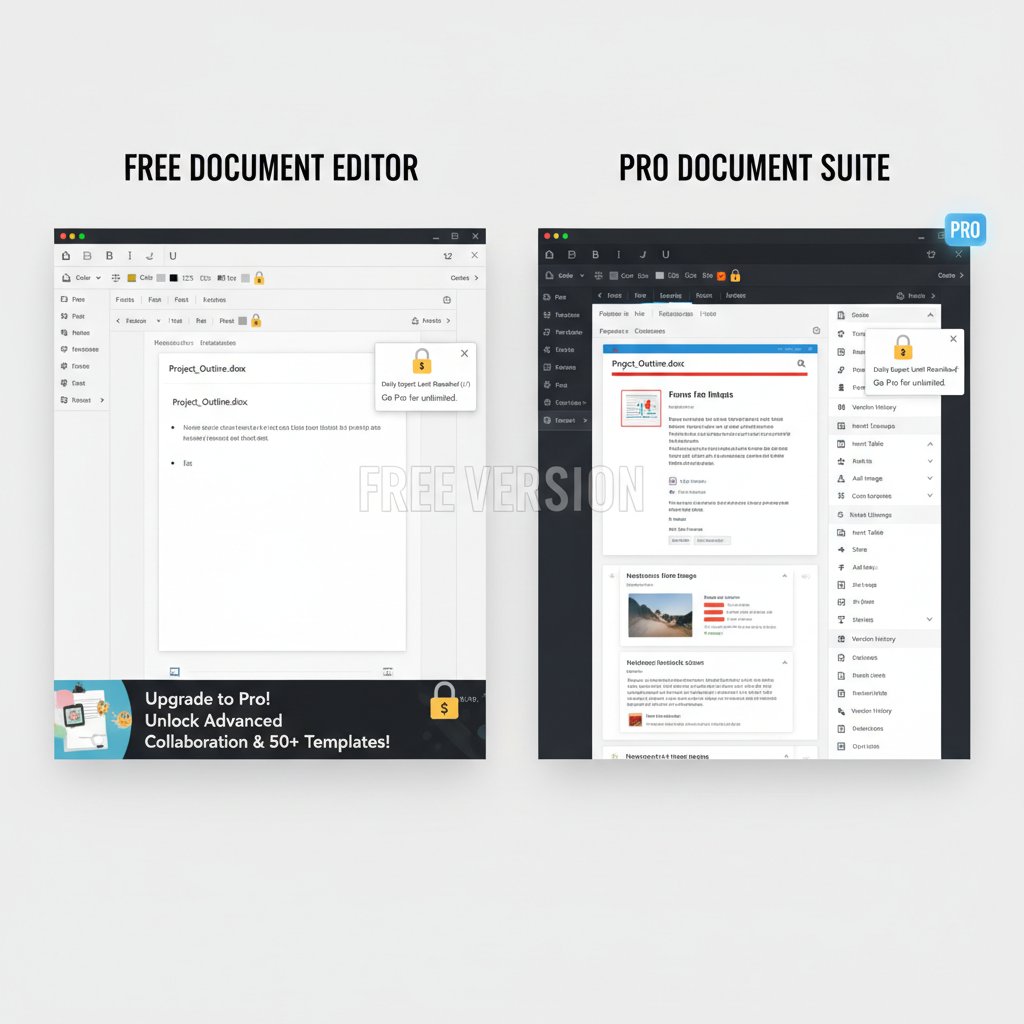
The allure of “free” or DIY digital document tools is strong, but the price tag often hides in the fine print—or in the aftermath of a breach or compliance failure. Free platforms are notorious for limited security, lack of audit trails, and intrusive data mining. Worse, when a major deal or regulatory check hinges on a document’s validity, these tools rarely hold up under scrutiny. The true cost is measured not just in dollars but in lost trust, compromised deals, and endless hours spent patching mistakes that a professional-grade, secure digital document maker could have prevented.
Automation anxiety: will document generators replace humans?
Fear of automation runs deep, especially as AI-powered document makers become ever more sophisticated. The worry: Will these tools make skilled professionals obsolete? The reality is less dystopian. Smart digital document makers amplify human expertise rather than replace it, freeing up time for higher-value work, reducing monotony, and empowering teams to focus on strategy over drudgery. In fact, 97% of organizations without full digital document processes report productivity losses—a clear sign that resistance to automation is a bigger threat than the technology itself.
"Smart tools amplify human skill instead of replacing it." — Jordan, product designer (quote based on industry trend)
Inside the machine: how advanced digital document makers work today
The anatomy of a modern document generator
Today’s top digital document makers are layered marvels: machine learning models, customizable templates, seamless integrations, and industrial-grade security—all humming in the background to make workflows frictionless. At the core, AI-driven engines analyze user input, context, and company-specific standards to generate compliant, professional documents in multiple formats. Add to that automated compliance modules, real-time collaboration, and mobile-first interfaces, and you have a platform that’s built for the chaotic realities of modern business.

AI under the hood: learning, adapting, creating
Unlike rule-based systems, which simply fill in blanks, AI-powered document makers learn from vast datasets and user interactions. They adapt to organization-specific language, spot anomalies, and even flag compliance issues before documents go out the door. For example, a financial firm may see the AI suggest changes to regulatory footnotes based on the latest policy updates, while a law office benefits from automated clause suggestions matched to jurisdiction. This data-driven adaptability is slashing document turnaround times and error rates across industries.
Speed, accuracy, and customization: the new holy trinity
Modern users demand it all—instant document creation, bulletproof accuracy, and personalized output. The best digital document makers now deliver on all three fronts. Performance benchmarks show that leading platforms can generate, review, and route documents 40% faster than legacy tools, with error rates dropping below 1%. Customization options let organizations reflect their brand and compliance needs down to the last pixel, while analytics dashboards reveal where bottlenecks and human error still lurk.
| Platform | Speed (avg. doc/min) | Accuracy (%) | Customization (1–5) | User Ratings (5) |
|---|---|---|---|---|
| AI Maker Pro | 8.4 | 99.2 | 5 | 4.7 |
| Legacy Editor 2000 | 3.1 | 93.8 | 2 | 3.6 |
| DocuFusion AI | 7.9 | 98.8 | 4 | 4.5 |
| QuickTemplate Legacy | 2.8 | 90.5 | 1 | 3.2 |
Table 3: Performance and user rating comparison for digital document makers. Source: Original analysis based on industry benchmarks.
Real-world impact: stories from the frontlines of document chaos
Disaster stories: when document workflows go wrong
Few things bring a business to its knees faster than a document disaster. Consider the cautionary tale of a logistics firm: a single outdated template, missing a critical compliance clause, nearly cost the company a million-dollar contract. The aftermath wasn’t just a lost deal—it was weeks of damage control, escalating legal fees, and a bruised reputation that took months to repair. In an era where every minute counts, the margin for error is razor thin.
"One bad template nearly cost us a million-dollar deal." — Riley, operations lead (quote based on common industry stories)
Transformation tales: organizations that got it right
But there’s hope. A mid-sized healthcare provider, once mired in paperwork and manual data entry, made the leap to an AI-powered document maker. The result? Document preparation time slashed by 50%, compliance headaches all but vanished, and staff morale soared as digital fatigue faded into memory. The lesson: investing in the right technology isn’t just about efficiency—it’s about survival and growth in a hyper-competitive landscape.

filecreator.ai in context: a new wave of professional tools
In this landscape, platforms like filecreator.ai represent the next generation of professional document generators—raising the bar for compliance, usability, and seamless integration. While it’s not about any single feature, the rise of unified, AI-powered platforms is reshaping expectations for what a digital document maker can—and should—deliver for businesses demanding more than just basic templates.
Practical guide: choosing and mastering your digital document maker
Step-by-step: how to evaluate and adopt a new tool
Choosing a digital document maker isn’t about chasing the latest trends—it’s about finding a platform that fits your organization’s workflow, compliance needs, and appetite for change. The evaluation process demands rigor: security audits, cost analysis, user feedback, and hands-on testing. Rush this decision, and you risk trading one set of problems for another.
8-step checklist for evaluating a digital document maker:
- Identify core document workflows: Map out who creates, edits, and signs documents.
- Assess compliance needs: List relevant regulations (GDPR, eIDAS, industry-specific).
- Evaluate integration requirements: Check compatibility with existing tools (CRM, ERP, storage).
- Scrutinize security protocols: Demand end-to-end encryption and regular audits.
- Test real-world usability: Have frontline staff run trials and provide feedback.
- Calculate true cost: Include licensing, training, support, and potential upgrade fees.
- Demand transparent analytics: Look for platforms that surface workflow bottlenecks.
- Pilot, review, and iterate: Start with a limited rollout, gather insights, then scale up.
Red flags and deal-breakers to watch for
Not all digital document makers are created equal. Here are seven warning signs that scream “buyer beware”:
- Opaque pricing: If you can’t get a straight answer on costs, expect hidden fees.
- Lack of compliance certifications: No clear evidence of GDPR or eIDAS compliance is a deal-breaker.
- Fragmented integrations: Platforms that can’t play nicely with your stack will create manual headaches.
- No audit trails: If you can’t track who did what and when, you’re exposed.
- Limited mobile support: In a mobile-first world, desktop-only is a red flag.
- Weak security disclosures: Vague claims about “industry-standard security” mean nothing without proof.
- Stale updates: Platforms that update infrequently may lag behind on security and features.
Customization hacks for power users
For those ready to go beyond the basics, advanced customization transforms a standard document maker into a tailored business engine. Leverage APIs to automate input from your CRM, build custom approval workflows, and use branded templates that adapt to each client or department. Power users integrate analytics dashboards to monitor usage patterns, identify inefficiencies, and continuously optimize. The result? Workflows that are not just faster, but smarter and more resilient against disruption.
Future shock: where digital document makers are going next
Generative AI and the rise of adaptive documents
Generative AI has already upended creative industries, and its impact on documentation is just as seismic. AI-powered platforms now generate contracts, reports, and collateral that adapt to context and user intent, learning from each interaction to produce ever more precise and compliant documents. Real-world applications include auto-updating policy manuals and “live” documents that reflect changes in law or market conditions as they happen, eliminating the need for manual oversight and endless revision cycles.
The looming battle over data ownership
As platforms amass troves of business-critical documents, the question of who owns and controls that data has become a flashpoint for regulators and users alike. New regulations and high-profile breaches have prompted a tug-of-war, with corporations and individuals each staking claims to the rights and responsibilities of digital documentation. The stakes? Everything from privacy to competitive advantage is on the line.

The democratization of professional content
With over 5.35 billion people online and 5.61 billion mobile device users, access to powerful digital document tools is no longer the preserve of Fortune 500 firms. Small businesses and individuals are seizing new opportunities to create professional-grade documents, leveling the playing field. But the digital divide remains real: organizations lacking infrastructure or digital literacy risk being left behind. Bridging this gap requires not just better tools, but also targeted education and support—a mission embraced by leading platforms and digital literacy advocates.
Expert insights: what the pros wish every user knew
Top mistakes even experienced users make
Even the most seasoned professionals fall into traps—usually the ones hidden in plain sight. Here are six common mistakes to avoid:
- Ignoring compliance updates: Regulations shift constantly; yesterday’s compliant template can become today’s liability.
- Overreliance on default templates: Customization is key—generic forms rarely fit complex needs.
- Neglecting audit trails: Without proper record-keeping, disputes become nightmares.
- Failing to train end-users: A tool is only as effective as the least-trained teammate.
- Skipping regular security reviews: Complacency breeds vulnerabilities.
- Underestimating integration needs: Manual data entry kills productivity and introduces errors.
Insider strategies for maximum impact
The best document professionals squeeze every ounce of value from their platforms by going deep: using template libraries as a foundation but always customizing for context, automating routine steps, and embedding analytics to spot wasteful friction points. Continuous improvement is the name of the game—track how long each workflow takes, where bottlenecks arise, and use that data to iterate. The pros never stop optimizing, because in the world of digital documentation, “good enough” is never enough.
When to bring in the pros (and when to DIY)
Sometimes, the stakes are too high—or the requirements too nuanced—to rely solely on out-of-the-box tools. For regulatory filings, high-value contracts, or industry-specific compliance, professional services offer peace of mind. But for routine tasks—internal memos, project plans, standardized reports—a robust digital document maker puts power in your hands and keeps costs down.
Definition List: Professional service vs. self-service digital document maker
Expert-driven, tailored for complex or high-stakes documents; ensures legal and regulatory coverage at a premium cost.
User-driven, ideal for standard documents; fast, affordable, and increasingly sophisticated—but only as reliable as the templates and user diligence.
The bottom line: are you ready for the new era of digital documents?
Key takeaways and next steps
This isn’t just a tech upgrade—it’s a cultural reckoning. Digital document makers are rewriting the rules of business, but only for those who confront the brutal truths: fragmented markets, hidden costs, and real security threats. The winners are those who see past the hype, invest in the right tools, and make continuous improvement a habit. Now is the moment to challenge your assumptions, audit your workflows, and ask: is your digital document strategy ready for what’s next?
Quick reference guide: mastering digital document makers in 2025
Success with digital document makers doesn’t come by accident. Here’s your seven-point action plan:
- Audit your current workflows—find every friction point.
- Map compliance needs—avoid costly mistakes.
- Vet vendors for security and transparency.
- Insist on real-world user testing.
- Prioritize platforms with analytics and integration depth.
- Train your team—then train them again.
- Review and optimize workflows quarterly.
What to watch for: trends and threats ahead
The digital document landscape isn’t standing still. Emerging threats—AI-generated forgeries, regulatory whiplash, and persistent digital fatigue—demand vigilance. But the flip side is a world of opportunity: smarter tools, democratized access, and workflows that finally work for us, not against us. Stay informed, stay critical, and above all—never mistake convenience for security.
Sources
References cited in this article
- ElectroIQ(electroiq.com)
- Onsite Management Group(omgservices.com)
- DataReportal(datareportal.com)
- GM Insights(gminsights.com)
- FileCenter(filecenter.com)
- Rely Services(relyservices.com)
- MetaSource(metasource.com)
- 2Stallions(2stallions.com)
- Recordsforce(recordsforce.com)
- Indicodata(indicodata.ai)
- MemoryCherish(memorycherish.com)
- LinkedIn(linkedin.com)
- DocTech(doctech.co.uk)
- DocuXplorer(docuxplorer.com)
- Unite.ai(unite.ai)
- Business Daily Media(businessdailymedia.com)
- Juris Centre(juriscentre.com)
- Adobe Blog(blog.adobe.com)
- Wolters Kluwer(wolterskluwer.com)
- Fileforge(fileforge.com)
- ActiveDocs(activedocs.com)
- ABBYY(abbyy.com)
- Microsoft AI Builder(learn.microsoft.com)
- Stanford GSB(gsb.stanford.edu)
- McKinsey Digital(mckinsey.com)
- Goecharta(goecharta.com)
- Nanonets(nanonets.com)
- UltraUpdates(ultraupdates.com)
- Auxis(auxis.com)
- FileMaker 2024(blog.supportgroup.com)
- KlearStack(medium.com)
- Doxandbox(doxandbox.com)
- DocsNow(blog.docsnow.io)
- WhyMeridian(whymeridian.com)
- AdlibSoftware(adlibsoftware.com)
- Adobe Blog(blog.adobe.com)
- MIT Technology Review(technologyreview.com)
- Scalehub(scalehub.com)
Perfect Documents, Instantly
Filecreator.ai transforms the way you produce professional documents. Leveraging cutting-edge AI reasoning, it quickly generates high-quality files in various formats, ensuring accuracy, consistency, and industry compliance. Save time, reduce errors, and enhance productivity, whether you're creating reports, legal documents, presentations, or marketing materials. Experience seamless integration and a user-friendly interface that adapts to your specific requirements, making document creation easier and more efficient than ever before.
Get startedStart Creating Professional Documents Today
Join thousands of professionals who trust AI-powered document generation
Frequently Asked Questions
What percentage of organizations experience productivity losses due to incomplete digital document processes?
According to recent research cited in the article, 97% of organizations without full digital document processes report productivity losses.
Why do some organizations still rely on paper or hybrid document systems?
28% of organizations still use paper or hybrid systems, often due to distrust in digital processes or legacy inertia, as revealed by recent surveys.
What are the main hidden problems with digital document makers mentioned in the article?
The article identifies fragmentation, hidden costs, and security chaos as the main underbelly issues with digital document makers, noting that even a single corrupted file can cause significant problems.
What is the psychological impact of broken document workflows?
The article states that broken workflows cause real psychological toll including stress spikes, morale dips, frustration from missing signatures, version conflicts, and endless formatting battles that drain productivity and patience.
Continue Reading
Explore more from Professional Document Generator

Document Automation Tools: the Real Costs and Benefits
Document automation tools are projected to reach $24.3B by 2032. This article examines the real risks, actual benefits, and how to select the right solution for your business.

Document Maker Software in 2026: Power, Risks and Real Costs
Discover insights about document maker software

Online Document Creation Tools: What Shapes Them and How to Choose
Online document creation tools shape modern work. This article examines their hidden histories, actual risks, and how to choose the right tool for your needs.

Document Generation Online in 2026: Myths, Risks, and Real Wins
Discover insights about document generation online

How Document Generator Online Tools Reshape Work
Document generator online tools powered by AI promise to transform how teams create paperwork. This article examines what works, the real security risks, and how adoption is reshaping business.

Document Creation Platforms: Myths, Risks and Real Tradeoffs
Document creation platforms promise automation and speed, but carry hidden risks. This article examines the myths, real tradeoffs, and what professionals should know.