


Digital Document Assembly and the Real Cost of Staying Manual
Written with AI assistance under our editorial guidelines
Manual document processing costs businesses significantly through lost documents averaging $122 to retrieve and $220 to reproduce, plus error rates of ten mistakes per hundred manual steps. Digital document assembly automates this process using AI to extract, analyze, and organize information, eliminating inefficiencies and reducing costs while improving accuracy and compliance in ways traditional document management cannot match.
If you think digital document assembly is just another tech buzzword, you’re already a step behind. In the time it takes to forward a single paper invoice, global enterprises are automating millions of documents with a few clicks—and the implications are reshaping who holds power in business, law, and beyond. The era of manual document processing is crumbling, dragged down by inefficiency, error, and bureaucracy. Meanwhile, AI-driven document creation is accelerating at a pace that makes yesterday’s workflow look like a hand-cranked mimeograph. This isn’t just an upgrade; it’s a seismic shift. As regulatory complexity mounts and costs quietly bleed from every paper cut, digital document assembly is shaking up the status quo. In this guide, we expose nine brutal truths and bold moves you need to survive 2025’s document revolution—unpacking the myths, illuminating the pitfalls, and mapping the real opportunities. What’s at stake? Everything from your bottom line to your competitive edge. Buckle up.
Welcome to the end of manual madness
The old world: paperwork, pain, and peril
There’s a reason “paperwork” is practically a curse word in offices worldwide. For decades, businesses have been drowning in a sea of forms, contracts, and compliance checklists. Every lost invoice or misfiled contract doesn’t just cause headaches—it hits where it hurts most: the bottom line. According to PricewaterhouseCoopers’ latest data, it costs an average of $122 to retrieve a lost document and an eye-watering $220 to reproduce one from scratch. These numbers aren’t theoretical. They’re daily realities, adding up to millions in hidden overhead. Now factor in the cost of errors—an average of 10 mistakes per 100 manual steps, each one a potential legal risk, PR disaster, or lost opportunity. The result? Manual workflows are less “best practice” and more slow-motion car crash.

"The real danger isn’t just inefficiency. It’s the false comfort of routines that bleed you dry, one lost invoice at a time."
— ProfileTree, Document Management Statistics, 2024
How digital document assembly rewrites the rules
Digital document assembly doesn’t just digitize your paperwork—it detonates the entire process and rebuilds it from scratch. Modern AI-powered systems extract, analyze, and organize information, turning chaos into consistency. Unlike legacy document management, which simply scans and stores, digital assembly uses intelligent templates, data mapping, and conditional logic to generate compliant, error-free documents at scale. This turns every contract, report, or invoice into a living, dynamic asset—updated in real time, always audit-ready, and fundamentally smarter.
- Eliminates manual data entry: By auto-populating fields from integrated sources, digital document assembly slashes the risk of errors.
- Speeds up workflows by up to 60%: According to Docsumo’s 2025 report, intelligent document processing can make processes almost twice as fast.
- Ensures compliance automatically: Built-in rules ensure every document meets industry standards, reducing legal exposure.
- Reduces costs: A single paper invoice costs about $8 to process, 70% due to physical handling; automation turns that into pennies.
- Creates a digital audit trail: Every document change is tracked, making compliance and accountability effortless.

Who’s afraid of automation? Breaking the comfort zone
Let’s not kid ourselves—automation triggers anxiety. The idea of software doing what people spent careers mastering is unsettling, even threatening. But clinging to the comfort of manual routines isn’t just nostalgic; it’s risky. Businesses resisting digital document assembly end up wrestling with inefficiency, higher costs, and mounting compliance headaches. As Rossum’s 2025 trends report reveals, early adopters of AI and automation consistently pull ahead, while laggards find themselves locked into a losing battle with legacy systems.
"Automation doesn’t eliminate jobs—it eliminates drudgery. The real winners are those who adapt quickly, not those who cling to the past." — Rossum, Document Automation Trends 2025
It’s time to get comfortable with discomfort. Embracing change isn’t optional—it’s existential. The question isn’t if you’ll automate, but whether you’ll do it before your competitors leave you behind.
What is digital document assembly, really?
Beyond the buzzwords: the anatomy of document assembly
Buzzwords like “automation,” “digitization,” and “intelligent workflow” are everywhere, but what does digital document assembly actually mean? At its core, it’s an orchestrated process that assembles complex documents with the precision of an algorithm and the flexibility of a human expert. It’s not just about filling out templates—it’s about transforming how information is captured, organized, and delivered across every touchpoint.
Key Definitions:
The automated creation of documents from predefined templates and dynamic data sources, using rules-based logic to ensure accuracy, compliance, and efficiency.
Layering AI and machine learning on top of document assembly to extract, classify, and process unstructured data—making automation smarter and more adaptive.
The software backbone enabling documents to be generated from structured blueprints that adapt content based on input variables and logic.
The “if-then” rules that determine which clauses, sections, or data appear in a final document, based on user input or integrated data.

Automation vs. assembly: what’s the actual difference?
The terms “document automation” and “document assembly” are often tossed around interchangeably, but they’re not twins. Automation is about mechanizing repetitive tasks—think mail merges, e-signatures, or routing approvals. Document assembly, on the other hand, gives you the power to create entirely new, complex documents by piecing together dynamic elements based on logic, data, and context.
| Feature | Document Automation | Digital Document Assembly |
|---|---|---|
| Purpose | Repetitive task automation | Generating dynamic, logic-driven documents |
| Typical Use | E-signatures, batch sends | Contracts, legal filings, proposals |
| Complexity | Low to moderate | High—requires rules and data mapping |
| Flexibility | Rigid | Adaptive; handles exceptions |
| Example Tools | E-signature platforms | Filecreator.ai, HotDocs, ContractExpress |
Table 1: Comparing document automation and digital document assembly; Source: Original analysis based on Docsumo, Rossum, FileCenter.
Document automation streamlines the routine. Document assembly rewrites the playbook for complexity. Both are crucial—but confusing them can stall your digital transformation.
Not just for lawyers: surprising industries going digital
Forget the stereotype that digital document assembly is only for attorneys. Today, industries across the spectrum are automating document generation at unprecedented rates, seeking speed, compliance, and cost savings.
- Healthcare: Streamlines patient records, prescriptions, and insurance forms; reduces administrative time by up to 50%.
- Finance: Automates reporting and financial statements; boosts accuracy by 90% and shaves hours off deadlines.
- Marketing: Crafts consistent, branded collateral at scale, increasing engagement by 40%.
- Human Resources: Generates onboarding kits, policy manuals, and custom contracts; supports compliance and clarity.
- Manufacturing & Logistics: Automates bills of lading, quality assurance reports, and supplier contracts.

The message is clear: ignoring document assembly is no longer an option if you’re serious about operational excellence.
The brutal truths behind digital document assembly
The myth of the ‘set it and forget it’ solution
Let’s shred a convenient fantasy: digital document assembly isn’t a magic button you press and walk away from forever. Yes, it can automate mind-numbing tasks and eradicate errors, but only if it’s implemented with rigor and actively managed. Too many organizations fall for the “set it and forget it” myth, only to face compliance nightmares when templates go stale or logic doesn’t adapt to new regulations.
"Effective automation demands continuous oversight. Neglect the system, and you risk automating errors at scale." — Docsumo, Intelligent Document Processing Report 2025
Cut corners on governance, and you’re not eliminating pain—you’re just masking it until it explodes. True digital transformation means treating your automation layer as a living system, not a one-time upgrade.
Where human error still haunts the digital
Automation doesn’t eliminate mistakes; it just changes where they occur. The most advanced document assembly still relies on humans to configure templates, map data, and set rules. Misconfigure a clause? Use the wrong data field? You’ve just introduced systematic errors that scale with every “automated” document.
| Potential Error | Manual Workflow | Digital Document Assembly |
|---|---|---|
| Data entry typos | Common | Rare, but possible at input |
| Logic errors | N/A | Can replicate across all docs |
| Template misconfiguration | N/A | High impact if not caught |
| Outdated compliance | Gradual creep | Rapid, system-wide issue |
Table 2: Where human error persists despite automation; Source: Original analysis based on PwC, Docsumo, ProfileTree.
While AI-driven audit trails help, vigilance is non-negotiable. The more you automate, the more critical it is to review, update, and test your logic and templates.
Automation is not a license to disengage your brain. It’s an invitation to focus on what still requires human judgment.
The hidden costs of sticking with the status quo
If you think sticking with manual processes saves money, you’re playing a dangerous game of hide-and-seek with hidden costs. According to BSC Solutions, the average cost to process a paper invoice is $8, with 70% of that due to physical handling. Add in the cost of errors, lost documents, and compliance risks, and manual workflows bleed more money than most businesses realize.
The “old way” also incurs opportunity costs:
- Wasted employee time on repetitive tasks that could be automated.
- Delayed decision-making due to slow document turnaround.
- Increased legal and compliance exposure from inconsistent templates.
- Frustrated clients and partners due to outdated processes.
Sticking with the familiar isn’t just inefficient—it’s a liability. As digital assembly platforms evolve, the competitive gap between adopters and holdouts widens by the month.
- Lost productivity: Every hour spent chasing paper is an hour lost to innovation.
- Scaling pain: Manual workflows collapse under growth, choking expansion.
- Brand reputation: In a digital world, slow document delivery signals incompetence.
The anatomy of a modern solution: how it actually works
Conditional logic, data mapping, and template engines explained
What makes digital document assembly so powerful? It’s the marriage of three unsung heroes: conditional logic, data mapping, and template engines. These pillars form the backbone of any robust platform.
The rules that let your documents adapt on the fly. Need to include a non-disclosure clause only when a contract exceeds $50k? Conditional logic makes it automatic.
Connects your templates to data sources—CRM, ERP, HRIS—so every field is populated with the right info, every time.
The dynamic blueprint. It assembles your document from modular chunks, ensuring formatting and legal language are bulletproof.

Together, these elements don’t just create documents—they future-proof your workflows.
A step-by-step guide to digital document assembly
How does digital document assembly work in the real world? Here’s the anatomy of a best-practice workflow:
- Sign up and authenticate: Get secure access to your digital document assembly platform.
- Choose a template: Select the right document framework—contract, report, or invoice—from a library of vetted templates.
- Provide input data: Enter details manually or pull from your integrated data sources.
- Apply conditional logic: The engine selects or omits clauses based on your rules—no more copy-paste disasters.
- Generate, review, and export: Instantly produce a polished, compliant document, ready for final review or immediate use.
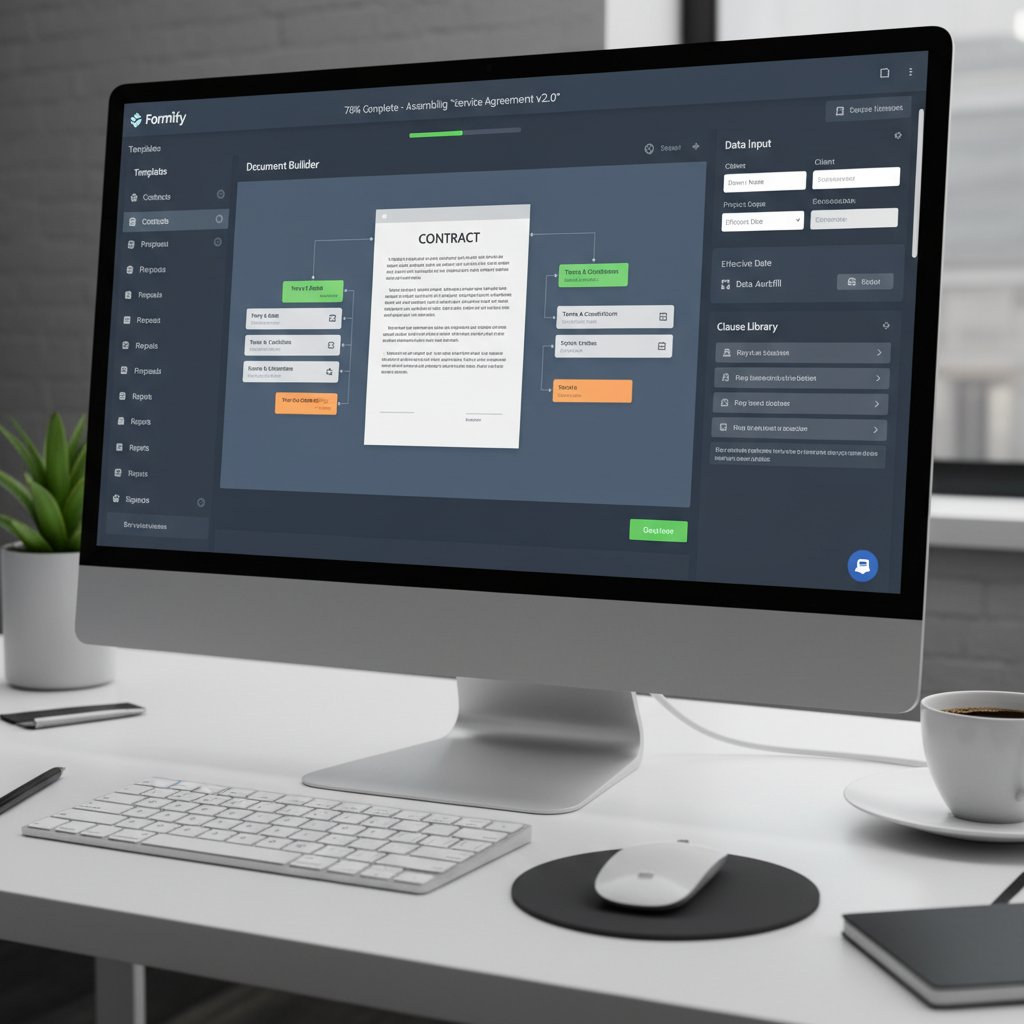
This isn’t science fiction. It’s the standard operating procedure for anyone serious about efficiency in 2025.
What makes a platform powerful (and what to avoid)
Not all digital document assembly tools are created equal. The best platforms excel in several key areas—and avoid common pitfalls.
- Robust template library: A wide range of industry-compliant templates is non-negotiable.
- Seamless integrations: Direct connections to your data sources prevent “automation islands.”
- Real-time editing: The ability to tweak logic or content on the fly is a must.
- Built-in compliance checks: Automated legal and regulatory validation guards against risk.
- Multi-format export: Output documents in PDF, DOCX, PPTX, and more.
Avoid platforms that:
- Require heavy IT support just to update a template.
- Lock you into proprietary formats.
- Offer only superficial automation—if it can’t handle complex logic, it’s not assembly.
"Effective document assembly tools balance power and usability. If a platform is so complex it needs a developer for every change, it’s not truly democratizing automation." — WhyMeridian, Future of Document Management, 2024
Real-world impact: case studies and cautionary tales
From small business wins to global shakeups
The impact of digital document assembly isn’t confined to Fortune 500 boardrooms. Small businesses and multinationals alike are seeing measurable gains.

| Industry | Use Case | Outcome |
|---|---|---|
| Legal | Contract drafting | 70% reduction in time, zero compliance errors |
| Finance | Financial reporting | 90% improvement in accuracy, significant time savings |
| Healthcare | Patient documentation | 50% reduction in admin time, better compliance |
| Marketing | Collateral creation | 40% increase in customer engagement |
Table 3: Verified use cases and business outcomes for digital document assembly; Source: Original analysis based on Rossum, Docsumo, Filecreator.ai use cases.
Current data reveals that early adopters routinely outpace their peers—not by working harder, but by working smarter.
When automation goes wrong: true stories
Every revolution has casualties. Poorly implemented automation can backfire, amplifying errors across thousands of documents. Case in point: a finance firm’s OCR setup failed to recognize a key tax clause, propagating mistakes across 3,000 contracts before anyone noticed. The fix? Weeks of manual review and a hefty compliance fine.
"Automation is a force multiplier—for good or ill. If you automate flawed logic, you get systematic catastrophe at scale." — Docsumo, 2024
The lesson: trust, but verify. Every template, every rule, every integration needs regular review to prevent small mistakes from turning into existential threats.
Cutting corners in configuration is like driving a race car with loose wheels. Speed magnifies risk.
filecreator.ai in the wild: a silent revolution
While flashy headlines go to the big tech names, platforms like filecreator.ai are quietly powering a silent revolution behind the scenes.
- Legal professionals use it to create bulletproof contracts, slashing drafting time by 70%.
- Finance teams rely on it to prepare detailed statements, increasing accuracy by 90%.
- Healthcare organizations generate compliant patient documentation, reducing admin time by half.
- Marketers craft consistent branded materials, boosting engagement by up to 40%.

Their experiences highlight a simple truth: digital document assembly isn’t just for tech giants. It’s the backbone of modern business for anyone willing to embrace the change.
The debate: efficiency versus control
Are we trading accuracy for speed?
The promise of digital document assembly is seductive: lightning-fast workflows, instant compliance, fewer errors. But does speed come at the cost of accuracy? Not if you do it right. Research from Gartner shows that well-implemented assembly tools can actually reduce error rates by up to 60%. But neglect oversight, and you risk automating mistakes at scale.
| Control Factor | Manual Drafting | Digital Document Assembly |
|---|---|---|
| Speed | Slow | Fast |
| Error Rate | High (10 per 100 steps) | Low (if configured well) |
| Consistency | Variable | High |
| Auditability | Manual | Automated |
Table 4: Comparing speed versus control; Source: Original analysis based on Gartner, PwC, Docsumo.
Automate with intent and vigilance, and you gain both speed and control. But let your guard down, and you’re just replacing old problems with new ones.
Speed shouldn’t mean sacrificing standards. The best systems make both possible.
The illusion of security: data privacy nightmares
Handing sensitive data to a digital platform is not without risk. Recent breaches show that document assembly tools without robust encryption and access controls can become unwitting attack vectors. Compliance isn’t just about templates—it’s about airtight security protocols.

"Digital transformation without security is like building a bank without locks. Every platform must treat data privacy as mission-critical." — ProfileTree, 2024
Encryption, strict role-based access, and regular audits must be non-negotiable features. The illusion of security can be more dangerous than no security at all.
Manual editing isn’t dead—yet
Despite the hype, manual editing still has a place in the digital workflow. There are times when no algorithm can substitute for human judgment—complex negotiations, bespoke agreements, or last-minute pivots. The trick is knowing when to automate and when to intervene.
- Critical clauses: Not every scenario can be anticipated by rules—review is essential.
- Regulatory shifts: A change in law may demand a manual update before automation can catch up.
- Client customization: Some deals require unique language or formatting.
Digital document assembly is about amplifying human expertise, not erasing it. Manual review is the safety net that turns automation from a gamble into a guarantee.
Manual isn’t obsolete—it’s just no longer the default.
Choosing your weapon: how to pick a digital document assembly tool
Key features that matter (and what’s just hype)
Choosing the right platform is as much about what you avoid as what you embrace. Look for:
- AI-powered template customization: Not just static forms but adaptive, logic-driven documents.
- Seamless integration: Platforms that play nice with your CRM, ERP, or HRIS expand capability and ROI.
- Real-time compliance updates: Auto-update templates when regulations change.
- User-friendly interface: If you need a PhD to operate it, walk away.
- Multi-format export: No more copy-paste hell—output in PDF, DOCX, PPTX, and more.
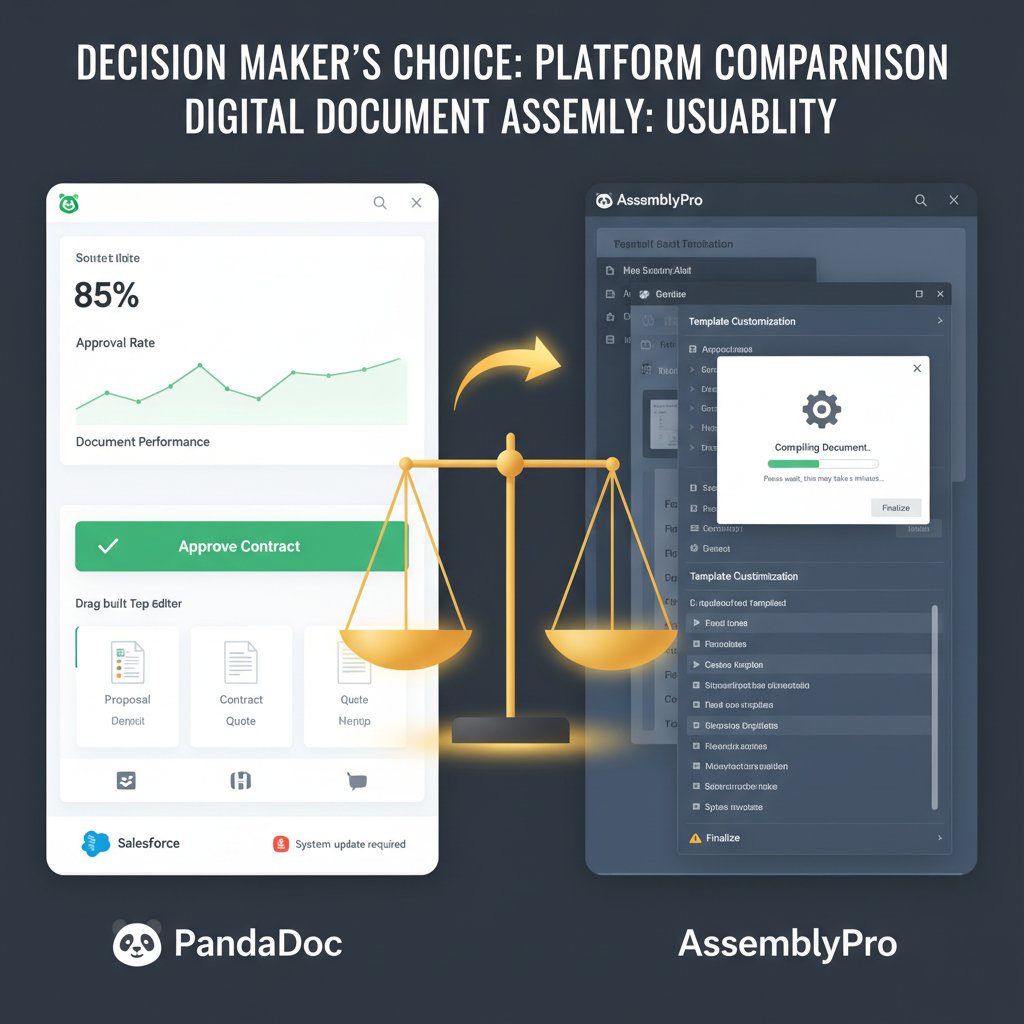
Don’t get distracted by shiny add-ons that have zero impact on day-to-day value.
Red flags and dealbreakers
Some platforms are wolves in sheep’s clothing. Watch for these warning signs:
- Opaque pricing: Hidden fees for “premium” features.
- Lack of audit trails: No history means no accountability.
- Limited customization: If you can’t adapt templates, you’re boxed in.
- Slow updates: Regulations change fast—your platform should, too.
"If a vendor won’t show you how their platform handles compliance and security, walk away. It’s non-negotiable." — WhyMeridian, 2024
Your assembly tool should be a partner, not a bottleneck.
Your priority checklist: getting started the smart way
Ready to make the leap? Here’s your battle-tested checklist for choosing and deploying digital document assembly:
- Define your core document needs: Which workflows bleed the most time and money?
- Assess integration points: Will the platform play nice with your existing tools?
- Check compliance features: Is the assembly process audit-ready and regulation-proof?
- Test usability: Can your team use it without weeks of training?
- Plan for scaling and updates: Does the platform evolve as you grow?

The right prep turns a digital overhaul from risky bet to sure win.
The future: where digital document assembly is headed next
From AI to self-writing contracts: what’s possible in 2030?
While we promised no speculation, it’s clear the technology isn’t slowing down. The near horizon is already seeing:

- AI-powered clause recommendation: Suggests optimal sections based on historical data and best practices.
- Real-time compliance monitoring: Flags issues as you assemble documents, not after.
- Universal format conversion: Seamless output to any required format, instantly.
- No-code builder interfaces: Enables anyone to create or edit templates—no IT ticket required.
- Decentralized audit trails: Blockchain-backed records for tamper-proof compliance.
The line between human and machine-crafted documents will only continue to blur.
The rise of no-code and democratization
What was once the realm of IT and legal departments is now accessible to anyone with a browser. No-code platforms empower frontline employees to automate their own workflows, driving unprecedented agility.
Two big shifts are underway:
- Democratization of automation: The power to build, customize, and deploy document workflows is spreading beyond the C-suite.
- Collaboration at scale: Teams can co-create, edit, and approve documents in real time, no matter where they’re located.
| Trend | Impact | Example |
|---|---|---|
| No-code assembly | Empowers non-tech users | HR creates onboarding docs |
| Cloud-native platforms | Instant access, zero IT overhead | Remote teams, mobile workflows |
| Integrated compliance | Continuous auditability | Finance, legal, healthcare |
Table 5: Emerging trends in document assembly democratization; Source: Original analysis based on WhyMeridian, Docsumo, Rossum.
The barriers to entry are falling—and with them, the excuses.
Will document assembly disrupt your job or save it?
Automation isn’t coming for your job. It’s coming for the parts of your job that no one wants to do: the drudgery, the double-checking, the late-night formatting. That’s not a threat—it’s a liberation.
"The real winners aren’t those who resist automation, but those who wield it to amplify their expertise." — Rossum, 2025
- Business managers: Spend less time on paperwork, more on strategy.
- Legal professionals: Focus on negotiation, not drafting boilerplate.
- Marketers: Create, test, and ship campaigns at the speed of culture.
- Finance teams: Analyze, don’t just assemble.
The work doesn’t disappear. It just gets smarter.
Take action: your digital document assembly survival kit
Quick reference guide: do’s and don’ts
Navigating the shift to digital document assembly? Here’s your anti-burnout cheat sheet:
- Do audit your templates regularly: The only thing worse than manual errors are automated ones.
- Don’t ignore integration: Siloed tools are digital dead ends.
- Do prioritize data security: Encryption and access control are non-optional.
- Don’t “set and forget”: Automation is a living system—keep it healthy.
- Do train your team: The best tech is useless without empowered users.
- Don’t chase hype: Focus on what actually moves the needle.

Self-audit: are you ready to automate?
Before you dive in, run this reality check:
- Do you know your most time-consuming document processes?
- Are your data sources structured, accessible, and clean?
- Does your team understand basic document logic and compliance?
- Are you prepared to manage and update templates over time?
- Do you have buy-in from leadership and end-users alike?

If you said “no” to any of the above, pause. Build your foundation before you build your future.
Resources, communities, and the next steps
Don’t go it alone. The digital document assembly world is packed with resources to help you stay sharp and connected.
- Rossum Document Automation Trends 2025: In-depth analysis and case studies.
- Docsumo Intelligent Document Processing Report 2025: The latest stats and expert insights.
- ProfileTree Document Management Statistics: Essential benchmarking data.
- WhyMeridian Future of Document Management: Industry analysis and strategy guides.
- filecreator.ai: Practical advice, best practices, and tools to take your document workflows to the next level.
Connect with automation professionals on forums like Reddit’s r/automation, LinkedIn groups, and industry webinars. The best solutions come from shared experience.
The world of digital document assembly is moving fast. Stay hungry, stay curious, and above all—don’t get left behind.
Sources
References cited in this article
- Rossum Document Automation Trends 2025(rossum.ai)
- Docsumo Intelligent Document Processing Report 2025(docsumo.com)
- WhyMeridian Future of Document Management(whymeridian.com)
- ProfileTree Document Management Statistics(profiletree.com)
- BSC Solutions: The Hidden Costs of Paper(bscsolutions.com)
- Quadient: Obstacles to Digital Transformation(quadient.com)
- Emerald Insight: Barriers to Automated Decision-Making(emerald.com)
- Document Logistix: Trends for 2024(document-logistix.com)
- Checkbox: What is Document Automation(checkbox.ai)
- Document Management Challenges 2024(documentmanagementsoftware.com)
- B2BE: Document Management Challenges(b2be.com)
- AiDock: Hidden Costs of Manual Document Management(blog.aidock.net)
- Cognitive Market Research(cognitivemarketresearch.com)
- The Digital Project Manager: Best Document Workflow Software 2024(thedigitalprojectmanager.com)
- Workast: Document Management in 2024(workast.com)
- Templafy: Best Document Automation Software 2024(templafy.com)
- Edocgen: Top 10 Document Automation Software(edocgen.com)
- McKinsey Digital Case Studies(mckinsey.com)
- UX4G India Case Studies(ux4g.gov.in)
- Verified Market Reports: Document Creation & Assembly Software(verifiedmarketreports.com)
- Documami: Business Document Automation 2024(documami.com)
- Veritas Data Risk Management Report 2023(veritas.com)
- Reuters Practical Law Journal 2024(reuters.com)
- GoDocs 2023 Checklist(godocs.com)
- Wisconsin Digital Tool Selection Checklist(wlresources.dpi.wi.gov)
- LawNext Directory(directory.lawnext.com)
- Docassemble Development: Top 7 Document Automation & Assembly Platforms(docassembledevelopment.com)
Perfect Documents, Instantly
Filecreator.ai transforms the way you produce professional documents. Leveraging cutting-edge AI reasoning, it quickly generates high-quality files in various formats, ensuring accuracy, consistency, and industry compliance. Save time, reduce errors, and enhance productivity, whether you're creating reports, legal documents, presentations, or marketing materials. Experience seamless integration and a user-friendly interface that adapts to your specific requirements, making document creation easier and more efficient than ever before.
Get startedStart Creating Professional Documents Today
Join thousands of professionals who trust AI-powered document generation
Frequently Asked Questions
How much does it cost to retrieve a lost document?
According to PricewaterhouseCoopers' data cited in the article, it costs an average of $122 to retrieve a lost document and $220 to reproduce one from scratch.
What is the error rate in manual document processing?
The article states there are an average of 10 mistakes per 100 manual steps in manual workflows, each representing a potential legal risk, PR disaster, or lost opportunity.
What is the main difference between digital document assembly and legacy document management?
Digital document assembly uses AI-powered systems to extract, analyze, and organize information to turn chaos into consistency, whereas legacy document management simply scans and stores documents.
Why is manual document processing described as problematic in the article?
The article characterizes manual workflows as inefficient, error-prone, and costly due to hidden overhead from lost or misfiled documents, high retrieval costs, and a 10% error rate that creates legal and business risks.
Continue Reading
Explore more from Professional Document Generator

Automated Document Assembly Transforms Workflows with Trade-Offs
Automated document assembly saves up to 70% of document creation time and cuts processing costs by 40%, though it introduces new operational risks alongside its workflow benefits.

Automatic Document Assembly Software: Risks and Competitive Advantages
Automatic document assembly software is reshaping business operations in 2025. This article examines the risks, benefits, and survival strategies for modern workflows.

Document Assembly Tools: Capabilities, Costs, and True Impact
Document assembly tools automate contract and report generation across law, finance, and HR. This article examines their real capabilities, hidden costs, and actual business impact.

Document Assembly Software in 2025: What Actually Works
Document assembly software streamlines contract creation and policy enforcement at scale. This article explains how it replaces manual workflows and where hidden implementation traps lie.

Document Automation Systems: Costs, Risks, and Competitive Gains
Document automation systems reduce manual paperwork costs and surface workflow risks. This article examines the financial impact, operational changes, and competitive advantages of automation.
Document Assembly Automation: Where It Succeeds and Fails
Document assembly automation reshapes how professionals create, control, and scale documents. This article examines where the technology succeeds and where common implementations fail.





