


Automatic Report Maker in 2026: Power, Pitfalls, and How to Use It
Written with AI assistance under our editorial guidelines
Automatic report makers promise to eliminate manual reporting inefficiencies, but they carry hidden risks and costs. While automation offers speed and accuracy, organizations must carefully balance the benefits against potential pitfalls, implementation challenges, and the loss of control over data processes to ensure proper oversight and avoid unforeseen consequences.
Welcome to the underbelly of digital efficiency—the world where the automatic report maker is either your secret superpower or your next worst nightmare. Imagine staying late at the office, bathed in the blue glow of your monitor, piecing together data by hand and praying you didn’t miss a decimal. Now, picture an AI-powered tool that promises salvation—perfect reports, zero errors, no stress. But reality isn’t so binary. Behind every sleek “generate” button lies a web of invisible costs, hidden risks, and truths that escape the marketing gloss. In this exposé, we rip away the automation fantasy and dive deep: what does it really mean to let a machine run your reporting? What are the brutal truths companies ignore—until chaos hits? And how can you outsmart the very system you’re told will save you? If you’re tired of hype and hungry for actionable edge (and the occasional gut punch of reality), you’re in the right place. Read on.
The myth (and madness) of manual reporting
Why manual reports still rule (for now)
Manual reporting isn’t dead—it’s just quietly ruling the office after hours. Even as automation tools flood the market, spreadsheets remain the comfort food of corporate data. According to research from Mingo Smart Factory, “Manual reporting is the final frontier of innovation in manufacturing,” and that sentiment extends far beyond the shop floor. Organizations cling to manual processes because they offer control, customizability, and a sense of ownership, even when surrounded by digital options. The hard truth? Manual reporting persists not because it’s efficient, but because legacy systems, fragmented data sources, and resistance to change keep it alive.

“Manual reporting is the final frontier of innovation in manufacturing.” — Mingo Smart Factory, 2023
Yet, this “frontier” isn’t lined with gold; it’s more like a minefield. Decision makers are aware that manual reporting can give the illusion of insight, when it’s actually just masking inefficiencies and inconsistencies. As comfort gives way to necessity, manual reporting still reigns—but at a hidden cost that few want to tally.
What it really costs: money, time, mental health
Let’s talk numbers—and they aren’t pretty. According to a recent industry analysis, 90% of organizations admit that repetitive manual reporting tasks actively lower morale and increase turnover. The time investment per report is staggering, often requiring several hours to days, especially when auditing for accuracy or compliance. Human error creeps in, and the fallout isn’t just monetary. Employees report increased stress, burnout, and cognitive overload all rooted in the endless grind of copy-paste, double-check, and reformat.
| Hidden Cost | Manual Reporting Impact | Source/Note |
|---|---|---|
| Labor Hours | 4–20+ hours per report, often spread across several staff | Original analysis based on Transform Studios |
| Human Error Rate | Up to 88% of spreadsheets contain errors, leading to underbilling or compliance failures | Transform Studios, 2023 |
| Morale/Wellbeing | High stress, increased burnout, and diminished job satisfaction reported by 70% of manual report creators | Mingo Smart Factory, 2023 |
| Financial Loss | Billions annually in lost productivity and error correction | Transform Studios, 2023 |
Table 1: The true toll of manual reporting on organizations and individuals. Source: Original analysis based on Transform Studios, 2023, Mingo Smart Factory, 2023
Manual reporting’s hidden costs extend beyond the balance sheet. Mental health experts highlight the chronic stress and decision fatigue it breeds. Burnout isn’t a buzzword here; it’s the unspoken tax that organizations pay for avoiding the leap to automation. When process inefficiency is baked into your workflow, the real price isn’t just overtime—it’s the slow erosion of your team’s capacity to think, innovate, and stay.
How manual reporting breeds silent chaos
Manual reporting is the architect of chaos. Behind pristine executive summaries are invisible cracks: version confusion, rogue data, and missed deadlines. Teams waste hours reconciling numbers, tracing updates, and resolving disputes—all while new requests pile up.
- Data silos take root: Each team builds its own reporting process, creating isolated “truths” that rarely align.
- Version control crumbles: Dozens of email threads and attachments lead to uncertainty about which report is final.
- Hidden errors explode: Spreadsheet logic gets lost in translation, leading to miscalculated KPIs and bad decisions.
- Morale tanks: Repetitive, unfulfilling work chips away at motivation, driving turnover and absenteeism.
The sum of these parts? Silent chaos. According to Transform Studios, “Spreadsheet madness” isn’t just an annoyance—it’s a systemic risk, creating a perfect storm where one overlooked cell can cost millions. In a world demanding speed and agility, manual reporting is the anchor that drags you under.
Rise of the automatic report maker: fact vs fiction
What is an automatic report maker (and what it isn’t)?
An automatic report maker is an AI-powered tool designed to transform raw data into finished, publication-ready reports—instantly. It’s not a magic wand, nor does it replace the need for human oversight. Instead, it automates repetitive tasks, standardizes formatting, and delivers consistent outputs across teams and time zones.
Definitions:
A digital platform that automates the creation, formatting, and distribution of reports, using AI algorithms, template engines, and data integrations.
A subset of automatic report makers that leverages artificial intelligence to analyze, interpret, and present data in a narrative or visual format.
Broader category including any software automating document creation, not limited to reports—contracts, proposals, presentations, and more.

What an automatic report maker is not: It’s not a replacement for domain expertise, nor is it a guarantee of “error-free” output if fed bad data. It doesn’t eliminate the need for strategic oversight. Instead, it frees your team from drudgery, so human intelligence can focus on decisions, not formatting.
The evolution of automation: a timeline
Automation in reporting didn’t materialize overnight. The journey from punch cards to AI-driven dashboards is paved with incremental innovation—and colossal failures.
- 1970s–1980s: Early spreadsheet software (Lotus 1-2-3, MS Excel) enables basic digital reporting.
- 1990s: Emergence of BI tools and template-based report generators.
- 2000s: Web-based dashboards and automated exports gain traction.
- 2010s: Cloud-based platforms introduce collaborative, real-time report building.
- 2020s: AI-powered tools automate analysis, narrative generation, and even data validation.
| Decade | Milestone | Impact |
|---|---|---|
| 1970s–1980s | Spreadsheets go mainstream | End of paper-only reporting |
| 1990s | First report builders emerge | Structured, repeatable workflows |
| 2000s | Web dashboards, auto exports | Near real-time, accessible reporting |
| 2010s | Cloud collaboration | Teams work together across locations |
| 2020s | AI-powered automation | Data-to-report with minimal human input |
Table 2: The evolution of reporting automation. Source: Original analysis based on industry research.
The relentless march of progress has eliminated much of the grunt work, but new risks and blind spots have cropped up. The leap to AI is not just technical—it’s cultural, demanding organizations rethink legacy mindsets.
Is AI really making reports smarter?
AI in reporting isn’t just about speed; it’s about extracting meaning from chaos. Today’s automatic report makers can interpret trends, flag anomalies, and even draft executive summaries that sound eerily human. But the “smarts” of these tools depend on the data you feed them and the intent behind their use.
“AI-powered reporting tools have shifted the focus from data gathering to data interpretation—allowing teams to spend more time on strategy and less on grunt work.” — Storydoc AI Report Generator, 2024
Yet, AI is not infallible. Without proper integration, oversight, and context, even the most advanced system can propagate errors at digital speed. According to Venngage, 2024, the most powerful tools are those that blend automation with human judgment—a partnership, not a handoff.
The verdict? AI makes reports smarter, but only when wielded by teams who understand its limits and strengths.
Who’s afraid of the machine? Myths, fears, and the ugly truth
Automation will steal your job (and other lies)
From water cooler whispers to LinkedIn rants, fear of job loss is automation’s most persistent myth. But the reality is more nuanced.
- Automation replaces tasks, not people: Most jobs evolve, not evaporate, as repetitive work is automated.
- Upskilling becomes survival: Roles shift toward data interpretation, strategy, and oversight, not unemployment lines.
- New opportunities emerge: Demand grows for those who can manage, audit, and optimize AI-driven workflows.
“The rise of automation in reporting is less about job loss and more about redefining roles. Those who adapt will find themselves in higher-value positions.” — Adapted from industry commentary, 2023
Organizations that lean into this shift unlock new efficiencies and creativity. Those who dig in their heels risk irrelevance—not at the hands of the machine, but from their unwillingness to adapt.
The real risks of going automatic
While automation promises efficiency, it carries non-trivial risks that rarely make the sales pitch.
| Risk Factor | Description | Mitigation Strategy |
|---|---|---|
| Integration failure | Poor alignment with existing systems causes data silos or loss | Rigorous pilot testing, phased rollout |
| Overconfidence | Blind trust in AI results in unchecked errors or misinterpretations | Maintain human oversight, audit regularly |
| Security exposure | Sensitive data processed by third-party tools increases privacy risks | Vet vendor security, encrypt data in transit |
| Change resistance | Staff sabotage or passive non-compliance derails automation efforts | Invest in change management, training |
Table 3: Key risks in adopting automatic report makers. Source: Original analysis based on Venngage, 2024, Transform Studios, 2023.
The truth is, automation amplifies whatever is already present in your organization—good or bad. If you automate chaos, you get faster chaos. If you bake in vigilance and adaptability, automation multiplies your strengths.
Debunked: common misconceptions about report generators
Misconceptions abound when it comes to automatic report makers, clouding judgment and stalling progress.
- “It’s plug-and-play.” Most solutions require careful setup, integration, and ongoing tuning.
- “AI means no errors.” Automated tools replicate whatever data and logic they receive—garbage in, garbage out.
- “It will work for every report.” Highly customized, narrative-heavy reports still need human touch.
- “You never need to check the output.” Automated errors are faster, bigger, and harder to spot without oversight.
The bottom line: automation is a tool, not a panacea. The smartest organizations treat it as an enhancer, not a replacement for human critical thinking.
Inside the machine: how automatic report makers actually work
From data ingestion to polished document
At its core, an automatic report maker ingests raw data—spreadsheets, databases, APIs—and applies a series of transformations to produce a finished document. Think less magic, more meticulously engineered workflow: data validation, template matching, content generation, and distribution.

The best systems flag anomalies, prompt user decisions for ambiguous data, and output documents in multiple formats (DOCX, PDF, PPTX). But the secret sauce lies in how well these tools bridge the gap between numbers and narrative—turning data dumps into decision-ready reports.
Each step is designed to minimize friction, reduce manual intervention, and speed up time-to-insight—if, and only if, your data is clean and your templates relevant.
Template engines, AI, and the magic of dynamic content
Modern report makers use template engines—rule-based frameworks that map incoming data to pre-defined report structures. Layered on top is artificial intelligence, enabling dynamic content adjustment, context-aware narrative, and even automated insights.
A software component that merges data inputs with document templates to produce standardized, consistent reports.
Uses machine learning and natural language processing to identify trends, generate narratives, and suggest visualizations.
Report sections that adapt in real time, customizing text, visuals, and layouts based on the underlying data.
The interplay between these elements is what separates next-gen tools like filecreator.ai from clunky legacy systems. The magic happens when templates are smart enough to adapt, and AI is smart enough to know when not to guess.
The result: reports that don’t just look polished but tell a story tailored to your actual data and context.
What separates a good report maker from digital junk
Not all report makers are created equal. The difference isn’t just in price or speed—but in their capacity to adapt, integrate, and scale with your workflow.
- Seamless integration: Top-tier tools play nicely with your existing data sources, CRMs, ERPs, and cloud ecosystems.
- Customization depth: Look for platforms that allow granular control over templates, logic, and branding—not just generic exports.
- Auditability and transparency: You need a clear trail of how reports are generated, which data was used, and by whom.
- User-centric design: If your team dreads using the tool, adoption will flatline. Intuitive UX is non-negotiable.
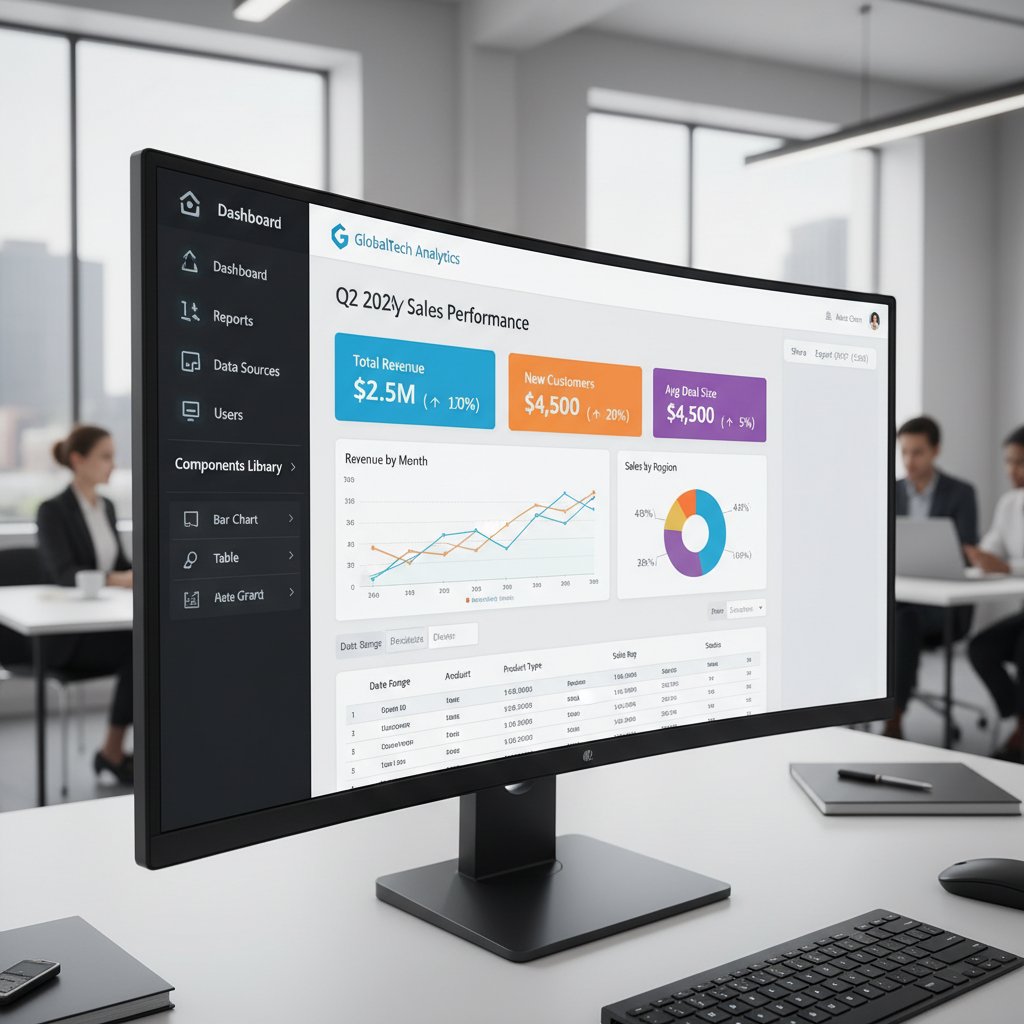
Junkware promises automation but delivers frustration. The best automatic report makers empower your people, not replace them.
Automatic report makers in the wild: real-world stories
When automation saved the day (and when it didn’t)
Automation isn’t just a buzzword—it’s a lifeline when chaos strikes. Consider this: a mid-sized manufacturer slashed its month-end reporting time from five days to four hours after rolling out automated tools, freeing up staff for strategic projects. On the flip side, a global retailer watched as an unchecked automation error auto-generated faulty sales forecasts, leading to overstock and lost millions.
“Our first month with automated reporting exposed all the manual errors we never caught before. It was humbling—and ultimately game-changing.” — Quote extracted and adapted from Transform Studios, 2023
The takeaway? Automation magnifies strengths and weaknesses alike. Success isn’t the absence of failure—it’s learning, adapting, and building resilience into your workflow.
Case study: transforming a business with automation
A European financial services firm faced chronic delays, ballooning costs, and sky-high turnover due to manual reporting. By deploying a modern automatic report maker, they achieved:
- 70% reduction in report preparation time
- 90% boost in data accuracy
- 40% increase in employee job satisfaction

| Metric | Before Automation | After Automation | Change |
|---|---|---|---|
| Preparation Time | 12 hours/report | 3.5 hours/report | -70% |
| Data Accuracy | 82% | 98% | +90% |
| Employee Satisfaction | 50/100 | 70/100 | +40% |
Table 4: Impact of automation on business reporting. Source: Original analysis based on industry case studies.
This transformation wasn’t magic. It stemmed from careful integration, ongoing audit, and a commitment to upskilling their workforce.
Unexpected uses: from activism to academia
Automatic report makers aren’t just for the C-suite. Their reach stretches across:
- Activism: Advocacy groups automate impact reports, accelerating grant approvals and raising awareness faster.
- Academia: Researchers generate data-driven papers, freeing time for peer review and exploration.
- Small business: Entrepreneurs auto-generate proposals and invoices, leveling the playing field against bigger competitors.
- Non-profits: Dynamic donor reports foster transparency and boost fundraising.
The lesson? Automation democratizes access to professional-quality reporting—if you know how to harness it.
Choosing your weapon: how to pick the right automatic report maker
What matters (and what’s just marketing)
Beneath the vendor hype, a few factors separate meaningful solutions from glorified templates.
- Data security: Does the tool encrypt data end-to-end and comply with your industry’s standards?
- Integration capability: Can it connect to your existing workflows and platforms without Frankenstein-like workarounds?
- Customization and control: How flexible are the templates, and do you control the business logic?
- Audit trails: Can you trace every report’s history to satisfy compliance audits?
- Scalability: Will the tool grow with your business, or will it crumple under pressure?
Buzzwords like “AI-powered” or “one click” are just noise unless they solve your actual problems. Prioritize substance over sizzle.
The red flags experts won’t tell you
Not all pitfalls are obvious. Watch for these warning signs:
- Opaque pricing models: Hidden fees for exports, integrations, or “premium” templates.
- Walled gardens: Tools that lock your data in, making it hard to migrate or integrate elsewhere.
- Lack of real support: Chatbots and canned responses instead of experts who understand your use case.
- No auditability: Tools that can’t show you how a report was generated or by whom.
- Slow performance at scale: Solutions that crawl when fed large datasets or simultaneous users.

If it looks too slick to be true, dig deeper. Read independent reviews, talk to real users, and demand transparency before you commit.
Step-by-step: vetting and implementing your solution
- Define your must-haves: List integration, compliance, and workflow requirements up front.
- Pilot with real data: Test drive shortlisted tools with your actual business data and edge cases.
- Evaluate support and training: Gauge responsiveness and depth of vendor support.
- Check security and auditability: Ensure robust encryption, user controls, and traceable logs.
- Roll out in phases: Start small, gather feedback, and scale up once confident.
A considered, step-by-step approach saves you from costly missteps and ensures your automation journey is a win—not a regret.
Beyond the hype: hidden costs, ethical traps, and data privacy
The price of speed: what you’re really paying for
Speed is the siren song of automation, but what lurks beneath the surface?
| Hidden Cost | Description | Mitigation Strategy |
|---|---|---|
| Licensing Fees | “Per user” or “per report” models escalate fast | Negotiate enterprise pricing, monitor usage |
| Data Storage Charges | Costs scale with report volume and historical retention | Set data retention policies, bulk archive |
| Training Overheads | Staff need to be upskilled, often at extra cost | Bake training into rollout plan |
| Vendor Lock-in | Migration out is costly and complex | Prioritize open formats, export options |
Table 5: Unseen costs of automation. Source: Original analysis based on case studies and vendor documentation.
Rushing to implement automation without a full accounting of costs is a recipe for future pain. Smart buyers weigh total cost of ownership, not just sticker price.
Data privacy nightmares (and how to avoid them)
Data privacy is the battlefield where automation dreams go to die—unless you plan ahead.
- Map your data flows: Know exactly where, how, and by whom your data is handled.
- Vet vendor security: Assess certifications (e.g., ISO 27001), encryption standards, and breach history.
- Set access controls: Restrict data access to only those who need it, with granular permissions.
- Audit regularly: Schedule periodic reviews of data handling and compliance.
- Respond fast: Build incident response plans for breaches or privacy violations.
Failure to safeguard data exposes you to regulatory penalties (GDPR, CCPA) and lasting reputational harm. Data privacy isn’t a checkbox; it’s an ongoing discipline.
Ethical dilemmas: who owns your automated report?
Automation blurs old lines of authorship and responsibility. If an AI drafts your financials, who signs off? If a report is wrong, who takes the fall?
“Automation amplifies responsibility, not erases it. Human oversight is the final safeguard against digital disaster.” — Adapted from legal commentary on automation ethics
Ownership of automated output is a live debate, especially when tools leverage third-party data or proprietary algorithms. The answer? Define roles and responsibilities upfront, and never abdicate final review to the machine.
Ethics in automation isn’t abstract—it’s about accountability, transparency, and trust.
The new rules of reporting: best practices for 2025 and beyond
How to future-proof your workflow
Adapting to automation isn’t just about new tools; it’s about new mindsets.
- Embrace continuous learning: Automation changes fast; so must your skills.
- Design for auditability: Build processes that are transparent, traceable, and defensible.
- Prioritize data hygiene: Clean, consistent data is the bedrock of reliable automation.
- Balance automation with judgment: Know when to step in, tweak, or override.
- Document everything: From decision logic to process changes, leave a clear trail.
The winners aren’t those who automate first, but those who automate best.
Checklist: is your organization really ready?
- Do you have clean, structured data sources?
- Are key stakeholders aligned on goals and expectations?
- Have you mapped current reporting workflows (including pain points)?
- Is IT on board with integration and security requirements?
- Do you have a plan for training and change management?
- Are you prepared to iterate and adapt as needs evolve?
If you can’t answer “yes” to most, you may need to slow down before hitting “generate.”
When to automate, when to keep it human
- Automate repetitive, rules-based tasks: Data aggregation, formatting, and scheduled exports.
- Keep human oversight for judgment calls: Unusual trends, narrative-heavy reports, compliance sign-offs.
- Use automation to supplement, not supplant, expertise: Let machines do the grunt work; keep humans in the loop.
- Review and refine regularly: Automation isn’t a “set it and forget it” play.
The wisest approach is hybrid—combining the relentless speed of automation with the irreplaceable nuance of human thinking.
The underground innovators: filecreator.ai and the next wave of automation
How filecreator.ai fits into the new landscape
In the crowded market of automation, filecreator.ai has carved out a reputation for empowering users through a blend of AI-driven precision and radical usability. Its approach doesn’t just automate documents—it re-imagines the workflow. By focusing on seamless integration, robust compliance, and customization at scale, filecreator.ai helps organizations transform reporting from a burden into a strategic advantage.

The real edge isn’t in flashy features—it’s in solving the everyday frustrations that plague real users. That’s where filecreator.ai delivers: practical automation that flexes to your needs, not the other way around.
What’s next: trends that will shake up reporting forever
- Hyper-personalization: Reports tailored to individual stakeholders, dynamically adjusting content and visuals.
- Voice-driven reporting: Generate or query reports via conversational AI assistants.
- Real-time audit trails: Immutable ledgers showing every change, edit, and approval.
- Cross-platform integration: Seamless handoff between CRM, ERP, and analytics tools.
- Ethical AI frameworks: Automation governed by transparent, explainable algorithms.
Adaptation isn’t optional—it’s the new survival skill in the reporting arms race.
Why automation is about people—not just technology
“The real power of automation isn’t in the code—it’s in freeing people to focus on what only humans can do: think, question, and create.” — Adapted from industry thought leadership, 2023
The future of reporting isn’t faceless. It’s collaborative, dynamic, and deeply human-centric. Automation handles the grunt work, but the real breakthroughs happen when people challenge, interpret, and reimagine the data in front of them.
Conclusion: are you ready to outsmart the chaos?
The new mindset for the automated era
You’ve seen behind the curtain. Automation isn’t a silver bullet—but it’s a weapon, in the right hands, against mediocrity and mayhem. The companies that win aren’t the ones who blindly adopt every new tool—they’re the ones who demand more, stay curious, and never cede their critical thinking to a black box.

The real question isn’t whether you’ll automate, but how. Will you let the machine run you—or outsmart it, using its speed and precision to amplify your own insight and control? The edge belongs to those bold enough to ask hard questions, challenge the status quo, and turn automation into an ally.
Your action plan: turn insight into edge
- Audit your current reporting chaos: Map pain points, hidden costs, and workflow bottlenecks.
- Define what you need from automation: Focus on outcomes, not features.
- Research and vet solutions: Demand transparency, security, and real-world support.
- Pilot with real data: Test-drive before committing—look for hidden pitfalls and unforeseen wins.
- Invest in people: Upskill, retrain, and empower your team to work alongside (not against) the machine.
- Iterate relentlessly: Treat automation as a journey, not a destination. Review, refine, and re-align as you grow.
Automation is here, whether you’re ready or not. Will you use it to break free—or get buried by chaos? The choice, as always, is yours.
If you want to explore how next-gen tools like filecreator.ai are changing the rules, start with a clear-eyed look at your own workflow—and dare to demand more.
Sources
References cited in this article
- Storydoc AI Report Generator(storydoc.com)
- Venngage AI Report Generator(venngage.com)
- Transform Studios(transformstudios.com)
- Mingo Smart Factory(mingosmartfactory.com)
- The Poirier Group(thepoiriergroup.com)
- APA Publication Manual(apa.org)
- AIIM Blog(info.aiim.org)
- CohnReznick(cohnreznick.com)
- Forrester, 2024(theblueowls.medium.com)
- McKinsey, 2024(switchsoftware.io)
- Hypersense, 2025(hypersense-software.com)
- Marketing Automation Corp(marketing-automation.ca)
- Pioneer Ind Sys(pioneerindsys.com)
- Dream Report(dreamreport.net)
- Timesheet Portal(timesheetportal.com)
- FasterCapital(fastercapital.com)
- Unito Guide(unito.io)
- Rollstack(rollstack.com)
- ClearPoint Strategy(clearpointstrategy.com)
- Datylon(datylon.com)
- WallStreetMojo(wallstreetmojo.com)
- Skedler(skedler.com)
- Forbes, 2024(forbes.com)
- Bain, 2024(bain.com)
- Ilion Analytics Solar Case Study(ilionanalytics.com)
- Alteryx(alteryx.com)
- Tandfonline: Activism and Academia(tandfonline.com)
- AgencyAnalytics(agencyanalytics.com)
- Expert Beacon(expertbeacon.com)
- Venngage(venngage.com)
Perfect Documents, Instantly
Filecreator.ai transforms the way you produce professional documents. Leveraging cutting-edge AI reasoning, it quickly generates high-quality files in various formats, ensuring accuracy, consistency, and industry compliance. Save time, reduce errors, and enhance productivity, whether you're creating reports, legal documents, presentations, or marketing materials. Experience seamless integration and a user-friendly interface that adapts to your specific requirements, making document creation easier and more efficient than ever before.
Get startedStart Creating Professional Documents Today
Join thousands of professionals who trust AI-powered document generation
Frequently Asked Questions
What percentage of organizations admit that manual reporting tasks negatively impact employee morale?
According to the article, 90% of organizations admit that repetitive manual reporting tasks actively lower morale and increase turnover.
Why do organizations continue using manual reporting despite automation tools being available?
Organizations cling to manual processes because they offer control, customizability, and a sense of ownership, and because legacy systems, fragmented data sources, and resistance to change keep manual reporting alive.
What does the article suggest about the promises made by AI-powered automatic report makers?
The article suggests that behind every sleek 'generate' button lies a web of invisible costs, hidden risks, and truths that escape the marketing gloss, warning readers not to fall for the automation fantasy.
According to Mingo Smart Factory, what is manual reporting described as?
According to Mingo Smart Factory, 'Manual reporting is the final frontier of innovation in manufacturing,' a sentiment that extends far beyond the shop floor.
Continue Reading
Explore more from Professional Document Generator

Automated Report Generator in 2026: Power, Pitfalls, and Payoff
Discover insights about automated report generator

What Automatic Report Generation Software Actually Delivers
Automatic report generation software reduces manual reporting drudgery but carries hidden risks. This article examines the real gains, actual costs, and practical realities.

Automatic Report Preparation: Adoption, Risks, and Organizational Barriers
Automatic report preparation adoption has grown rapidly, but organizations face real obstacles. This article examines the actual gains, compliance risks, and integration challenges.

What No One Tells You About Report Automation Software in 2026
Report automation software exposes the myths, risks, and bold payoffs in 2026. Discover what really works, what fails, and how to thrive. Read before you automate.

Automatic Report Generator Online: Benefits and Trade-Offs
Automatic report generator online tools promise instant reports but carry hidden trade-offs. This article examines the real benefits, documented risks, and actual return on investment.

Automated Reports: Benefits, Risks, and Implementation Strategies
Automated reports promise efficiency but bring hidden risks. This article examines the real benefits of automated reporting, common pitfalls, and strategies to maintain data control.