


How to Generate Legal Templates Safely with Ai: What Lawyers Trust
Written with AI assistance under our editorial guidelines
AI-powered legal template generation in 2025 offers small businesses quick document creation through cloud-based systems, but carries significant risks. While these tools provide wider access than traditional lawyer-drafted contracts, they generate inconsistent, potentially non-compliant documents without professional oversight, requiring users to exercise caution and verify quality before relying on them.
Imagine signing a contract you thought was ironclad, only to watch it unravel in court—because you trusted the wrong template. Now flip the script: picture a small business dodging disaster with a few clicks, thanks to a document born not in a lawyer's office but from a cloud-based AI. This isn’t some dystopian fever dream or a lawyer’s worst nightmare—it’s the current reality of generating legal templates in 2025. The landscape of creating legal documents is more volatile, more ingenious, and, yes, riskier than ever. If you’re reading this, you probably want the real story: not marketing fluff, but the nuts, bolts, and landmines of the AI-powered legal template revolution. Here’s what you won’t find in a sales brochure: the hidden mechanics, the edge cases, the outright scams, and the way smart operators use templates to outpace the stodgy, traditional legal world. Ready? Let’s burn down the myths and rebuild your understanding of how to generate legal templates—with confidence, cunning, and a little bit of defiance.
The evolution of legal templates: From DIY chaos to AI revolution
How legal templates began: A brief, gritty history
Legal templates didn’t emerge from the halls of high-powered law firms. Their roots are far closer to the ground: small business owners scribbling contracts on diner napkins, freelancers hacking together agreements with borrowed language, and everyday people trying to avoid legal landmines on a shoestring budget. In the 1980s and ’90s, legal document drafting was a privileged, paper-based process. Contracts and agreements were custom jobs, with most laypeople priced out of professional help. Enterprising individuals began circulating basic forms, and a cottage industry of “fill-in-the-blank” contract books sprouted up—a DIY approach that was equal parts empowerment and chaos. Mistakes were rampant, legal jargon was abused, and more than a few businesses learned the hard way that a poorly worded template could lead to disaster.

The arrival of the internet didn’t just accelerate the spread of legal templates—it detonated it. Suddenly, anyone could download generic forms, often with no context, guidance, or warranty of legal soundness. LegalZoom, Rocket Lawyer, and dozens of other platforms began offering cookie-cutter contracts online, transforming templates from niche tools into a global commodity. The result was a double-edged sword: wider access, yes, but also a plague of half-baked, non-compliant documents circulating the web. According to legal experts, the first two decades of online template proliferation were a “Wild West” era, with quality control taking a back seat to speed and convenience.
The AI-powered leap: What changed after 2020
The post-2020 era didn’t just tweak the template game—it rewrote the rulebook. With the rise of AI legal document generators, platforms like Briefpoint, Juro, and filecreator.ai began harnessing machine learning, big data, and natural language processing to produce legal documents with unprecedented precision. According to the Clio Legal Trends Report, AI adoption among legal professionals rocketed from 19% in 2023 to 79% by 2025, reflecting a seismic shift in trust and reliance on automated tools. The legal AI software market, once a quiet niche, ballooned to $37 billion globally by 2024, growing at an eye-watering 31% CAGR (Docuease).
AI didn’t just make templates faster—it made them smarter. Modern generators analyze thousands of contracts, extract risk factors, and flag non-compliance automatically. A contract that once took a paralegal hours to review can now be checked for errors, outdated clauses, and missing signatures in seconds. According to CallidusAI, AI tools reduce contract review time by up to 98% and improve accuracy by 90%. The best platforms integrate seamlessly with practice management systems, offering version control, audit trails, and real-time compliance checks.
| Year | Major innovation | Impact |
|---|---|---|
| 1990 | Desktop contract software | First digital templates, limited scope |
| 2000 | Online template platforms | Mass access, DIY legal risks |
| 2015 | Cloud-based collaboration | Real-time editing, shared templates |
| 2020 | AI-powered document generators | Machine learning, auto-compliance |
| 2023 | Integrated risk and compliance engines | Automated audit trails, advanced security |
| 2025 | Deep learning, jurisdictional AI | Hyper-custom, context-aware templates |
Table 1: Timeline of legal template technology evolution.
Source: Original analysis based on Clio Legal Trends Report, 2025, Docuease, 2024.
Big data and machine learning now drive the engine room of legal document creation. Instead of relying on a handful of static forms, AI combs through millions of contracts to identify best practices, risky clauses, and jurisdictional nuances. This isn’t just convenience—it’s a shift in legal power from the privileged few to anyone savvy enough to use the right tool.
Case study: When a template saved—and when it failed
Consider the story of a tech startup on the verge of closing a major deal. The founders, pressed for time and cash, used an AI-powered NDA from filecreator.ai. The document flagged a missing non-solicitation clause and auto-inserted language that protected their interests. Weeks later, when a partner tried to poach their lead developer, the airtight NDA held up, saving the company from a talent raid and costly litigation.
Contrast this with the cautionary tale of a freelancer who downloaded a free contract template from an unverified website. The template, outdated and missing jurisdiction-specific language, left out a critical indemnification clause. When a client project went sideways, the freelancer found themselves on the hook for damages—the “free” template ended up costing thousands in legal fees and reputation damage.
"I never thought a simple NDA could blow up in my face until it did." — Jordan
Understanding the anatomy of a legal template
What makes a template legally sound?
A truly robust legal template does more than fill in the blanks—it reflects decades of legal evolution, industry best practices, and the razor edge of compliance. The best templates share three core traits: clarity (plain English, minimal jargon), completeness (all necessary clauses, tailored to the context), and compliance (updated with current laws and industry standards). According to legal researchers, the difference between a solid template and a legal liability often comes down to these fundamentals.
- Built-in logic: Smart templates adapt to your inputs, including or excluding critical sections based on deal structure.
- Up-to-date compliance: Regularly refreshed to mirror current statutes, regulatory updates, and case law.
- Hidden risk mitigation: Embedded risk flags warn users of missing signatures, cross-jurisdictional conflicts, or ambiguous language.
- Integrated audit trails: Track changes and version history, essential for regulated industries.
- Industry-specific nuance: Templates tailored for tech, healthcare, finance, and creative sectors.
- Plain English summaries: Executive summaries or sidebars demystify dense legalese for non-lawyers.
- User-friendly customization: Editable fields streamline adaptation without risking structural errors.
The devil, as always, is in the details. Local and industry-specific clauses—like GDPR compliance for European contracts, or healthcare data privacy language—separate bulletproof templates from paper tigers. Relying on generic forms is a recipe for oversight; only templates tuned to your jurisdiction and sector can claim true legal soundness.
Breaking down the jargon: Key terms explained
The biggest stumbling block for most people isn’t filling blanks—it’s decoding the cryptic language that fills every legal document. Legalese turns simple concepts into mazes, and a misplaced word can change an entire agreement’s meaning.
Indemnification
Obligation for one party to cover losses or damages caused by another’s actions.
Example: If a software vendor’s code causes a data breach, the indemnification clause means they pay legal costs.
Why it matters: Protects against unexpected liabilities.
Force majeure
A “get out of jail free” clause for disasters beyond a party’s control—think earthquakes, war, pandemics.
Example: COVID-19 lockdowns invoked force majeure in thousands of contracts.
Why it matters: Shields you from breach if the world goes sideways.
Jurisdiction
Specifies which court or legal system will resolve disputes.
Example: “This agreement shall be governed by the laws of California.”
Why it matters: Determines where you’ll fight legal battles.
Severability
Ensures if one clause is invalid, the rest of the contract survives.
Example: If a non-compete is unenforceable, the rest of the agreement still holds.
Why it matters: Prevents total contract collapse from a single error.
Boilerplate
Standardized language reused in countless contracts—think “entire agreement” or “notices” sections.
Example: “This agreement constitutes the entire understanding between the parties.”
Why it matters: Fills legal gaps and clarifies parties’ intent.
Execution
Signing the document, making it legally binding.
Example: “Executed as a deed on [date].”
Why it matters: Without proper execution, a template is just a file.
Understanding these definitions isn’t academic nitpicking—it’s survival. Non-lawyers who grasp these basics are far less likely to be blindsided by gotchas buried in the fine print.
Customization vs. copy-paste: The fine line
There’s a seductive danger in copying and pasting legal language without thinking. Generic templates, especially those cribbed from internet forums or outdated PDFs, rarely fit the unique contours of your deal or jurisdiction. The risk? Hidden loopholes, unenforceable terms, and the false sense of security that comes from using “standard” language.
Modern AI-powered services like filecreator.ai bridge the gap between DIY sloppiness and expensive legal consultations. These platforms don’t just spit out static forms—they adapt templates to your inputs, flag missing data, and suggest edits based on context. The magic isn’t in the template—it’s in the process of tailoring it to your reality.
"The best template is one you don't even realize was a template." — Casey
The new players: AI, automation, and the legal template arms race
How AI generators like filecreator.ai are changing the game
By 2025, AI-powered document generators aren’t just trendy—they’re standard issue for legal professionals, startups, and anyone who values speed and accuracy. Platforms like filecreator.ai combine deep learning algorithms, compliance engines, and user-friendly interfaces to democratize legal document creation.

The upside? AI drafts contracts in minutes, checks for compliance, and offers dynamic customization previously out of reach for non-lawyers. The downside? No AI is infallible. Overreliance can breed complacency, and bad actors exploit the AI boom by peddling scam templates or “AI-powered” tools that amount to glorified form fillers. According to Thomson Reuters, 2025, up to 74% of hourly billable tasks can be automated, but human oversight remains critical to catch context-specific issues and local legal quirks.
Who wins? Comparing manual, template, and AI-driven solutions
| Solution | Speed | Accuracy | Cost | Customization | Risk |
|---|---|---|---|---|---|
| Manual drafting | Low | Very high | Highest | Full | Lowest (with expert) |
| Downloadable templates | Medium | Medium | Low | Limited | High |
| AI generators | Very high | High | Medium | High | Low to medium (with review) |
Table 2: Comparison of manual, template, and AI-driven legal document creation.
Source: Original analysis based on Thomson Reuters, 2025, Juro, 2025.
Startups and SMBs thrive on speed and cost—AI generators offer the best mix of efficiency and reliability when backed by periodic legal review. Large enterprises and regulated industries may still require manual drafting for high-stakes or bespoke agreements, but even they are leveraging AI to handle routine paperwork at scale.
- Assess your needs: Define document type, complexity, and stakes.
- Evaluate provider credibility: Check reviews, compliance history, and transparency.
- Test customization: Does the tool adapt to your context?
- Audit compliance features: Look for built-in legal checks.
- Review costs: Balance subscription fees with potential legal risks.
- Check integration: Will it work with your existing workflows?
- Plan professional review: Never skip a lawyer’s eyes for critical matters.
The dark side: Scams, loopholes, and template traps
Wherever there’s easy money, there’s fraud. The online legal template world is riddled with traps: templates plagiarized from outdated statutes, platforms promising “lawyer-approved” forms with no oversight, and bait-and-switch pricing schemes. Scammers prey on urgency and ignorance, selling documents that won’t withstand even minor scrutiny in court.
- No author or legal credentials listed
- Outdated templates (pre-2020)
- No jurisdiction or industry specificity
- Overly generic language (“party A/B”)
- No customer support or contact info
- Hidden fees for “final” downloads
- No revision or audit history
- Pushy upsells or fake testimonials
Debunking myths: What most people get wrong about legal templates
Myth #1: All legal templates are risky or useless
The knee-jerk reaction that “templates are a gamble” is outdated. With modern AI tools and regular expert review, today’s best templates are safer than ever. The standards have risen dramatically, and platforms like filecreator.ai make it possible to generate legal templates that stand up to scrutiny.
"A well-designed template is a shortcut to safety—not a gamble." — Taylor
According to Juro, 2025, the gap between custom drafting and smart templates is narrower than ever, provided users exercise due diligence.
Myth #2: Lawyers hate templates and won't use them
Reality check: most lawyers use templates as a springboard for drafting, focusing their billable hours on high-value customization. Templates, precedents, and custom drafts each have distinct roles:
Template
A standardized, fill-in-the-blank document for repeatable use.
Precedent
A previous contract or agreement used as a reference for future drafts.
Custom draft
A fully bespoke document, tailored from scratch.
Form
A basic, often government-issued document for statutory compliance.
The most advanced legal teams combine AI-driven templates with human judgment, raising the quality bar and freeing time for complex legal strategy.
Myth #3: Free templates are always low quality
The internet is littered with both trash and treasure. Some free templates are excellent, especially those offered by government agencies or nonprofit organizations. Others are ticking time bombs. The key is to vet sources rigorously, check for recent updates, and ensure jurisdictional fit.
| Source | Cost | Customization | Support | Risk |
|---|---|---|---|---|
| Government agency | Free | Low | None | Low (if relevant) |
| Major AI platform | Paid | High | Full | Lowest |
| Law firm website | Free/Paid | Medium | Limited | Medium |
| Forum or blog | Free | None | None | High |
Table 3: Feature matrix of popular free and paid template sources.
Source: Original analysis based on PocketLaw, 2025, Juro, 2025.
To vet a free template, check its update date, author credentials, and compatibility with your jurisdiction. When in doubt, consult a professional.
Practical mastery: Using legal templates like a pro in 2025
Step-by-step: Generating, customizing, and reviewing your template
- Define your need: Determine document type and legal context.
- Choose a trusted provider: Prefer platforms with regular updates and compliance checks.
- Input accurate data: Double-check names, dates, and critical facts.
- Customize key clauses: Adapt indemnification, jurisdiction, and special terms.
- Leverage AI suggestions: Use built-in logic and risk warnings.
- Review plain English summaries: Ensure you understand every section.
- Run a compliance audit: Check for required signatures and dates.
- Export and securely store: Use encrypted or cloud-based storage.
- Schedule periodic reviews: Update templates as laws and needs change.
Regular review and updating aren’t optional—they’re the difference between a viable contract and a legal liability. According to industry best practices, legal templates should be revisited at least annually or whenever relevant laws change.
Checklist: Vetting your template for hidden risks
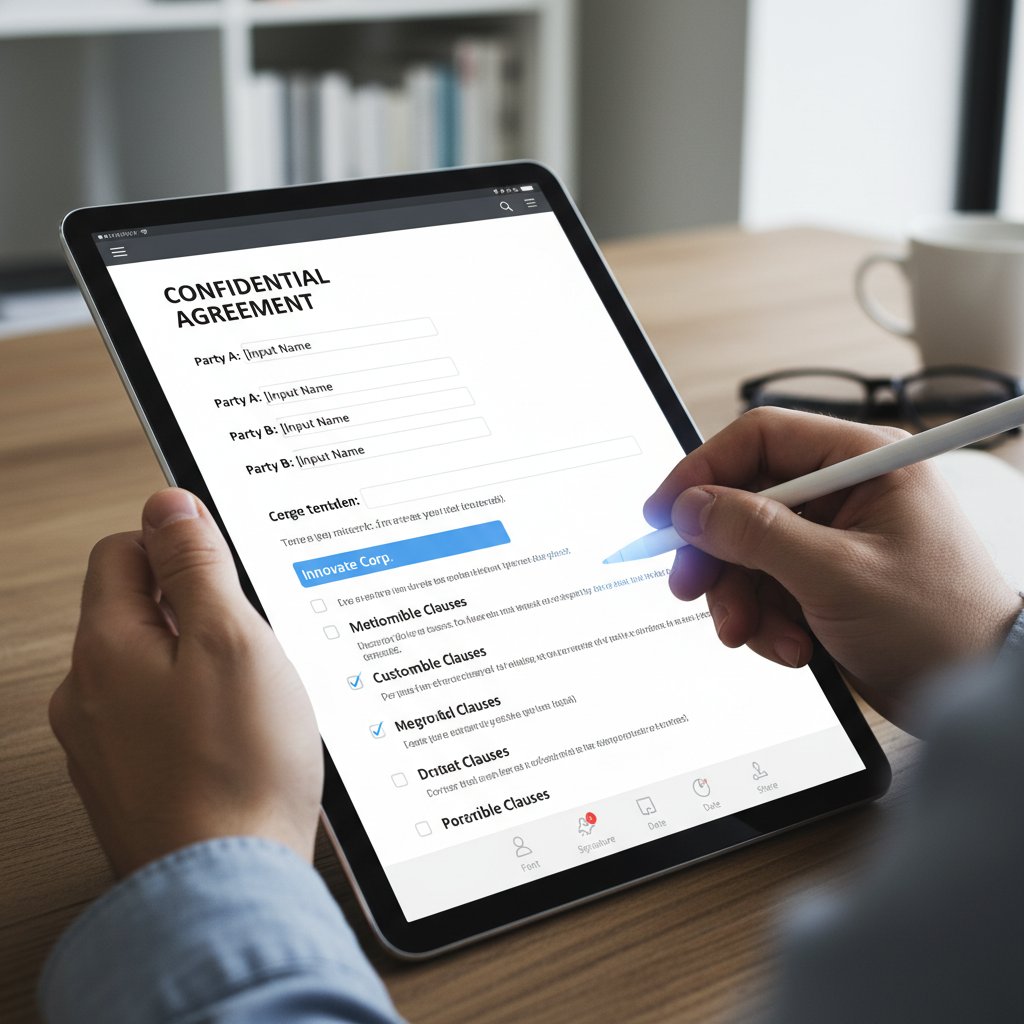
Before you sign or send any legal template, run this practical checklist:
- Is the template up to date with current laws?
- Does it specify relevant jurisdiction?
- Are all required clauses included?
- Is the language clear and unambiguous?
- Are party names and roles accurate?
- Does it cover data privacy and security (where required)?
- Are risk and liability clauses balanced?
- Have you removed boilerplate irrelevant to your situation?
- Are digital signatures valid and accepted?
- Has a legal professional reviewed it for high-stakes deals?
If you spot anything suspicious—or the stakes are significant—bring in an expert. The cost of review is a bargain compared to litigation.
Real-world applications: From startups to side hustles
Different industries exploit legal templates in ingenious ways. Tech startups use NDAs and IP assignments to move at breakneck speed. Creative agencies draft project scopes and influencer agreements on demand. Educators streamline partnership MoUs, while healthcare providers rely on HIPAA-compliant forms for rapid onboarding.
"Templates let us move fast without breaking things—or laws." — Morgan

Risks, rewards, and the future of legal template generation
The risks: What can go wrong and how to prevent disaster
The biggest threats in automated template generation are subtle: outdated clauses that don’t reflect new regulations, jurisdictional mismatches that make agreements unenforceable, or compliance gaps that invite penalties. Mistakes aren’t always obvious until they explode into legal disputes or regulatory fines.
Best practices for risk mitigation include periodic template review, reliance on reputable providers, and integrating compliance checks into your workflow. According to legal experts, combining AI audits with human oversight remains the gold standard.

Rewards: How smart template use can save time and money
The upside is enormous. AI-driven templates slash drafting time, accelerate deal cycles, and slash legal fees—sometimes by six figures a year. According to Thomson Reuters, 2025, lawyers save up to 4 hours a week using AI, translating to $100,000 in new billable hours annually.
| Metric | Manual drafting | AI-driven templates |
|---|---|---|
| Contract review time | 4-6 hours | <10 minutes |
| Accuracy improvement | N/A | Up to 90% |
| Cost savings/year | — | $100,000+ |
| Dispute reduction | — | Significant |
Table 4: Statistical summary of time and money saved by using AI-generated templates.
Source: Thomson Reuters, 2025.
In case studies, businesses that embrace smart templates close deals faster, reduce disputes, and scale operations without ballooning legal budgets.
What’s next: The coming wave of legal template innovation
AI won’t stop at automation. Trends already in motion include collaborative platforms for real-time deal negotiation, blockchain notarization for tamper-proof contracts, and deeper integrations with business management tools. Platforms like filecreator.ai are at the forefront, shaping the next era of legal empowerment by combining robust AI with transparent user controls and industry-driven innovation.

Choosing your arsenal: How to pick the right legal template provider
What sets top providers apart in 2025
Choosing the right legal template provider isn’t just a matter of price—it’s a question of trust, transparency, and technological edge. The best services offer:
-
AI-powered accuracy checks: Reduce human error, flag missing or risky clauses.
-
Transparent revision history: See who changed what, and when.
-
Responsive customer support: Fast answers to complex questions.
-
Deep customization: Adapt templates to unique deals, not just names and dates.
-
Data privacy: End-to-end encryption and compliance with privacy laws.
-
Multi-format export: Generate DOCX, PDF, and other vital formats.
-
Business process automation: Use templates for onboarding, compliance, and HR.
-
Personal finance: Draft loan agreements, promissory notes, or wills.
-
Creative industries: Rapidly generate licenses or IP assignments.
-
Education: Streamline permission slips and partnership MoUs.
-
Nonprofits: Save time on grant applications and donor contracts.
-
Event planning: Create waivers and service agreements with ease.
Responsive customer service and clear documentation are vital—when things go sideways, you want answers, not a chatbot loop.
Red flags: When to walk away from a template service
Beware any provider that:
- Lacks clear authorship or legal credentials
- Offers only outdated templates
- Obscures fees or charges for “premium” downloads
- Has no visible customer support
- Fails to disclose jurisdictional coverage
- Pushes unverified testimonials
- Hides revision history
- Has an unsecure or amateurish website
- Check provider credentials
- Review update frequency
- Assess template library breadth
- Verify compliance and audit tools
- Test customer support responsiveness
- Read real user reviews
- Check for transparent pricing
- Confirm secure data handling
User reviews and third-party endorsements matter—don’t trust your legal fate to anonymous internet forms.
Making the most of your provider: Tips for ongoing success
To wring the most value from legal template services, integrate them directly into your business workflows. Automate routine documents, schedule periodic legal audits, and customize templates for recurring needs. Use templates as a foundation for smarter processes—not as a crutch for avoiding legal expertise.
"Templates are tools, not crutches—use them to build, not just to patch." — Riley
Beyond business: Legal templates in culture, society, and daily life
The democratization of legal power: Who really benefits?
The widespread availability of legal templates isn’t just a business convenience—it’s a cultural shift. By making legal language and frameworks accessible to everyone, platforms like filecreator.ai are redistributing power, lowering barriers to justice, and enabling individuals to assert their rights with confidence. The potential for more equitable access to justice is real; templates level the playing field for people and organizations previously priced out of legal protection.

When templates go viral: Pop culture, memes, and the law
Legal templates have even entered the zeitgeist. From viral “roommate agreements” on social media to tongue-in-cheek “dating contracts,” contract memes shape how people view legality, consent, and fairness. While some of this is fun and games, the impact is real: a viral meme contract once sparked a lawsuit after a bet went sideways, proving the line between joke and legal reality is thinner than most realize.

The limits: When a template just isn’t enough
No matter how advanced, a generic template can’t handle every scenario. Complex mergers, intellectual property battles, cross-border deals, and high-stakes litigation demand bespoke legal craftsmanship. Over-relying on automation for these situations courts disaster.
- Mergers, acquisitions, or sales of a business
- Complex intellectual property transfers
- International contracts with multi-jurisdictional laws
- Highly regulated industries (finance, healthcare)
- Disputes or litigation settlements
The bottom line: Rethinking your relationship with legal templates
Key takeaways: Smarter, safer, and more empowered in 2025
The old rules no longer apply. To generate legal templates effectively in 2025, you need a blend of smart tools, sharp thinking, and relentless attention to detail. Here’s what matters:
- Not all templates are created equal: Vet every source.
- AI is powerful—but not infallible: Human review remains essential.
- Legal language isn’t impenetrable: Learn the basics.
- Customization is king: Never settle for generic.
- Regular updates are non-negotiable: Laws change, so should your templates.
- Red flags aren’t optional: Walk away from sketchy providers.
- Templates empower—if used wisely: Make them your secret weapon, not your Achilles’ heel.

Quick reference: Glossary of essential terms
A fast, no-BS glossary for anyone navigating the template jungle:
Addendum
A document modifying an existing contract, often used for small changes.
Arbitration
Alternative to court trials—disputes are settled by a neutral third party.
Consideration
The value exchanged in a contract; what each party “gets.”
Effective date
When the contract’s terms officially kick in.
Notice
Formal written communication required by a contract.
Party
Each signatory to a contract—could be a person or company.
Term
The length of time the contract is in force.
Waiver
Intentional relinquishment of a legal right—must be explicit.
Bookmark this glossary and revisit key sections as needed. Understanding these terms is your first defense against template traps.
Final reflection: The future of legal empowerment is in your hands
Here’s the uncomfortable truth: in 2025, the gatekeepers of legal power are losing their monopoly. Whether you’re a founder, freelancer, or side-hustler, generate legal templates not as an act of desperation but as a strategy for agility, compliance, and protection. Stay informed, stay skeptical, and let automation handle the grunt work—while you keep your eyes on the fine print.
"In 2025, the power to generate legal documents isn’t just for lawyers—it’s for everyone bold enough to demand better." — Alex
Sources
References cited in this article
- Best AI for Legal Documents: Top 7 Tools in 2025 (Briefpoint)(briefpoint.ai)
- AI for legal documents in 2025 (Juro)(juro.com)
- AI for Legal Documents in 2025: Use Cases, Trends & Tools (PocketLaw)(pocketlaw.com)
- How AI is transforming the legal profession (Thomson Reuters)(legal.thomsonreuters.com)
- Exploring the Evolution of Document Automation in Legal Practice (JDJournal)(jdjournal.com)
- How AI for Legal Documents Helps Lawyers (MyCase)(mycase.com)
- Latest Trends in Legal Document Automation for 2024 (DocDraft)(docdraft.ai)
- LexisNexis legal AI adoption report(legaltechnology.com)
- Lawyers Are Adopting Generative AI Faster than Other Technologies (Everlaw)(everlaw.com)
- Legal tech AI: Generative AI's impact on legal departments (Thomson Reuters)(legal.thomsonreuters.com)
- 5 Essential Templates for Law Firms in 2024 (Stackby)(stackby.com)
- Mastering the Art of Creating Legal Templates (Lawspulse)(lawspulse.com)
- LegalZoom Attorney-Drafted Templates(legalzoom.com)
- Legal Templates: Cost-Effective Solutions for Success(bluenotary.us)
- How to Explain Contract Terms to Non-Lawyers in 2025 (LegittAI)(legittai.com)
- Legal Terms Explained: Everything You Need to Know(top.legal)
Perfect Documents, Instantly
Filecreator.ai transforms the way you produce professional documents. Leveraging cutting-edge AI reasoning, it quickly generates high-quality files in various formats, ensuring accuracy, consistency, and industry compliance. Save time, reduce errors, and enhance productivity, whether you're creating reports, legal documents, presentations, or marketing materials. Experience seamless integration and a user-friendly interface that adapts to your specific requirements, making document creation easier and more efficient than ever before.
Get startedStart Creating Professional Documents Today
Join thousands of professionals who trust AI-powered document generation
Frequently Asked Questions
What are the main risks of using AI-generated legal templates?
According to the article, AI-generated legal templates carry significant risks including potential court disputes, non-compliance issues, and the circulation of half-baked, legally unsound documents. The article emphasizes that trusting the wrong template can cause contracts to unravel in court.
How did legal templates originate?
Legal templates began in the 1980s and '90s as a grassroots solution, with small business owners and freelancers creating informal agreements. The DIY approach evolved into fill-in-the-blank contract books, though this era was marked by rampant mistakes and misuse of legal jargon.
How did the internet change the legal templates landscape?
The internet accelerated the spread of legal templates by enabling anyone to download generic forms online without context or warranty of legal soundness. Platforms like LegalZoom and Rocket Lawyer transformed templates into a global commodity, though this also led to more non-compliant documents circulating the web.
Can small businesses use AI-generated legal templates safely?
The article suggests that small businesses can potentially benefit from cloud-based AI-generated documents with a few clicks, but cautions readers about the volatility and risks of the current AI-powered legal template landscape.
Continue Reading
Explore more from Professional Document Generator

Legal Templates Generators: Benefits, Risks, and When DIY Law Works
Legal templates generators offer speed and cost savings, but carry hidden risks. This article examines when DIY legal documents work and when they create serious problems.

Legal Document Templates: Why Convenience Breeds Compliance Risk
Generating legal document templates involves hidden regulatory and technical risks. This article explains what can go wrong and how to avoid compliance failures.

Customized Legal Documents: Why Generic Templates Fail
Generate customized legal documents to protect your interests. This article explains the risks of generic templates, how to use AI-powered tools responsibly, and what to scrutinize before signing.

Generate Professional Legal Documents Without the Hidden Risks
Discover insights about generate professional legal documents

Legal Document Creators: How They Work and Their Real Risks
Legal document creator tools automate contract generation but carry compliance and validity risks. This article examines how they work, their limitations, and when professional legal review matters.

Legal Drafting Software Online in 2026: Power, Risks, Reality
Discover insights about legal drafting software online